Your desk probably isn’t going to get any bigger before the new school year, but the number of things competing for space on it probably will. A laptop and notebook don’t seem like much until you add a monitor, phone, headphones, keyboard, mouse, chargers, textbooks, and the cables connecting everything.
Buying more organizers sounds like the obvious solution, but every stand, charger, hub, and storage box also wants a piece of the desk you’re trying to organize. A better approach is to give your desk a space budget. Anything you add should consolidate several things, move something out of your working area, or make an everyday task noticeably easier.
These seven products do that in different ways. You don’t need all of them. Find what’s creating friction in your setup and fix that problem instead of recreating somebody else’s perfect desk.
1. Make Your Laptop Easier to Grab With the Anker 565
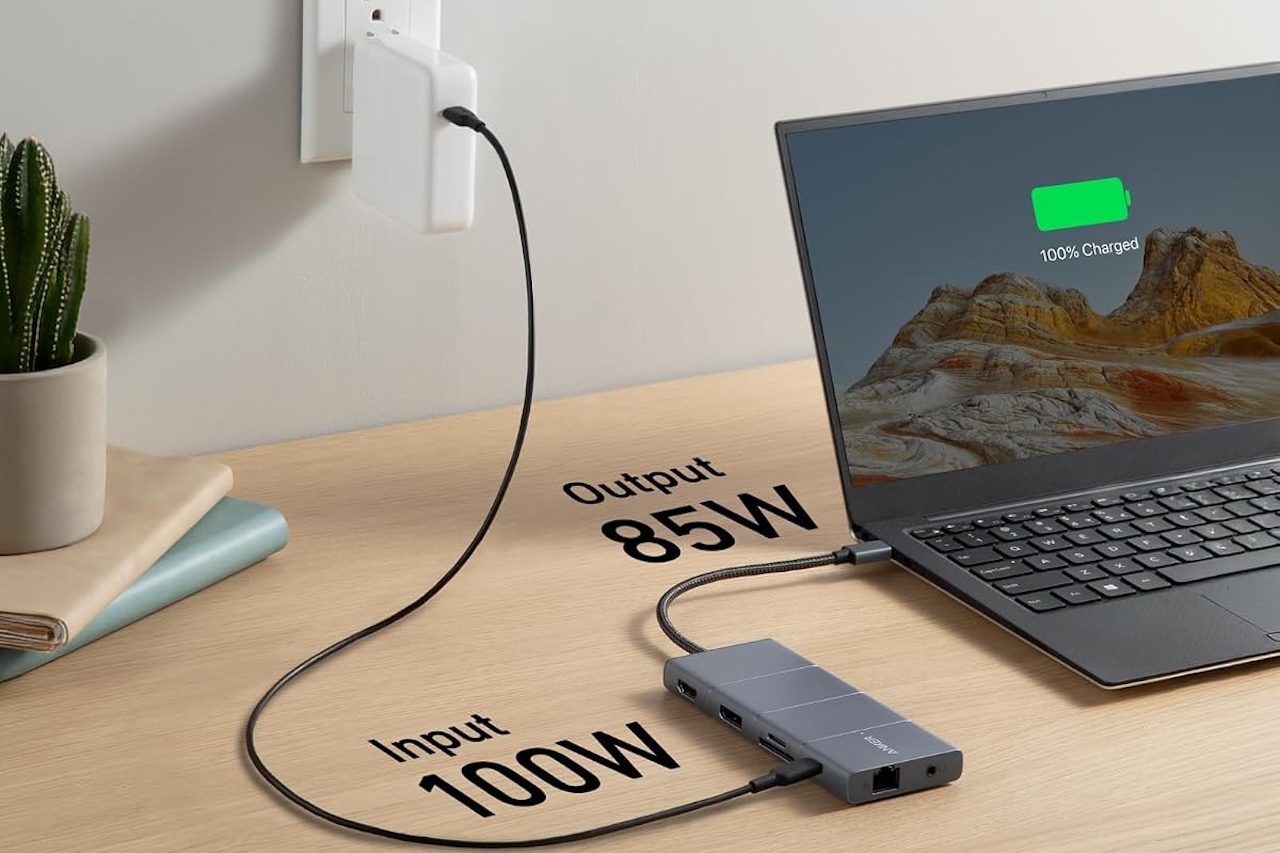
A laptop stops feeling portable once a monitor, keyboard, mouse, drives, Ethernet, and power are attached. The Anker 565 11-in-1 USB-C Hub consolidates many of those connections, including USB-A and USB-C data ports, HDMI, DisplayPort, Gigabit Ethernet, card readers, audio, and USB-C Power Delivery. It supports a 100W PD input with up to 85W pass-through charging to the laptop.
Leave compatible peripherals connected to the hub and you have fewer cables to unplug when heading to class, then fewer to reconnect when you return. Just check compatibility first. Your laptop’s USB-C port needs the appropriate Power Delivery and DisplayPort Alt Mode support, and its hardware or operating system may impose additional external-display limitations.
Buyer fit: The Anker 565 makes sense when you’re repeatedly connecting and disconnecting several peripherals. If your laptop only needs power and a wireless mouse, keep the desk simpler.
Anker 565 11-in-1 USB-C Hub
Price: $69.99
Where to Buy: Amazon
2. Reclaim the Space Under Your Monitor With the Ergotron LX
A monitor stand takes up valuable desk space, especially when you also need room for books, notes, and schoolwork.
The Ergotron LX Desk Monitor Arm moves the support to the desk edge, freeing the area beneath your display. It supports compatible monitors weighing 7 to 25 pounds, typically up to 34 inches, with 75 x 75mm or 100 x 100mm VESA mounting. Height, extension, tilt, pan, and rotation adjustments offer more flexibility than a factory stand.
Check more than screen size before buying: confirm the monitor’s weight, VESA pattern, dimensions, and whether your desk can accommodate the mount. Heavier or unusually deep displays can limit adjustment range or capacity.
 A monitor arm can improve positioning, but it does not automatically make a setup ergonomic. You still need to set the screen height and viewing distance around your chair and body.
Buyer fit: The Ergotron LX can justify its price when a large monitor base is stealing space you genuinely need. If the existing stand isn’t in your way, there’s little organizational reason to replace it.
Price: $190
Where to Buy: Amazon
3. Replace Several Chargers With the Anker Prime 100W
Power adapters multiply quickly. Add a phone, tablet, headphones, smartwatch, e-reader, and power bank alongside a laptop, and a power strip can fill with separate chargers.
The Anker Prime Charger (100W, 3 Ports, GaN), model A2688, consolidates that load into two USB-C ports and one USB-A port. Either USB-C port can deliver up to 100W on its own, while USB-A supports up to 22.5W.
Output drops when multiple devices are connected: Anker rates the two USB-C ports at up to 65W plus 35W, while all three ports share a maximum 89W. The exact split also depends on the ports in use.
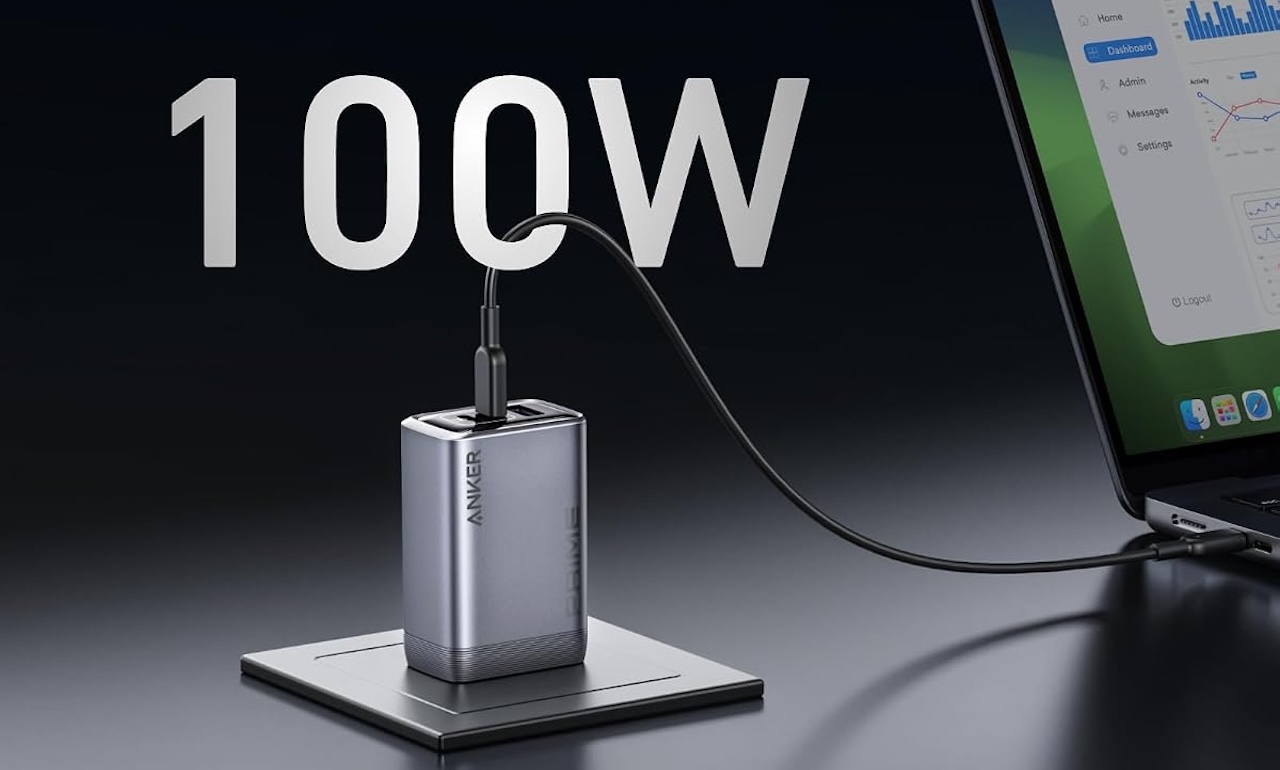 That matters more than the 100W headline. The charger saves space only if it can replace the adapters already crowding your desk. Gaming and workstation laptops may still need their original higher-wattage or proprietary chargers, but the Anker can still consolidate power for smaller devices.
Buyer fit: The Anker Prime is most useful when it replaces multiple chargers you already use. Buying a three-port charger while leaving all the old adapters plugged in defeats the purpose.
Price: $69.99
Where to Buy: Amazon
4. Stop Giving a Closed Laptop an Entire Laptop-Sized Space
A closed laptop connected to an external monitor can take up a surprising amount of desk space without adding a usable screen or keyboard.
The UGREEN 20471 Adjustable Vertical Laptop Stand stores the computer on its edge, freeing room for a notebook or textbook. Its aluminum frame has protected contact areas and an adjustable slot of roughly 12 to 26mm.
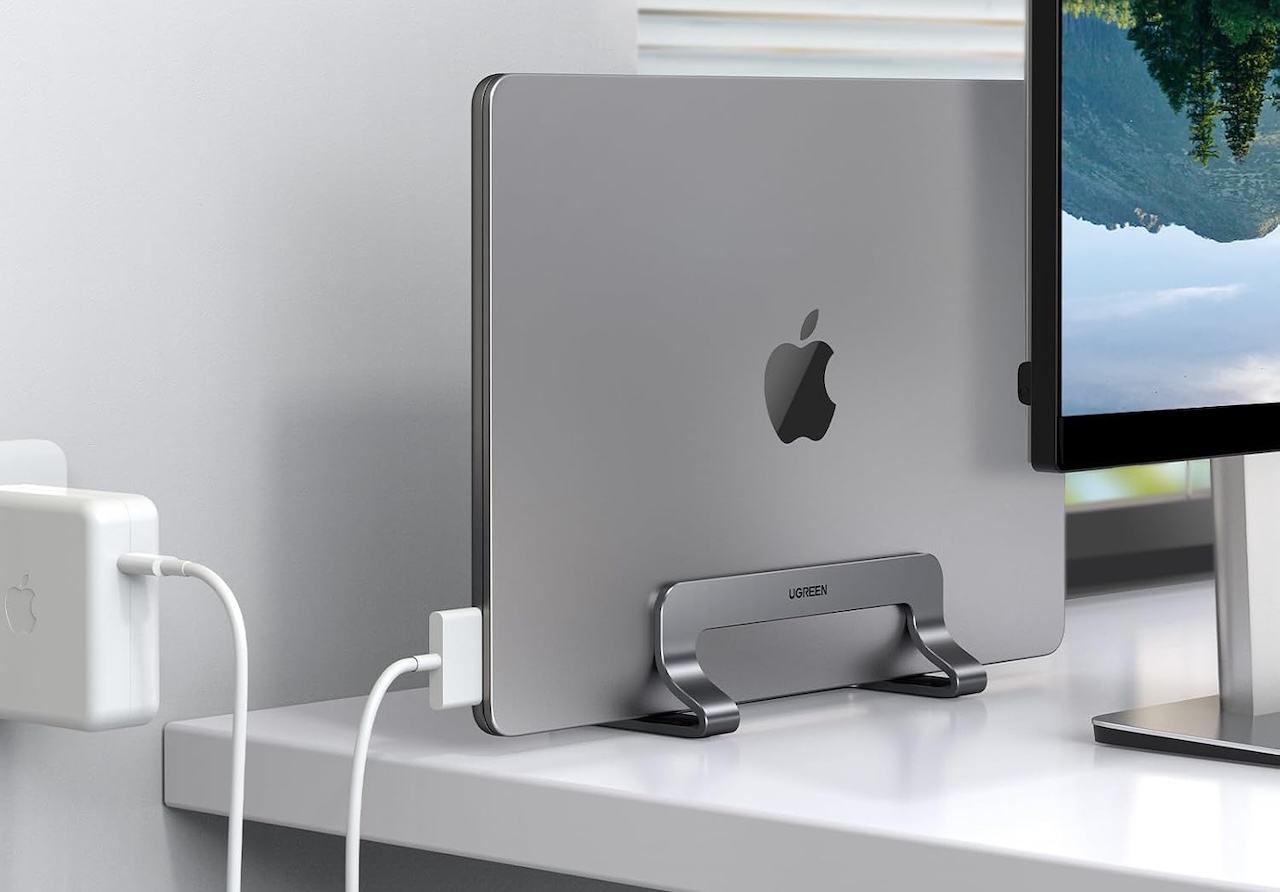
Check the thickness of your closed laptop rather than relying on screen size; UGREEN’s regional product descriptions for this model have varied. Also confirm your laptop supports closed-lid operation with your external display and that the stand will not block its vents.
Buyer fit: The UGREEN stand is useful when a closed laptop is occupying space without doing anything useful there. If you regularly use its built-in display, an elevated open-laptop stand makes more sense.
Price: $22.99
Where to Buy: Amazon
5. Give Your iPhone a Permanent Parking Spot With the Anker MagGo
Phones create clutter because they rarely stay put. They move aside for notebooks, shift again for charging, and eventually disappear beneath whatever you’re studying.
The Anker MagGo Wireless Charger (Stand), model A25X1, gives a compatible iPhone a dedicated spot and provides up to 15W Qi2 charging with compatible hardware.
That consistency keeps the phone visible for timers, authentication codes, calendars, and StandBy mode without claiming more desk space. But if notifications are a study distraction, placing the phone farther away may be the better choice.
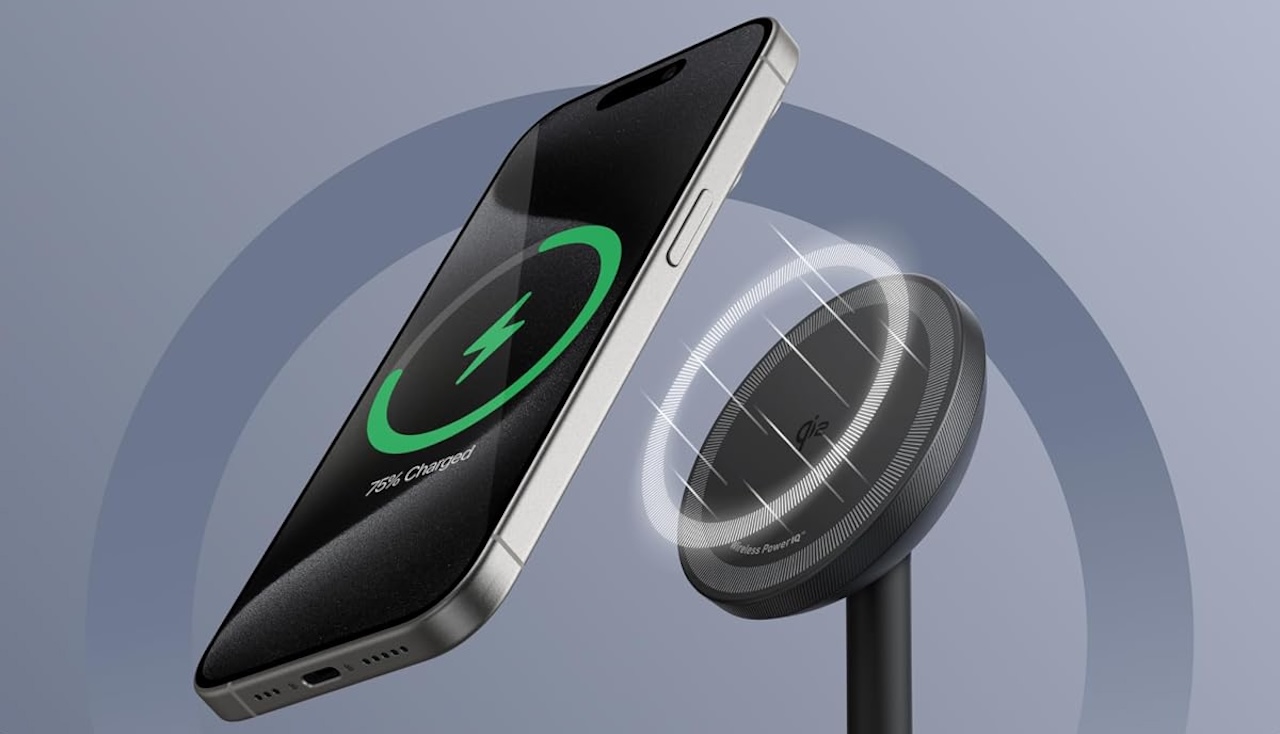
Check compatibility with your phone, case, and power source, since each can affect magnetic alignment and charging performance.
Buyer fit: The MagGo makes sense when a compatible iPhone already lives beside your computer and needs a predictable charging location. If the phone is your biggest distraction, move it away instead.
Price: $35.99
Where to Buy: Amazon
6. Move the Cable Mess Under the Desk With the Cinati Tray
Cleaning the desktop can simply relocate the mess underneath it. Power strips, oversized adapters, excess monitor cable, and charger cords can turn the area behind a desk into a bundle you have to untangle every time something needs unplugging.
The Cinati Under Desk Cable Management Tray gives that hardware somewhere better to live. The commonly sold version uses a clamp-on, no-drill design, which is useful for dorms, rentals, or desks you don’t want to modify permanently.
The tray doesn’t reduce the number of cables you own. Instead, it keeps excess cable and a compatible power strip underneath the work surface so only the cable lengths needed to reach your devices have to appear above it.
Moving electrical equipment out of sight doesn’t change its limits either. Stay within the ratings of your power strip and outlet, and avoid packing power adapters together so tightly that normal heat dissipation becomes difficult.
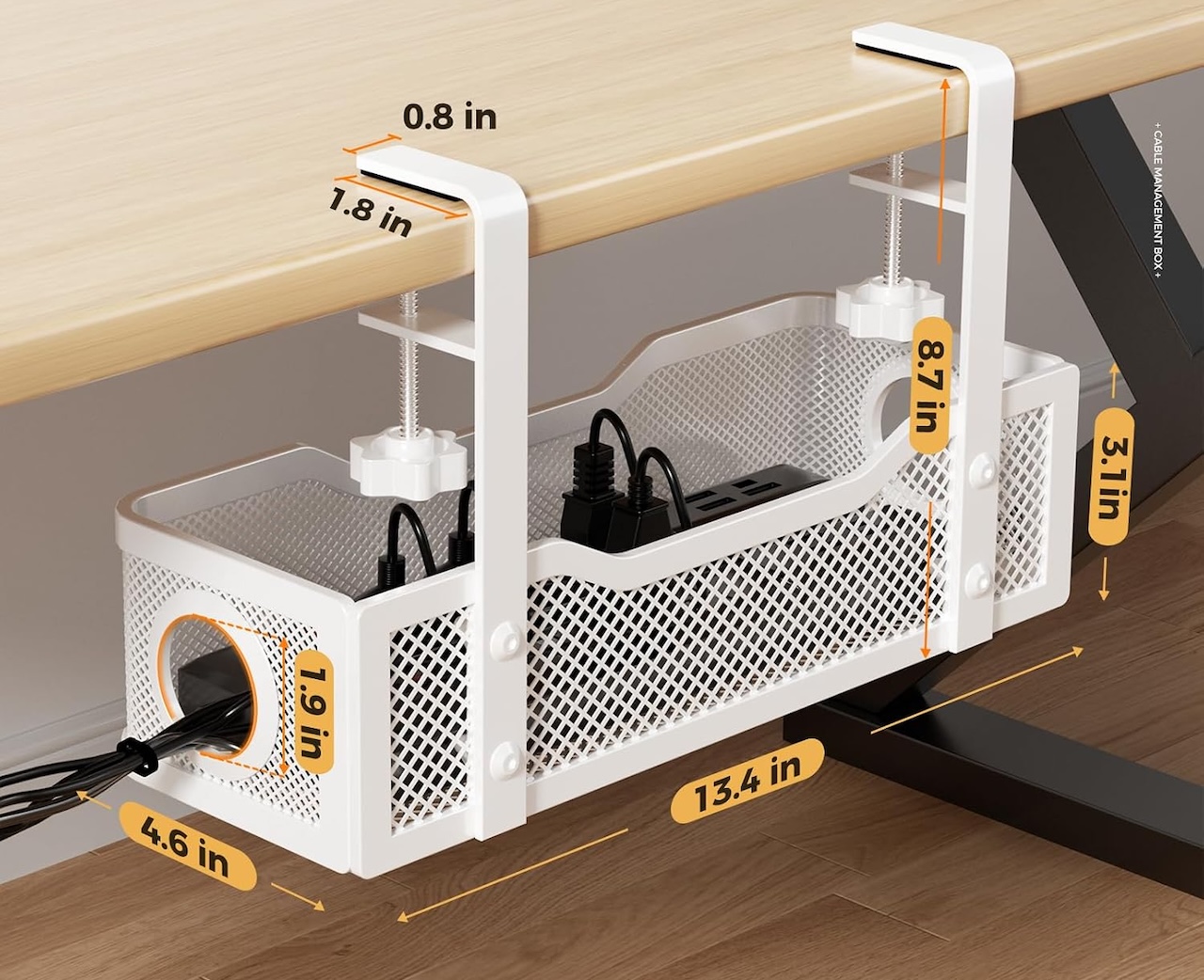
Buyer fit: A cable tray has an obvious job when a power strip and tangled cables are already hanging beneath your desk. If you only have a couple of wires, reusable cable ties are cheaper and simpler.
Price: $16.99
Where to Buy: Amazon
7. Put Your Traveling Tech in the tomtoc Light-T12
Some accessories create clutter because they travel between your desk and backpack. Portable SSDs, USB drives, earbuds, adapters, SD cards, styluses, and spare cables rarely have a permanent home.
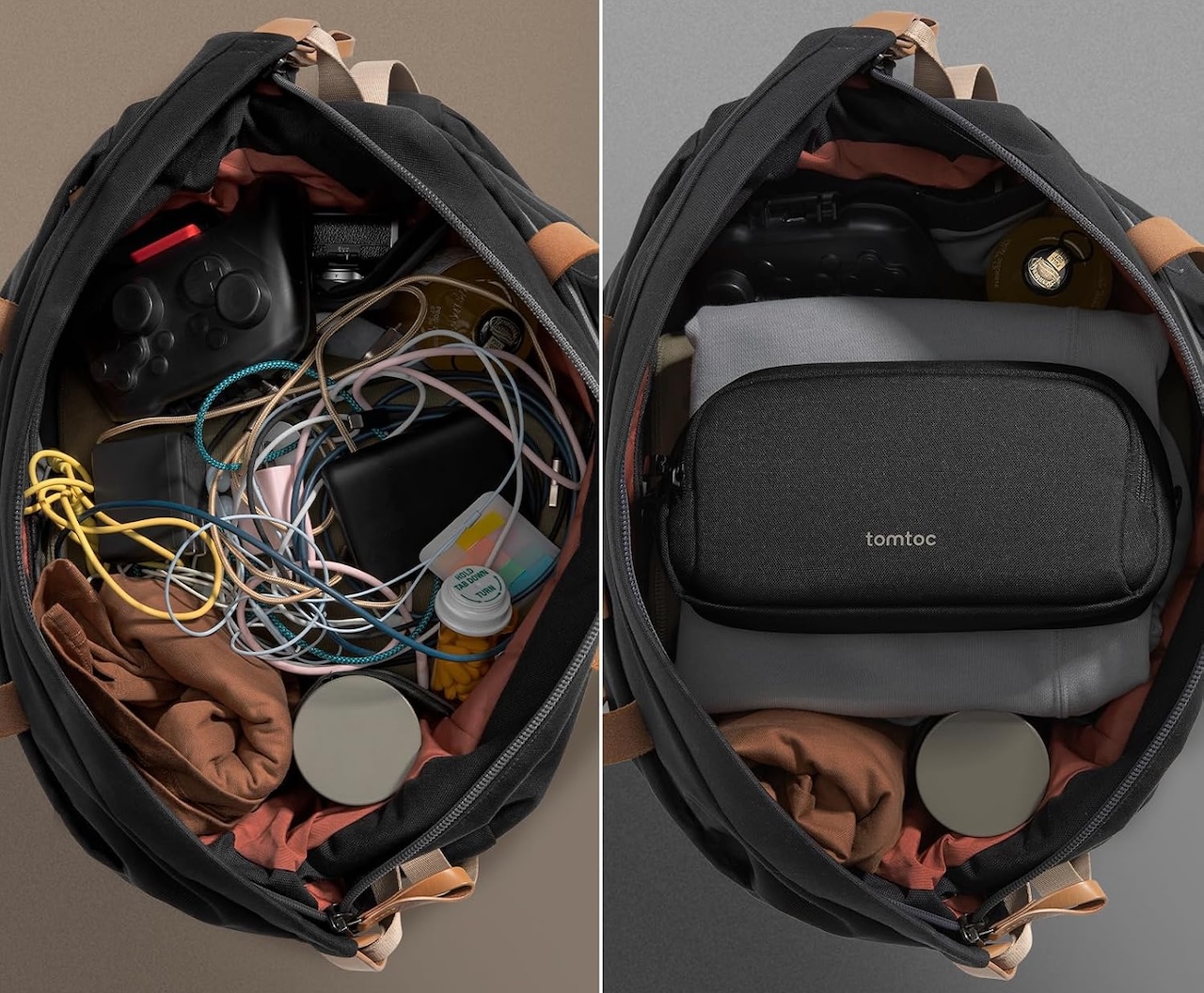
The tomtoc Light-T12 Electronic Accessory Pouch keeps them together. It comes in 1L and 1.8L sizes, with organization for chargers, cables, keys, pens, and other small gear.
The benefit is separation: keep permanent gear, your monitor, keyboard, mouse, and hub, at the desk, and store portable accessories in the pouch. When it’s time for class, several loose items become one thing to grab.
Choose the size you actually need. A larger organizer can quickly become a portable junk drawer for old adapters and mystery cables.
Buyer fit: The Light-T12 makes sense when small accessories regularly travel between your desk, classroom, library, and backpack. If your tech rarely leaves home, a drawer does the same job for free.
Price: $22.09
Where to Buy: Amazon
The Best Desk Upgrade May Be the One You Don’t Buy
There’s a useful test for every product on this list: what problem disappears after you add it? The Anker 565 should reduce repeated plugging and unplugging. The Ergotron LX should recover useful monitor space, the Anker Prime should replace chargers, and the UGREEN stand should shrink the footprint of a closed laptop.
The smaller accessories should pass the same test. The MagGo should give your phone a home, the Cinati tray should move unnecessary cable length out of your working area, and the tomtoc pouch should keep portable accessories from spreading between your desk and backpack.
If you can’t identify the problem an accessory removes, don’t buy it. It’s easy at the beginning of a school year to mistake buying things for improving your workspace.
Start with the desk you already have. Clear it, put back the equipment you genuinely use, and notice what repeatedly gets in your way. That’s where an upgrade can actually help.
Buyer fit: Most students should start small. Fix cables if cables are the problem, consolidate chargers if chargers are the problem, and reclaim surface area if you’re constantly running out of room. An organized desk isn’t defined by how much technology sits on it. It’s defined by how little you have to think about that technology once it’s time to work.