Back-to-school shopping has a strange habit of focusing on students while ignoring the person who has to keep 25 or 30 of them moving in roughly the same direction all day.
Teachers don’t necessarily need more technology. They need fewer little problems.
The worksheet everyone needs to see. The slide deck that traps you beside your laptop. The supply bin nobody can find. The transition that takes five minutes instead of two. The phone that’s nearly dead before dismissal.
Individually, these are minor annoyances. Repeat them every school day, and they become part of the workload.
These seven picks of back-to-school tech gadgets start somewhere more useful: with the problem a teacher is actually trying to solve.
1. IPEVO V4K Pro Document Camera
The problem: You need 30 students to see the same worksheet, book page, math problem, or tiny science experiment at the same time.
A document camera might be one of the most practical pieces of classroom technology teachers don’t automatically receive.
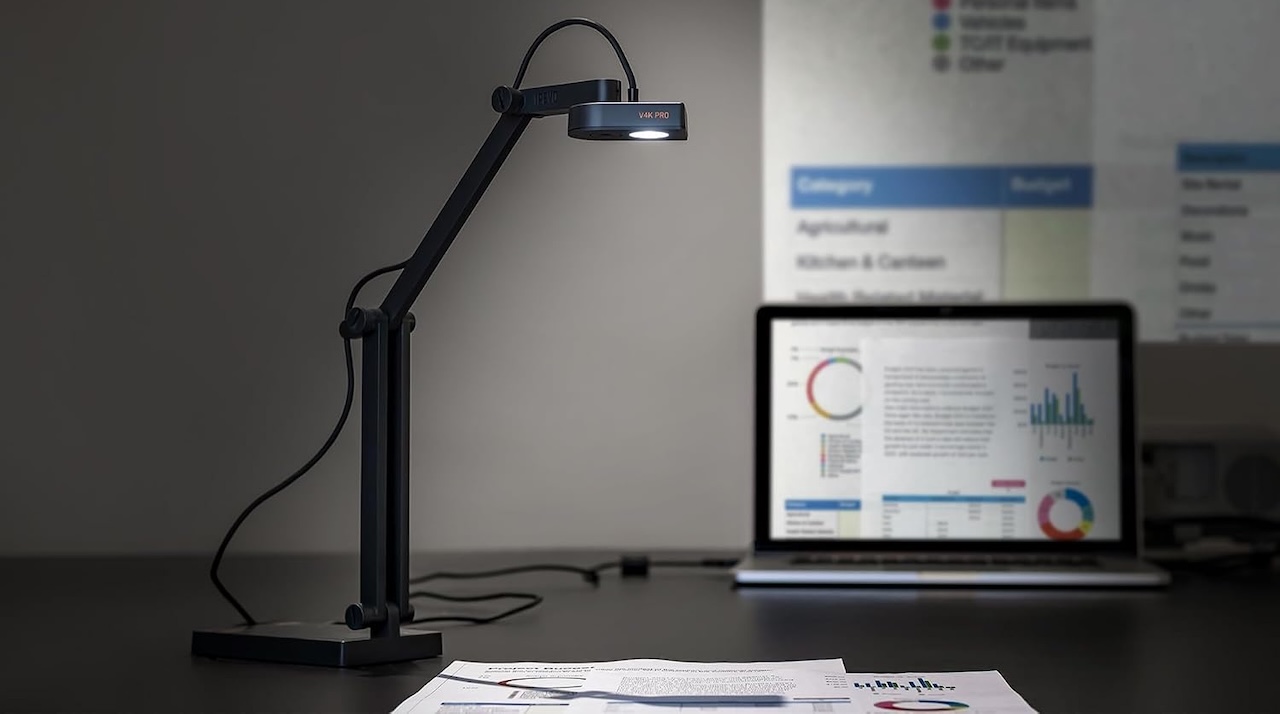
The IPEVO V4K Pro sits over your desk and captures whatever you place underneath it. Instead of scanning a worksheet before class, you can put it under the camera and project it.
That opens up plenty of possibilities. Work through a math problem with an actual pencil. Demonstrate handwriting. Show a circuit board. Zoom in on something during science. Put student work under the camera and discuss it with the class.
The practical benefit is that physical material can become presentation material almost instantly.
 That doesn’t mean every teacher should order one tonight. Your school’s computer restrictions matter. Check whether the hardware and software will work with the machine you’re actually allowed to use before spending your own money.
Buyer fit: Elementary teachers, math and science teachers, art instructors, and anyone constantly holding up a sheet of paper and asking, “Can everyone see this?”
IPEVO V4K Pro Document Camera
Price: $199
Where to Buy: Amazon
2. Logitech R500s Wireless Presenter
The problem: Your classroom display is effectively tethering you to your laptop.
If your lessons depend heavily on Google Slides or PowerPoint, repeatedly walking back to the computer to advance a slide gets old fast.
The Logitech R500s Wireless Presenter solves a remarkably simple problem: it lets you control a presentation without standing beside the computer.
That can change how you use the room.
You can walk between desks while explaining a slide, check what students are doing without interrupting the presentation, or stand near the student asking a question instead of conducting the entire lesson from your laptop.
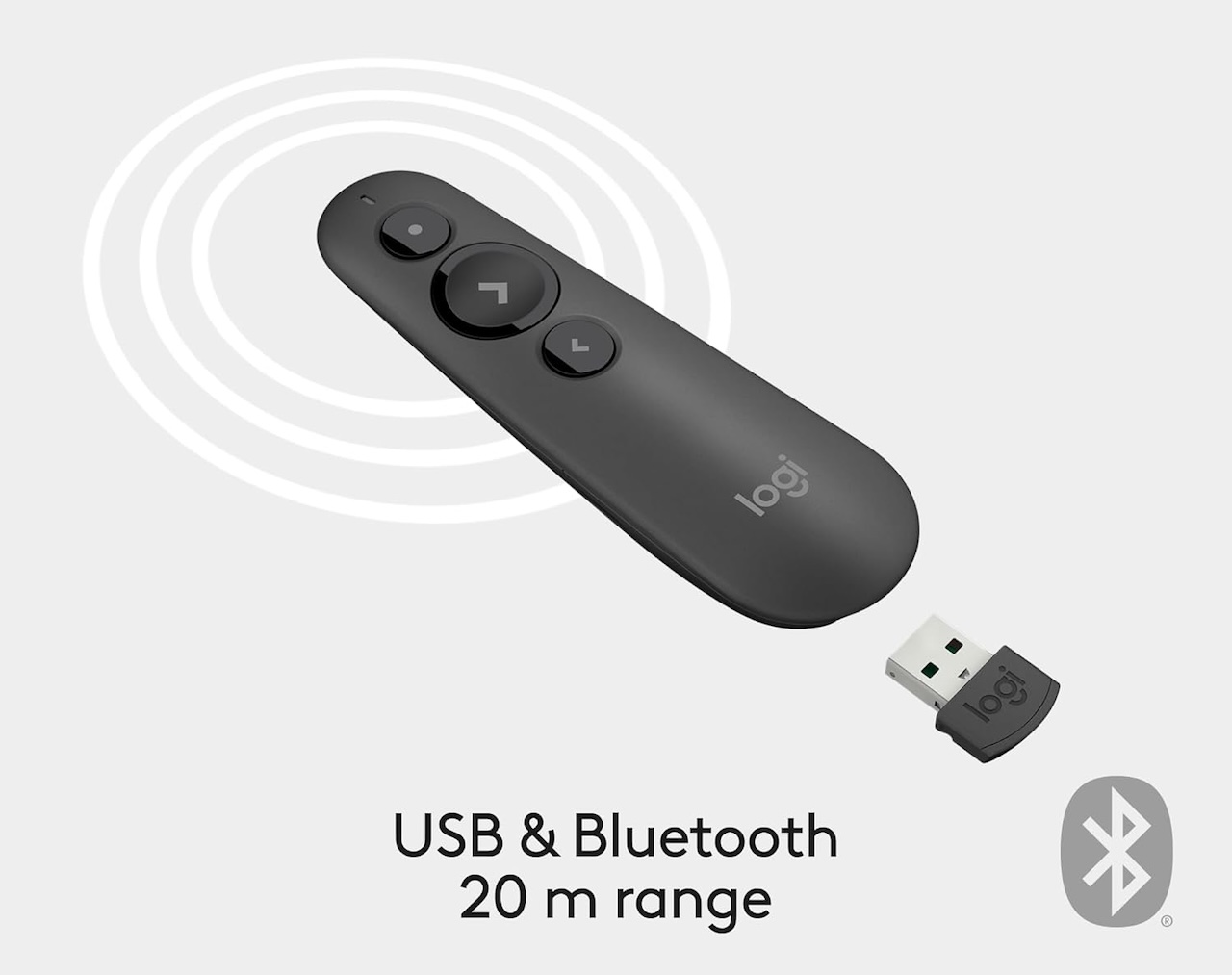 The R500s keeps the controls relatively simple rather than turning the presenter itself into another device you have to learn.
But don’t confuse convenience with a teaching breakthrough. A wireless presenter won’t make a boring slide deck interesting. What it can do is remove a small physical constraint from the way you teach.
Buyer fit: Middle-school, high-school, college, and professional-development instructors who regularly present slides. If most of your teaching happens at a whiteboard, save the money.
Logitech R500s Wireless Presenter
Price: $35.99
Where to Buy: Amazon
3. Brother P-touch CUBE PT-P300BT Label Maker
The problem: You know exactly where the charging cables belong. Your students apparently have a different filing system.
Classrooms generate stuff.
Markers. Headphones. Manipulatives. Calculators. Tablets. Chargers. Art supplies. Lab equipment. Storage bins containing smaller storage bins.
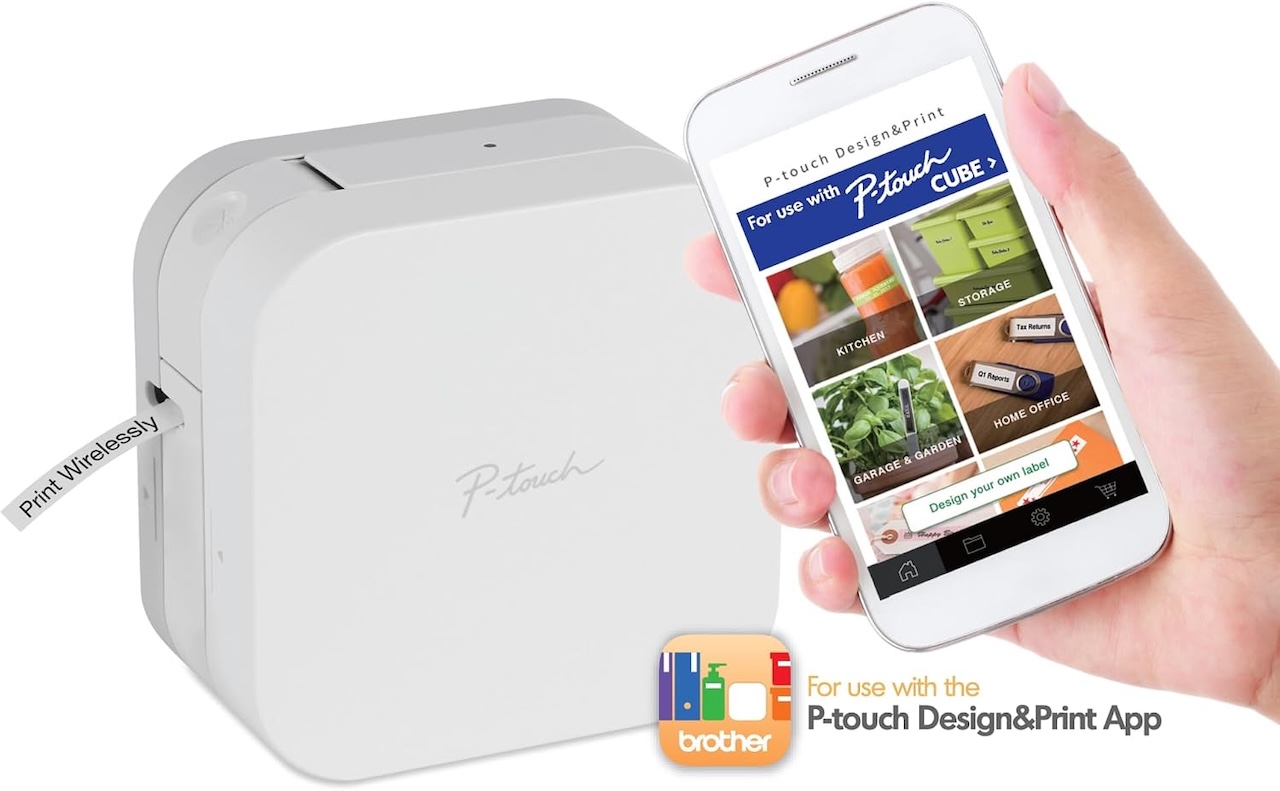
The Brother P-touch CUBE PT-P300BT gives all that stuff somewhere identifiable to go.
Instead of typing labels using a tiny keyboard built into the label maker, the P-touch CUBE connects to a phone over Bluetooth. You create the label there and print it using Brother’s compatible tape.
The practical payoff isn’t having prettier storage bins. It’s reducing friction.
 If students can immediately identify where headphones, scissors, chargers, returned assignments, or supplies belong, that’s one fewer question you have to answer and one less thing you have to reorganize yourself.
A label maker obviously won’t create an organization system for you. That’s the claim-versus-evidence distinction here. It simply makes an existing system easier to communicate and maintain.
Buyer fit: Elementary teachers, special-education classrooms, labs, makerspaces, and anyone whose classroom contains enough storage bins to qualify as a small warehouse.
Brother P-touch CUBE PT-P300BT Label Maker
Price: $69.99
Where to Buy: Amazon
4. Time Timer MOD 60-Minute Visual Timer
The problem: “You have five minutes left” means absolutely nothing until you announce that there are suddenly 30 seconds remaining.
A normal digital timer gives students a number.
The Time Timer MOD makes the remaining time visual.
As time passes, the colored portion of the timer disappears, allowing students to glance across the room and get a rough sense of how much time remains without converting a number into an abstract deadline.
That can be useful during independent work, stations, reading, cleanup, group activities, tests, and transitions between subjects.
It also reduces the need for the teacher to repeatedly announce the remaining time.
Don’t overstate what it does, though.
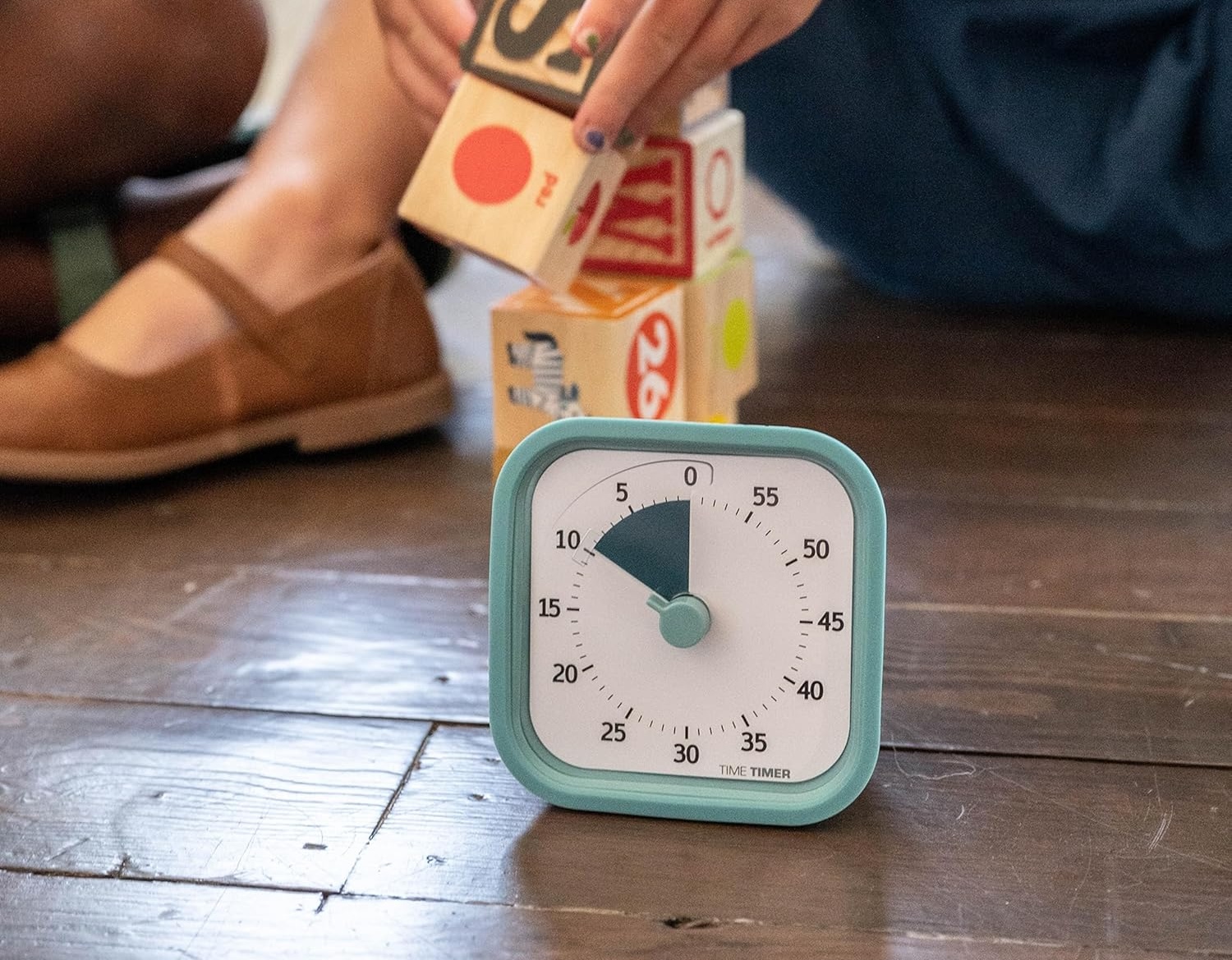 A visual timer doesn’t automatically improve student attention, classroom behavior, or academic performance. Those would require much stronger evidence. What the device demonstrably provides is a shared, highly visible representation of a deadline.
Sometimes that’s enough.
Buyer fit: Elementary teachers, special-education teachers, intervention specialists, and anyone running stations or tightly timed classroom activities.
Time Timer MOD 60-Minute Visual Timer
Price: $17.96
Where to Buy: Amazon
5. Anker Nano 7-in-1 100W Charging Station
The problem: Your teacher desk has become an archaeological dig containing chargers from six generations of electronics.
Laptop. Phone. Tablet. Earbuds. Document camera. Maybe another classroom device somebody handed you three years ago.
At some point, another single-port charger stops helping.
The Anker Nano 7-in-1 100W Charging Station is interesting because it consolidates several charging connections around one central device, including USB connections and AC power.
That can turn a pile of adapters into one charging location.
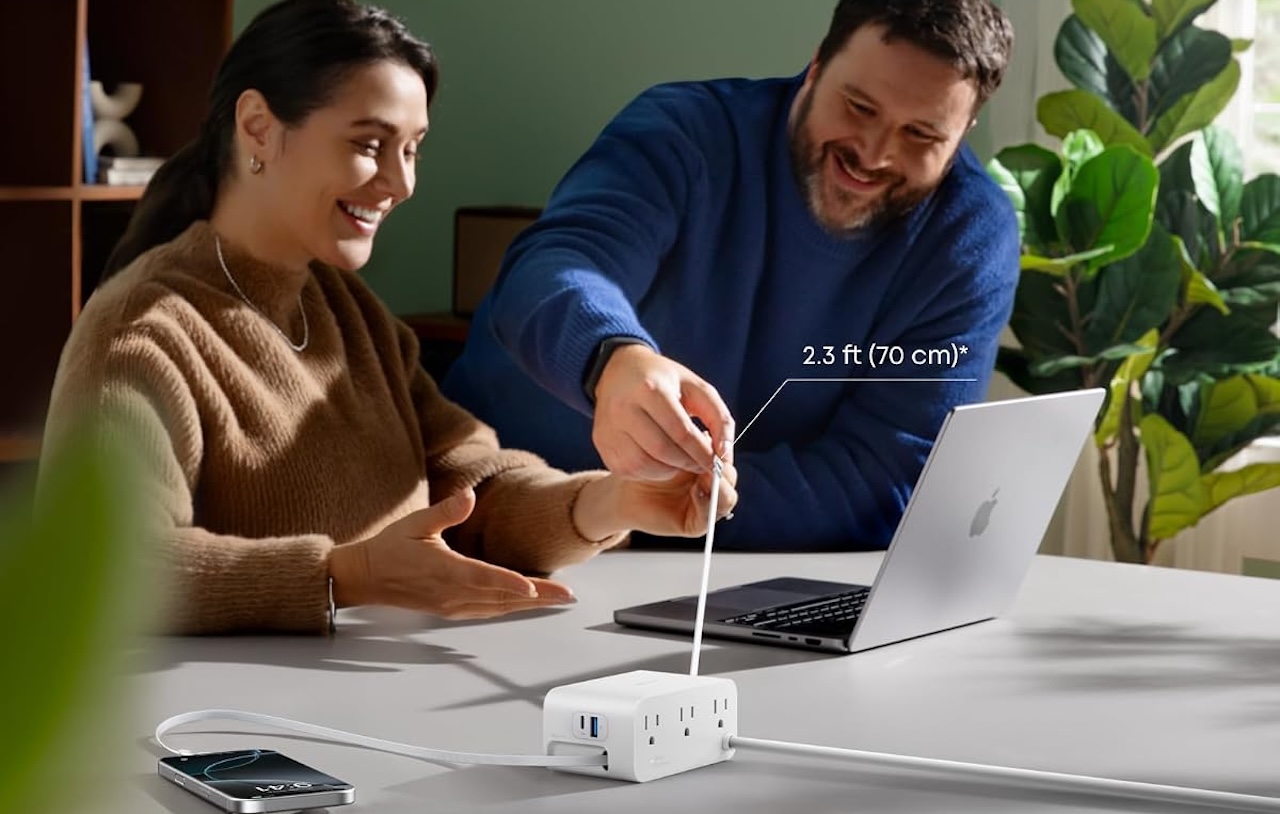 The 100W number needs context, however. It doesn’t mean every device connected to the station receives 100W simultaneously. Multi-device chargers distribute their available power according to which ports and devices are being used.
That’s particularly important if you expect it to charge a laptop.
Check your laptop’s power requirements and the charging station’s individual port-output specifications rather than assuming that USB-C automatically means sufficient laptop charging.
The practical win here is organization as much as electricity.
Buyer fit: Teachers juggling a laptop plus several personal or classroom devices. If your entire charging setup consists of one Chromebook and a phone, you probably don’t need this.
Anker Nano 7-in-1 100W Charging Station
Price: $69.99
Where to Buy: Amazon
6. JBL Clip 5 Bluetooth Speaker
The problem: The educational video sounds fantastic, as long as every student is sitting six inches from the laptop.
Laptop speakers weren’t designed to fill classrooms.
The JBL Clip 5 gives you a portable alternative for videos, listening exercises, classroom music, transitions, presentations, and activities outside your normal room.
Its portability is part of the appeal. You’re not installing another permanent piece of classroom equipment. You can move the speaker between your desk, gym, playground, field trip, or wherever else you need audio.
JBL also gives the Clip 5 an IP67 dust- and water-resistance rating.
 That’s evidence of resistance under the conditions covered by that rating. It is not evidence that the speaker is indestructible, student-proof, or guaranteed to survive whatever mysterious substance eventually gets spilled on it.
There’s another claim worth keeping under control: room-filling sound.
Whether the Clip 5 is loud enough depends on the room, number of students, background noise, placement, and what you’re playing. A lecture hall demands more speaker than an ordinary classroom.
Buyer fit: Language teachers, elementary classrooms, PE teachers, and anyone frequently using audio or video during lessons.
JBL Clip 5 Bluetooth Speaker
Price: $69.95
Where to Buy: Amazon
7. Anker Nano Power Bank 10K
The problem: Your phone hits 12% at 2 p.m., and you still have dismissal, parent messages, photos, authentication codes, and the trip home ahead of you.
A power bank isn’t particularly exciting until you need one.
I’d look at a 10,000mAh Anker Nano power bank, particularly one of the versions with a built-in USB-C cable.
That built-in cable solves the most ridiculous portable-charger problem: remembering the battery and forgetting the cable.
A 10,000mAh-class battery also strikes a useful balance for everyday carry. Larger power banks provide more energy, but they eventually become heavy enough that you stop putting them in your bag.
There’s one number not to take literally.
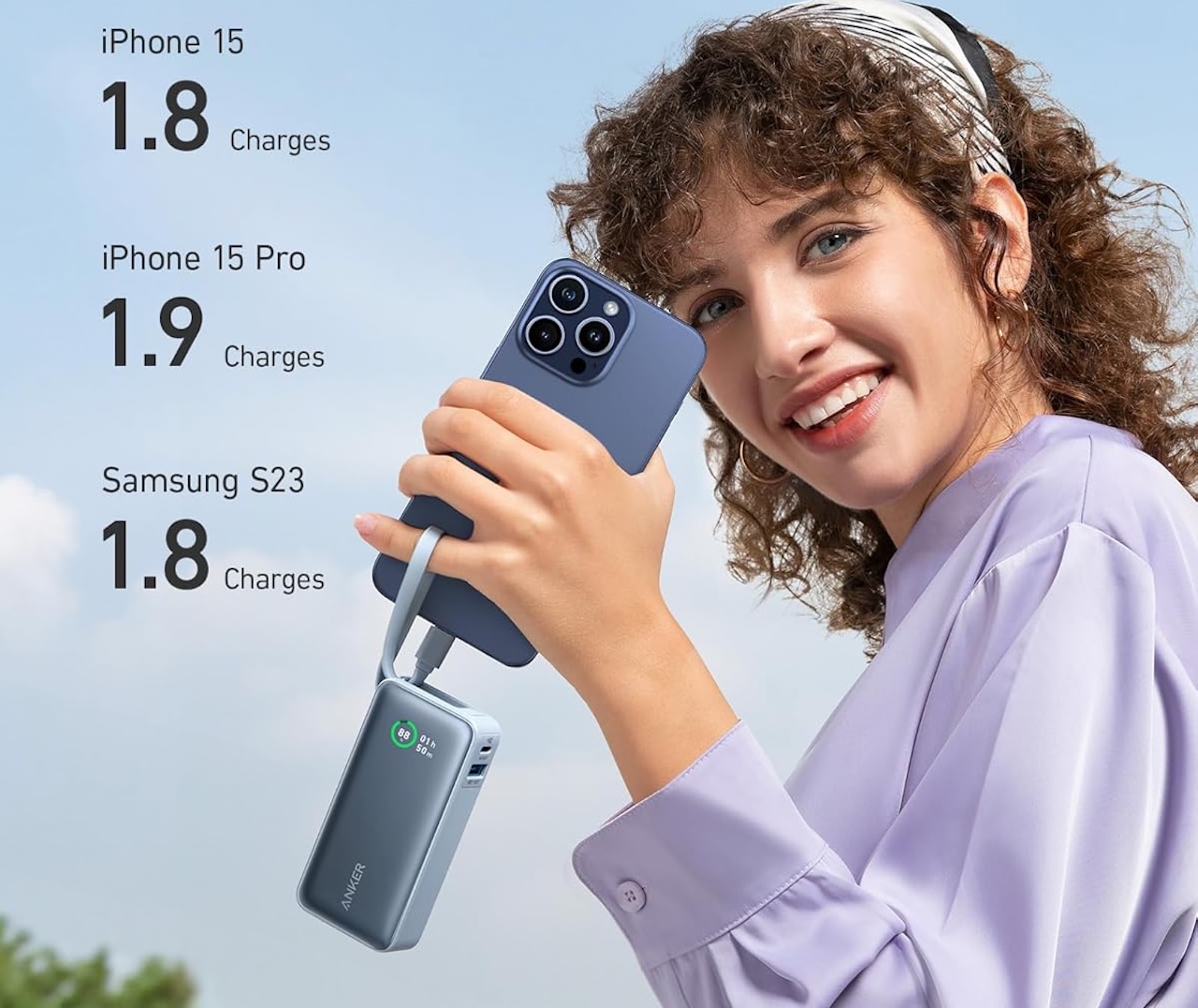
A 10,000mAh rating doesn’t mean exactly 10,000mAh will arrive inside your phone’s battery. Power conversion and charging involve losses, so capacity is better used for comparing power banks than predicting an exact number of complete phone charges.
Check your phone’s connector before buying as well. USB-C is increasingly standard, but the right power bank is the one that works with the devices you actually carry.
Buyer fit: Teachers who rely heavily on their phones, coaches, field-trip chaperones, and anyone who regularly leaves school staring at a red battery icon.
Anker Nano Power Bank 10K
Price: $27.99
Where to Buy: Amazon
What Should a Teacher Buy First?
You don’t need all seven.
In fact, if you’re spending your own money on classroom technology, I wouldn’t begin with a gadget at all. I’d begin with the annoyance. What problem do you repeatedly encounter during the school day?
If you’re constantly trying to show worksheets, books, handwritten problems, or physical objects to the entire class, the IPEVO V4K Pro document camera is probably the most transformative device here.
If presentations keep you trapped beside the laptop, spend much less and get the Logitech R500s.
If classroom supplies seem to migrate overnight, the Brother P-touch CUBE could provide more everyday value than a much more expensive piece of technology.
Transitions taking forever? Consider the Time Timer MOD.
Students can’t hear laptop audio? That’s the JBL Clip 5’s problem to solve.
If your desk resembles a bowl of charging-cable spaghetti, the Anker Nano charging station makes more sense. And if your phone is perpetually gasping for electricity before dismissal, put the Anker Nano power bank in your bag.
That’s a better way to approach back-to-school technology than starting with a list of supposedly “must-have” gadgets. Brands can tell you what’s available and what their products are designed to do. Reviews and testing can provide evidence about how well those promises survive contact with reality.
But your own classroom tells you whether you need the product in the first place. Buy the gadget that eliminates a problem you already encounter repeatedly.
That’s the difference between another piece of technology sitting forgotten in a classroom drawer and something you reach for before first period.