Amazon has trimmed the Space Gray HomeView preorder to $289.99 ahead of Friday’s launch, under Apple’s $299 list price while the other three colors hold at full price. HomeView reaches stores Friday, November 13. The discount is small. It’s the closing preorder window that’s the news.
Call the discount what it is: $9.01 off a $299 hub, three percent, barely a deal at all. Nobody preorders a smart display to save nine bucks.
Apple HomeView (Space Gray)
7-inch Liquid Retina display · A18 chip with Siri AI · Face recognition for up to six users
Price: $289.99 $299 (save $9.01, 3% off)
Where to buy: Buy on Amazon
They preorder it because HomeView is Apple’s first dedicated display for the home, one shared screen that runs the house and shows each person their own day, and because first waves of new Apple gear tend to sell through. The hub works with Apple Home and Matter accessories already on the network, so it drops into a running setup instead of starting one from zero.
A home screen that runs the house
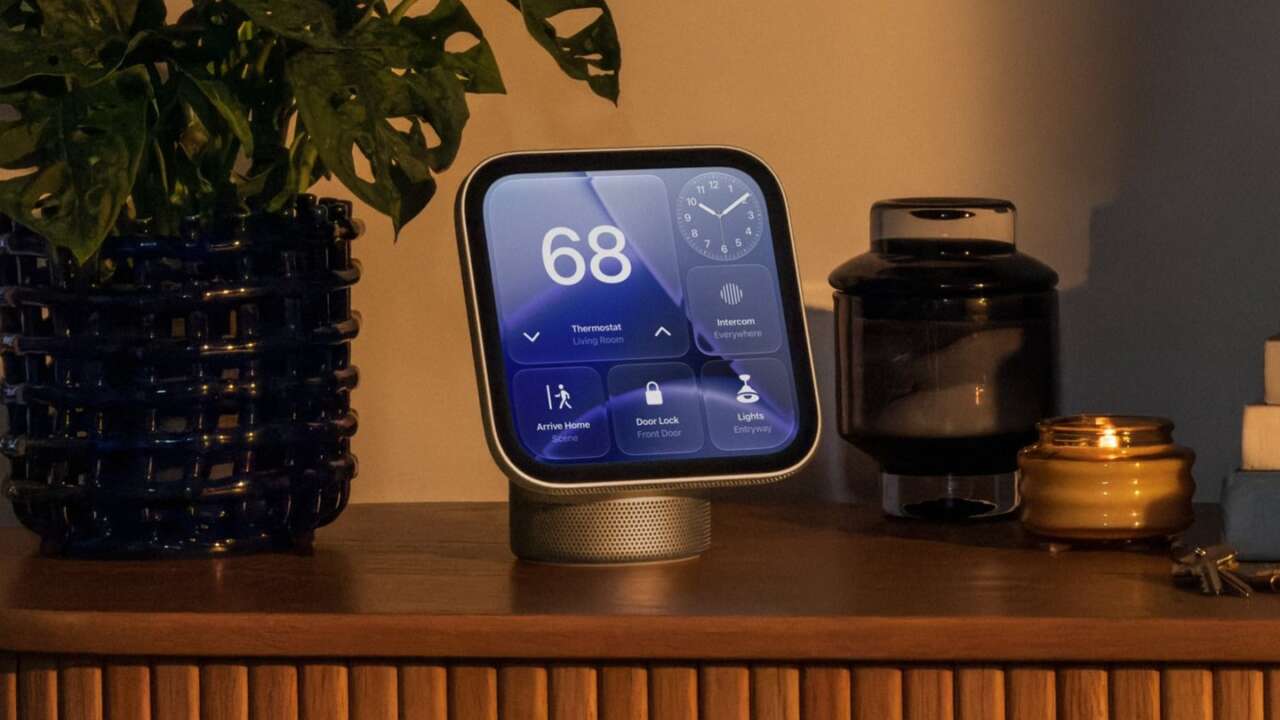
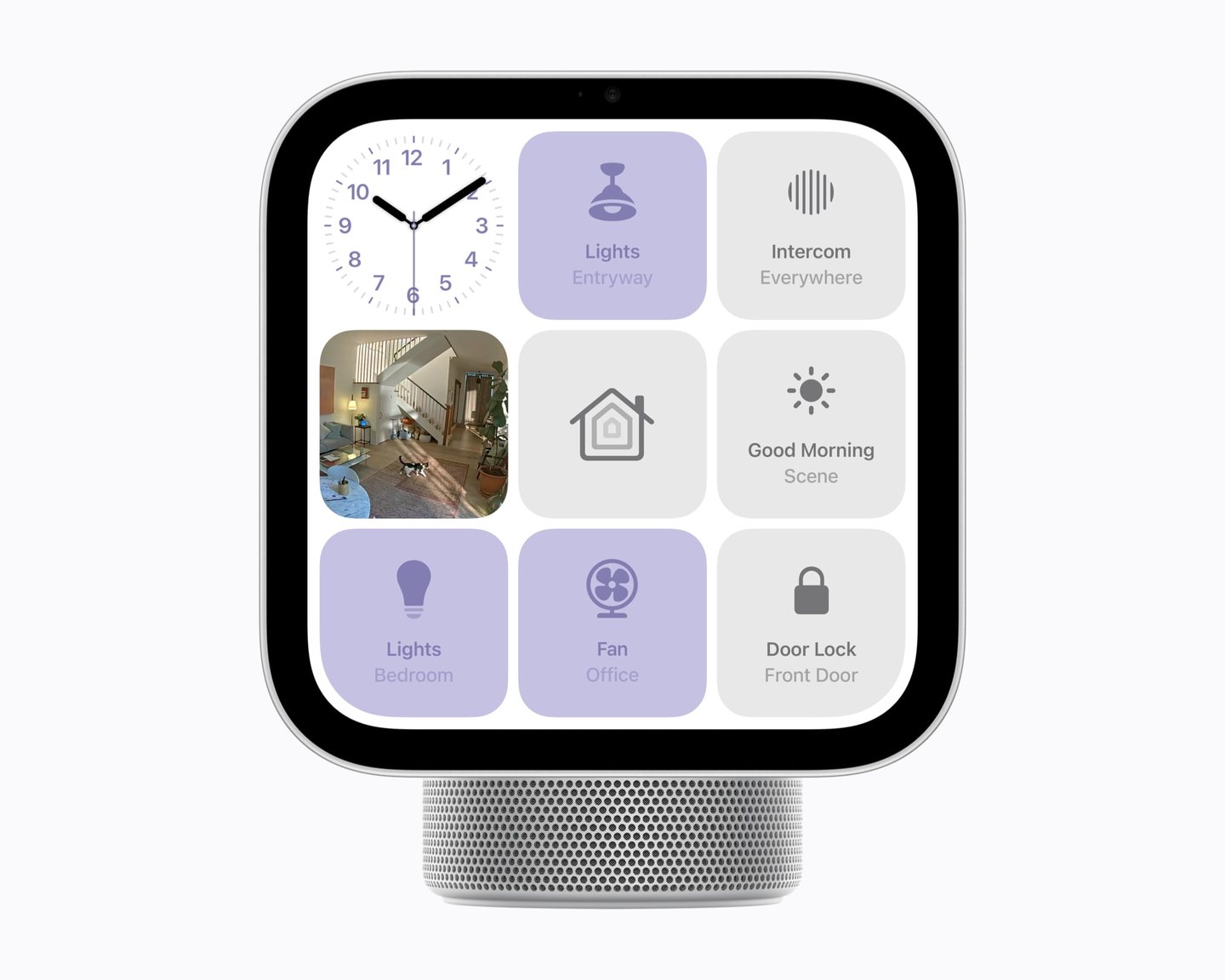
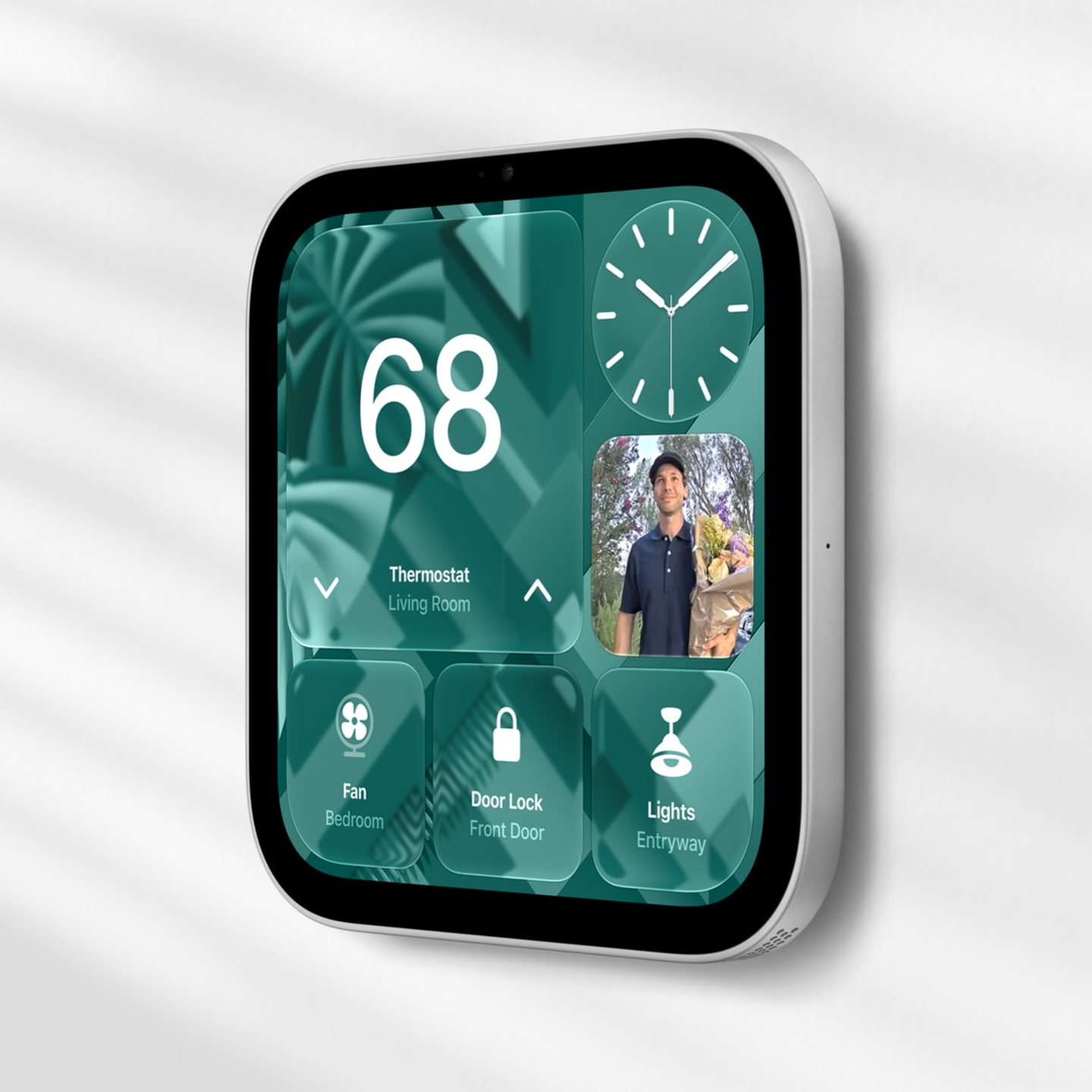
Across the room, the display keeps things simple, showing a clock, the weather, and a photo. Walk closer and it opens into the full control board, reading your distance and adding detail as you approach. The Home face carries lights, locks, shades, and the thermostat alongside live feeds from up to nine Home Cameras at once.
The Modular face mixes camera feeds with tiles for the accessories the house uses most, and a tap on any feed takes that camera full screen.
With an iCloud+ plan, the cameras sort out what they are looking at, flagging people, familiar faces, pets, packages, and vehicles as clips come in, and two-way talk runs through the hub. The microphones listen for smoke and carbon monoxide alarms while the house sits empty, and a package at the door can trigger the porch lights.
Written descriptions sum up what happened in a recording.
Live Activities ride along on the screen, tracking a flight, a delivery, a rideshare, or a food order. Find My shows where family members and tagged gear are, and it’ll play a sound on anything with an AirTag attached until the couch cushions give up the hiding spot.
Six people, six different hubs
Faces are the login here. HomeView recognizes up to six people, and each gets a personal Home Screen carrying their own photos, music, messages, calendar, and reminders. Personal content stays off the screen until the hub sees your face, with your iPhone or iPad nearby and unlocked, so a shared display never turns into a shared inbox. Voice-only users get the house controls and none of the personal content.
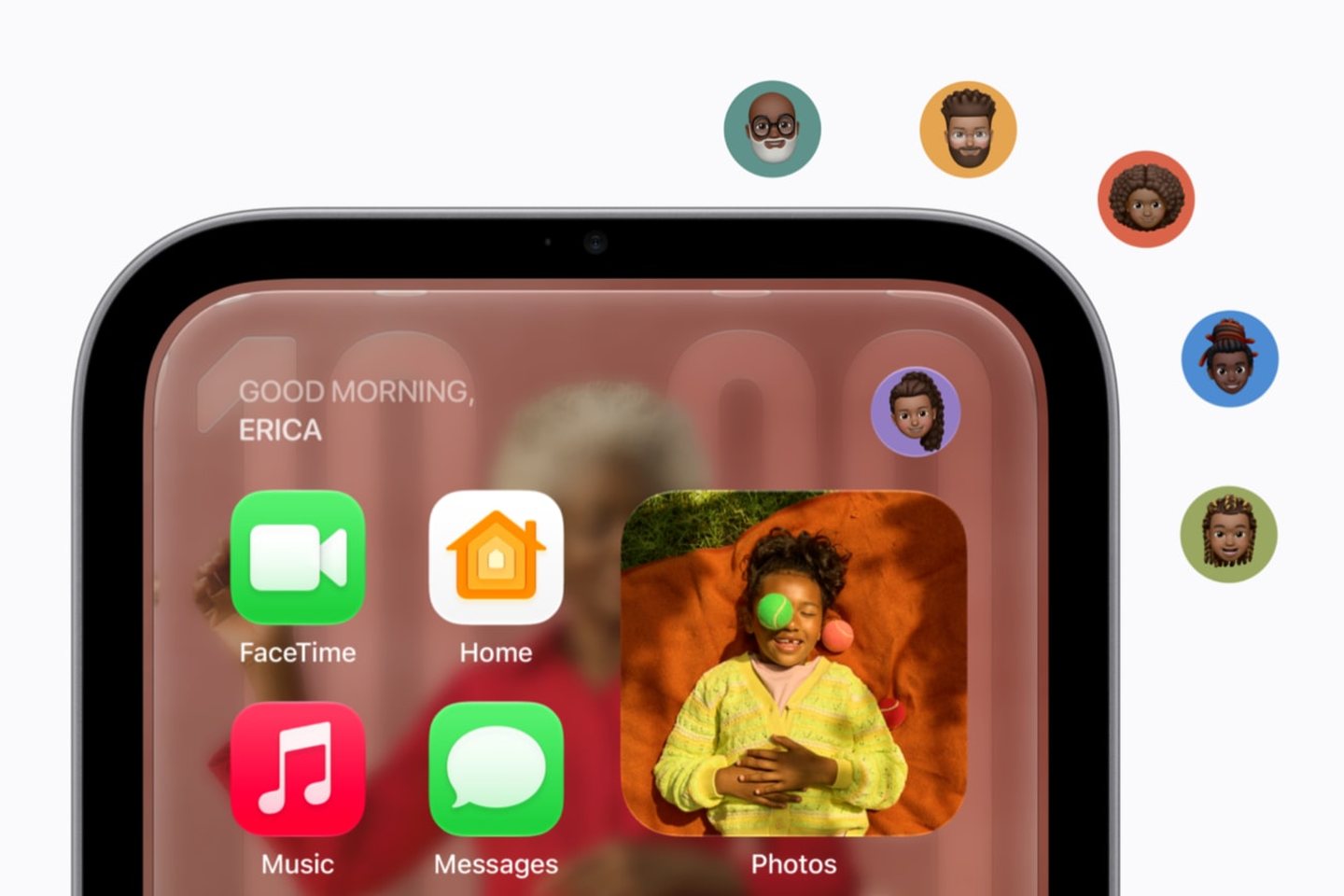
All of that face and voice processing stays inside the A18, in a protected area Apple calls Secure Exclaves, and the raw camera and microphone data never reaches the operating system or Apple itself. Our October walkthrough covered the HomeView features that stood out at the announcement.
Siri AI does the talking
The new Siri is the reason this hub exists. Powered by Apple Intelligence, Siri AI pulls personal context from the paired iPhone or iPad, so it can check your calendar, find a photo, or read back a message thread and know whose day it describes. A conversation started at the counter can continue later in the Siri app on another device.
It launches as a beta in HomeView software 27.2, in English first. Daily limits apply to some requests at the start. Apple’s heavier processing runs on Private Cloud Compute, and personal data doesn’t stay on its servers between answers.
Calls and kitchen duty
FaceTime calls land on the 12MP Center Stage camera, which keeps people framed as they move around the room. Intercom announcements reach HomePods and iPhones throughout the house, and Messages go out by voice or from the on-screen keyboard.
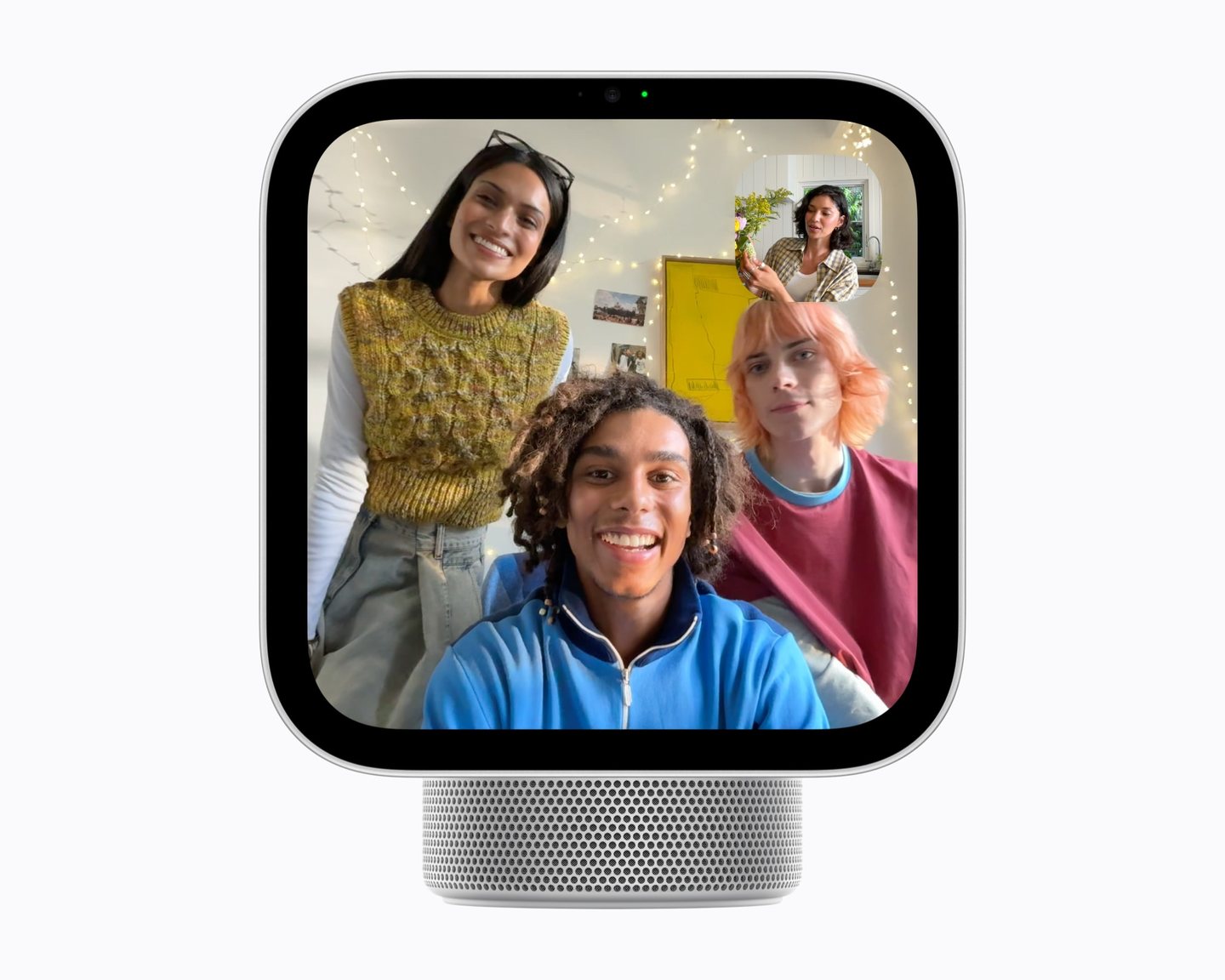
In the kitchen, it earns its counter space. Recipes from Apple News and its food partners run step by step on the screen, conversions happen by voice mid-recipe, and hands-free timers keep count while your hands stay in the dough. Apple Music, Podcasts, and Apple TV fill the screen the rest of the day, and playback hands off from an iPhone as you walk in.
A speaker base with a screen on a hinge
Two full-range drivers and a down-firing woofer sit in the domed base, flanked by two force-cancelling passive radiators, and the aluminum display tilts on a stainless steel hinge above it. The 7-inch Liquid Retina panel runs from 500 nits in a bright kitchen down to 0.3 nits on a nightstand, with True Tone matching the room.
The A18 runs all of it.
| Display | 7-inch Liquid Retina, 1088 × 1088 at 220 ppi, True Tone |
|---|---|
| Brightness | 500 nits maximum, down to 0.3 nits |
| Chip | Apple A18 with Secure Exclaves |
| Camera | 12MP Center Stage |
| Audio | Two full-range drivers, down-firing woofer, two force-cancelling passive radiators, Spatial Audio |
| Wireless | Wi-Fi 6E, Bluetooth 6.0, Thread |
| Dimensions | 5.13 × 6.82 × 5.73 inches with the base upright |
| Weight | 2.1 pounds |
| In the box | HomeView, color-matched USB-C cable, 30W power adapter |
| Setup | iPhone with iOS 27.2 or later, or iPad with iPadOS 27.2 or later |
| Colors | Silver, starlight, rose pink, space gray |
| Price | $299 at Apple; $289.99 in space gray at Amazon |
Four colors, one discount
Silver, starlight, rose pink, and space gray are the four finishes, and the markdown lives on space gray alone. The other three cost $299 at Amazon and the same $299 at Apple, so the finish you want costs full price unless dark gray is the one you’d grab anyway.
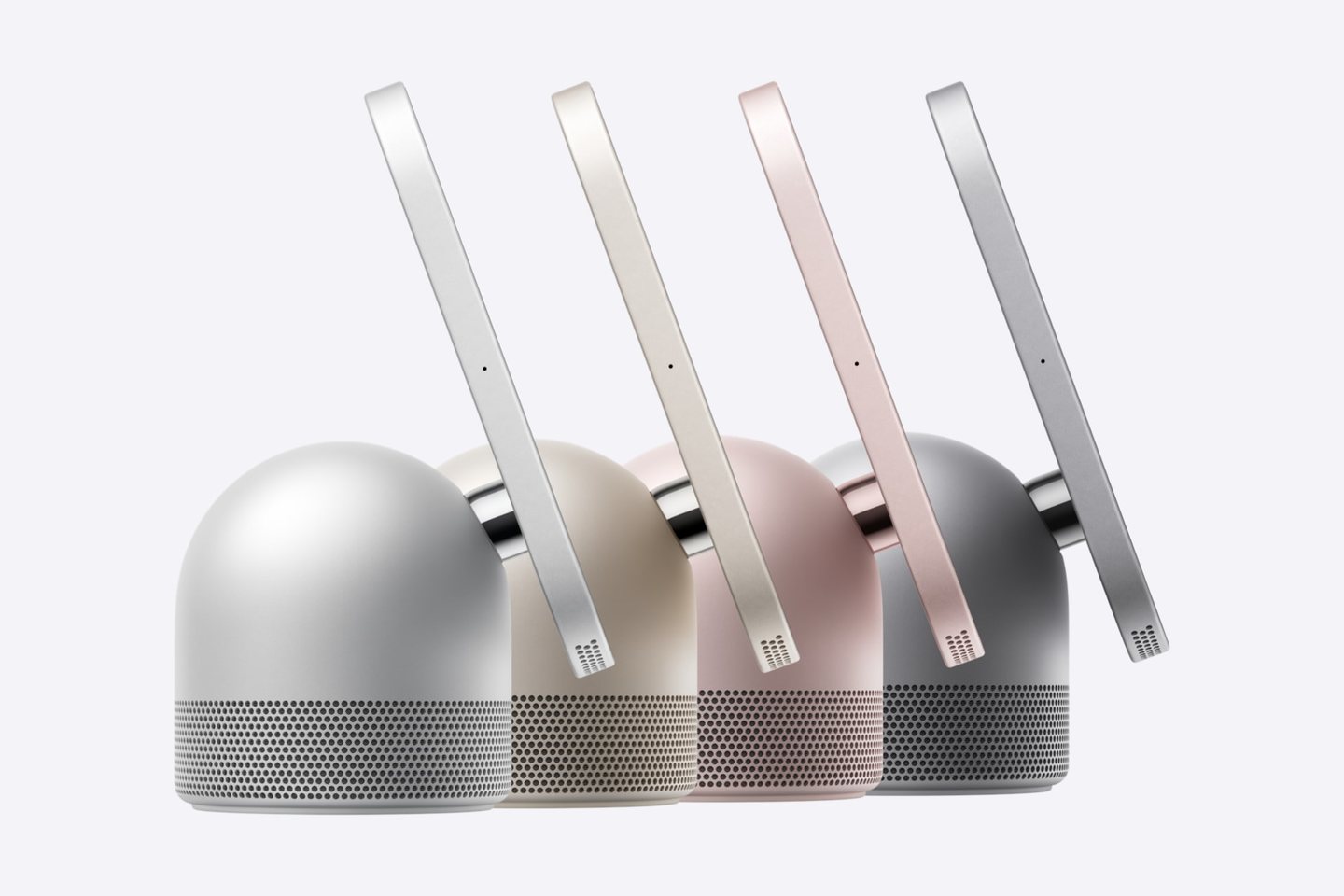
Setup takes an iPhone or iPad on the latest software.
The wall model trades bass for a flush fit
HomeView Wall Mounted costs the same $299 in space gray and silver, and it trades the domed base for a slimmer body that hangs on the wall. A single driver and one passive radiator replace that speaker setup, with no woofer, and mount and power gear are sold separately. Schneider Electric’s Power Mounts run $59.95 for the USB-C version and $79.95 for the hardwired AC version, with a Power over Ethernet mount at $129.95 due in early 2027.
Where HomeView lands in the lineup
Apple spent the fall rebuilding its home shelf around this screen. HomePod mini 2 arrived at $149 at the end of October, a new Apple TV 4K lands Friday at $299, and Apple’s own cameras, thermostat, and door lock follow in December, built with LG Electronics and Schneider Electric. Our fall lineup breakdown shows how the new gear fits the Apple kit in the house.
Apple HomeView (Silver)
Same A18 hub in the silver finish · Color-matched USB-C cable and 30W adapter in the box
Price: $299
Where to buy: Buy on Amazon
For most rooms, the finish makes the decision. Space gray at $289.99 is the buy while the preorder window stays open, and the nine-dollar gap is not worth settling for a color you didn’t want on a screen you’ll look at every day. Every other finish costs $299 at Amazon and at Apple alike, and Apple still lists all four at $299. Pick the finish that suits the room and let Friday come.