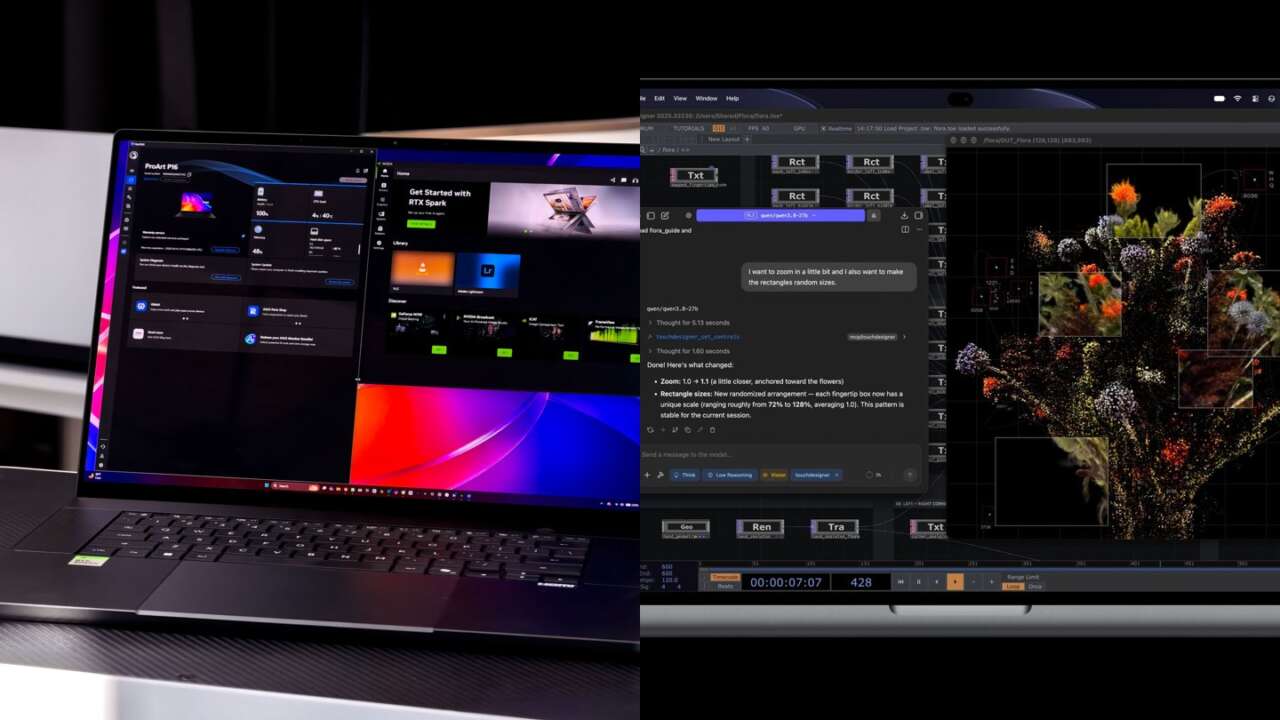
NVIDIA RTX Spark puts CUDA and a large unified-memory pool in a Windows laptop. Apple’s M5 Pro and M5 Max pair their own shared-memory designs with Metal, dedicated media engines and the Mac software ecosystem. For creators and local-AI developers, choosing between them starts with the applications and projects the computer has to carry.
On paper, NVIDIA’s appeal is access to RTX and CUDA tools with as much as 128GB of installed memory. M5 Pro offers almost the same published memory bandwidth as N1X, while M5 Max stretches that bandwidth substantially and also reaches 128GB. Those specifications establish useful strengths and tradeoffs. Actual rendering speed, AI throughput and battery endurance depend on the particular laptop and workload.
We don’t have an M5 Pro or M5 Max review unit. This is an on-paper comparison; Apple’s laptops aren’t part of our hands-on review or benchmark results.
Start with the right chip comparison
RTX Spark N1X comes in two laptop configurations: an 18-core Grace CPU with a 5,120-core Blackwell GPU, and a 20-core CPU with a 6,144-core GPU. Lower tier supports up to 64GB of LPDDR5X memory; the higher tier reaches 128GB. Laptop manufacturers choose which combinations to sell, so an N1X badge alone doesn’t identify the chip or memory capacity inside.
Apple’s M5 Pro and M5 Max MacBook Pro specifications define a different set of steps. M5 Pro offers a 15-core CPU and 16-core GPU or an 18-core CPU and 20-core GPU, with up to 64GB of memory. M5 Max keeps an 18-core CPU and increases the GPU to 32 or 40 cores. Getting 128GB requires the 40-core M5 Max; the 32-core version starts with 36GB.
NVIDIA’s thousands of GPU cores and Apple’s tens of GPU cores count different architectural units. Comparing 6,144 with 40 tells you nothing useful about which will finish an export first. CPU totals need similar care: N1X combines Cortex-X925 and Cortex-A725 cores, while M5 Pro and M5 Max use Apple’s super and performance cores. Application benchmarks have to resolve that contest.
For a laptop purchase, M5 Pro and M5 Max are the relevant Apple rivals. Newer M6 Mac mini and M5 Ultra Mac Studio serve desktop roles and belong in a separate comparison.
Memory capacity and memory speed tell different stories
A larger memory pool gives a model, scene or timeline room to fit. Bandwidth determines how quickly the chip can move data through that pool. Both influence the experience, and buying more gigabytes doesn’t automatically increase the transfer rate.
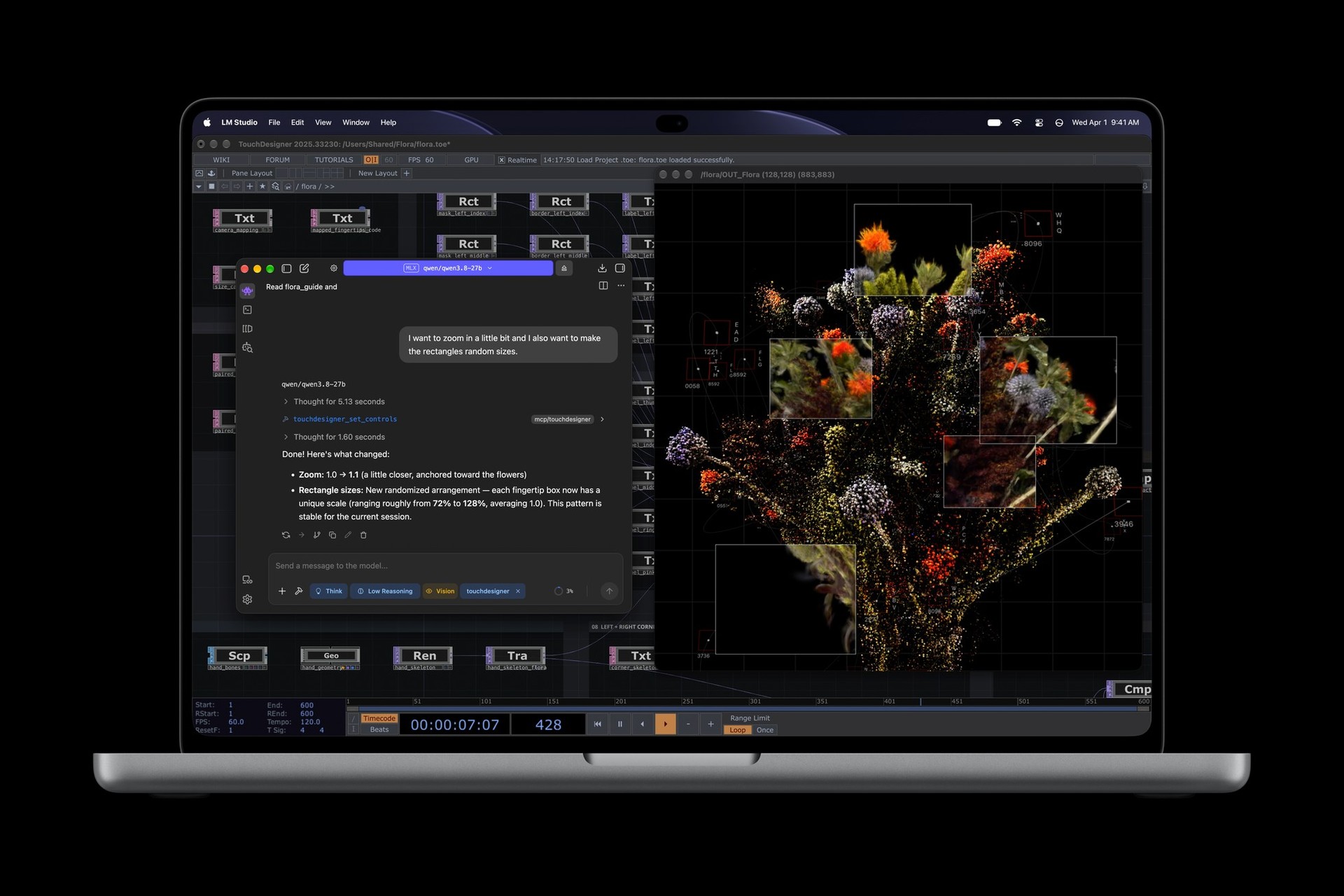
NVIDIA documents N1X’s memory bandwidth at 300GB/s. M5 Pro sits close at 307GB/s. M5 Max rises to 460GB/s with its 32-core GPU or 614GB/s with 40 GPU cores, according to Apple’s technical specifications. The full M5 Max therefore has a little more than twice N1X’s published memory bandwidth. That’s a hardware advantage for bandwidth-sensitive work, rather than a prediction that every application will run twice as fast.
Local AI makes the distinction tangible: fitting a larger model, or generating responses quickly from one that already fits. Model architecture, quantization, context length and the software backend all affect that balance. A 128GB configuration makes sense when the workload needs the room; a smaller model may leave much of that capacity unused.
Even the installed-memory number needs context. RTX Spark divides its physical memory into GPU-dedicated, shared and CPU-only regions. A 128GB laptop can’t hand all 128GB to a GPU workload. Windows and other applications need headroom, and the available allocation budget changes with use. On Mac, Metal also exposes a recommended GPU working-set size, a performance guideline that’s distinct from total installed memory. What counts is how much room the complete project has while the machine stays responsive.
RTX Spark’s strongest argument is CUDA
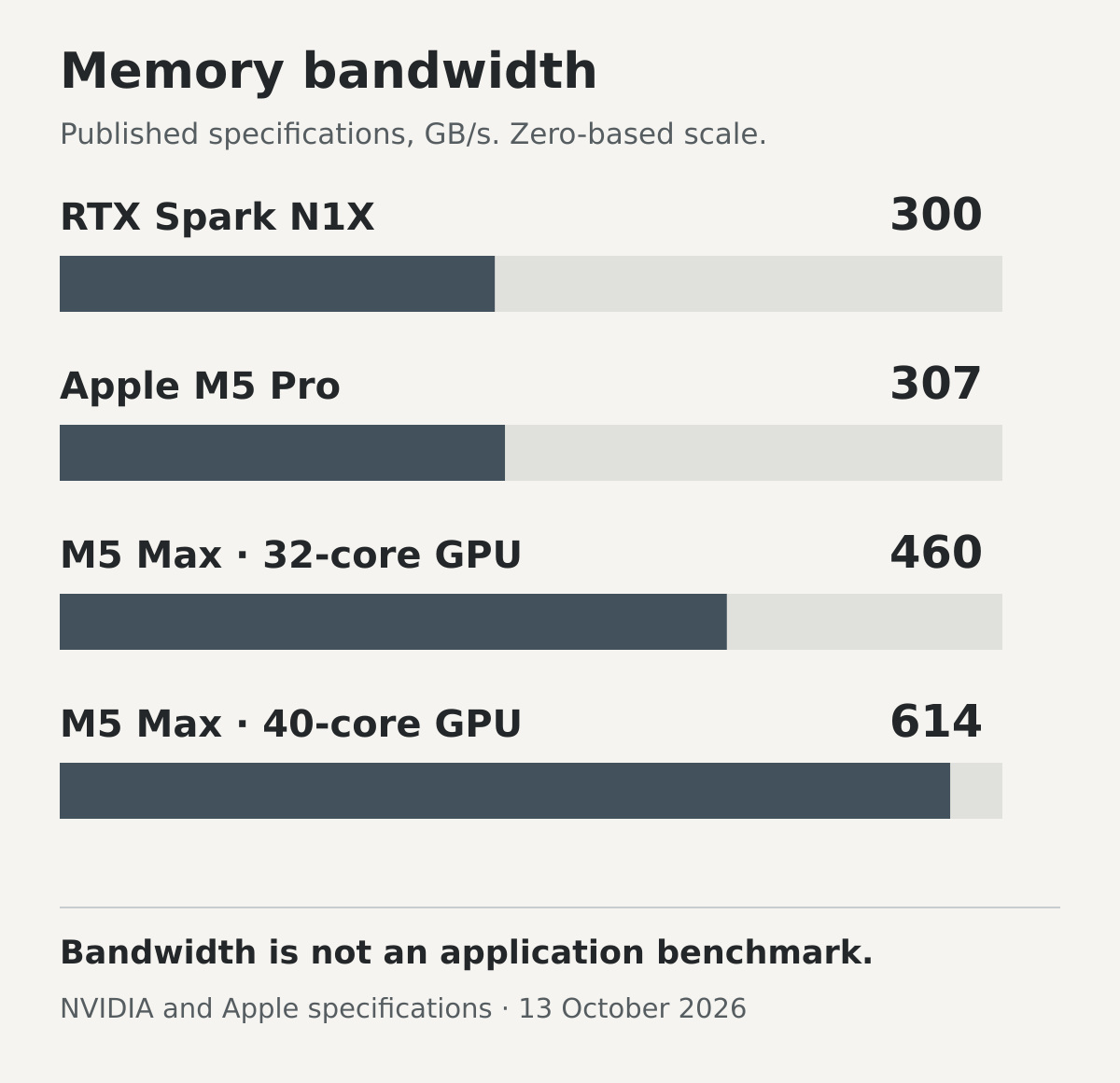
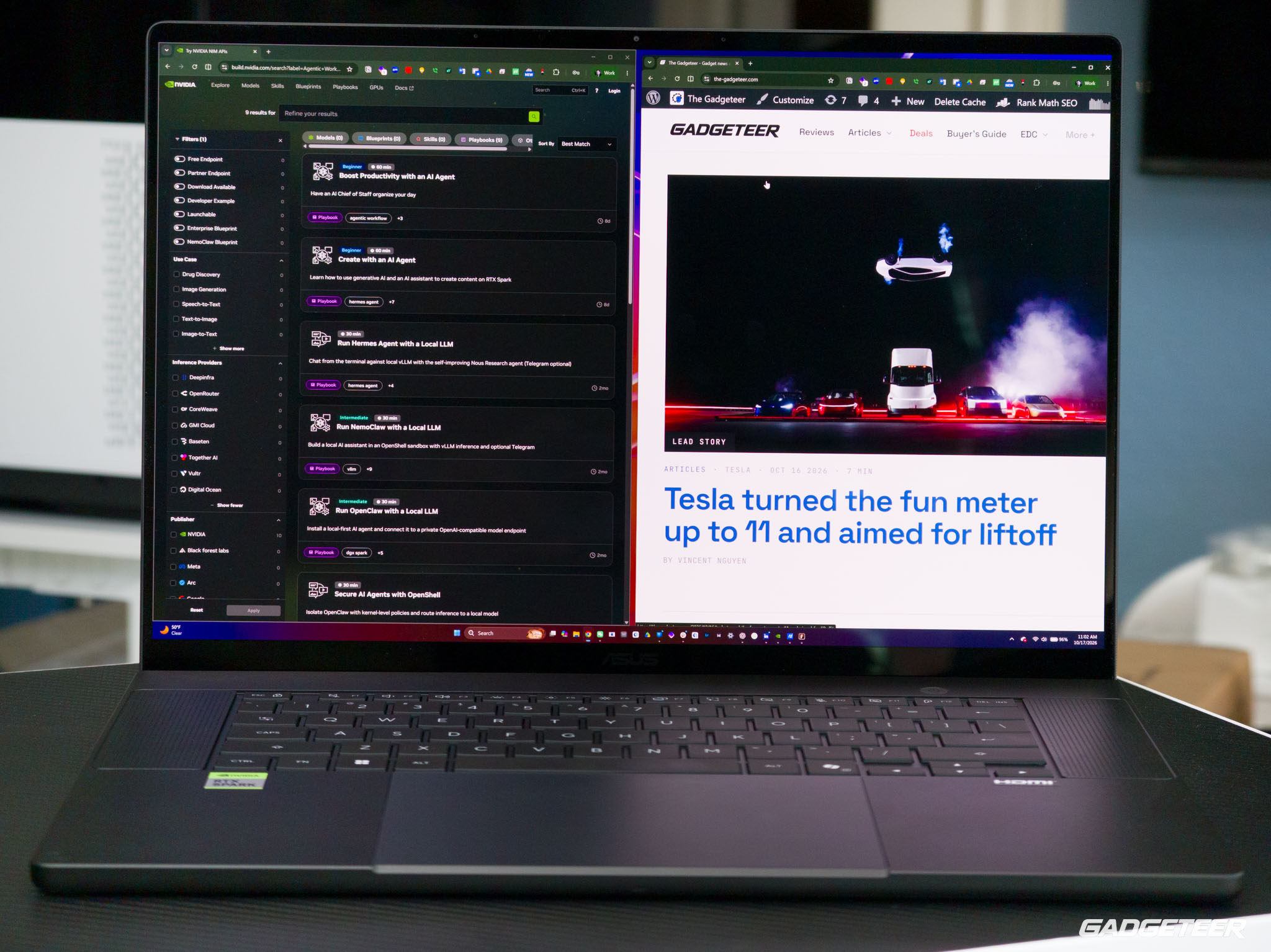
For a developer whose tools depend on CUDA, N1X offers a direct route into NVIDIA’s software ecosystem on a portable Windows system. NVIDIA’s Windows-on-Arm developer resources include CUDA 13.4, TensorRT for RTX, llama.cpp, Ollama and a PyTorch installation path. That combination can reduce the need to rework a CUDA-based project around another GPU backend.
There’s still a platform transition to navigate. N1X runs Windows on Arm, and every application, Python package, plug-in and device driver has its own support requirements. Native Arm64 software and an x64 application running through emulation are different execution paths. NVIDIA’s porting guide explicitly calls for validation against the application’s dependencies. A familiar CUDA name doesn’t settle the compatibility of an entire production setup.
Mac developers have a capable alternative in MLX, which lets CPU and GPU operations use arrays in shared memory, and PyTorch’s Metal Performance Shaders backend. A local model that runs well through those tools can make a MacBook Pro an effective development and inference machine. Existing CUDA-specific kernels and extensions still require a supported alternative or a port. Starting from the actual repository and models you intend to use makes the choice easier.
NVIDIA’s advertised peak FP4 AI performance also needs the right context. Arithmetic precision, sparsity, model format and the execution path determine what such a peak describes. It can’t be turned into a universal tokens-per-second result or compared directly with a differently defined Neural Engine TOPS figure. For an interactive assistant, prompt processing and the delay before the first answer can be as noticeable as generation speed.
Video editors get different hardware advantages
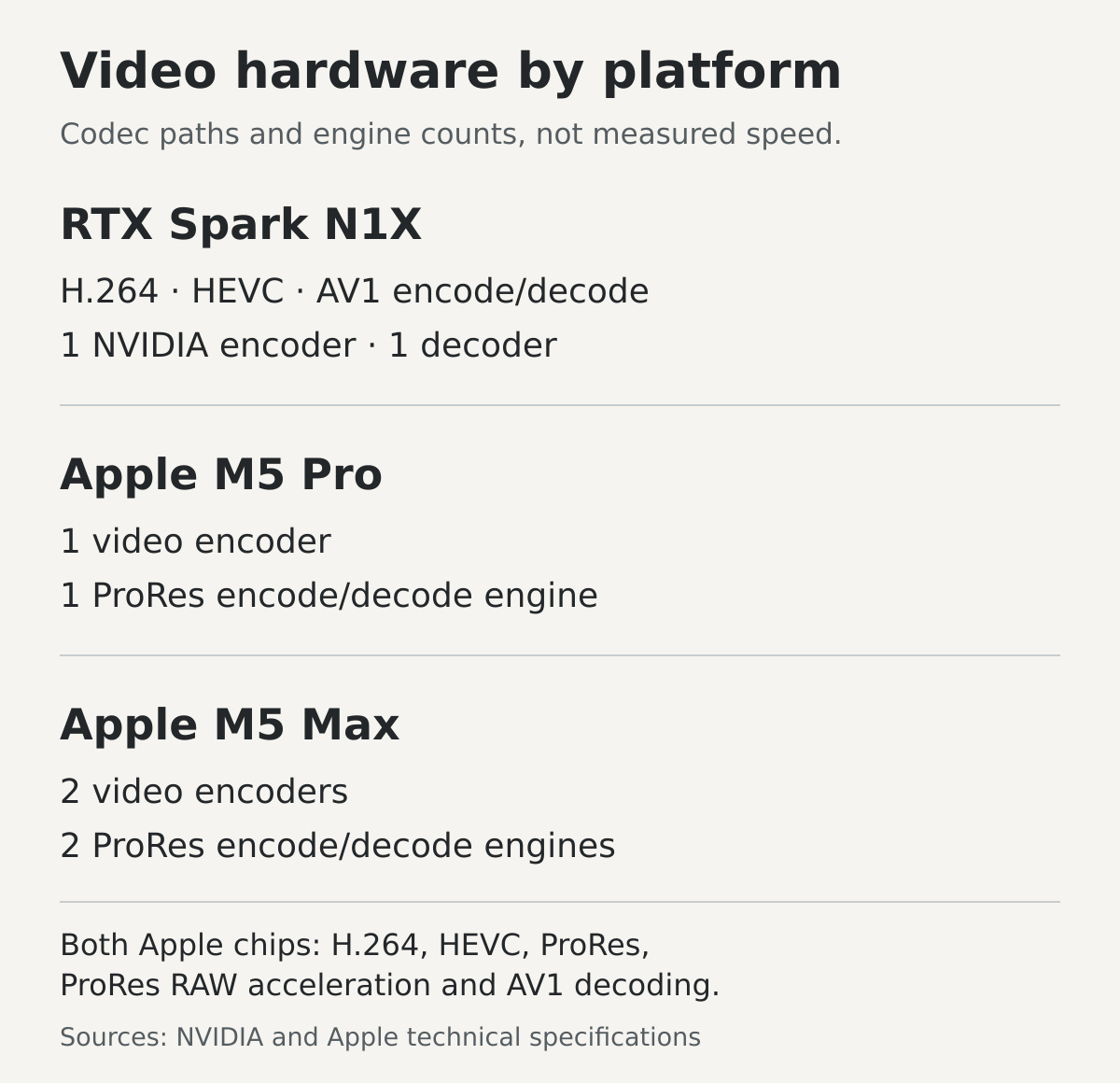
Codec support can be more useful than a large general-purpose GPU score. M5 Pro includes a video encoder and a ProRes encode/decode engine; M5 Max doubles those encoder and ProRes-engine counts. Both accelerate H.264, HEVC, ProRes and ProRes RAW, and both decode AV1. A ProRes-heavy workflow has a clear reason to examine Apple’s media hardware closely, particularly when the editing application takes advantage of it.
RTX Spark includes one ninth-generation NVIDIA encoder and one sixth-generation decoder. NVIDIA lists hardware encoding and decoding for H.264, HEVC and AV1, plus support for working with 4:2:2 footage. AV1 encoding is a specific feature to weigh against Apple’s listed AV1 decoding support. RTX-accelerated effects and rendering tools can add another reason to choose NVIDIA, provided the exact application and plug-ins support the platform.
An editor’s existing projects should lead this decision. Final Cut Pro has its Mac requirements; moving to Windows changes the application choice before chip performance enters the discussion. For a cross-platform editor, compare the footage you shoot, the effects you use and the files you deliver. A plain transcode, a denoised timeline and a complex 3D render exercise different parts of the machine.
Gaming depends on the titles you play
N1X brings NVIDIA’s RTX graphics features to the Windows side, including ray tracing, DLSS and Reflex. That’s attractive if your preferred games support those features. Compatibility still belongs to each title: Microsoft notes that games can fail when their anti-cheat drivers don’t support Windows on Arm. Check the games you actually play, including their launchers and multiplayer requirements, before treating an RTX Spark laptop as a replacement for an existing gaming PC.
Mac buyers need the same practical discipline about game availability and the supported execution path. A native macOS release and a Windows game running through a translation tool are different propositions. Neither a GPU core count nor a feature logo supplies a complete gaming recommendation.
Expect power management on both platforms
NVIDIA is pitching full AI and graphics performance while unplugged. Its own engineering guide also recommends Performance mode for maximum AI inference throughput, Balanced mode to preserve battery life, and Power Efficiency mode for background AI. That gives us a useful expectation: an RTX Spark laptop should offer a choice between pushing the workload and extending runtime. Only testing on the machine being sold settles the exact plugged-in versus battery gap.
Apple offers a similar distinction between power policies. Automatic mode balances energy and performance; Low Power reduces energy use; High Power allows more aggressive cooling for intensive work. Supported M5 Pro and M5 Max MacBook Pros can use High Power on battery as well as on their adapters. Unplugging a Mac therefore doesn’t automatically mean it has entered Low Power mode.
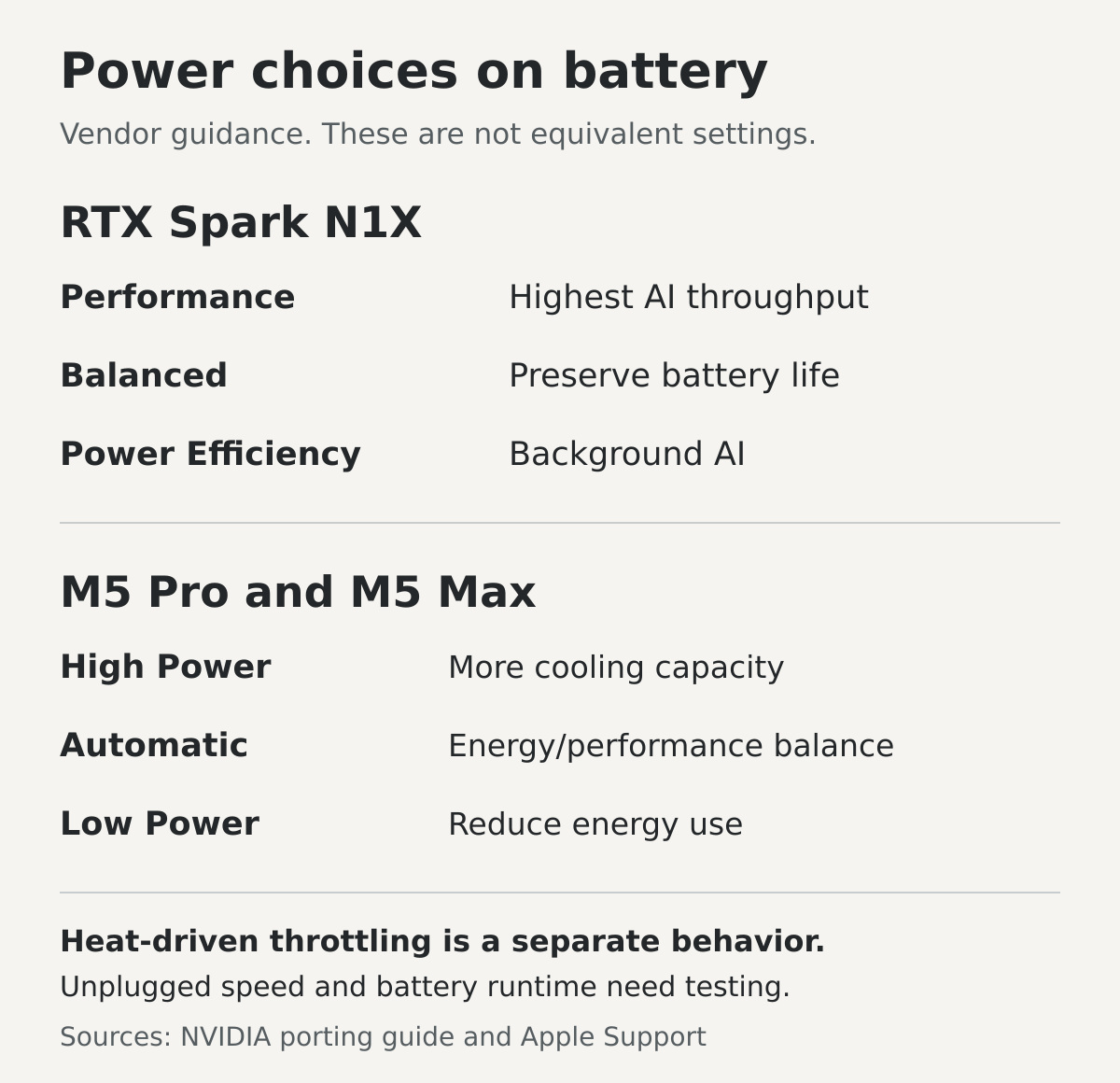
Heat-driven throttling is a separate issue: it reduces performance when cooling can’t sustain the workload. A selected efficiency mode, a manufacturer’s power limit and thermal throttling can all lower a benchmark score, but they describe different behavior. N1X’s published 45W to 80W laptop TDP range also leaves manufacturers room to build different systems; it doesn’t specify continuous battery consumption.
Sustained local AI needs an AC-and-battery test that records power mode, speed, heat and energy used over time. For the N1X systems in our planned testing, we’ll pair thermal-camera surface readings with internal temperatures and sustained-performance logs.
Long runtime and high unplugged speed are separate benefits. Apple’s 16-inch specifications list up to 24 hours of video streaming for M5 Pro and 22 hours for M5 Max, a light workload compared with sustained inference or rendering. Likewise, NVIDIA’s all-day language shouldn’t be read as a promise of all-day maximum-throughput AI. A computer can retain impressive speed off the charger and still use its charge quickly.
For travel, compare the laptop and charger together, then look at performance away from the outlet. A machine that completes more work per charge may suit you better than one with a higher short benchmark score. Screens, ports, storage expansion and whether you want touch or pen input should stay in the decision alongside the chip.
The advantages and tradeoffs on each side
RTX Spark’s advantage is the combination of CUDA, RTX features and large-memory Windows laptops. It’s especially compelling for a workflow already built around NVIDIA tools or a creator who wants compatible Windows applications and local AI on the same machine. Its tradeoffs are lower published memory bandwidth than M5 Max, Windows-on-Arm compatibility checks, and substantial differences between manufacturers’ configurations. Choose the exact system, not just the N1X name.
M5 Pro is the sensible Apple starting point for someone whose creative or development work fits within 64GB and uses supported Mac software. Its 307GB/s bandwidth sits near N1X’s documented figure, and it retains Apple’s dedicated media hardware. Limits are straightforward: it doesn’t reach 128GB, it has fewer GPU cores than M5 Max, and it doesn’t provide NVIDIA’s CUDA execution environment.
M5 Max makes the stronger Apple case for larger GPU workloads, higher memory bandwidth and projects that need up to 128GB. Its additional media engines also give video buyers a concrete reason to investigate the upgrade. Configuration coupling is the tradeoff: the maximum memory option comes with the 40-core GPU. Paying for that tier makes sense when your work uses the capacity or hardware, rather than simply because Max is the highest laptop badge.
Choose the workload before the winner
Put RTX Spark first when CUDA compatibility is central to your work and the required Windows-on-Arm applications are supported. Put M5 Pro first when your Mac workflow fits its memory ceiling and doesn’t need Max’s larger GPU. Put M5 Max first when you need the Mac platform with its highest laptop memory bandwidth and a 128GB option.
Then compare complete configurations with the same memory, storage and screen class, and check the exact software you rely on. Our RTX Spark laptop and desktop guide explains the differences between the manufacturers’ machines. For this chip-level comparison, the strongest conclusion is already clear: N1X gives Windows buyers a large-memory CUDA option, while M5 Pro and M5 Max remain distinct Mac choices with their own hardware strengths. Buy the one that runs your work without forcing you to rebuild the way you get it done.