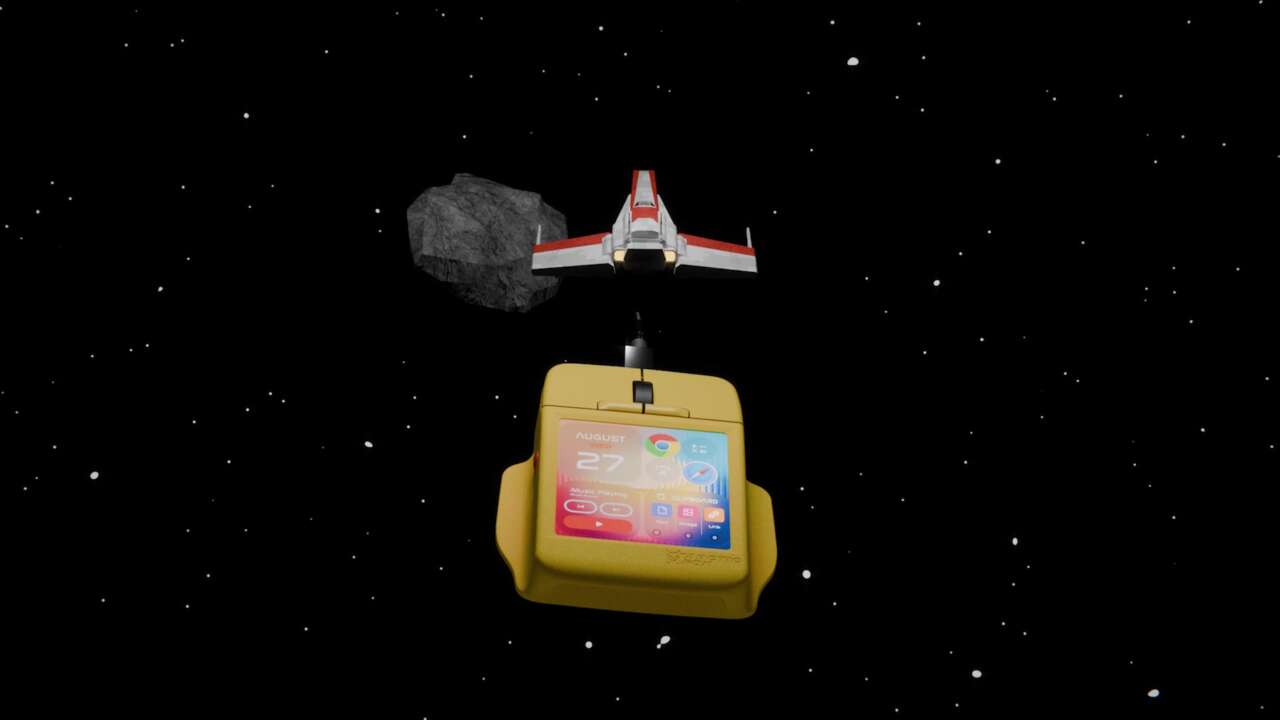
Arctic Fox’s Super Mouse gives each app its own set of controls on a 3.1-inch touchscreen built into the mouse. Switch from a spreadsheet to an editing app, and the screen can bring up the shortcuts you’ve assigned to that program. Physical Hyper Keys handle commands you’d rather trigger with a button.
The wired USB-C mouse works with Windows and macOS through Arctic Fox’s Flow desktop app. It’s now on Kickstarter with a $199 pledge for one mouse, plus shipping collected after the campaign, and estimated delivery in February 2027. This is crowdfunding, so delivery remains an estimate rather than a retail shipping commitment.
Price: $199 Kickstarter pledge plus shipping; estimated February 2027 delivery
Where to buy: Kickstarter
App-specific shortcuts in Flow
Flow is where you choose the screen’s shortcuts, arrange them and assign the Hyper Keys. The mouse then switches to your chosen layout as you move between applications. You can also keep separate profiles for work, gaming or editing.

That gives the screen a different job from a row of fixed extra buttons. It can show the commands for the application in front of you, with labels you can see instead of another set of button combinations to remember. The 720-by-720 display also supports app launching, brightness and volume sliders, and a virtual keyboard.
The physical Hyper Keys can run a single shortcut or a sequence of commands. A routine that opens several applications can sit on one button, while the touchscreen holds the individual tools you use inside them. You build these configurations in Flow.
A trackpad and microphone in the same mouse

Double-tapping changes the touchscreen into a multi-touch trackpad for scrolling, swiping and zooming. Custom gestures can trigger commands too. You can assign a circle to undo and a triangle to save.

Built-in microphones support voice-to-text in more than 90 languages, alongside swipe typing on the touchscreen keyboard.

Motion sensors add another input option by translating tilting and twisting into controls such as arrow-key commands.
Google Calendar integration lets the display show your schedule and manage events. That feature requires connecting your Google account through Flow’s authorization process.
A wired setup
USB-C supplies power and carries the connection. The tradeoff is a cable on the desk, along with desktop software to configure the screen and buttons.
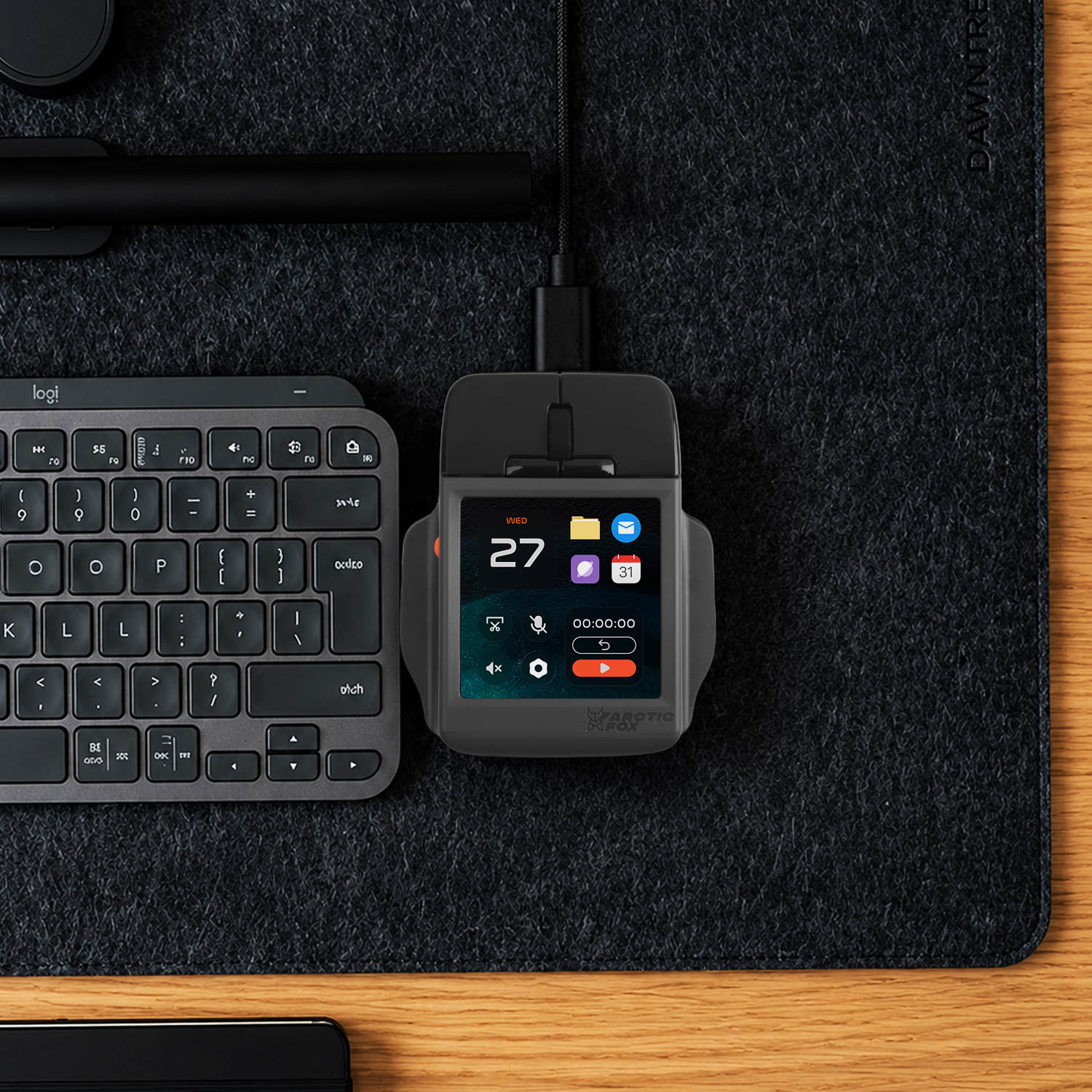
For someone who repeatedly reaches for menus or a separate shortcut pad, the screen offers a compact place to put those commands.
Price: $199 Kickstarter pledge plus shipping; estimated February 2027 delivery
Where to buy: Kickstarter
Color selection is handled in the Kickstarter post-campaign survey.