Back to school gear should keep earning its place after the first week of classes. The right mix makes a small bedroom, suite, or first apartment easier to work in, more comfortable to come home to, and ready for the friends who show up on a Friday night.
This guide starts with a TV for shared downtime, then moves through the laptop, desk setup, charging backup, wellness, low-distraction phone, and useful room extras that support student life. Each pick has a different job. Buy the one that solves the actual problem in the space you are setting up.
The shared screen for movie night game day and more
Hisense M7SR Roku TV model
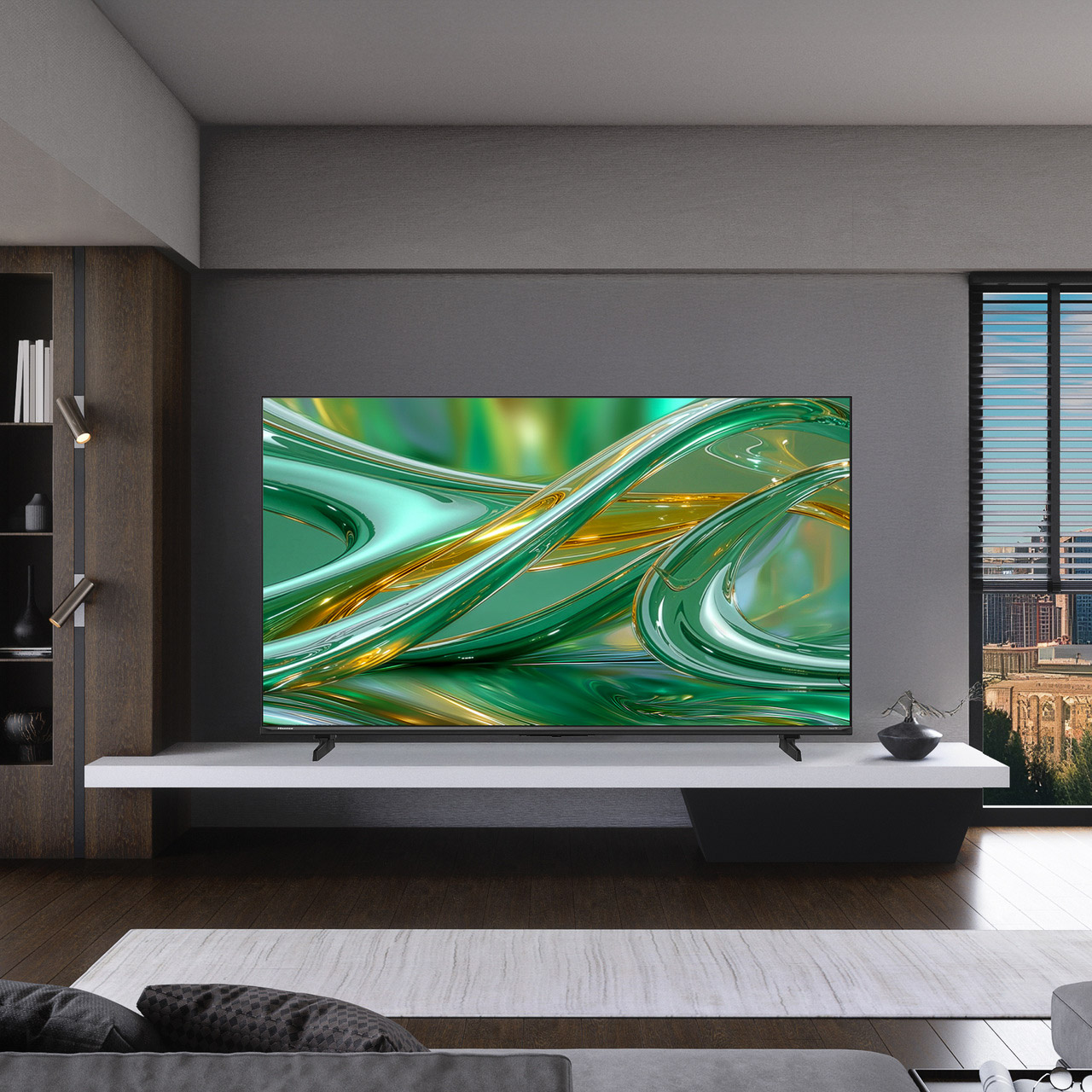
A laptop gets a student through class. It is not much of a screen for movie night, game day, or the first apartment where friends start dropping by. The Hisense M7SR gives a student or young renter a real shared screen, with multiple sizes so buyers can match the TV to the room and seating distance.
Hisense M7SR size and price guide
55-inch 55M7SR $549.99 Best Buy (Coming Soon)
65-inch 65M7SR $429.99 Original Price $629.99 Best Buy
75-inch 75M7SR $599.99 Original Price $899.99 Best Buy
85-inch 85M7SR $1,299.99 Best Buy
Pick the size before you pick the features
Start with the wall, TV stand, and where people will sit. Screen size is measured diagonally, so the number on the box does not tell you how much furniture or wall space the TV needs. Check the product listing for the full width, height, depth, stand width, and weight before ordering.

For 4K viewing, a useful starting range is about 5½ feet from a 55-inch TV, 6½ feet from a 65-inch, 7½ feet from a 75-inch, and 8½ feet from an 85-inch. Those are not rules. They are a way to decide whether a larger screen will feel immersive or simply dominate the room.
The right M7SR size depends on the room, the wall, and where people will sit. A larger screen can create a more immersive shared-viewing experience, and televisions often feel smaller over time. Use the size guide below to choose the model that fits the space.
Choose the 55-inch for a dorm room, bedroom, or smaller apartment where seating is closer to the screen and space is limited. It is a practical fit for students who want a TV for everyday streaming and gaming while keeping more room in the budget for other essentials. Choose the 65-inch when the seating sits farther back and the room is where roommates already gather. The 75-inch is the stronger choice for an off-campus apartment, a family living room, or a shared student lounge where movie nights, game day, and weekend gaming bring more people together. At $899.99, it makes sense when the wall and seating distance are already there. The 85-inch is for a big wall and a real common area. It is not a typical dorm-room choice, and the $1,299.99 price should include a plan for delivery, placement, and a room large enough to enjoy it.
What the M7SR adds after move in
The M7SR is for the room where plans change quickly. A friend puts on a game, somebody opens a streaming app, then a console gets plugged in after dinner. Roku keeps those handoffs easy because people already know where to find streaming apps, search, and live viewing options.
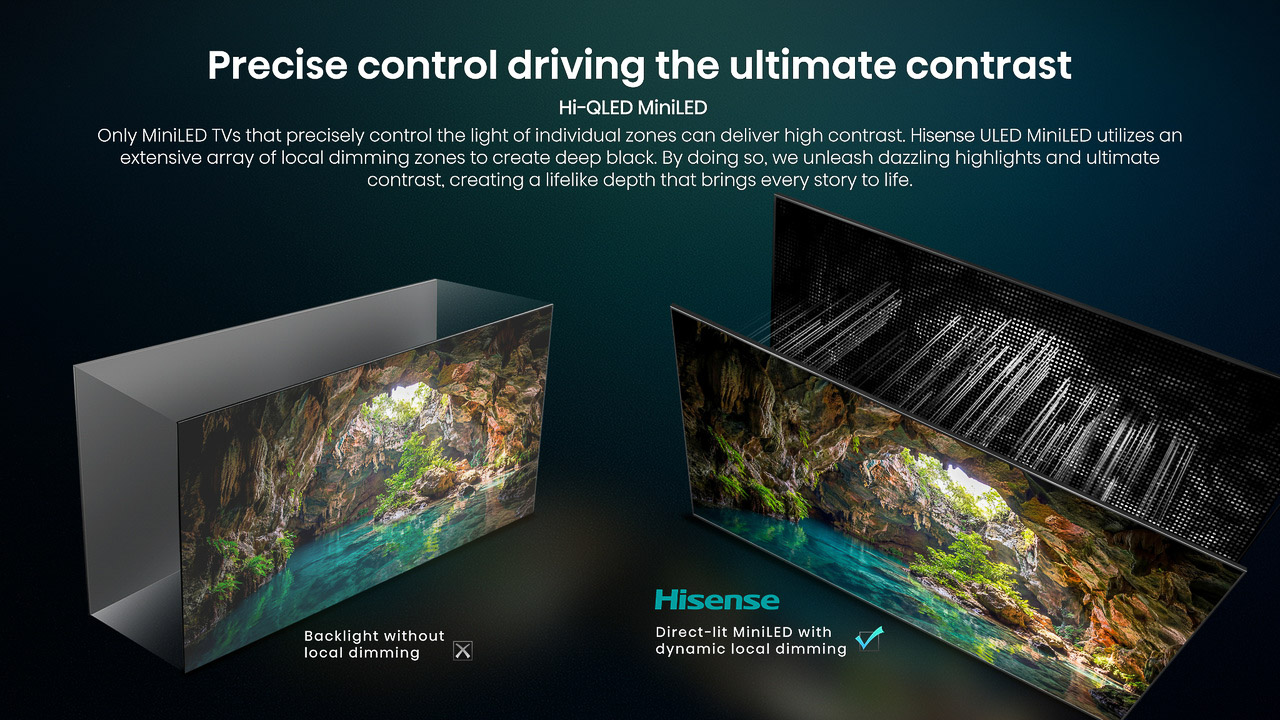
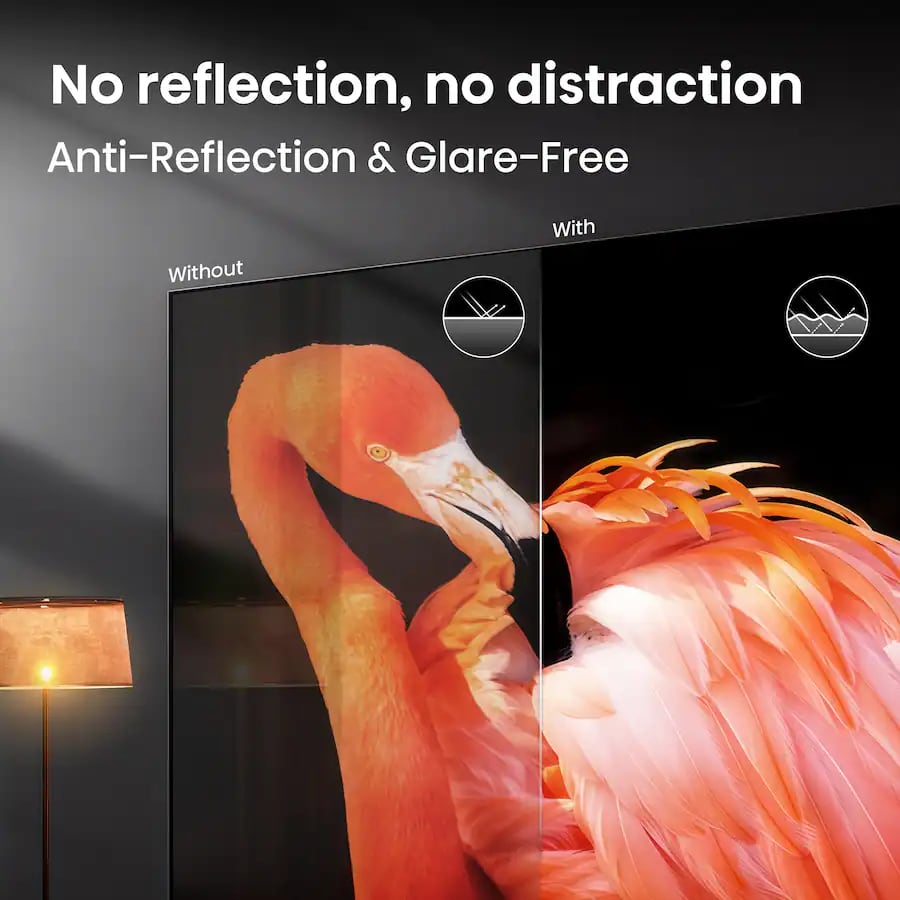
Hisense says its Hi-QLED MiniLED display gives the M7SR brighter highlights, deeper dark scenes, and fuller color than a basic LED screen. That is useful when the TV has to handle a sunny afternoon game and a darker movie later that night. Anti-Reflection and Glare-Free treatment can help when a window, kitchen light, or lamp lands across the screen.
AI Picture adjusts color, contrast, and noise as the room and content change, while Dolby Vision, Filmmaker Mode, and HDR10 support movie nights. Game Mode Plus adds variable refresh rate and auto low-latency mode for compatible consoles, covering sports titles, co-op games, and casual play after class. Together, those features make the M7SR a stronger shared screen for everyday movie nights and game nights than a bare-bones set.
The slim unibody design keeps the set from feeling bulky in a bedroom or apartment. DTS Virtual:X supports a broader sound presentation from the built-in speakers, so movie night can start before a soundbar enters the budget.
The M7SR gives a bedroom, suite, or shared apartment a screen people will use every day. The size guide helps buyers match the model to the wall, seating distance, and budget.
The laptop for class work that follows them home
The Lenovo IdeaPad Slim 3i Gen 11 is the classwork anchor in this guide. Our tested Core 7 350 configuration has 16GB of replaceable memory, a 512GB SSD, a 15.3-inch 120Hz touchscreen, USB-C charging, HDMI, an SD card reader, and enough ports to keep a student out of dongle trouble.
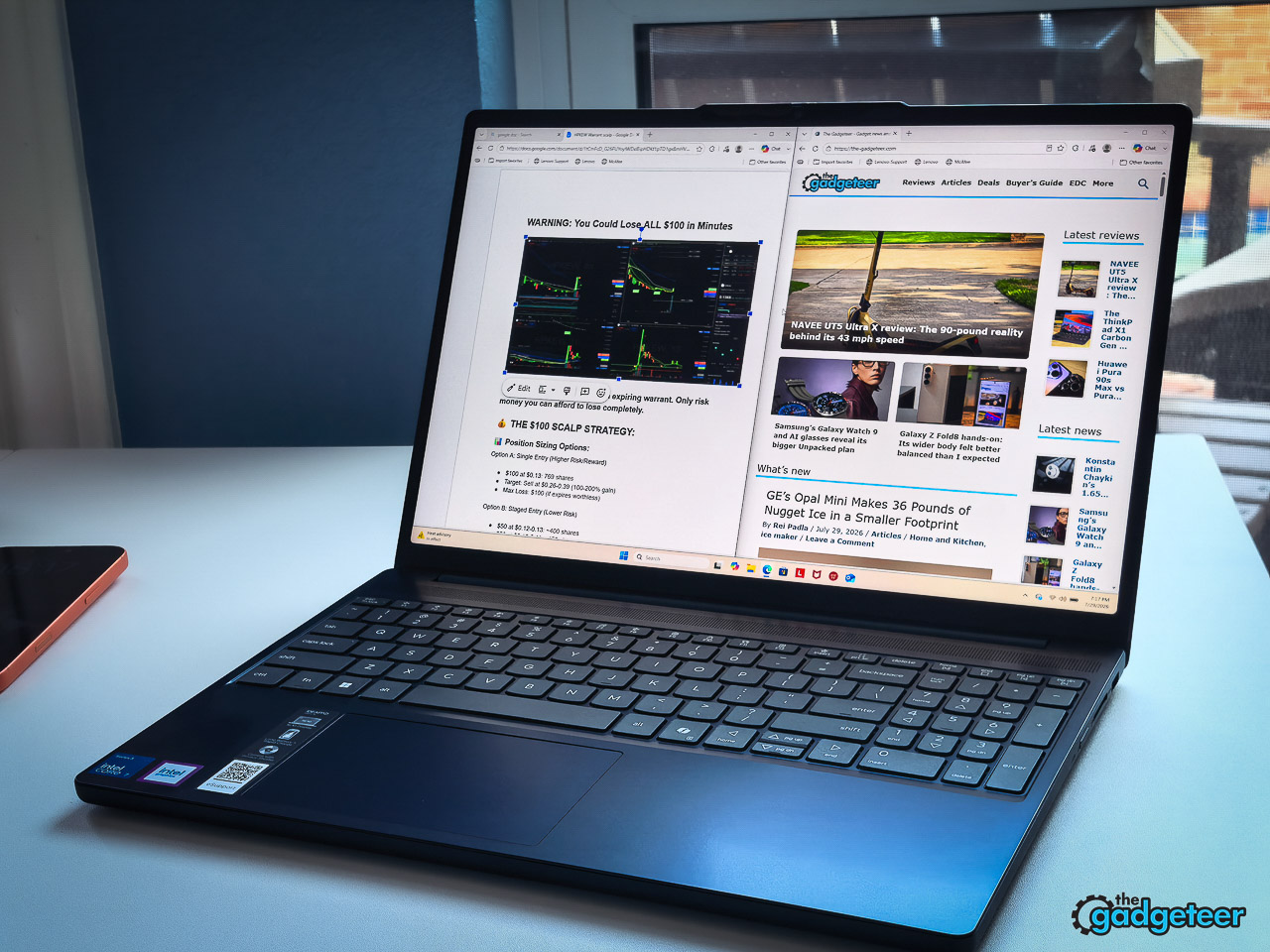
That larger 15.3-inch screen pays off when a lecture, a research window, and a draft all need to stay open at once. HDMI makes a quick dorm-room monitor or presentation connection easy. USB-C charging means one compatible charger can cover more of a student’s kit, while the SD card reader helps students who move photos or video off a camera.
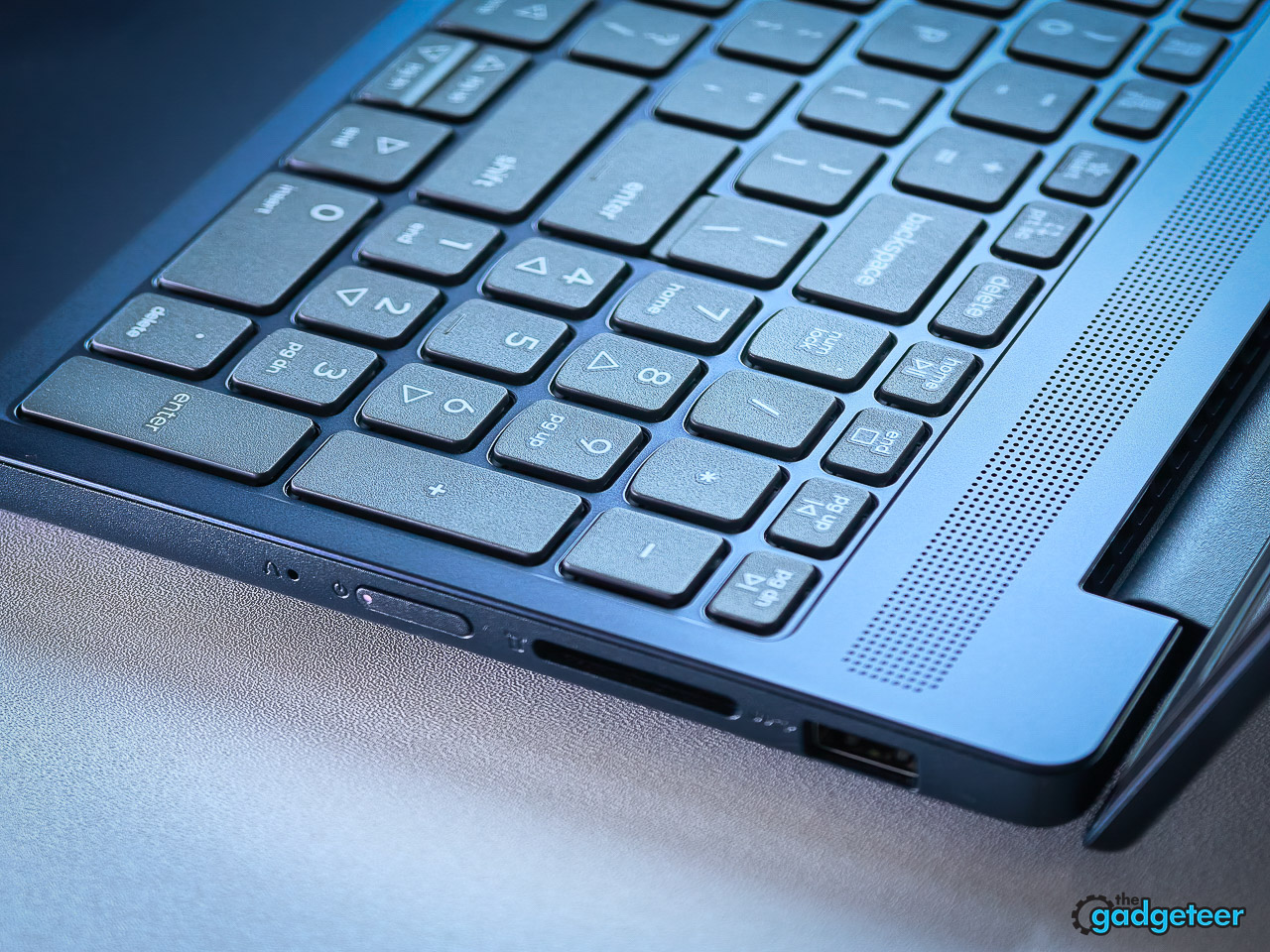
The replaceable memory and storage give this laptop more runway than a sealed-up budget machine. A student can start with classwork, streaming, and group calls, then expand the setup as projects and files grow. The review’s tradeoffs are straightforward: there is no keyboard backlight and the webcam is basic. Film, architecture, engineering, and other programs with heavy graphics or virtual-machine demands should check their school’s required specifications before ordering.
Lenovo IdeaPad Slim 3i Gen 11
The reviewed configuration is not currently offered through a direct purchase page. Use this page for current series details and wait for Lenovo to confirm an orderable configuration.
See current IdeaPad Slim 3i Gen 11 series details
The backup battery that keeps a laptop usable
INIU 20,000mAh 65W laptop power bank
A laptop is only as useful as its remaining battery during a long campus day. This INIU power bank supports up to 65W charging through USB-C and carries enough capacity for the student who bounces from a lecture hall to the library to an outlet-free group meeting.
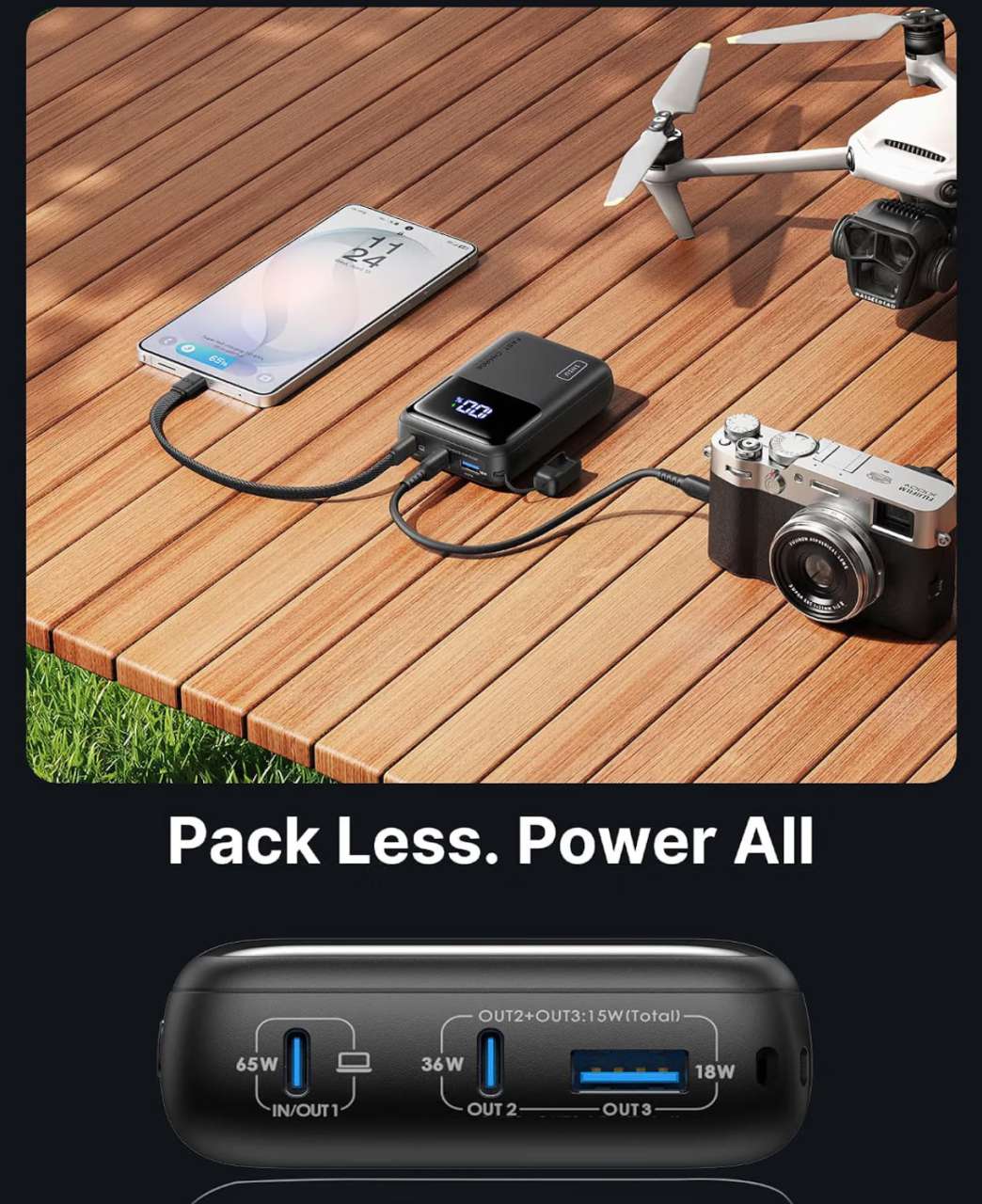
It has two USB-C ports and one USB-A port, so it can charge a laptop and smaller devices in the same bag. The sensible move is to confirm that the student’s laptop supports USB-C charging before buying it. It is a compact backup, not a replacement for the laptop’s normal charger.
INIU 20,000mAh 65W laptop power bank
$42.29 at the time of check In stock 17 percent below the listed $50.99 price
Check the current Amazon price and compatibility
The carry on backpack that can handle campus and a weekend away
Peak Design Travel Backpack 2 in 1 40L
A college backpack has to do more than carry books. It may hold a laptop, charger, clothes for a weekend home, and the gear that comes along for a club trip or internship. The Peak Design Travel Backpack 2 in 1 gives that load a 40-liter home, then separates into two bags when a single heavy travel pack is more than the day needs.
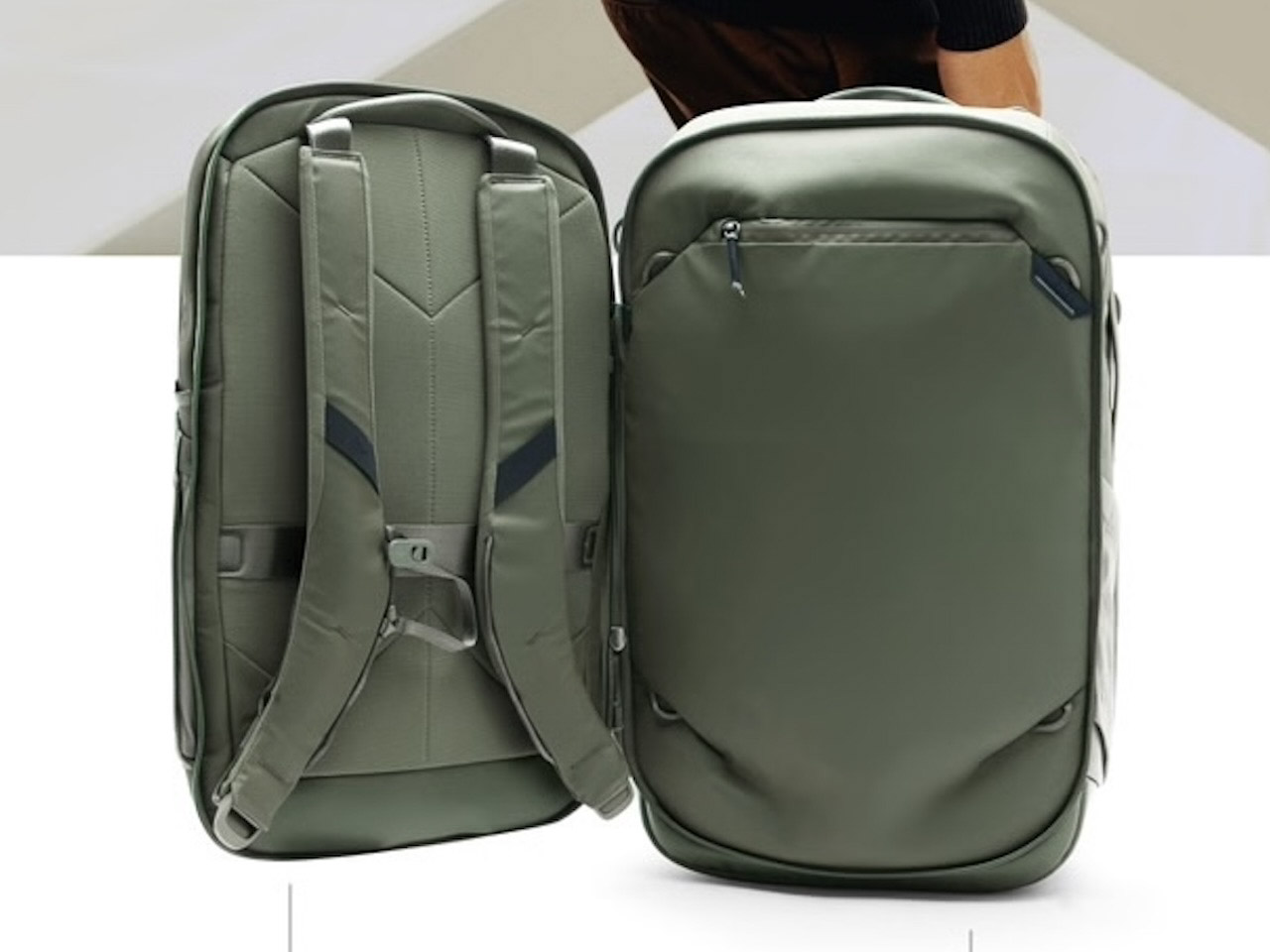
Vincent has been using this bag ahead of his upcoming review and calls out the split design as the reason it works so well for student life. The smaller bag gives a laptop its own space instead of packing it beside heavier travel gear, while the larger section can take the rest of the load. That separation helps keep a daily carry simple and gives the laptop less chance of being pressed against bulky items. The secure zippered pockets also keep smaller gear from spilling out when the bag is opened.


At $399.95, this is a premium purchase. It makes sense for a student who will travel, carry valuable tech, and use it for years. A student who only needs a light campus bag should choose something smaller and put the difference toward a different part of this guide.
Peak Design Travel Backpack 2 in 1 40L in Sage
$399.95 at the time of check Lifetime warranty and 30-day returns listed by Peak Design
See the current Travel Backpack 2 in 1 options
The chair that makes a long desk day easier
The Hbada E3 Pro 2026 Edition is the desk upgrade for a student who spends hours reading, writing, and working at home. In our review, its three-zone adaptive lumbar system, breathable CloudMesh seat, and highly adjustable armrests made a stronger case than another cheap chair that gets replaced after a semester.
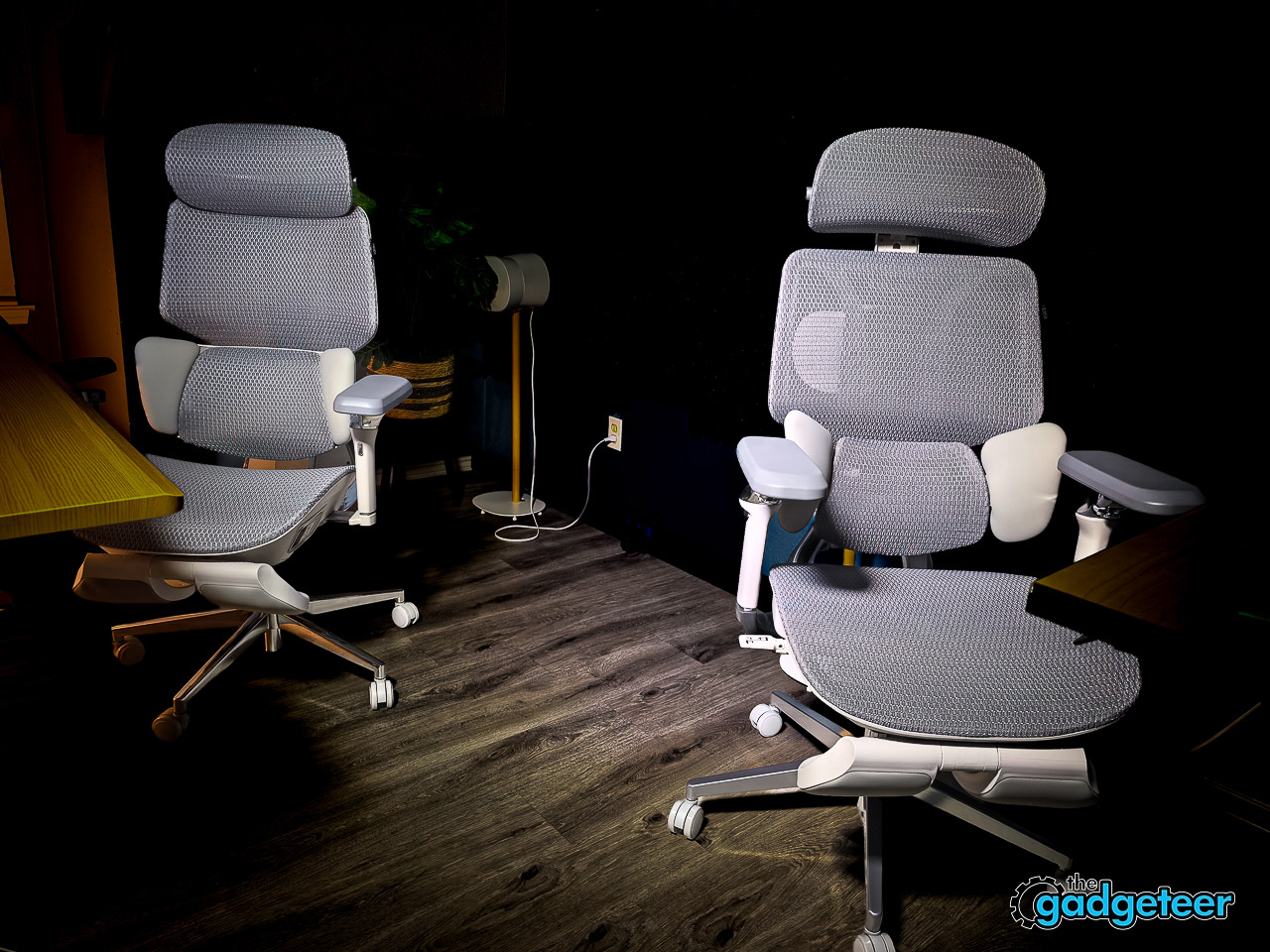
It is not a grab-and-go dorm purchase. Measure the desk area and the door before delivery, then decide whether a supportive chair belongs in the budget. The E3 Pro is the better fit for someone who wants mechanical adjustability and long-session comfort without paying for the extra smart features in Hbada’s flagship X7.
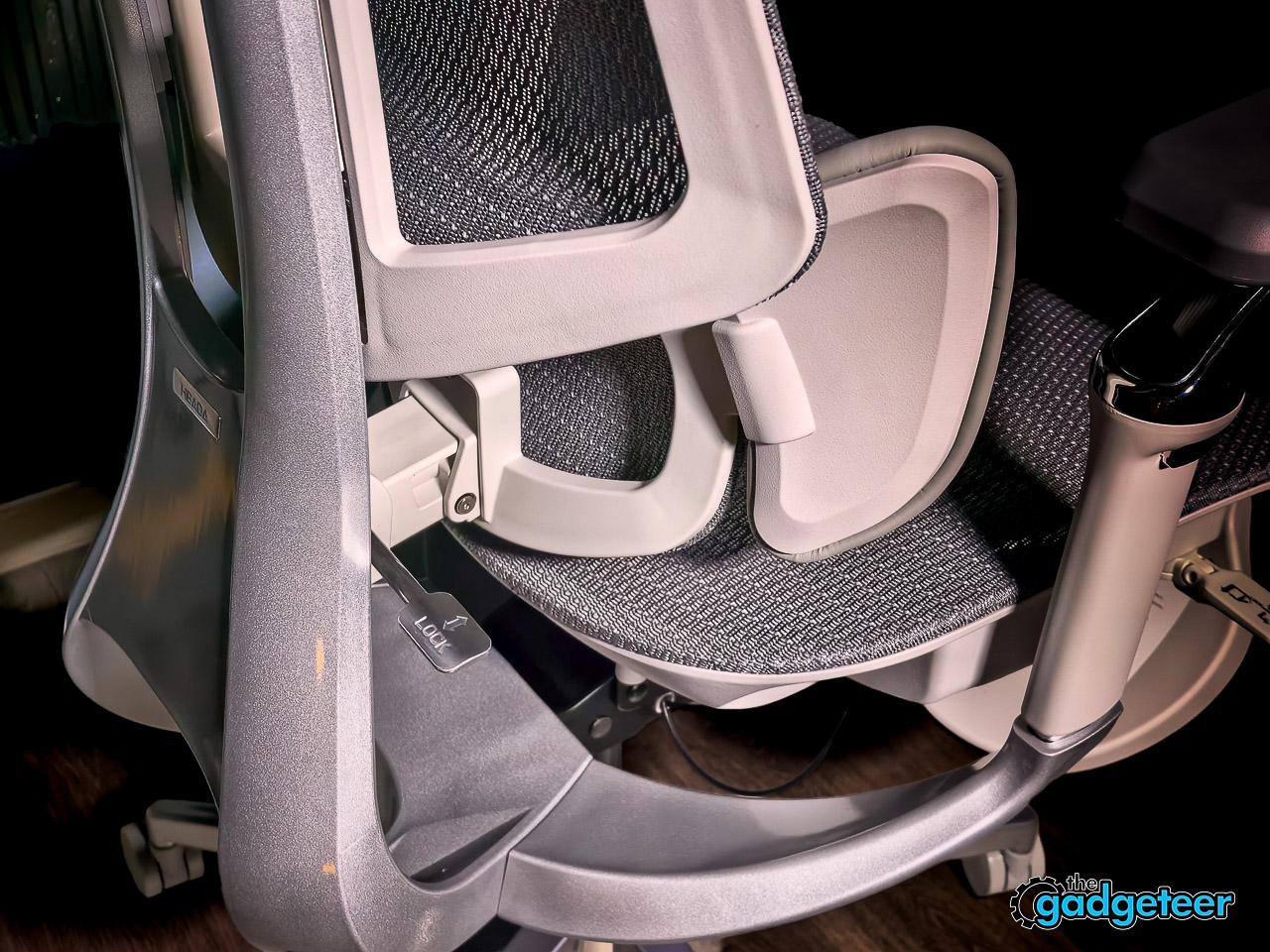
The armrest range is a big part of the value. Students move from typing a paper to holding a controller to leaning back on a video call, and a chair that adjusts with those habits is easier to live with than a fixed-position seat. The breathable seat also helps when the desk sits in a warm bedroom or apartment. Check the full review for current retailer links, pricing, and the exact fit details.
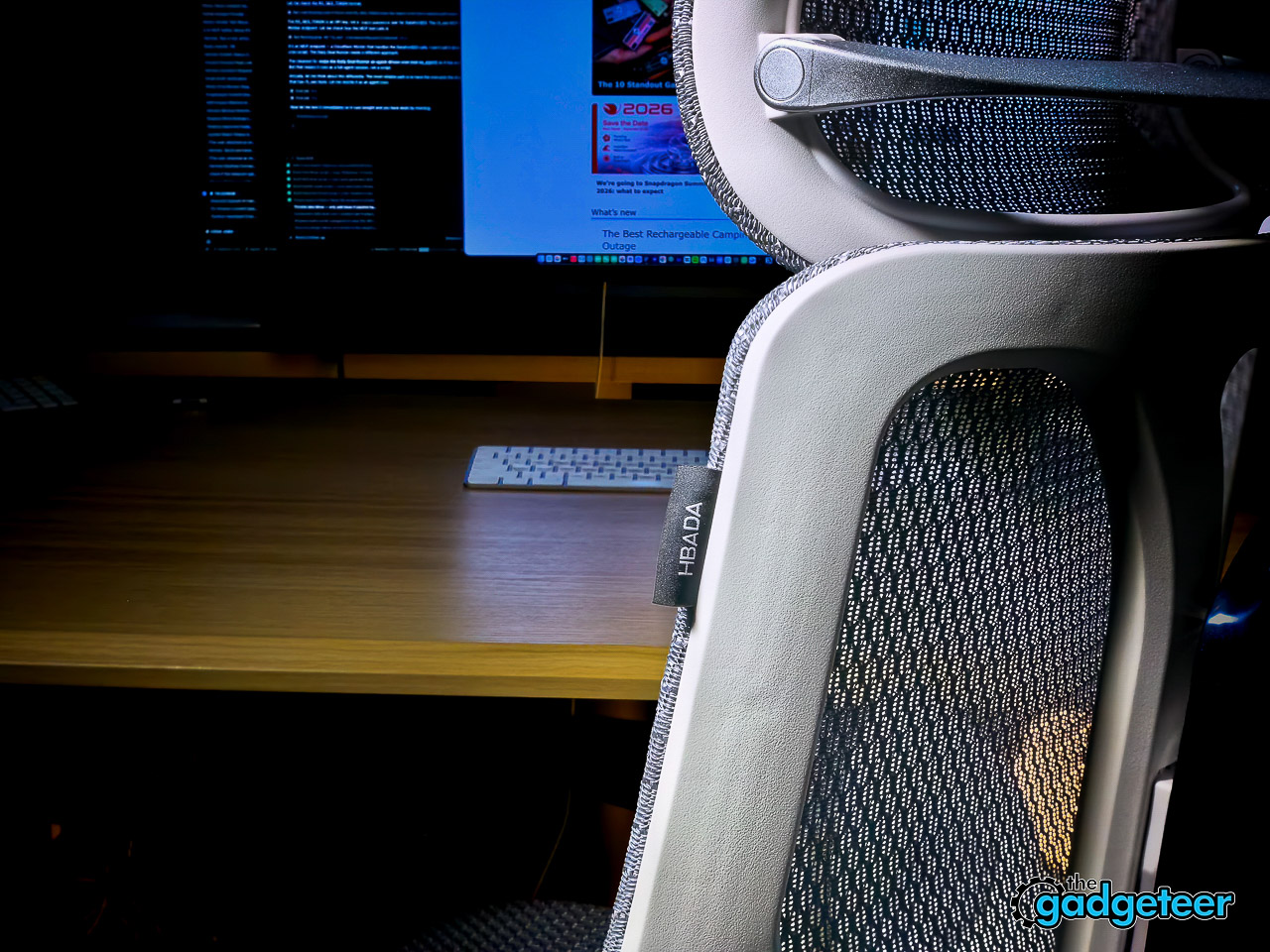
Hbada E3 Pro 2026 Edition
Desk chair for long study and work sessions Measure the doorway and desk area before ordering
Read the full Gadgeteer review and current buying options
The shared room extra that everyone uses
Silonn Smart Nugget Ice Maker SLIM41T US
A countertop ice maker is not a dorm essential. In a suite, apartment, or shared house with a little counter space, it becomes the fun upgrade everybody notices. Our week-long Silonn SLIM41T review found its 3-liter tank practical for a day of drinks, no plumbing required, and a noise level that did not get in the way of work or calls.
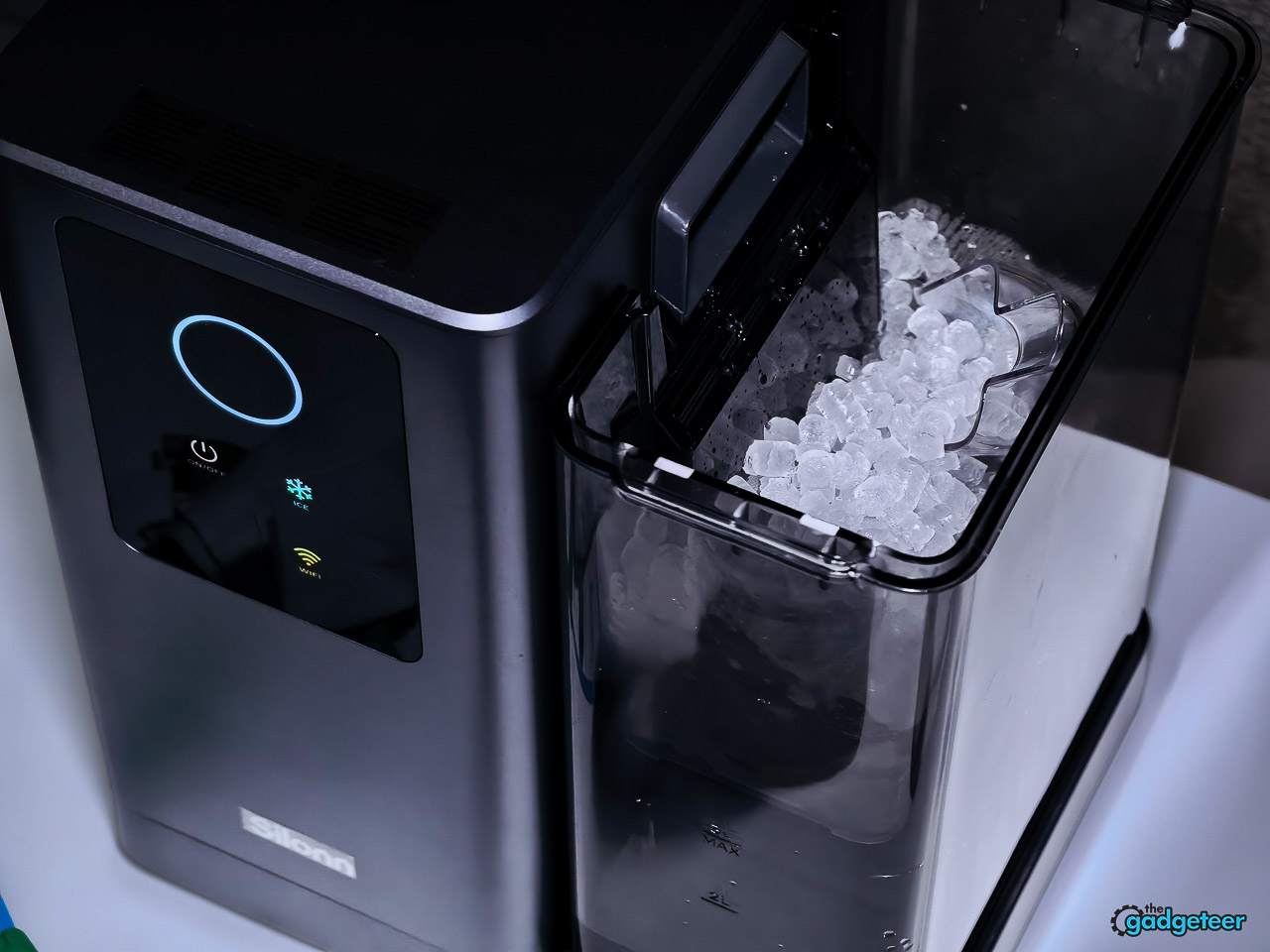
The setup only works if the roommates agree to maintain it. Give the machine ventilation, use filtered or low-mineral water when possible, run its self-cleaning cycle, and empty it before a long break. At the time of the review, it was $264.98 at Amazon through August 31, down from $349.99. Check the current price before ordering.
Silonn Smart Nugget Ice Maker SLIM41T US
Read the full Gadgeteer review and current buying options
The wellness tracker that does not add another monthly bill
RingConn Gen 3
The RingConn Gen 3 is the low-maintenance wellness pick for a student who wants sleep, heart-rate, HRV, blood-oxygen, respiratory-rate, skin-temperature, and stress context without another screen on their wrist. Our Editor’s Choice review tested the ring around the clock and found its charging case and multi-day battery well suited to daily wear.
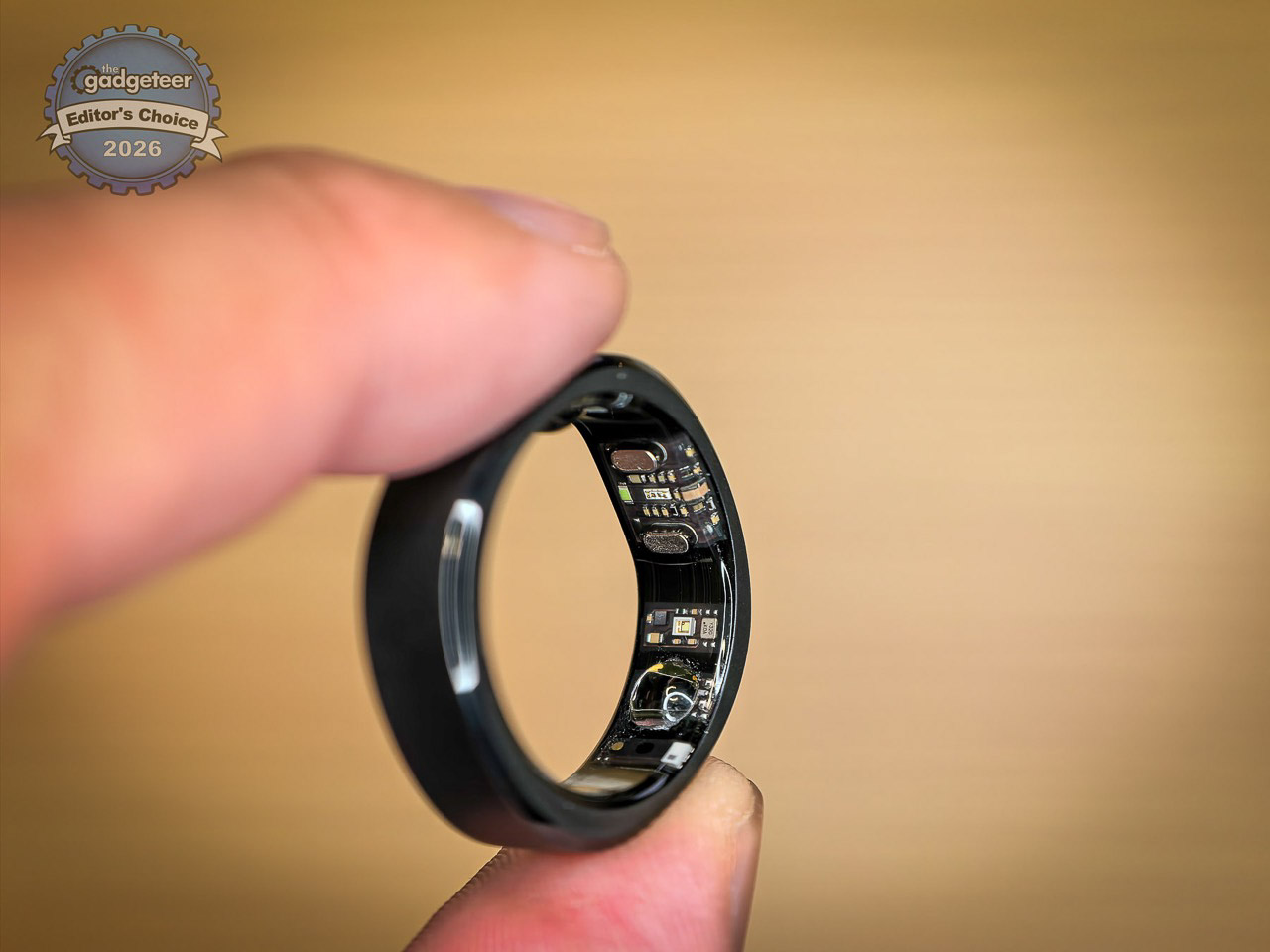
The strongest reason to choose it is simple: RingConn includes its tracking features without a subscription. A sizing kit ships before the ring, which is useful because fit drives comfort and sensor contact.
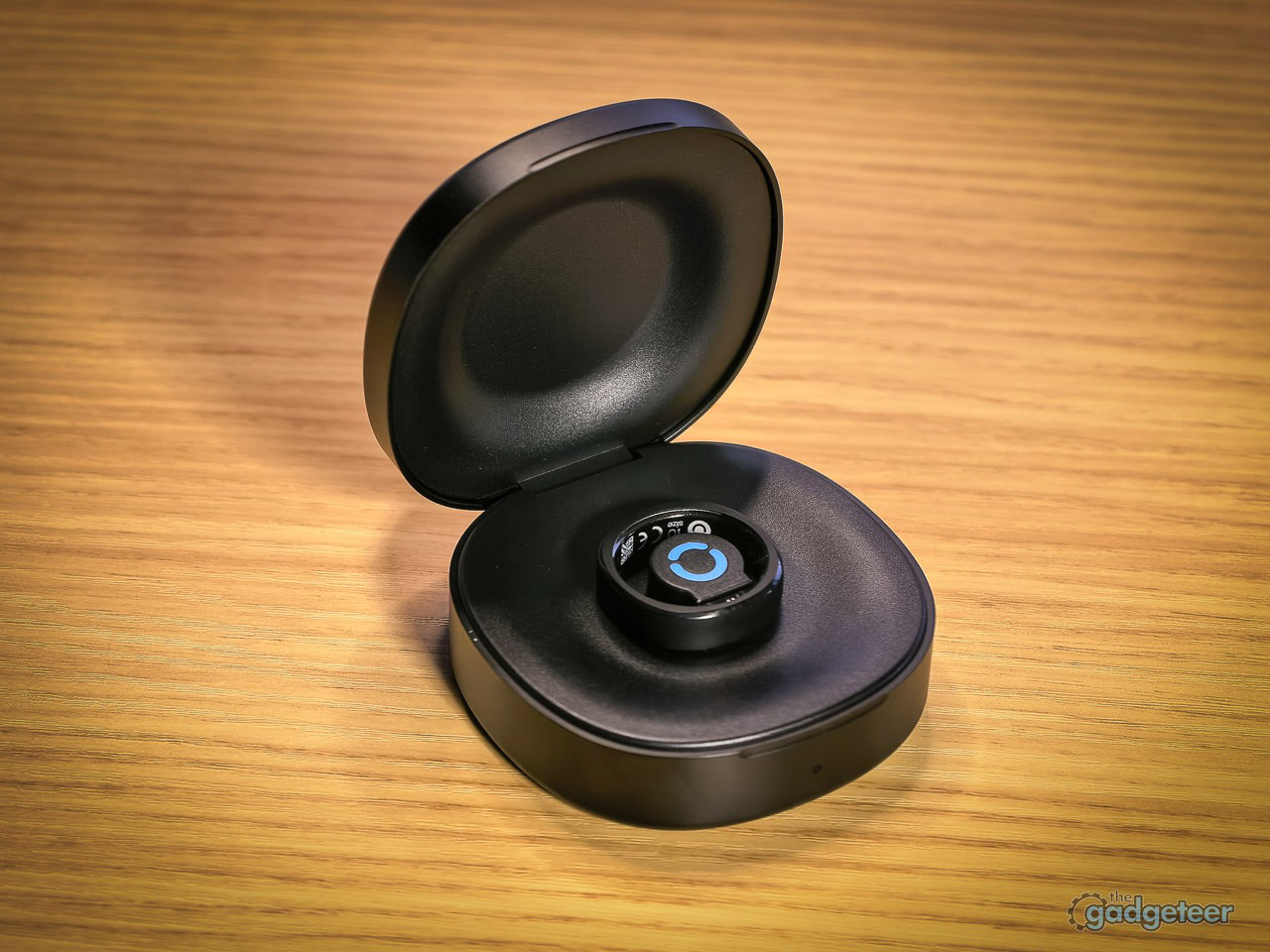
The Gen 3 also keeps its upkeep low. Our review found the charging case useful for keeping the ring powered through days of normal use, and its titanium body is built for all-day wear. That makes it easier to keep the data consistent instead of leaving another wearable on a desk after a few days.
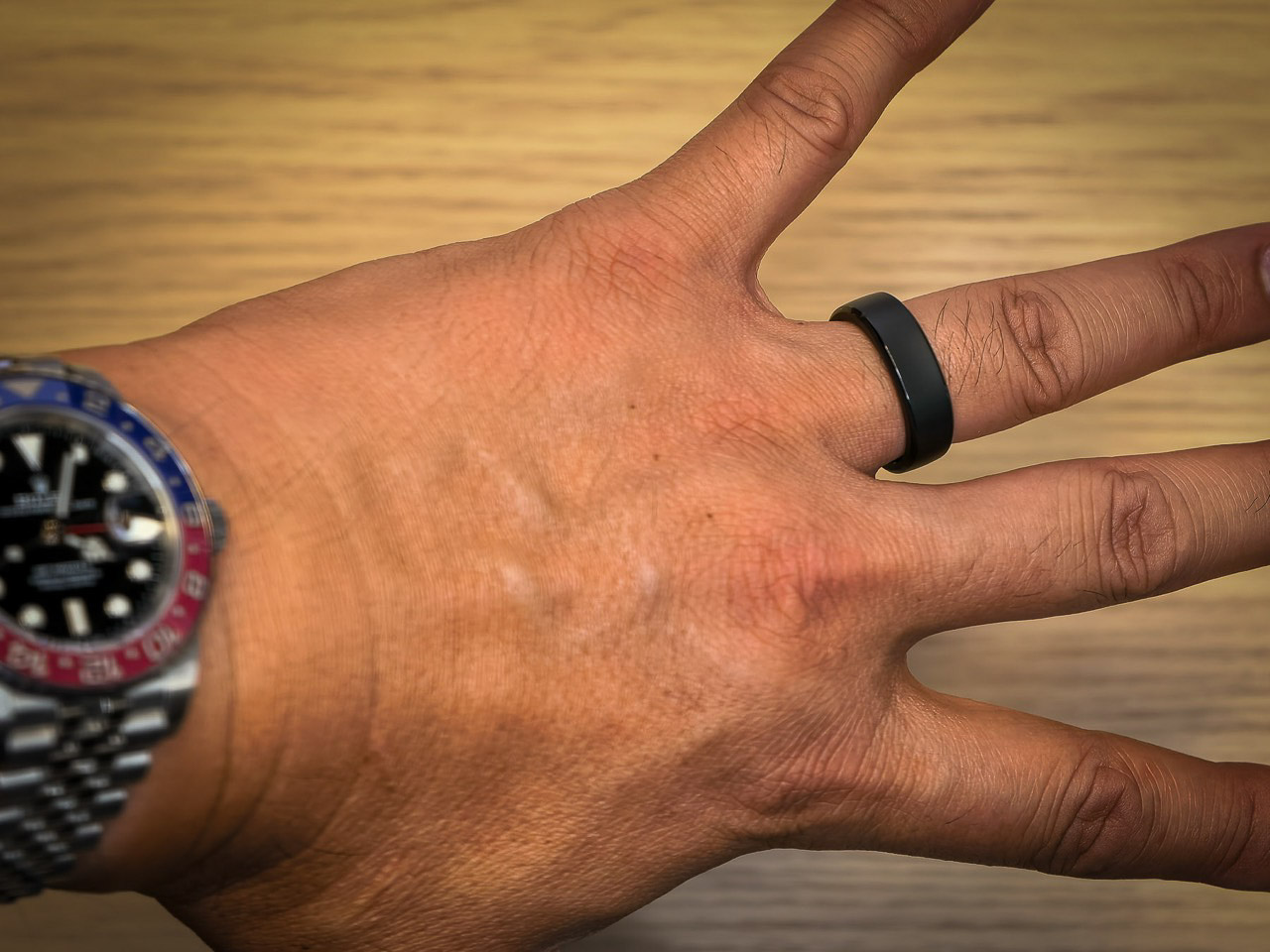
The real value is the context over time. A student can see sleep, recovery, and stress patterns around late nights, workouts, travel, or a heavy exam week and decide when it is time to adjust a routine. The ring can surface useful patterns, but it is not a medical diagnosis or a replacement for professional care.
RingConn Gen 3 smart ring
No subscription required Sizes 6 through 15
See the current RingConn Gen 3 price and choose a size
The compact printer for papers on the move
Gloryang Inkless Portable Printer
Students who need a printed form, a last-minute reading packet, or a document for an internship do not always need a bulky desk printer. This Gloryang model is a Bluetooth thermal printer for letter-size thermal paper, and the listing includes a carry case plus three paper rolls.


The tradeoff is just as important as the convenience. It prints on thermal paper, not ordinary copy paper, so it is a better fit for occasional black-and-white documents than color assignments, photo printing, or a high-volume print station.
That makes it especially useful for the student who runs into a printing need at the worst possible time: a form that needs a signature, a reading packet, a shipping label, or a document for an interview. The carry case helps it move between home, campus, and an internship without claiming permanent desk space.
Before buying, check whether the professor, office, or document requires standard copy paper or color output. If it does, use a campus printer. If the task is a quick black-and-white page, this is the faster option.
Gloryang Inkless Portable Printer
Wireless thermal printing Letter-size thermal paper Carry case and three paper rolls included
Check the current Amazon price
The shared apartment water upgrade
Waterdrop ED01W Electric Water Filter Pitcher
For a suite or first apartment, the Waterdrop ED01W turns a basic water pitcher into a small shared-room convenience. The 15-cup rechargeable dispenser is listed with a 200-gallon filter life and a push-button pour, so it fits students who want chilled water ready for a bottle, coffee maker, or late-night refill without buying cases of water.
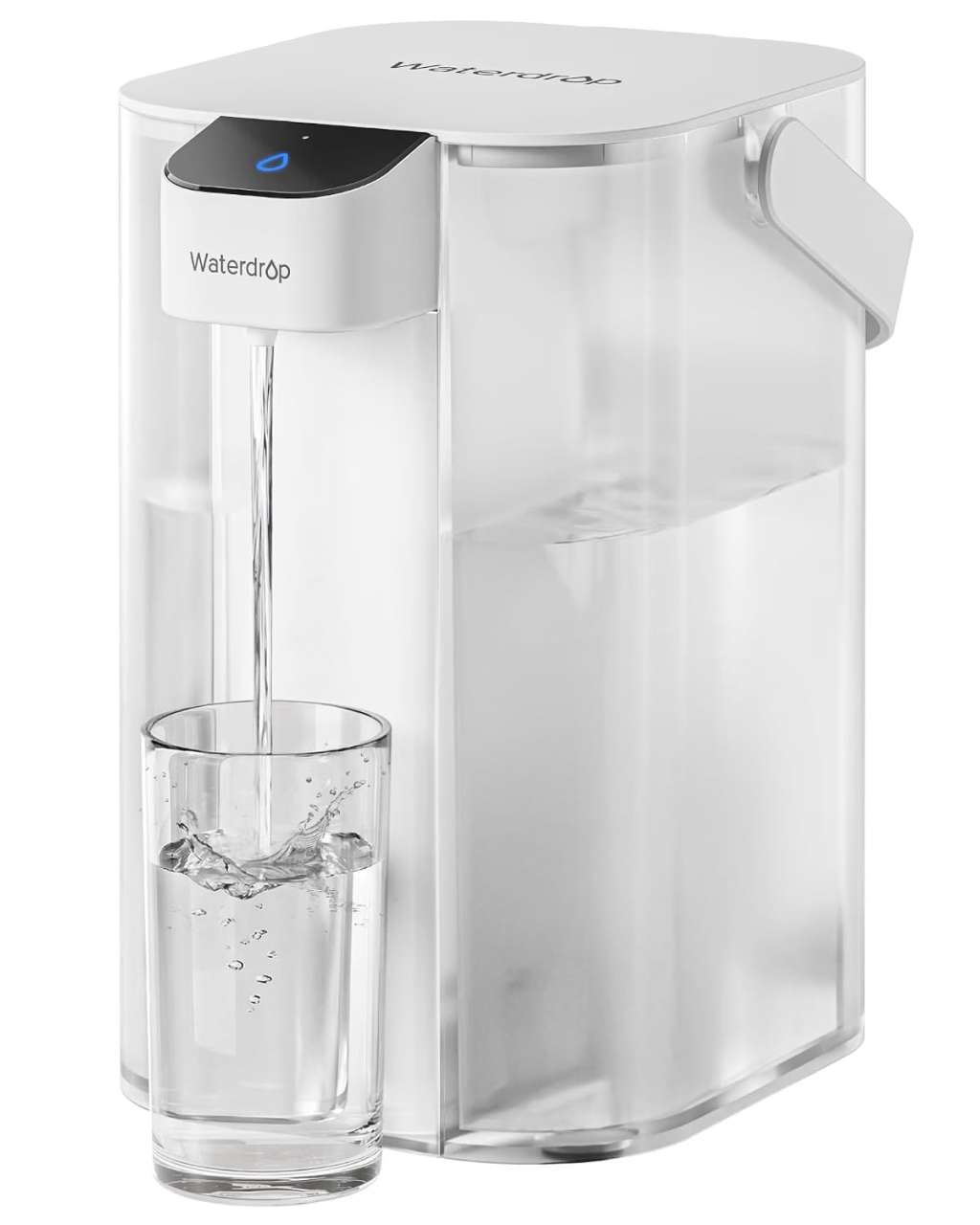
This is a common-space product, not a standard dorm essential. It needs counter space, a charging plan, and roommates who will actually refill it. Treat the listing’s filtration language as product information and check the current price, replacement-filter cost, and selected seller before purchase.
The appeal is simple in a shared apartment: water stays close without a case of bottles taking up closet space. The 15-cup capacity gives roommates enough room to fill bottles and make coffee before another refill. It is a small quality-of-life purchase, but it only works when everyone agrees on who fills and cleans it.
Waterdrop ED01W electric water filter pitcher
15-cup capacity Rechargeable dispenser 200-gallon listed filter life
Check the current Amazon price
The phone for students who want fewer distractions
Wisephone II by Techless
The Wisephone II keeps the useful parts of a phone close at hand: calls, messages, maps, calendar, two-factor authentication, and selected tools. It replaces the endless feed with a simpler daily setup, which can give a student more control over where their attention goes.
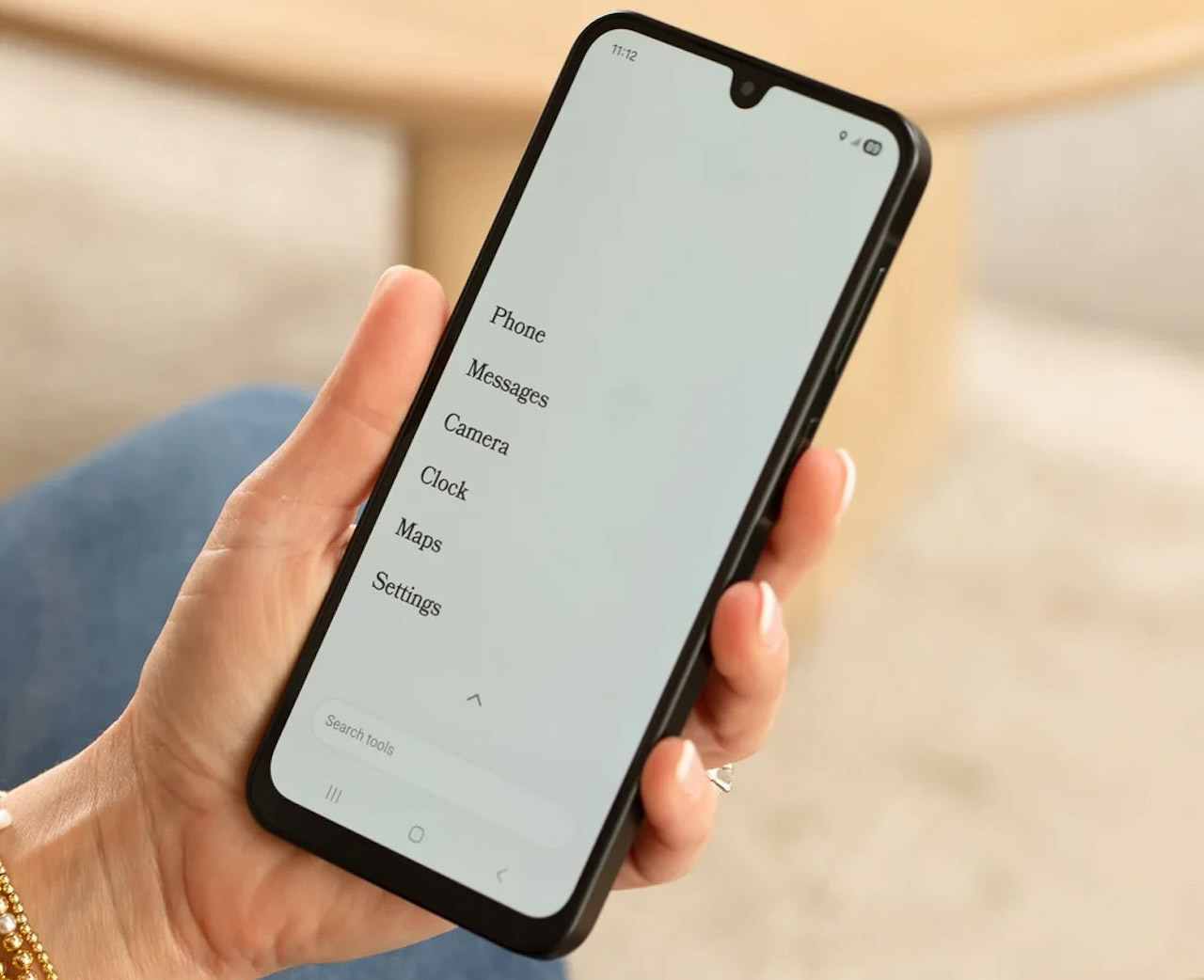
The current product page lists Wisephone II at $399 plus a $39 activation fee. It requires a WiseOS subscription. The standalone WiseOS subscription is listed at $14.99 per month with a compatible third-party carrier, while Techless carrier plans start at $24.99 per month. Check carrier compatibility and the current app list before ordering because those are part of the purchase, not an afterthought.
It fits a student who wants less digital noise and still needs maps, rideshare, music, banking, and family communication. Students who rely on school email, browser-based coursework, unrestricted apps, or social media should choose a conventional smartphone instead.
Wisephone II by Techless
$399 plus $39 activation fee WiseOS subscription required
See Wisephone II plans and compatibility
Build the package around the student
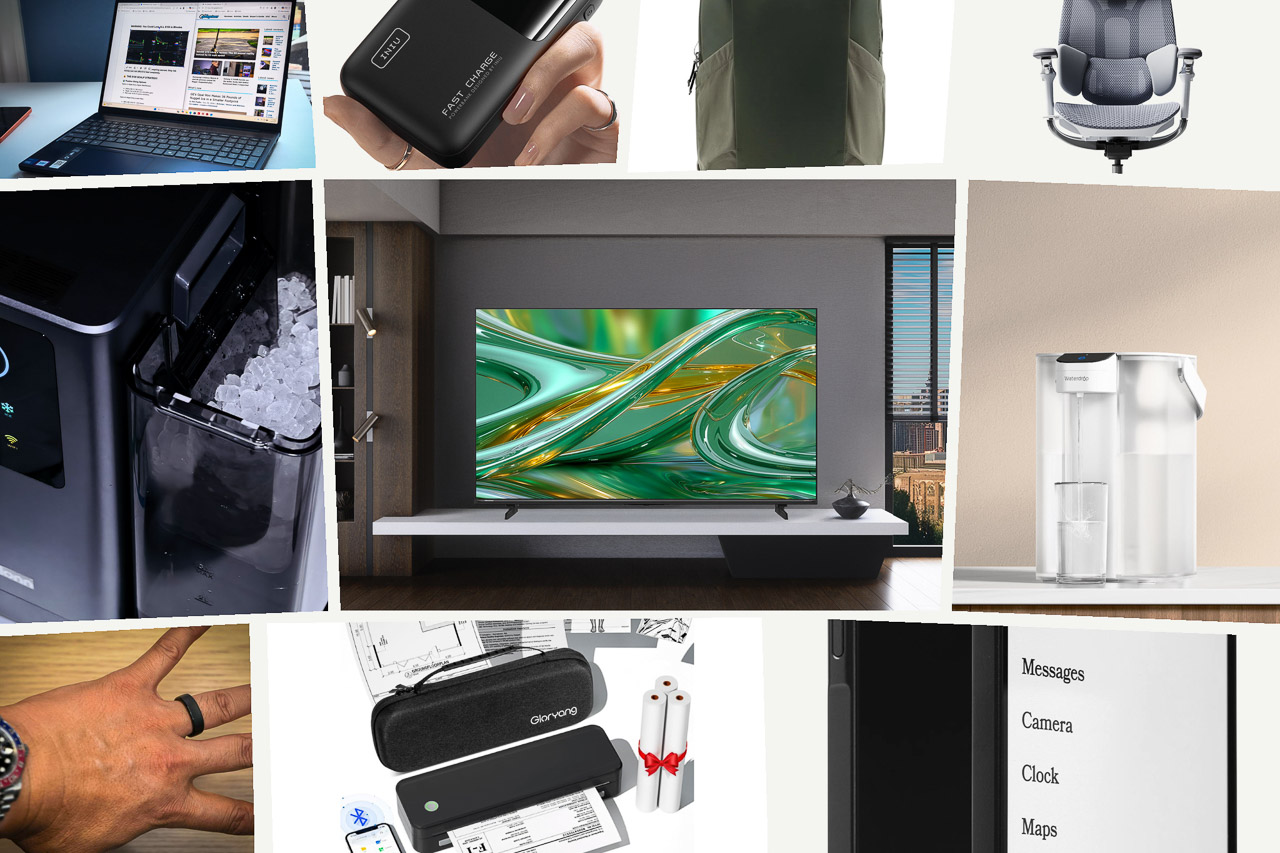
Start with the gear that changes the day most. A laptop and a comfortable desk setup support class work. A backpack and power bank keep that setup moving. The TV, ice maker, and water pitcher turn a shared room into a place people want to spend time. RingConn and Wisephone offer two different ways to build healthier habits around tech.
Nobody needs every item here. The best Back to School package fits the room, the routine, and the budget. Choose one strong pick for work, one for daily life, and one that makes the new space feel like home.