
Freshman-year shopping has a quantity problem. Before move-in day, almost everything looks useful. Storage bins, lamps, kitchen gadgets, chargers, desk accessories, and enough organizers to give every charging cable its own apartment can become a very expensive pile. Then you discover how little room you actually have.
A better freshman kit starts with the problems that follow you beyond the dorm: carrying a computer all day, keeping devices charged, finding somewhere quiet to study, connecting a laptop to unfamiliar equipment, and keeping track of the things you inevitably misplace. Dorm rules and room layouts also vary, making it smart to check what your school provides before buying everything in advance.
So forget the enormous packing checklist. These eight items solve problems a freshman is likely to encounter repeatedly.
1. A Laptop You Can Actually Carry
The most important computer for freshman year isn’t necessarily the fastest one you can afford. It’s the one you’re willing to put in your backpack every morning.
For many students, a portable 13- or 14-inch laptop strikes a sensible balance between screen space and a size that is manageable enough to carry between lectures, the library, and the dorm. That doesn’t make those sizes universally correct, however. Engineering, architecture, computer science, media production, and other programs may have specific hardware or software requirements.

Price: $689
Where to Buy: Amazon
Check those requirements before buying anything. Once compatibility is covered, prioritize battery life, keyboard comfort, weight, and enough memory and storage for your coursework. A spectacular benchmark score matters less if the laptop is so heavy that you start leaving it behind.
Why it earns its place: Your laptop will probably become your classroom, notebook, research station, entertainment system, and group-project machine. Buy for the work your course requires and the reality that you’ll be carrying it.
2. Anker Nano Power Bank 10K 45W
Freshman schedules don’t care whether your phone is at 8 percent. The Anker Nano Power Bank (10K, 45W, Built-In Retractable USB-C Cable) combines a 10,000mAh rated battery with a 2.3-foot retractable USB-C cable, another USB-C port, and USB-A. Anker rates each USB-C output at up to 45W when used on its own. Using multiple outputs reduces the available power, with Anker specifying 22.5W maximum combined output.
Those figures are manufacturer specifications, not a promise that every device will charge at 45W. The connected device and charging protocol determine what it actually draws.

Price: $49.99
Where to Buy: Amazon
For students, the clever part may be simpler: the cable is attached. There is no discovering at lunchtime that your fully charged power bank is useless because its USB-C cable is back in the dorm.
Why it earns its place: It’s backup power that removes one more cable from the freshman packing list.
3. Sony WH-CH720N Noise-Canceling Headphones
Freshman year introduces an unpredictable soundtrack. Your roommate has a video playing. Someone is talking in the hallway. The library isn’t as silent as its name suggests.
The Sony WH-CH720N gives you active noise cancellation and Ambient Sound mode in an over-ear design weighing approximately 6.8 ounces. Sony rates music playback at up to 35 hours with noise cancellation enabled and up to 50 hours with it disabled. Sony also notes that actual operating time varies with settings and usage conditions.

Price: $179.99
Where to Buy: Amazon
Noise cancellation isn’t a force field. It generally helps most with persistent background noise rather than making nearby conversations disappear completely.
They are still valuable for studying because they give you some control over a campus environment shared with hundreds of people.
Why it earns its place: They’re less about escaping campus and more about creating a temporary study zone when campus refuses to provide one.
4. A USB-C Hub
A thin laptop can have everything you need until someone hands you an HDMI cable.
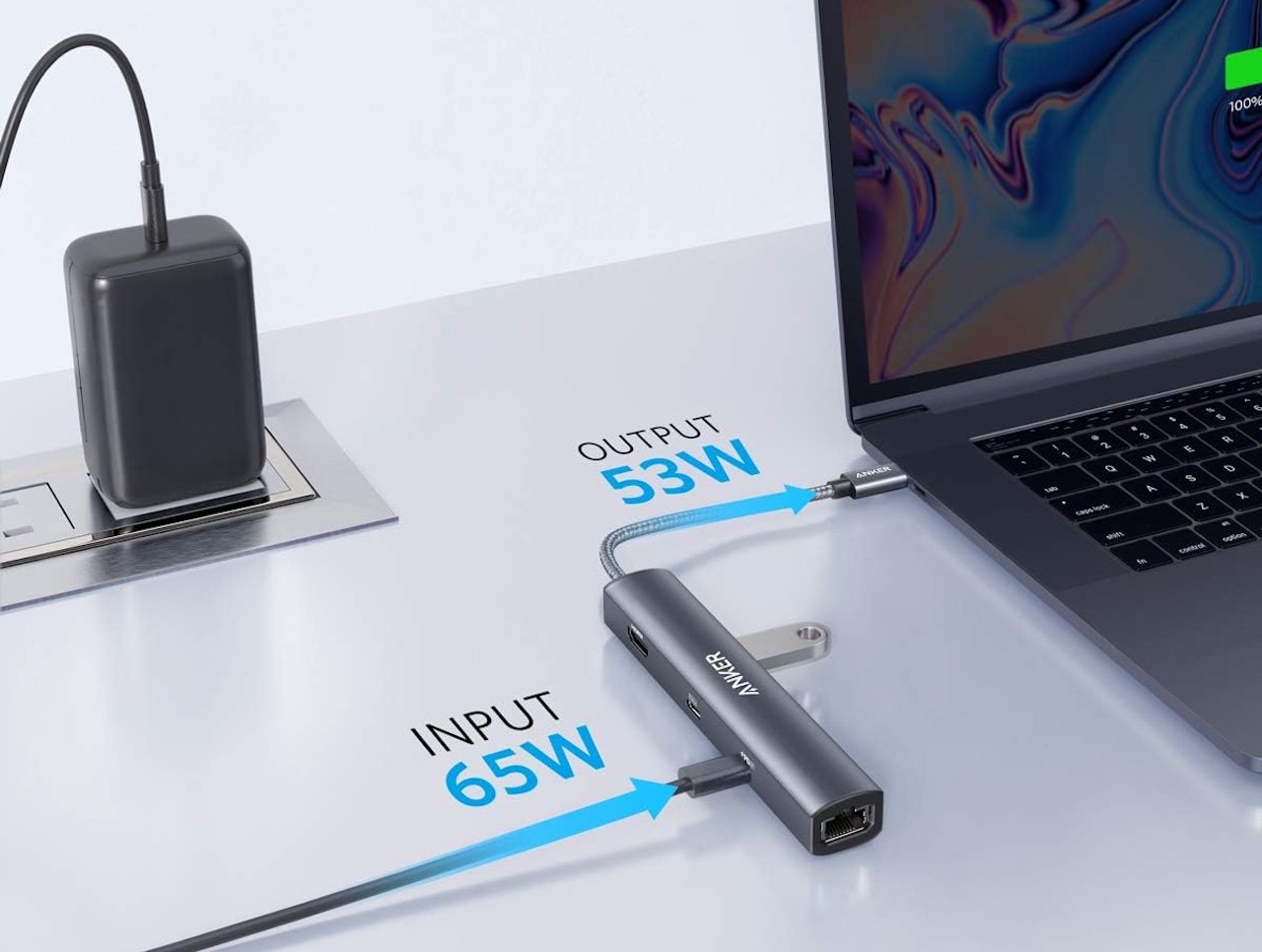
A compact USB-C hub can add HDMI, USB-A, card readers, Ethernet, and USB-C Power Delivery passthrough depending on the model. It can remain connected at the dorm desk most days and move into your backpack when presentations or group projects require ports your laptop doesn’t have.
The important caveat is compatibility. A USB-C connector doesn’t guarantee that the computer supports video output, charging, or every other capability offered by a hub. Check what your laptop’s specific USB-C ports support before choosing one.
Price: $39.99
Where to Buy: Amazon
Also resist buying the hub with the largest number of ports simply because the product listing looks impressive. Buy the connections you’ll actually use.
Why it earns its place: It prepares a minimalist laptop for the decidedly non-minimalist collection of displays, flash drives, projectors, and peripherals you’ll encounter at college.
5. A Foldable Laptop Stand
Dorm desks are small enough without giving the laptop permanent ownership of one.
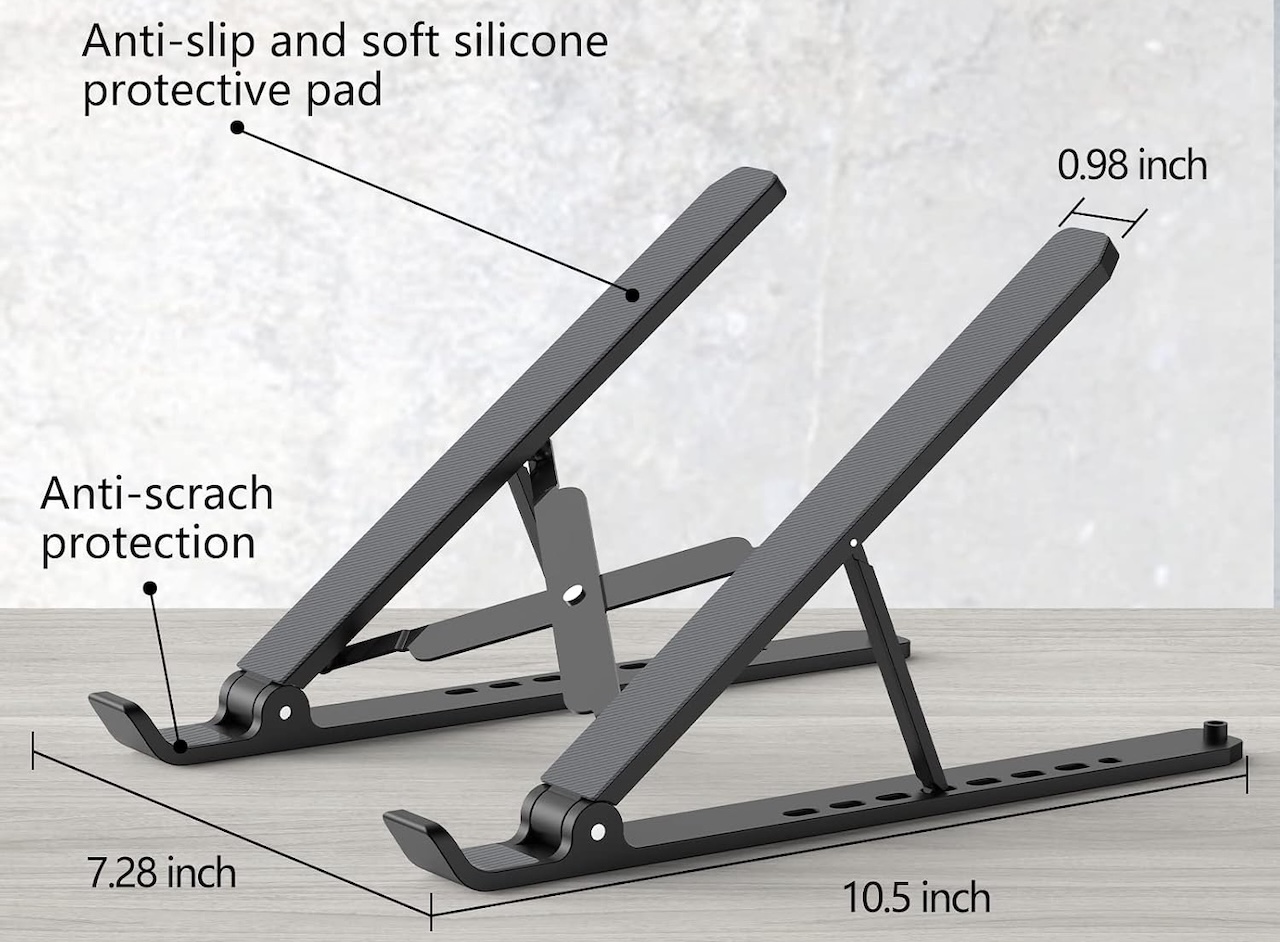
A folding stand raises the display and creates some usable space underneath. Combined with an external keyboard and mouse, it can also produce a more comfortable arrangement for longer writing and research sessions.
Simply raising a laptop while continuing to type on its built-in keyboard does not automatically create an ergonomic workstation. The stand is most useful as part of a desk setup with separate input devices.
Price: $7.59
Where to Buy: Amazon
Its biggest freshman advantage may be that nothing is permanent. When the desk needs to become a dinner table, textbook station, or project workspace, fold the stand and put it away.
Why it earns its place: It makes a tiny desk more adaptable without adding another piece of furniture to an already crowded room.
6. A Dorm-Approved Surge Protector
A dorm room can have several devices competing for very few convenient outlets.
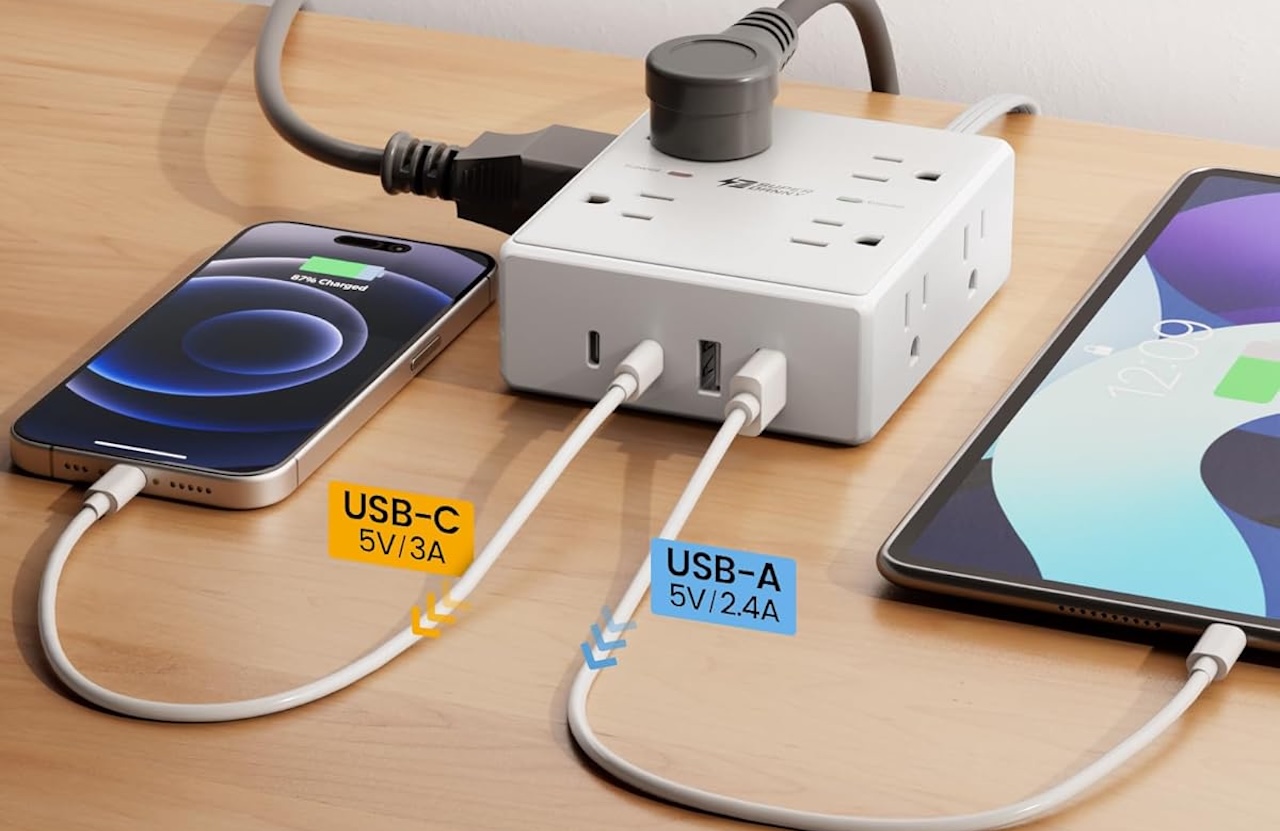
A power strip or surge protector can help, but this is one freshman purchase where housing rules matter more than any product recommendation. Housing policies can specify certification, cord type, circuit breakers, surge protection, and which electrical accessories are prohibited.
Price: $12.59
Where to Buy: Amazon
Don’t assume a premium charging station automatically qualifies. Some charging stations provide multiple USB ports and high charging output but do not include surge protection.
Why it earns its place: One approved unit can organize bedside or desk charging while keeping you within your residence hall’s electrical rules.
7. A Tracker for the Thing You Always Lose
Freshman year gives your keys and backpack an entire campus on which to disappear.
For iPhone users, Apple’s current AirTag uses Bluetooth and Ultra Wideband technology for compatible Precision Finding features and works through Apple’s Find My ecosystem. Android users can choose tracker tags compatible with Google’s Find Hub network, which uses encrypted location information from nearby participating Android devices to help locate lost items.

Price: $79 (4-pack)
Where to Buy: Amazon
A tracker still isn’t a guaranteed theft-recovery device. Whether you receive a useful location depends on the tracker, network, nearby participating devices, and circumstances.
Think of it instead as a way to shorten the familiar search for the keys that somehow vanished between your dorm desk and the door.
Why it earns its place: It’s a small purchase that can save a disproportionate amount of time when something important goes missing.
8. A Backpack With a Real Laptop Compartment
Every other item on this list eventually ends up on your shoulders.
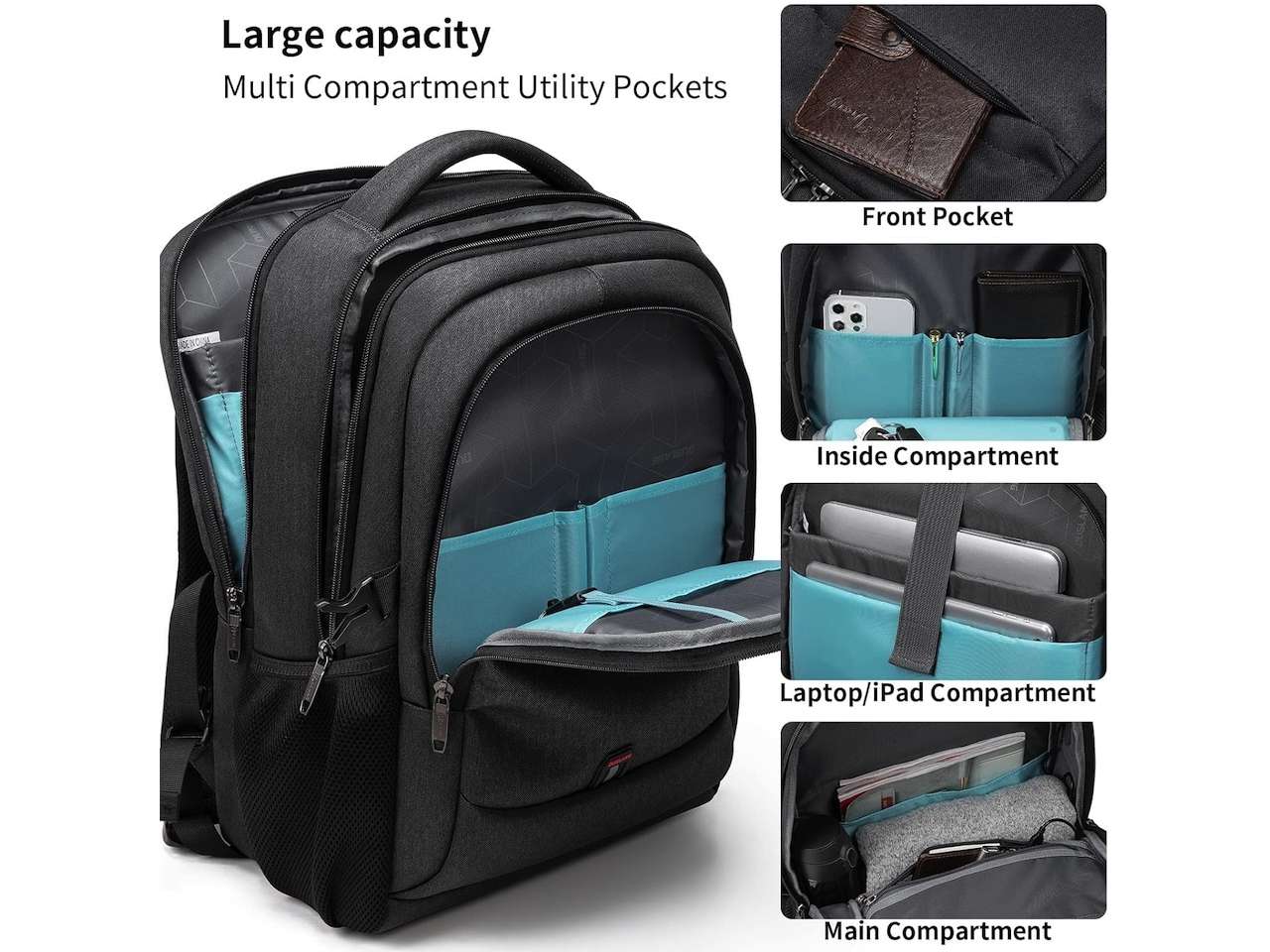
A freshman backpack doesn’t need integrated electronics or dozens of compartments. It needs a padded space for the laptop, comfortable straps, room for chargers and everyday supplies, and somewhere sensible for a water bottle.
Price: $31.99
Where to Buy: Amazon
Capacity deserves more thought than it gets. An enormous backpack invites you to carry more, and the difference becomes noticeable after crossing campus several times. On the other hand, something too small can force you to choose between carrying class materials and basic daily gear.
If you’ll regularly walk between buildings in bad weather, look closely at the manufacturer’s water-resistance claims and construction rather than assuming every synthetic backpack will adequately protect electronics.
Why it earns its place: Buy the backpack for the load you’ll actually carry to class, not for the maximum amount of stuff you can squeeze into it.
Buy Less Before Freshman Year
The best freshman-year kit isn’t the one that fills the dorm before classes begin. It’s the one that removes small problems you’ll otherwise solve repeatedly.
Start with the laptop your coursework requires, a dependable way to carry and charge it, headphones for shared spaces, the adapters your computer lacks, and a safe charging setup that complies with your housing rules. Then live on campus long enough to discover what’s actually missing.
That approach also leaves room for the unexpected. Your roommate may already own something you planned to buy. Your dorm may provide something you assumed it wouldn’t. Your daily routine may look nothing like the one you imagined while shopping.
Buyer fit: This kit is for freshmen who want to arrive prepared without turning move-in day into an expensive exercise in overpacking. Buy the eight things that solve recurring problems first, then let freshman year tell you what deserves to come next.