If your laptop has more USB-C ports than USB-A ports and your desk looks like a cable octopus, you aren’t alone. Right now, in early July 2026, is actually a great time to grab a USB-C hub or dock, because prices on the models worth buying have mostly held steady since the early-summer sale rush. It’s also a good time to grab one if you’re prepping a laptop for back-to-school season.
You don’t need a $300 Thunderbolt 5 dock to fix this. Most people need a compact hub that adds HDMI, a couple of USB-A ports, SD card access, and maybe Ethernet, for under $50. I dug through what’s currently available at these prices and found five picks that actually make sense for different desk setups.
❗Quick Pick Summary
Best value pick: Anker 7-in-1 USB-C Hub | $25.99
Desktop office pick: Anker Dual-Display USB-C Hub | $31.99 with dual 4K HDMI
Budget travel pick: UGREEN Revodok Pro 6-in-1 | $15.98
Full-featured pick: UGREEN Revodok Pro 9-in-1 | $28.99 with Ethernet
DisplayPort pick: UGREEN Revodok Pro 6-in-1 (DisplayPort) | $20.98
The $26 Fix for Most People: Anker 7-in-1 USB-C Hub
At $25.99, this Anker hub is still one of the easiest picks on this list. It gives you 4K@60Hz HDMI output, two USB 3.0 ports, an SD/TF card reader, and 85W power delivery passthrough in a package roughly the size of a pack of gum. The 7-in-1 naming is a bit generous (it counts the USB-C passthrough and the card reader slots individually), but for the price, the port selection is hard to argue with.
Where it shines: Anyone who needs to connect a monitor, mouse, and keyboard to a modern laptop without carrying a full dock. it’s also a solid pick for iPad Pro users who want to offload photos from an SD card at full speed.
The tradeoff you need to know: The USB-C data port on this hub runs at 5Gbps, not 10Gbps, and there’s no Ethernet. If you need wired networking or consistently move large files between drives, step up to a 9-in-1 or a dock with 10Gbps ports.
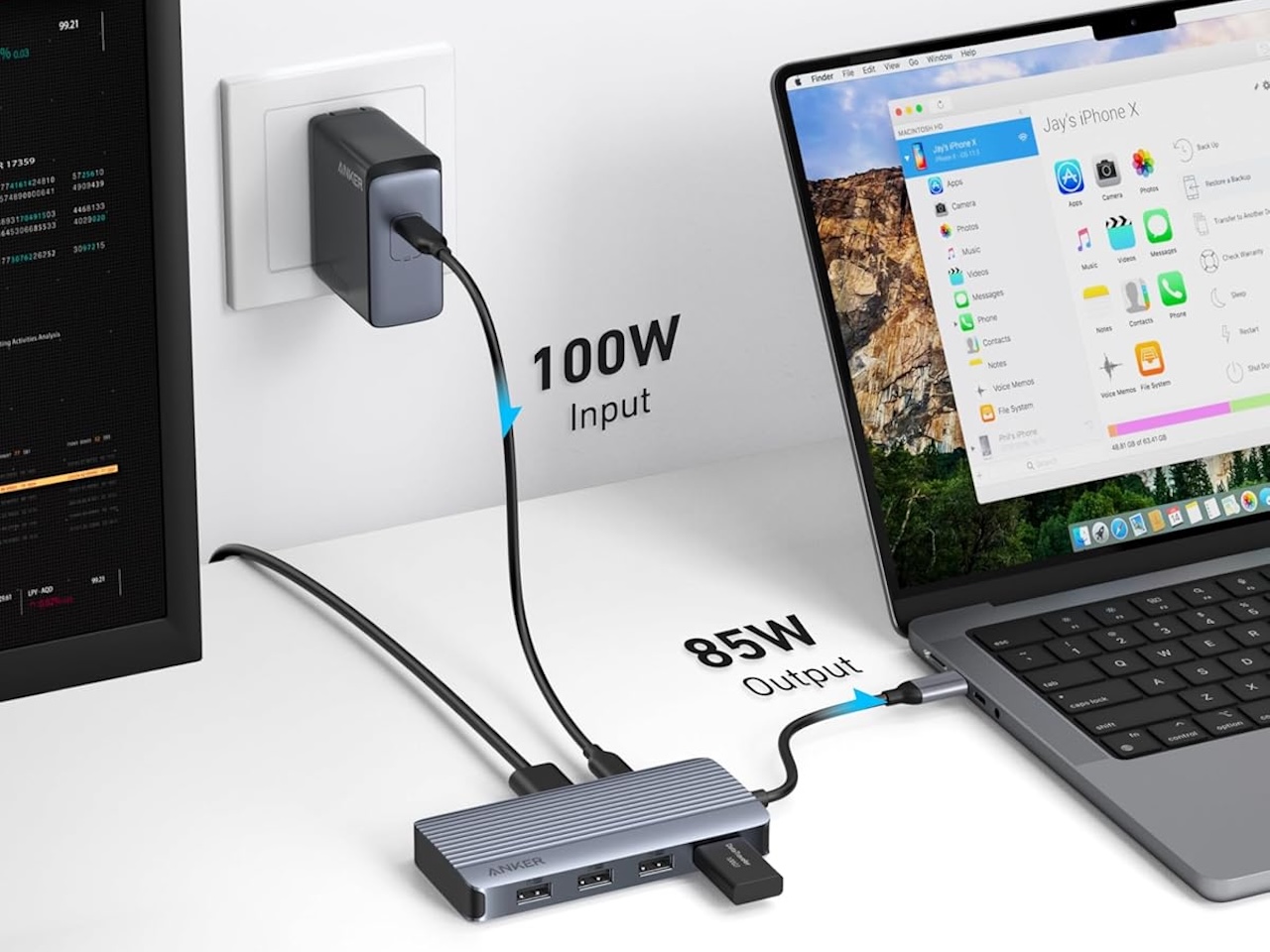
❗ Best value pick Anker 7-in-1 USB-C Hub – $25.99 | Buy on Amazon
The Dual Monitor Desk Fix: Anker Dual-Display USB-C Hub
Anker also sells a dual-HDMI version of its compact hub, and right now it’s priced at $25.49, about the same as the single-HDMI 7-in-1 above. If you run two external displays off a single USB-C cable, there’s no real downside to going with the dual-HDMI version since you aren’t paying extra for the second port. The hub still delivers 85W passthrough charging and keeps a USB-C data port plus two USB-A ports alive for accessories.
Where it shines: Dual-monitor workers who want a clean one-cable desk setup. The dual HDMI output at 4K@60Hz is especially useful for MacBook users running extended desktop across two external displays.
The tradeoff you need to know: there’s no Ethernet port and no DisplayPort option, so if you need wired networking or a specific DP connection, this isn’t your dock. The corner of the market it serves is narrow, but it serves it well.
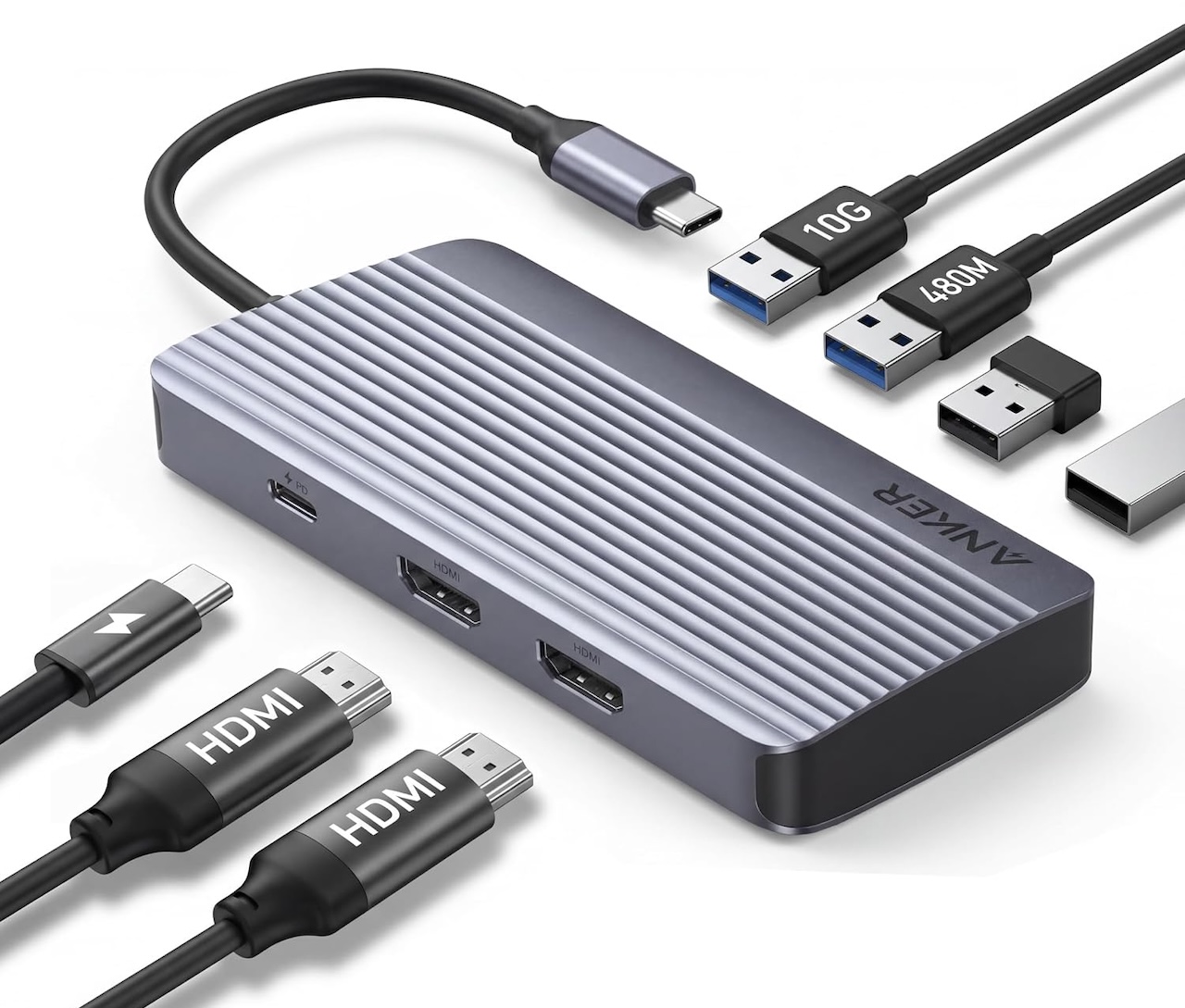
❗ Dual monitor pick Anker Dual-Display USB-C Hub – $31.99 | Buy on Amazon
The Under-$16 Bargain: UGREEN Revodok Pro 6-in-1
What can $16 get you in 2026? A surprisingly well-built USB-C hub that covers the basics: 4K@60Hz HDMI, two 10Gbps USB-A ports, USB-C data passthrough, SD/TF card slots, and 100W PD charging. The UGREEN Revodok Pro 6-in-1 is roughly the same footprint as the Anker 7-in-1, but with faster USB-A data ports and slightly higher passthrough charging. it’s the better choice if you regularly transfer large photo or video files from an SD card or USB drive.
Where it shines: Photographers and content creators who need fast SD card import speeds on a laptop that only has USB-C ports. The 10Gbps USB-A ports make a real difference when offloading a 64GB card.
The tradeoff you need to know: No Ethernet and no USB-C data port on the hub’s own downstream side (the USB-C port is passthrough-only). If you need both wired networking and a hub, you’ll need the 9-in-1 version.

❗ Budget travel pick UGREEN Revodok Pro 6-in-1 – $15.98 | Buy on Amazon
The Full Desk Dock: UGREEN Revodok Pro 9-in-1
If you need Ethernet on your desk and want all your peripherals connected through one port, the UGREEN Revodok Pro 9-in-1 is the pick. It adds Gigabit Ethernet and swaps the 6-in-1’s passthrough-only USB-C port for two 10Gbps USB-C data ports, while keeping the same SD/TF card reader, 4K@60Hz HDMI, and 100W PD passthrough as the 6-in-1. One tradeoff in the port shuffle: one of its two USB-A ports runs at 5Gbps instead of the 6-in-1’s dual 10Gbps USB-A ports.
Where it shines: Remote workers and office users who need stable wired networking. The Gigabit Ethernet port is especially useful in shared office environments where Wi-Fi congestion kills call reliability during peak hours.
The tradeoff you need to know: At $28.99 it costs about $13 more than the 6-in-1, and most people don’t actually need Ethernet anymore. If you work in a dedicated office with reliable Wi-Fi, the extra cost for the networking port is probably wasted.
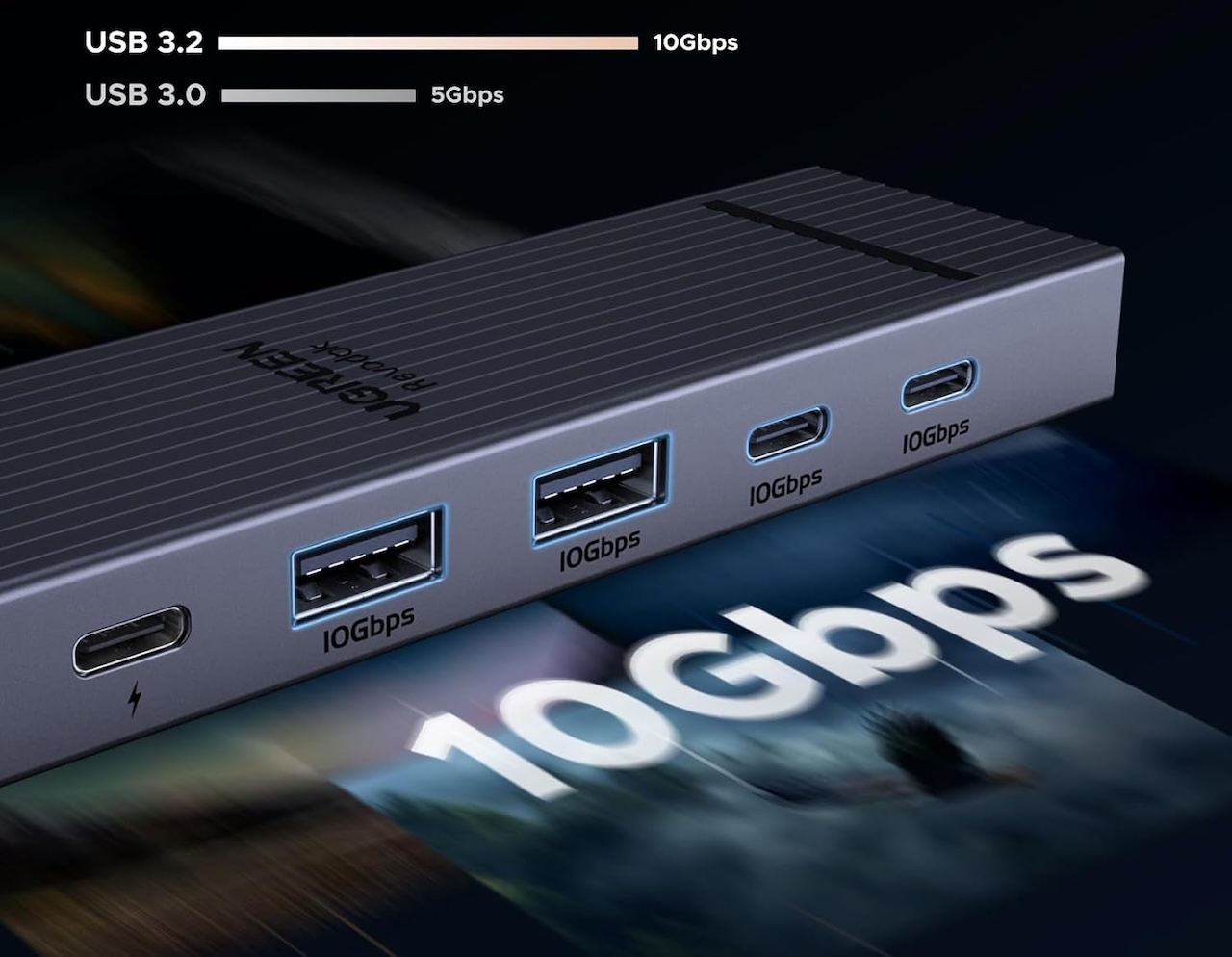
❗ Full-featured pick UGREEN Revodok Pro 9-in-1 – $28.99 | Buy on Amazon
The DisplayPort Fix: UGREEN Revodok Pro 6-in-1 (DisplayPort)
Every pick so far outputs over HDMI, but plenty of monitors, especially ultrawide and high-refresh gaming displays, only accept DisplayPort. UGREEN sells a DisplayPort version of its 6-in-1 hub for $20.98 that swaps the HDMI port for 4K@60Hz DisplayPort output, while keeping the same 10Gbps USB-A and USB-C data ports and 100W PD passthrough as the HDMI version.
Where it shines: Anyone whose monitor only has a DisplayPort input, or who wants to keep HDMI free for something else while running an external display over USB-C.
The tradeoff you need to know: No SD/TF card reader and no Ethernet, and DisplayPort output won’t do you any good on a monitor that only has HDMI. Check your monitor’s inputs before buying this one over the HDMI version.
❗ DisplayPort pick UGREEN Revodok Pro 6-in-1 (DisplayPort) – $20.98 | Buy on Amazon
What to Watch for Before You Buy
A USB-C hub isn’t complicated, but there are a few details that separate a good purchase from a regret. Power delivery is more important than you think: 85W or 100W passthrough is standard now, but if your laptop needs 140W (looking at you, some gaming laptops), a $20 hub won’t charge it at full speed. HDMI version is important: 4K@60Hz is the baseline, but if you run an ultrawide or a high-refresh monitor, check for HDMI 2.1 or DisplayPort Alt Mode support.
Cable length is the thing nobody checks until the hub is dangling off the side of the desk. Most of these come with a 6-inch to 12-inch integrated cable, which is fine for a laptop but awkward for a desktop tower. And the SD card reader on budget hubs is usually UHS-I only, so if you shoot RAW on a fast UHS-II card, don’t expect full speed from the hub’s card slot.
Which One Should You Buy?
If I had to recommend one thing from this list for the widest audience, it’s the Anker 7-in-1 at $31.99. It covers the core use case: connecting a monitor, mouse, keyboard, and SD card to a laptop that abandoned all of those ports. The dual-HDMI Anker is the right call for anyone with two external displays, and at $25.49 it now costs about the same. And the UGREEN 6-in-1 at $15.98 is the budget champ if you just need the basics done right and want to save a few bucks. If your monitor only accepts DisplayPort, grab the DP version of the 6-in-1 instead of the HDMI one.
Where it shines: Skip all of them if your laptop still has full-size USB-A ports and an HDMI port. You probably don’t need a hub. Spend that $26 on a nice desk mat instead.