
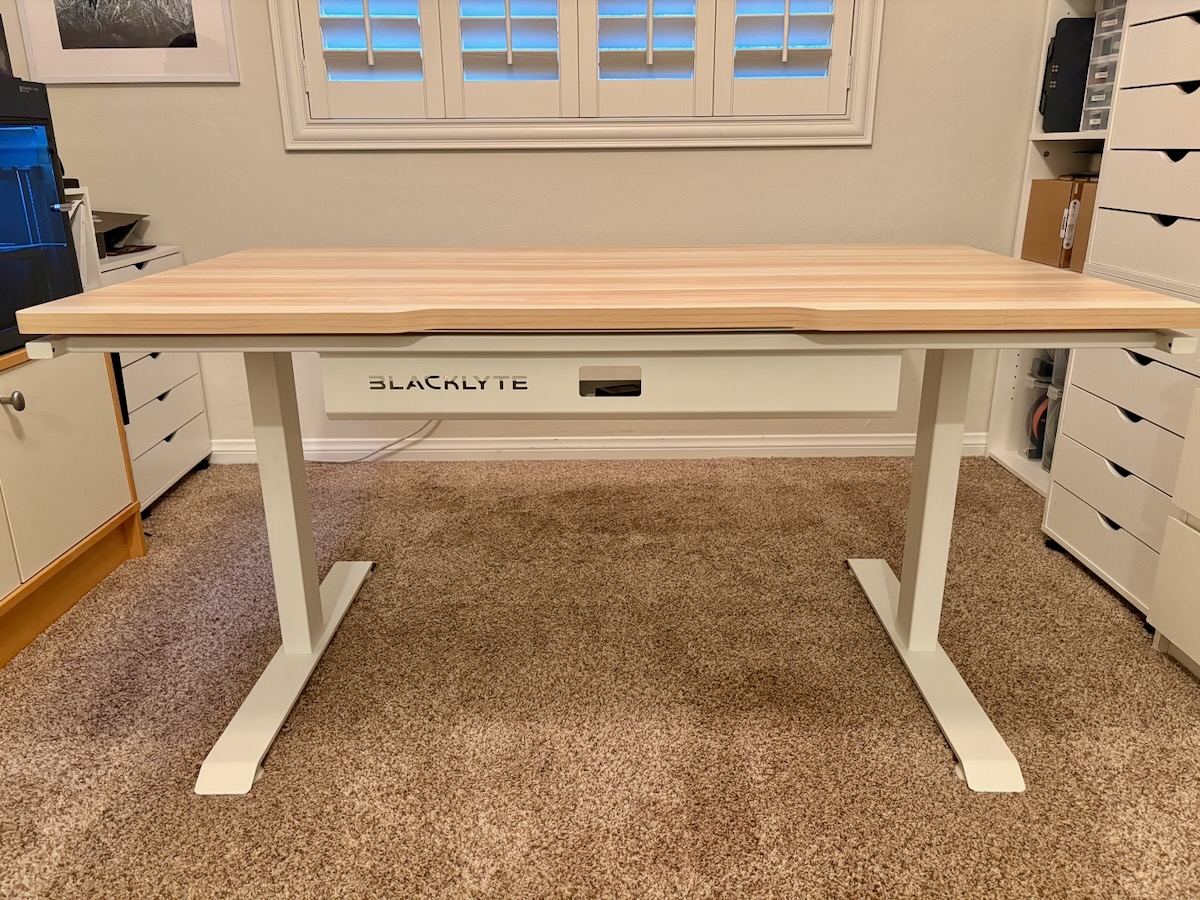
REVIEW – Since moving, I have a little more room for a bigger desk. What I found is that many standing desks aren’t very deep, usually 19 to 24 inches. The Blacklyte Atlas Lite series of standing desks all come with a depth of 31.5 inches, regardless of width. I knew I wanted to see if my hunch that a deeper desk would help me or not.
⬇︎ Jump to summary (pros/cons)
Price: Desk – $509 (for Medium with Natural Oak), Monitor Arm – $149 (Lime White)
Where to buy: Blacklyte (Atlas Standing Desk), Blacklyte (Monitor Arm)
What is it?
I received the Blacklyte Atlas Lite Standing Desk in the Natural Oak finish (with white legs) in the medium size (55.1″ x 31.5″). Additionally, I was also sent the matching Blacklyte Atlas Monitor Arm in Lime White. The desk has a one-piece MDF desktop and white powder-coated steel frame and legs with 2 motors.
What’s included in the Blacklyte Atlas Lite Standing Desk?
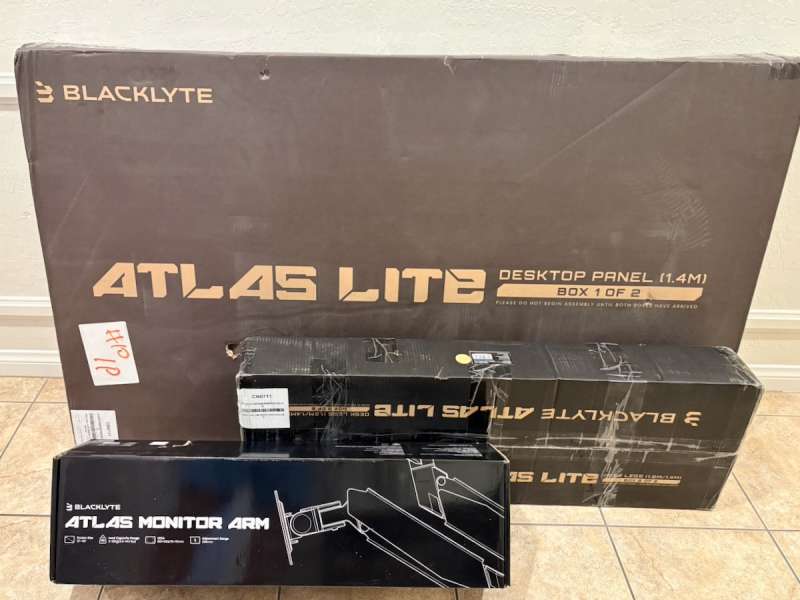
- Box 1: Desktop x 1
- Box 1: Crossbeam x 2
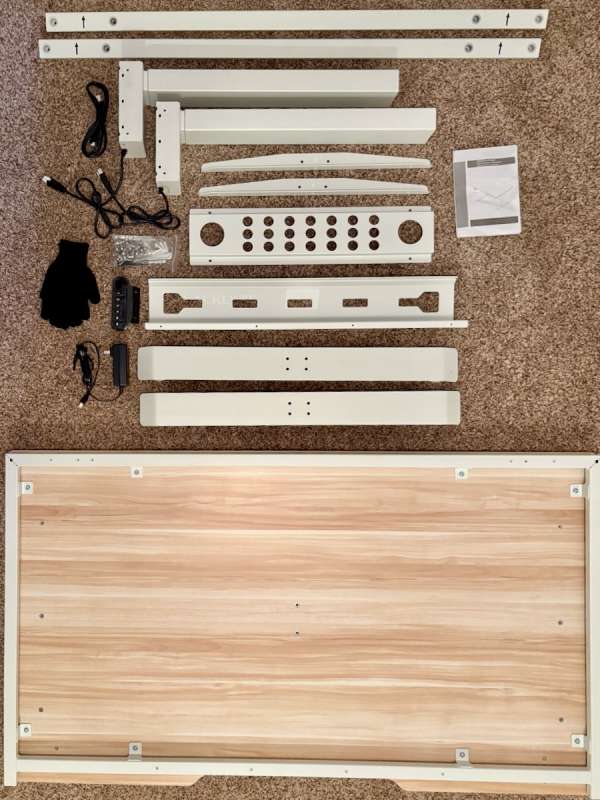
- Box 2: Desk Leg x 2
- Box 2: Table Feet x 4
- Box 2: Cable Management Tray x 1
- Box 2: Controller x 1
- Box 2: Desktop Stabiliser x 2
- Box 2: Extension Cord x 1
- Box 2: Power Supply x 1
- Box 2: Plug x 1
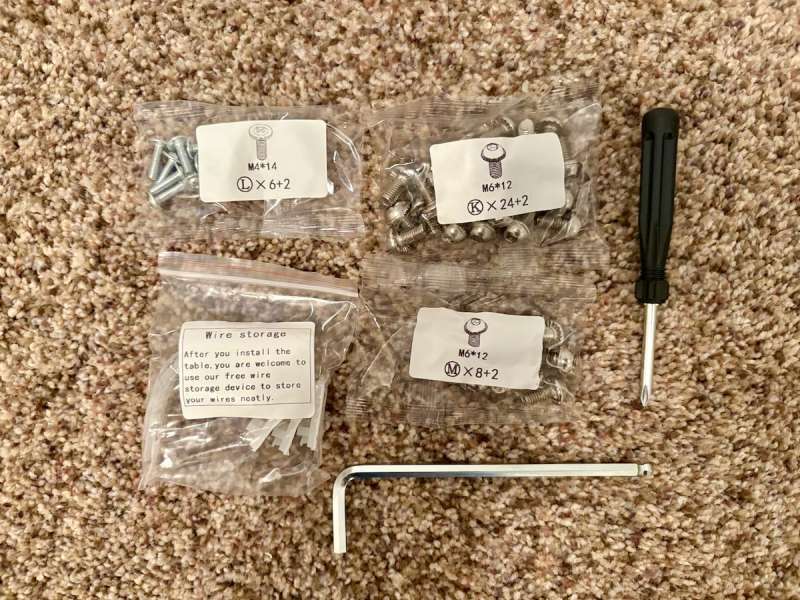
- Box 2: Allen Wrench x 1
- Box 2: Crosshead Screwdriver x 1
- Box 2: M6 screws x 32
- Box 2: M4 screws x 6
- Box 2: Gloves x 1
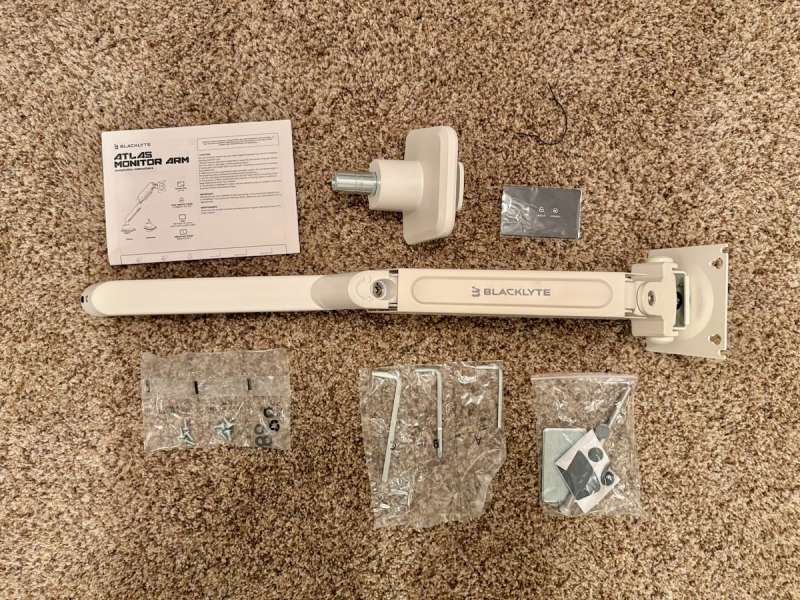
What’s included in the Blacklyte Atlas Monitor Arm?
- Monitor Arm
- Base Plate
- Screws
- Allen Wrenches
Tech specs of the Blacklyte Atlas Lite Standing Desk
- Full Desk Top Dimensions: 55.1″ x 31.5″ (1400mm x 800mm)
- Metal Desk Top Thickness: 0.98″ (25mm)
- Metal Desk Top Weight: 50.7 lbs (23kg)
- Maximum Distributed Load Capacity: 220 lbs (100kg)
- Frame Construction: Q235 Powder Coated Steel
- Desk Top Construction: MDF
- Desk Input Voltage: 100-240 V
- Number of Motors: 2
Tech specs of the Blacklyte Monitor Arm
- Assembly Method: Clamp or Grommet Mounting
- Material: Aluminium, Steel, Plastic
- Load Capacity: 2 to 20 kg (4.4 to 44.1 lbs)
- Screen Size Compatibility: 13″-49″
- VESA: 75×75, 100×100 mm
- Tilt Range: +55º/-5º
- Rotation: +180º
- Height Adjustment: 186-474 mm (7.3″ – 18.7″)
- Upper Arm: Tension Adjustment Indicator
- Lower Arm: Cable Management
- Head: Torsion Spring Tilt Structure
- Surface Finish: Power Coating
- Certification: RoHS, Salt Spray Test, Gas Spring Fatigue Test
- Warranty: 1 year
- Colours: Black or White
- Net Weight: 3.8kg (8.38 lbs)
- Gross Weight: 4.8kg (10.58 lbs)
Design and features
I reviewed another, smaller standing desk earlier this year and liked it very much. But as I mentioned previously, I was looking for something bigger….both in width and in depth. The Blacklyte Atlas Lite Standing Desk I received is 55 inches wide and a little over 31 inches deep.
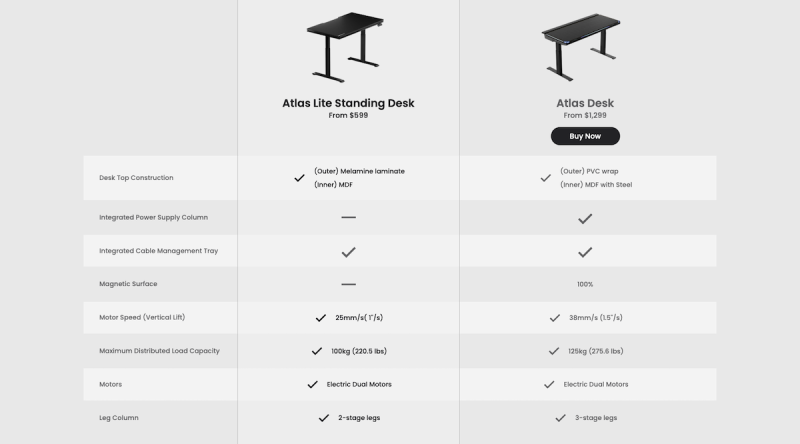
Here is a quick comparison chart of some of the basic features between the Atlas and Atlas Lite desks:
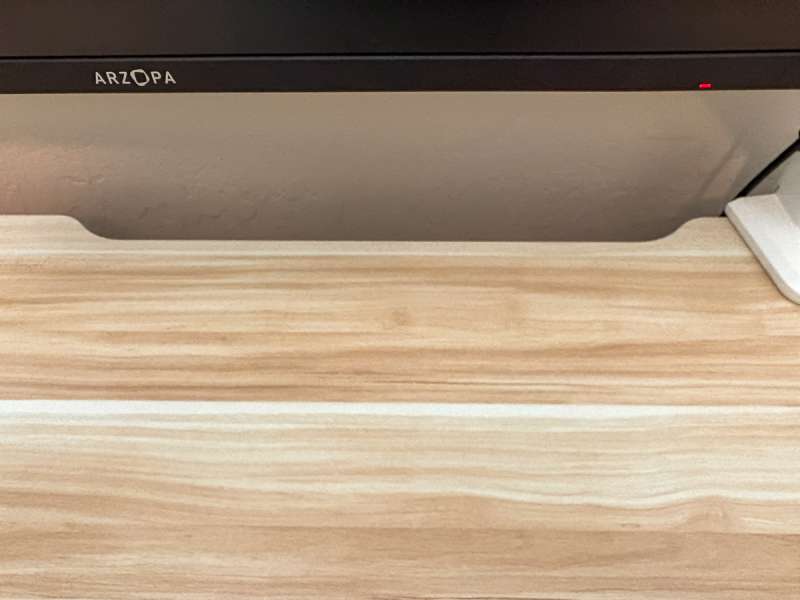
One of the features that I enjoyed from the other desk that the Blacklyte Atlas Lite Standing Desk has is room for cables via a cutout along the back edge. This is extremely helpful for pushing the desk up flush against a wall.
The table top in Natural Oak looks and feels good. I think it’s a good combination with the white frame and legs. The Moonstone White top also comes with the same white frame and legs. If you decide to order the Obsidian Black finish, it will come with matching black frame and legs. There is no option to mix and match leg colors with top finishes. The frame and legs are based on a desktop finish.
I received the medium size, but these options are also available:
- Small, 47.2″ x 31.5″
- Medium, 55.1″ x 31.5″ <—- I have this one
- Large, 63″ x 31.5″
- Extra Large, 70.9″ x 31.5″
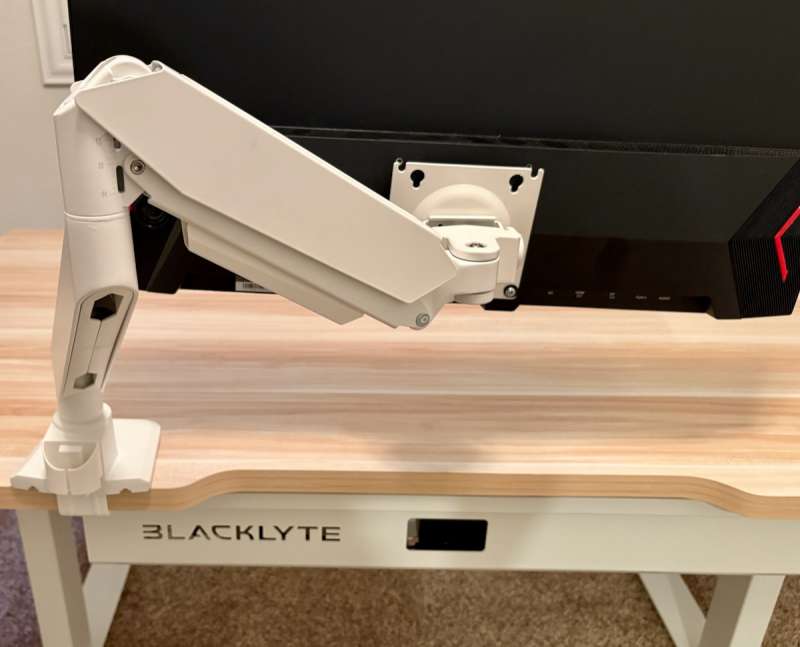
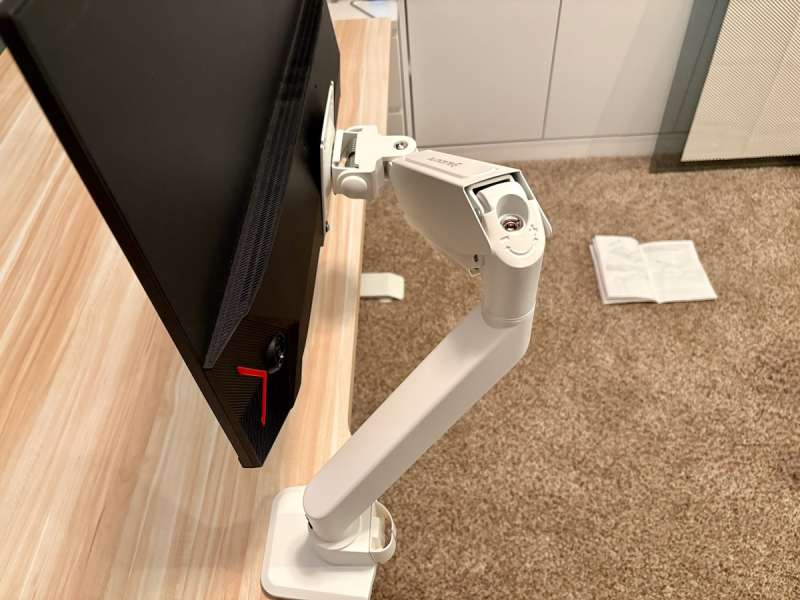
The Blacklyte Atlas Monitor Arm comes in Elegant Black or Lime White. The Lime White version I received matches the white frame and legs perfectly. It is one of the more sturdy monitor arms that stay put.
The dual motors are very quiet and move the desktop smoothly and quickly. I like that there are 4 height presets that can be saved.
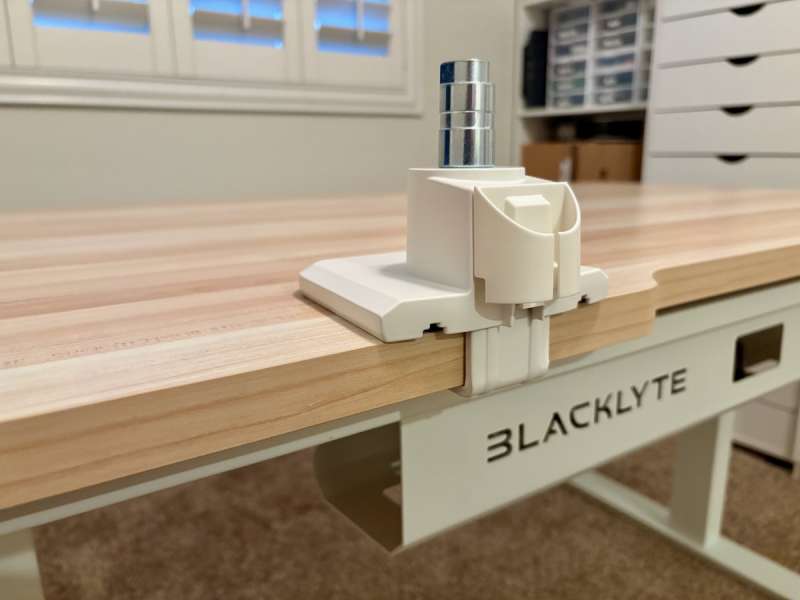
Although there is a frame surrounding the bottom of the desktop, along the back edge, there is an extended space to install clamp-on accessories like the Blacklyte Atlas Monitor Arm, speaker stands, lights, etc. You can install clamp-on accessories on the sides of the desk, but you’ll need to open up the mouth of the clamp as wide as possible to accommodate the frame width.
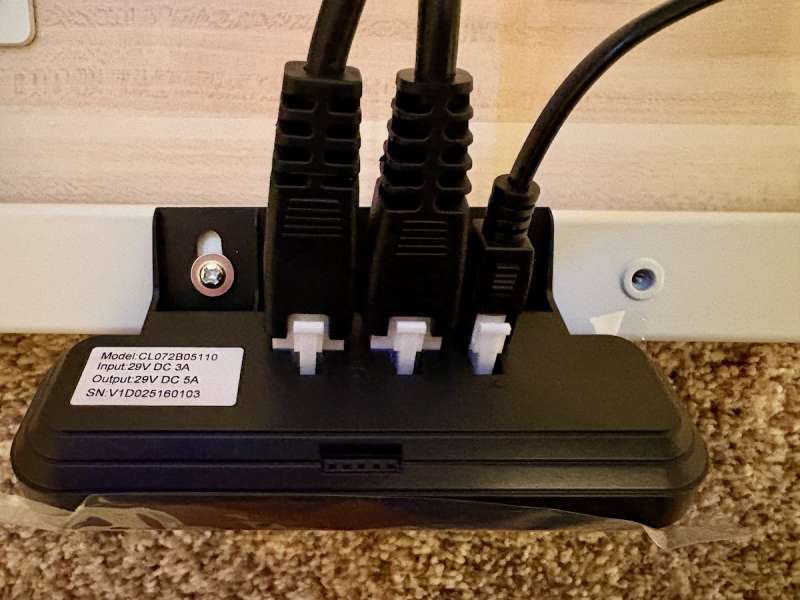
There is a wide cable management tray along the back edge that fits the thicker wall bricks and AC adapters. I also used the support along the bottom of the desk as another way to route cables through. The frame along the bottom edge of the desktop does make installing a 3rd party drawer or shelf a little tricky. Most underdesk accessories mount flat up against the bottom of the desktop. In the case of the Blacklyte Atlas Lite Standing Desk, the frame would prevent the drawer from opening. There are underdesk accessories that have a “drop” that would clear the frame, but it’s something to be aware of. Currently, Blacklyte does not offer any desk accessories. For those Makers out there…I see some opportunity to fill that gap with perhaps 3D printed options, just saying.
Assembly, Installation, Setup
Assembling the Blacklyte Atlas Lite Standing Desk was not as complex as I would’ve thought, as it was delivered in two very large and heavy boxes. One box contained the desktop and the 2 crossbeams; all other pieces and hardware were included in the second box. I found all the mounting points lined up, and nothing was bent or out of skew.
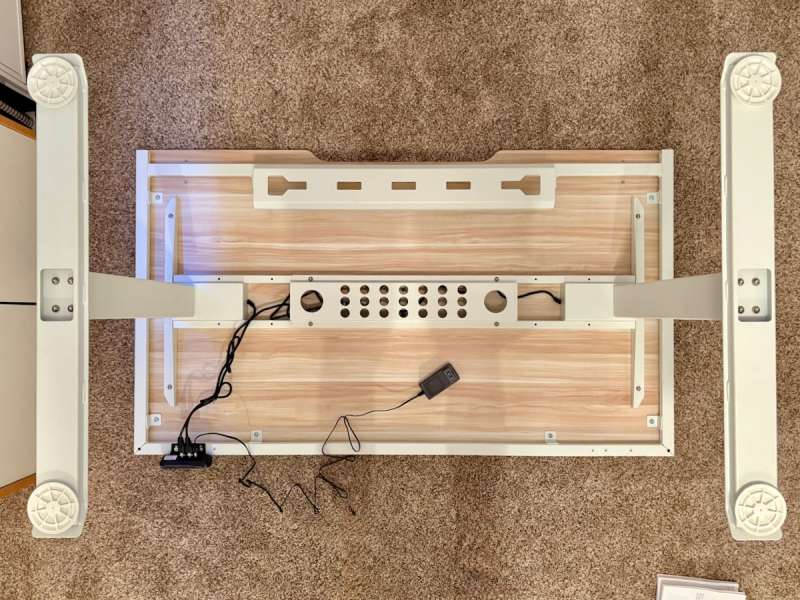
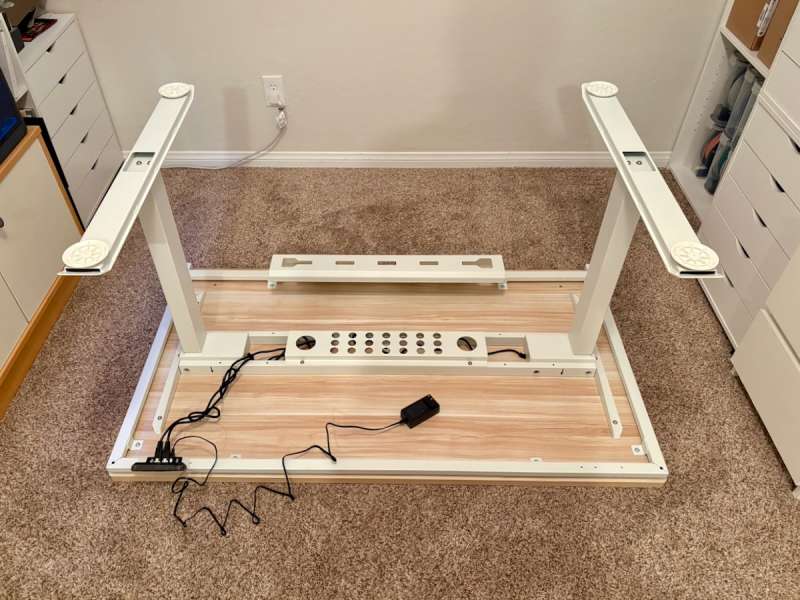
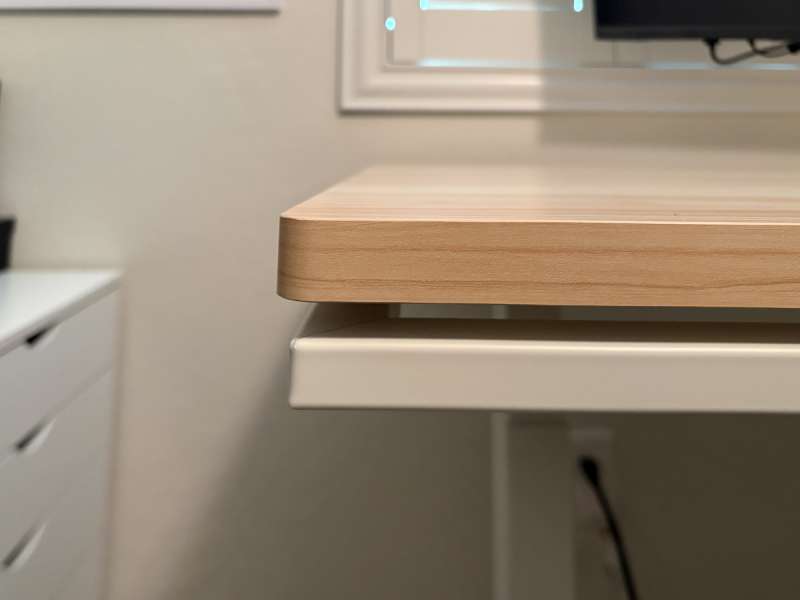
The desktop was already mounted to a metal frame and kind of floats about it with about a half-inch gap. It’s great for feeding cables or maybe installing some lights. The desk is built upside down, and once put together, it’s heavy to flip over; a second person would be helpful.
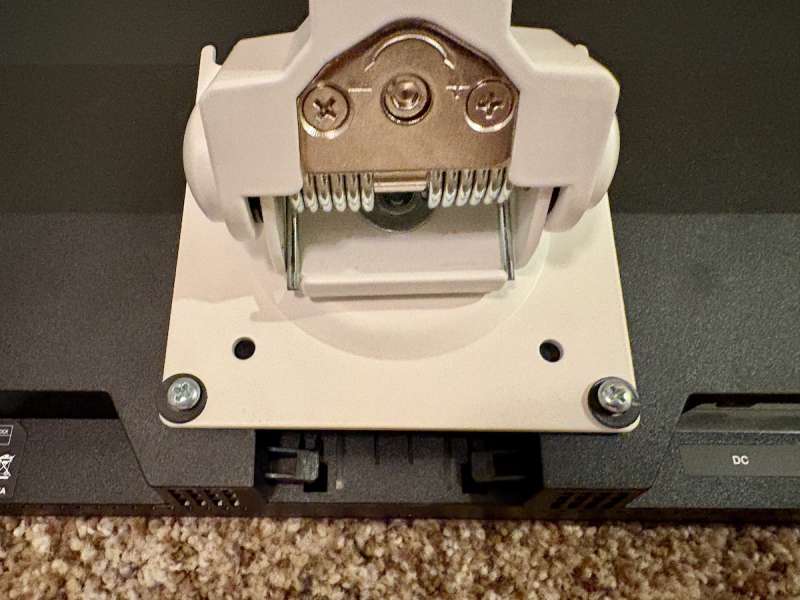
The Blacklyte Atlas Monitor Arm installs in 3 steps:
- Mount the base on the desktop
- Pop in the lower and upper arms
- Attach the monitor
Final thoughts
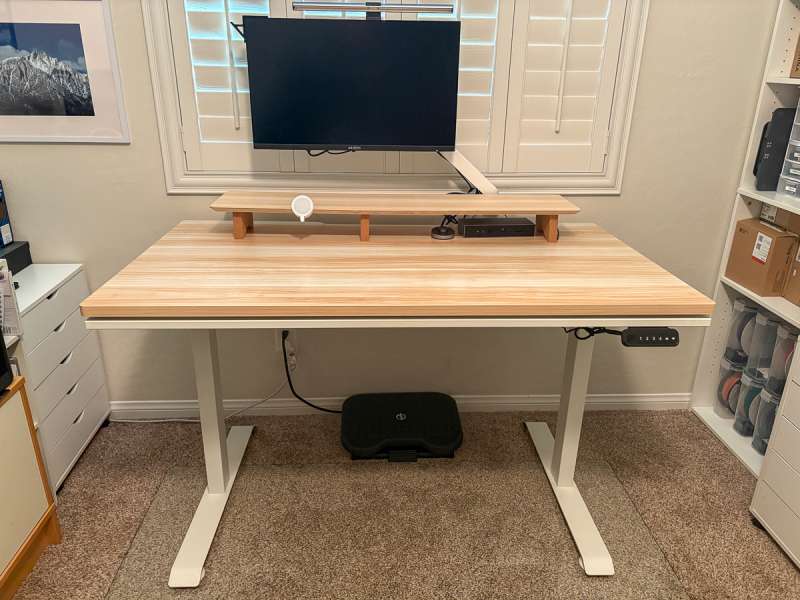
So does the 31.5″ depth really make a difference? You betcha! Having the monitor distance set further back makes a big difference and opens up the possibility of going with a larger monitor. Another benefit of the deeper desk is that I can use a shelf and still not lose any workable desk space. With the Blacklyte Atlas Monitor Arm, I can suspend my monitor above the shelf and have even more room to hide away things on my desktop. I’ve noticed that things feel spaced out and not pushed up against my working area (where I use the keyboard and mouse).
The dual cable management trays make the underside as clean as the top side. The slight gap between the frame and the desktop allows for additional spots to route cables through, and for those of you who are into underdesk lighting, that gap would be perfect to route an LED light strip!
Both the Blacklyte Atlas Lite Standing Desk and the matching Blacklyte Atlas Monitor Arm are sturdy, offer functionality within their form, and, in the size option I chose, plenty of desktop space. I strongly recommend!
What I like about the Blacklyte Atlas Lite Standing Desk and Atlas Monitor Arm
- Desk: Cable management, in two areas!
- Desk: Quiet
- Desk: Cable cutout on the back edge
- Desk: 4 height presets
- Arm: Sturdy, does not fade
- Arm: Cable management
What needs to be improved?
- Desk: Manufacturer does not recommend swapping out the feet for casters as it “may cause instability”
- Desk: With the frame running along the perimeter of the bottom of the desktop, adding a 3rd party drawer or shelf is tricky
Price: $509 (Desk), $149 (Monitor Arm)
Where to buy: Blacklyte (Atlas Standing Desk), Blacklyte (Monitor Arm)
Source: The sample of this product was provided for free by Blacklyte. Blacklyte did not have a final say on the review and did not preview the review before it was published.
Check out these other reviews!
- Vari Electric ComfortEdge standing desk review
- Boulies MagVida standing desk review
- OHWILL L-shaped electric standing desk review
- Mount It! Dual Monitor Desk Mount With Gas Spring Arms review
- Vari L-Shape Electric Standing Desk review – So much room for activities!
L39 Ultra Slim UV Protective Filter for Leica Q3 43 Q2 Camera with Moisture-Proof Case & Removal Tool 19 Layers Mulit-Coated UV Ultraviolet Filter 99.3% Light Transmission Water Oil Scratch Resistant
(as of March 6, 2026 17:23 GMT -06:00 - More infoProduct prices and availability are accurate as of the date/time indicated and are subject to change. Any price and availability information displayed on [relevant Amazon Site(s), as applicable] at the time of purchase will apply to the purchase of this product.)
