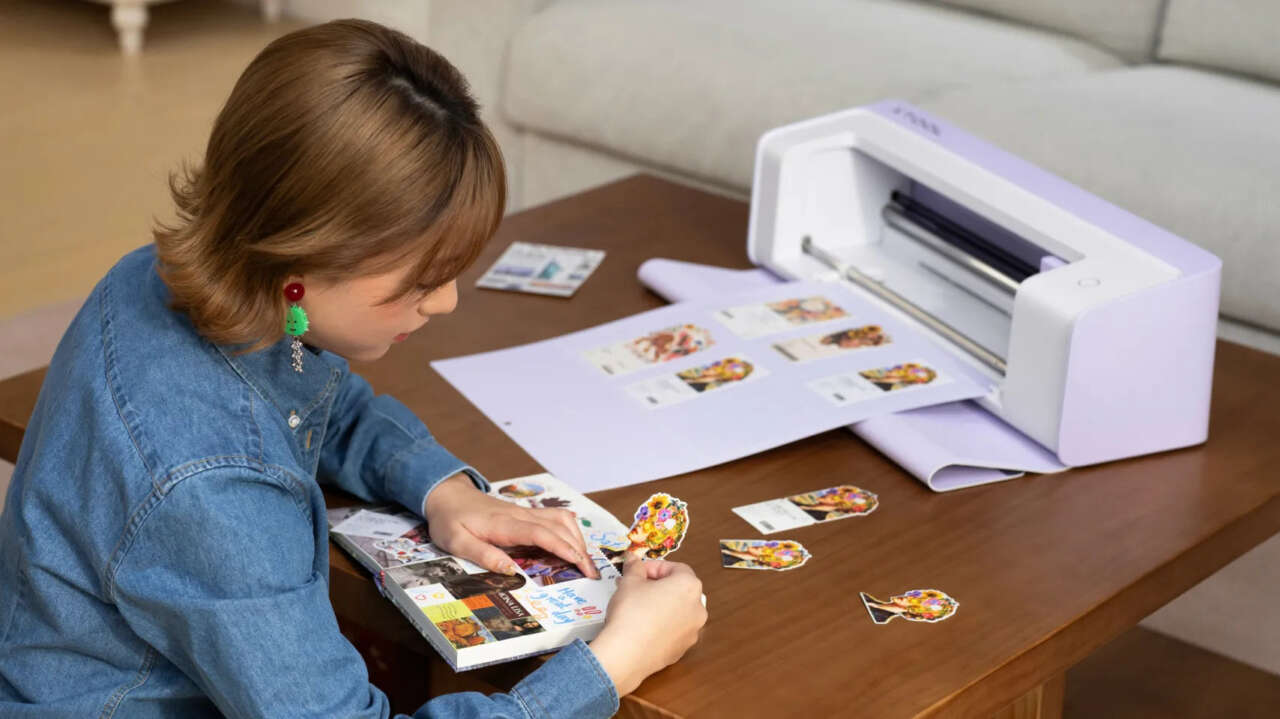
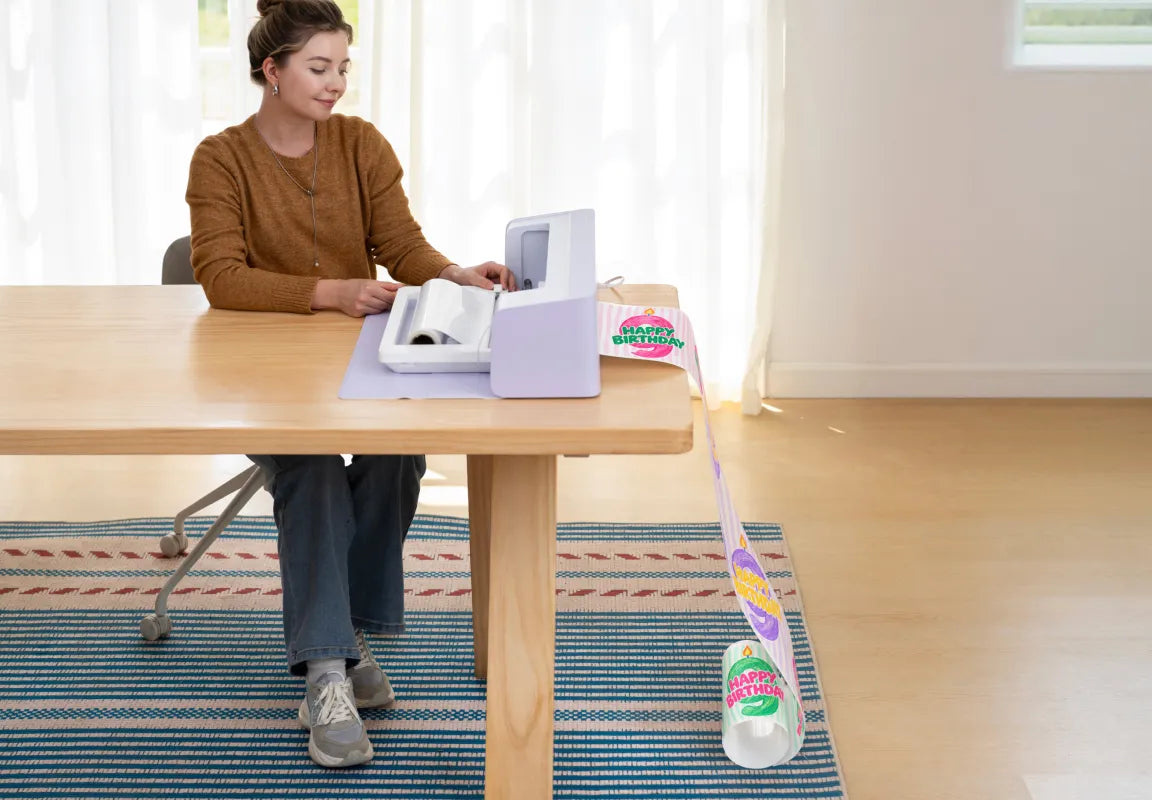
Making a sheet of full-color stickers usually means printing the artwork, carrying it to a cutter, and getting the two machines to agree on where each shape begins. The xTool C1 Color Cutter puts a CMYK inkjet printer, scanner, and blade cutter in one desktop machine. It prints the color and cuts the outline without a separate printer or the registration marks that consume part of a sticker sheet.
xTool opened $10 reservations on October 20 ahead of the November 5 launch, with the Basic package priced at $469. The C1 uses interchangeable blades to cut paper, vinyl, fabric, and other compatible materials.
Price: US$469 for the Basic package; US$10 reservation deposit, refundable before final payment and credited toward purchase
Where to buy: xTool US reservations
One machine for the color and the outline
The obvious job is a custom sticker sheet, but the same workflow extends to product labels, party decorations, cards, and printable heat-transfer designs. Instead of cutting several colors of vinyl and lining up the layers, you can print a multicolor illustration onto a compatible material and cut its shape.
Printing the color rather than layering cut vinyl also suits gradients and intricate illustrations. You prepare one printed design instead of assembling a stack of individually cut colors.
The printer uses a four-color pigment-ink cartridge with a maximum resolution of 720 × 1200 dpi. xTool says its Duraproof ink produces waterproof stickers without lamination and apparel prints that resist fading for up to 30 washes when used with compatible materials.
For apparel, xTool describes printing and cutting compatible transfer material, then applying the design with a separate heat press. Direct fabric printing calls for pre-treated fabric. A heat press isn't part of the Basic package.

The scanner gives scraps and drawings another job
The built-in Contact Image Sensor scans the material on the mat and shows it in the software. You can move a design onto a usable section of a leftover sheet rather than estimating its position from a blank grid.
Auto-contour extraction adds a second use: scan physical artwork and prepare its outline for cutting. A hand-drawn illustration can become a cutout, while nesting helps arrange several shapes within the material available. You can also load different colors of paper or vinyl and position the separate cuts in one setup.
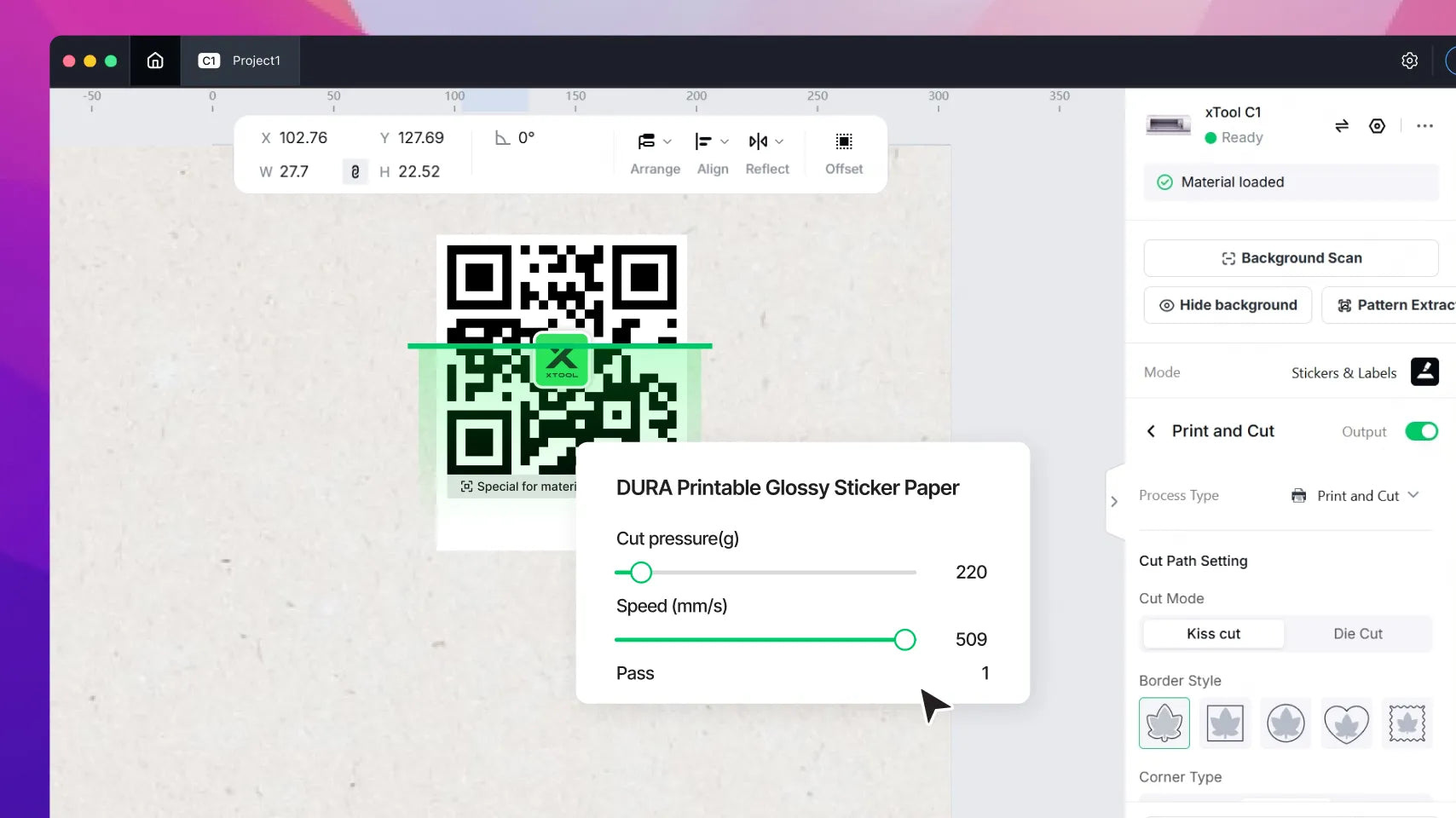
QR codes on official materials let the C1 set cutting parameters automatically. Scanning requires an official mat; xTool says third-party 12 × 12-inch mats work for printing and cutting only.
The standard working area is 12 × 12 inches, with a 12 × 24-inch long-mat option. An optional roll holder supports an 11-inch-wide, 12-foot-long matless working area. The machine connects over USB or Wi-Fi and measures about 22.8 × 7.2 × 7 inches.
Match the tools to the projects
The $469 Basic package includes the C1, an ink cartridge, Fine-Point Blade, cutting mat, and Starter Material Pack. The included blade handles paper, vinyl, and other compatible materials up to 1 mm thick.
Other tools include a Deep-Point Blade for leather and cardboard up to 2 mm thick, a Rotary Blade for fabric, and a Cutting Blade for balsa wood, leather, and other compatible materials up to 3 mm thick. Foil-transfer tools, pens, an electrostatic mat, and the roll holder expand the accessory lineup. The 3 mm maximum applies with an adhesive mat; the electrostatic mat supports material up to 1.7 mm thick.
Atomm supplies design tools including background removal, image-to-line-art conversion, decorative text, and papercraft generation. The “+ Atomm Membership” option uses the same C1 hardware and adds a first month of Atomm Pro. xTool plans to reveal that bundle's price on October 31.
Reservations now, final payment in November
The $10 deposit is credited toward the purchase and is fully refundable before final payment. On xTool's US store, reservations close November 5 at 5 PM PST. Final payment opens an hour later and closes at midnight at the start of November 20, also PST. xTool emails reservation holders a link to complete the order.
US orders are expected to start shipping in early-to-mid November, with priority based on when the order is completed. Reservation perks, delivered after final payment, include an extra material kit and a one-time 20% material coupon.
For stickers, packaging labels, and colorful paper projects, the C1 cuts out the handoff between printer and cutter. The scanner adds a way to reuse scraps and work from physical drawings. Budget for the blades and materials your projects need, plus a heat press if apparel transfers are on the list.
Price: US$469 for the Basic package; US$10 reservation deposit, refundable before final payment and credited toward purchase
Where to buy: xTool US reservations