A power strip under the desk keeps plugs out of sight, but it also puts your phone charger down by your feet. Anker’s Nano Power Strip clamps to the desk edge and splits its connections above and below the surface, so the ports you reach for can stay close while larger power adapters live underneath.
The $69.99 strip, model A9196, combines six AC outlets, two USB-C ports and two USB-A ports. The useful part is where those connections sit. Two AC outlets and the USB ports are above the desk; four more AC outlets sit below it. That gives a monitor and other permanent equipment somewhere to stay plugged in without making every phone top-up a trip under the desk.
Price: $69.99
Where to buy: Amazon
A small charging shelf at the desk edge

The above-desk section measures 6.02 by 2.06 inches and rises 0.75 inches above the surface. That is a modest footprint for ten connections, though the cables still need a route to their devices. This is especially useful when the same desk handles a laptop during the day and a controller, headphones or tablet later.
The clamp also gives the strip an anchor when you pull out a cable. Anker designed it for one-handed plugging and unplugging, with a silicone-lined grip against the desk. There is no need to give a loose charging brick its own patch of desktop.
70W is the whole USB budget
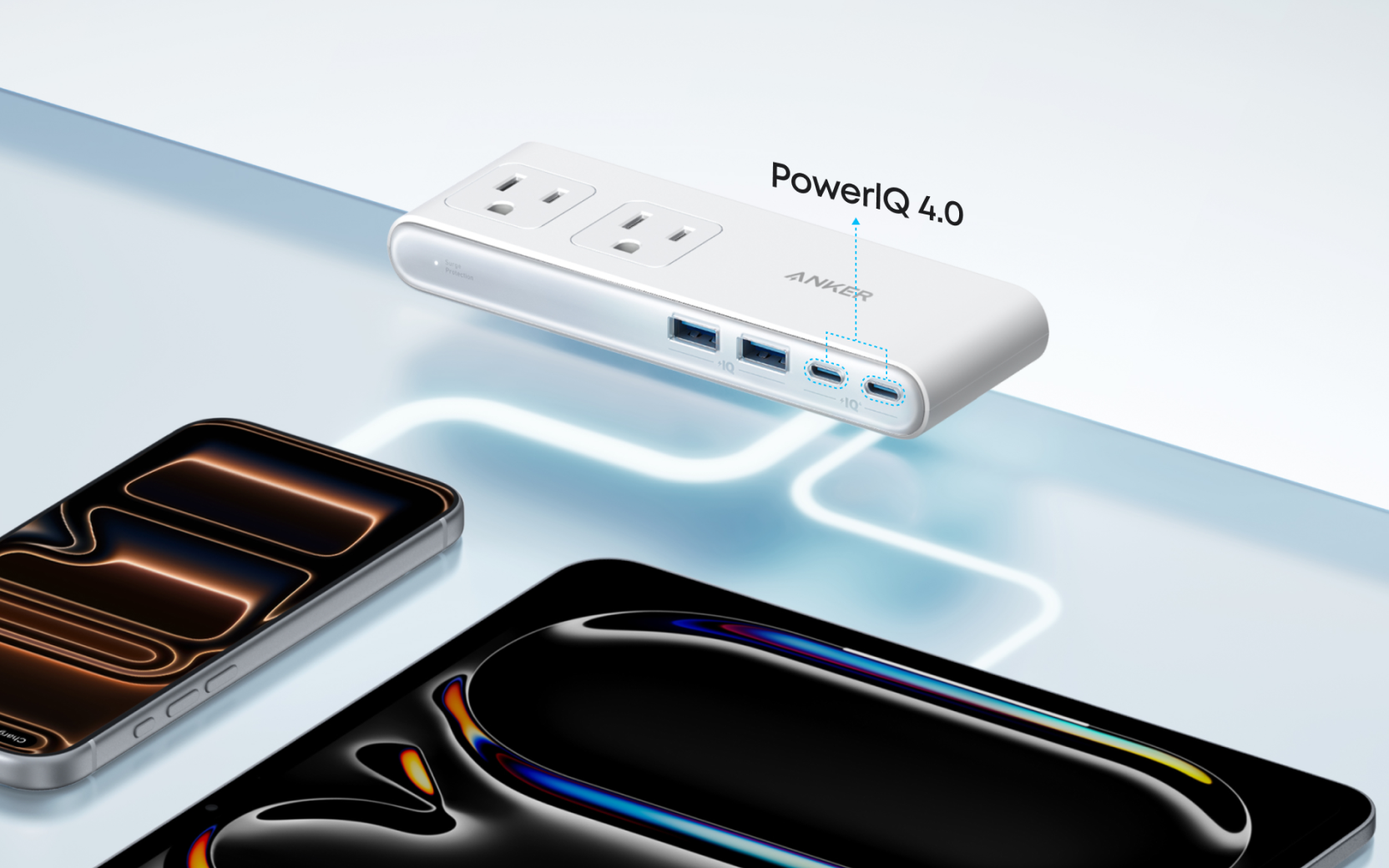
Either USB-C port can deliver up to 70W when used alone. Connect more devices and that power is shared; the strip does not supply 70W to each USB-C port at the same time. The two USB-A ports are rated at up to 12W each, and the total USB output remains 70W.
That distinction matters if your laptop and phone usually charge together. Anker warns that USB-C2 output drops with multiple ports in use and recommends using a laptop’s own charger in an AC outlet for laptops needing more than 45W during multi-device charging. It also specifies a 5A e-marked cable for charging at 60W or above.
For a phone, tablet and smaller accessories, the built-in ports can remove several adapters from the setup. For a demanding laptop, the AC outlets still have a job. Check the laptop’s charging requirements before retiring its original power supply.
Measure the desk before buying
The clamp fits desk edges 0.6 to 1.8 inches thick. Anker advises against glass surfaces and edges angled beyond 45 degrees. A compatible thickness alone is not enough if a drawer, frame or apron blocks the space beneath the edge.
The US strip is rated for 125V, 15A input and 1,875W AC output. Anker lists 1,500-joule surge protection and a resettable overload cutoff. Those ratings apply to the strip as a whole, so six outlets are not permission to load each one to the maximum.
Price: $69.99
Where to buy: Amazon
At $69.99, the A9196 makes the most sense when inconvenient access is the problem you are trying to fix. If your existing power strip is already easy to reach and your chargers fit comfortably, there is little reason to replace it. For a desk where every cable change means crouching on the floor, putting the connections at the edge is the appeal.