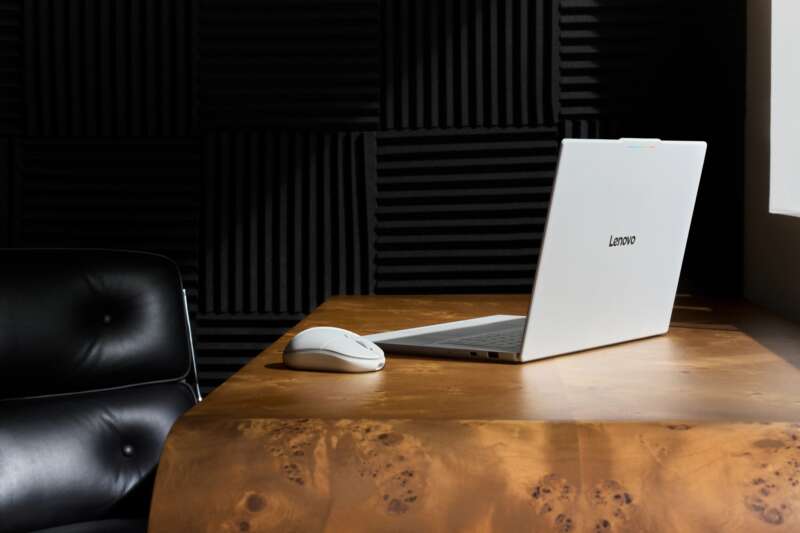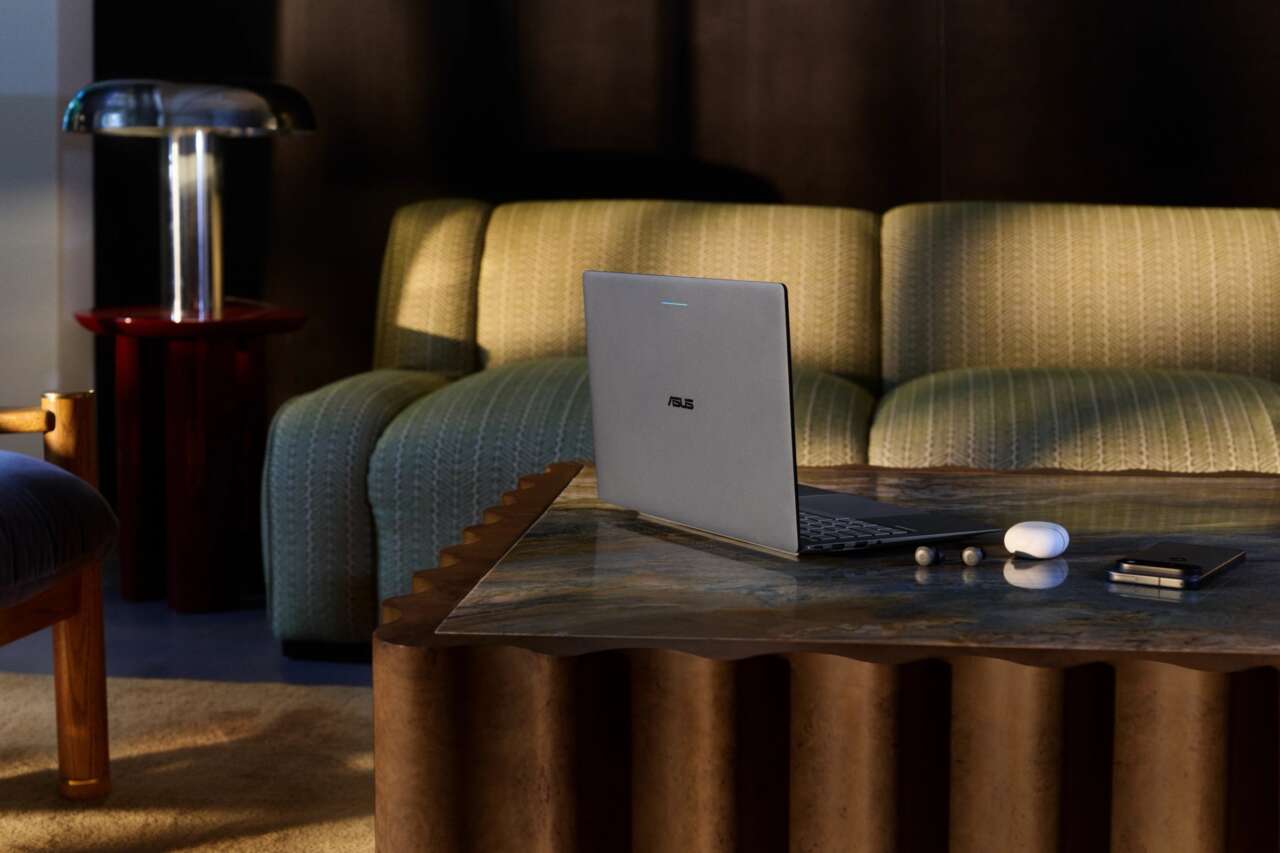
ASUS is making a case for carrying less. Its first Googlebook weighs 2.18 pounds, fits a 14-inch OLED touchscreen into a magnesium-aluminum body, and brings a full set of ports along for the ride. At $1,299, it’s a more expensive alternative to Lenovo’s $1,099 Googlebook 15, but the smaller machine has some useful distinctions beyond its size.
Both use Intel’s Core Ultra 5 325 processor and Googlebook OS, with Android phone integration and Gemini built into the desktop. ASUS pairs its lighter chassis with a matte display rated for up to 1,000 nits of peak HDR brightness, a six-sensor haptic touchpad, and higher published battery-life ratings. The buying decision comes down to how much you value portability and those refinements against Lenovo’s larger screen and lower price.
Price: $1,299
Where to buy: Best Buy, 512GB | ASUS Store, 256GB
A smaller bag, with room for a proper keyboard
The ASUS Googlebook 14, model CX9406CAA, starts at 0.99kg, or 2.18 pounds. That’s about 0.66 pounds less than the Lenovo Googlebook 15’s 2.84-pound starting weight. Its 12.24 by 8.38-inch footprint is also smaller than Lenovo’s 13.43 by 9.29 inches. If your laptop spends much of the day in a shoulder bag, those are tangible differences even though both machines stay under three pounds.
ASUS uses a CNC-machined magnesium-aluminum chassis in Dusk Ash. The Nano Ceramic surface treatment converts the metal’s outer layer into a ceramic-like protective finish through plasma electrolytic oxidation. It’s designed to resist scratches, stains, and abrasion from daily handling. Thickness runs from 0.43 to 0.65 inches, so the headline 0.43-inch figure describes the thinnest part of the body.


The chassis undergoes 24 laboratory tests across 11 categories under ASUS’s durability program and MIL-STD-810H testing. That gives the lightweight construction some supporting engineering context, but it isn’t a promise that drops or spills are covered by the standard warranty.
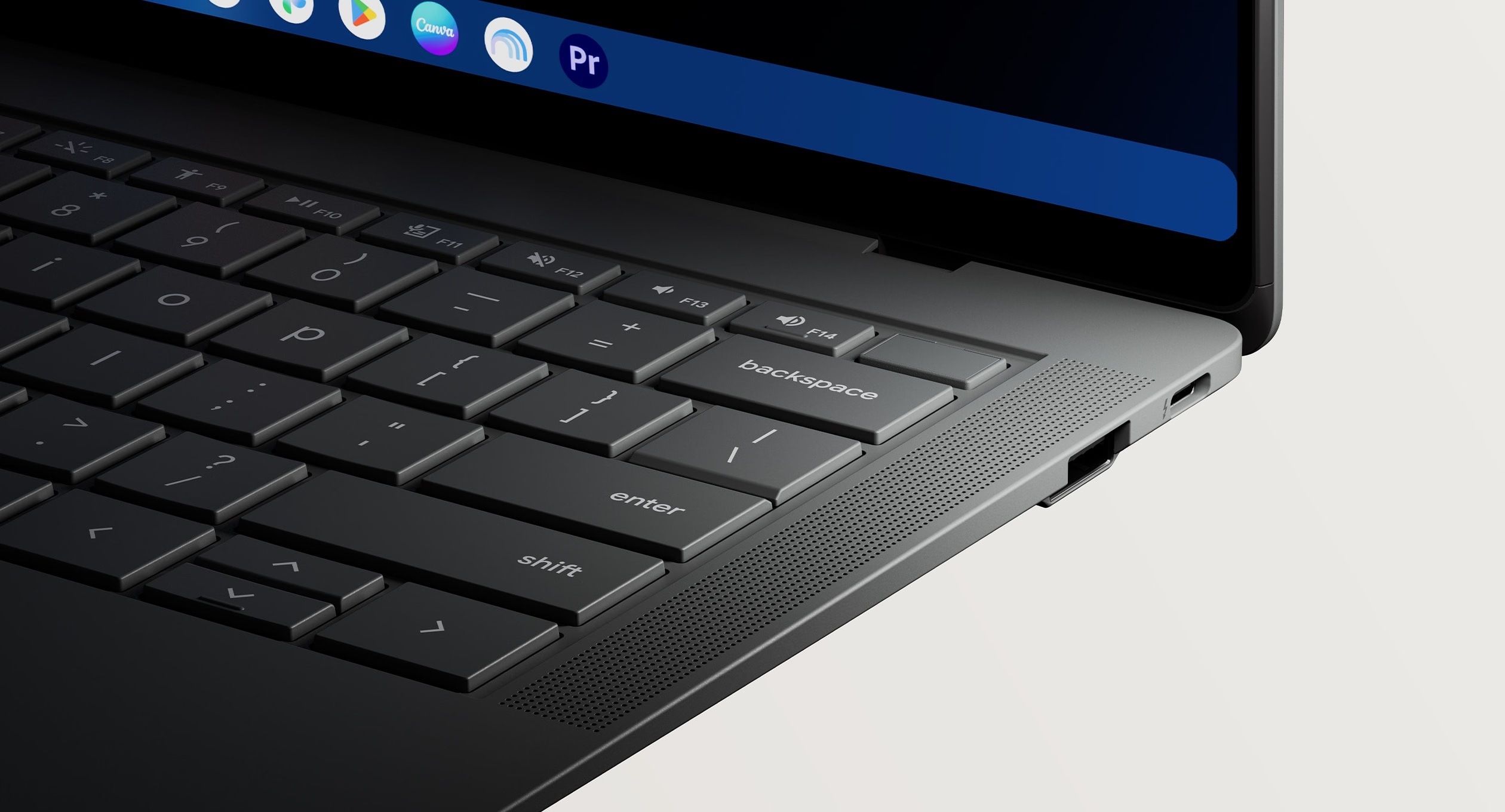
You still get a full-size backlit keyboard with 1.5mm key travel. Each key has a shallow 0.2mm dish, and a UV-cured coating is designed to protect the surface against wear. The haptic touchpad uses six force sensors to produce click feedback across its surface, a useful design goal when you’re working without a mouse and your finger lands away from the bottom edge.


A bright HDR display, with a useful distinction from Lenovo
The 14-inch touchscreen has a 2880 by 1800 resolution, a 16:10 aspect ratio, and a refresh rate of up to 120Hz. OLED gives each pixel its own light control, while the taller shape provides more vertical space for documents and web pages than a similarly sized 16:9 screen. The panel covers 100 percent of the DCI-P3 color gamut and occupies 91 percent of the screen-facing area.
Corning Gorilla Glass Victus protects the display, with Gorilla Matte anti-glare treatment intended to reduce reflections. The 1,000-nit rating is specifically a peak HDR figure. Lenovo rates its larger panel at 500 nits without labeling that number as an HDR peak, so these figures don’t establish that ASUS is twice as bright during ordinary desktop use.


Lenovo’s 15.3-inch panel has the same 2880 by 1800 resolution and up-to-120Hz refresh rate. ASUS concentrates those pixels into a smaller screen; Lenovo gives you more physical room for a spreadsheet or two windows beside each other. The choice is between a more compact display with matte glass and a larger workspace, rather than an upgrade in pixel count.
ASUS also advertises a six-speaker audio system with dual force-canceling woofers and two tweeters. The arrangement is designed to reduce distortion and give calls and media more weight than the laptop’s size might suggest. Lenovo has four Dolby Atmos speakers. Speaker count alone doesn’t establish which sounds better, and this is a comparison of announced hardware rather than a listening test.
Familiar Intel hardware, plenty of connections
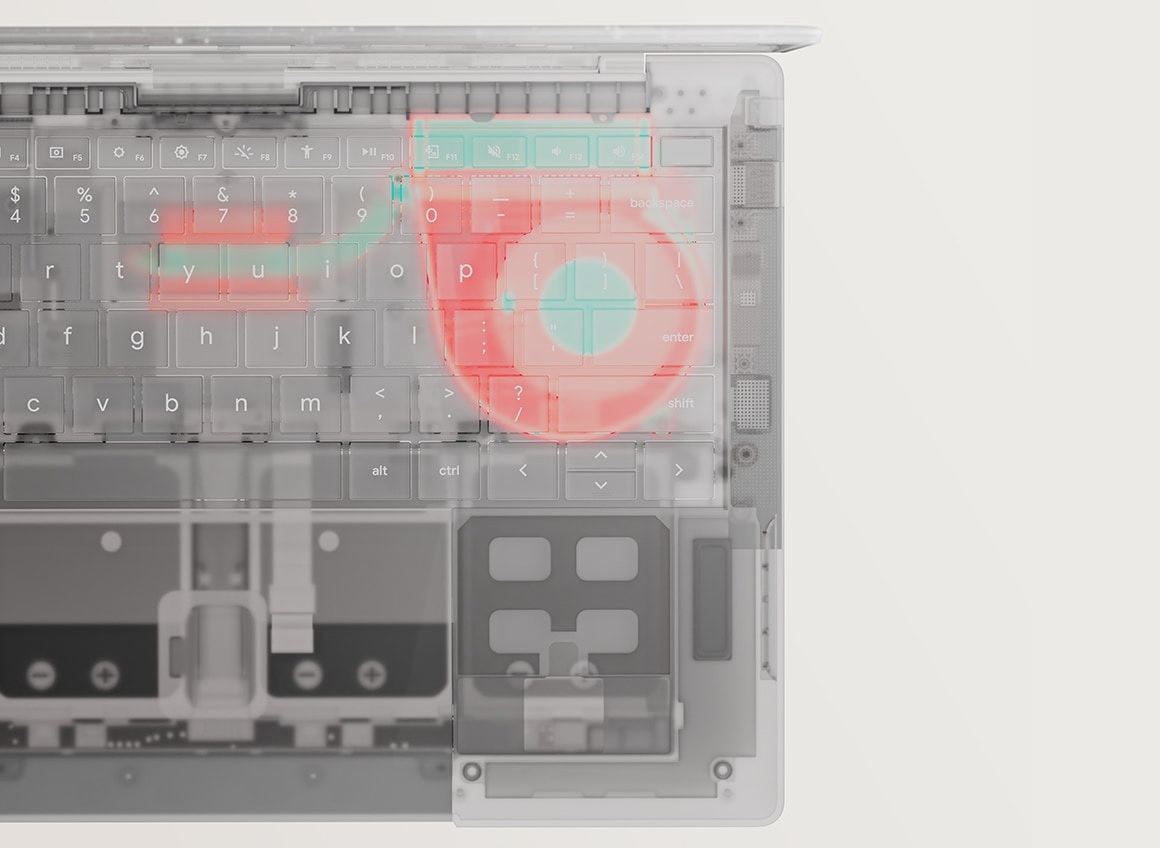
Both U.S. ASUS configurations pair the Core Ultra 5 325 with 16GB of onboard LPDDR5X memory and integrated Intel graphics. Storage is an M.2 NVMe PCIe 4.0 SSD, with the retailer determining whether you get 256GB or 512GB. The cooling system uses a fluid dynamic bearing fan designed to reduce metal-to-metal contact and keep operation quiet. The shared processor with Lenovo doesn’t guarantee identical sustained performance; cooling, power settings, and the workload also affect it.
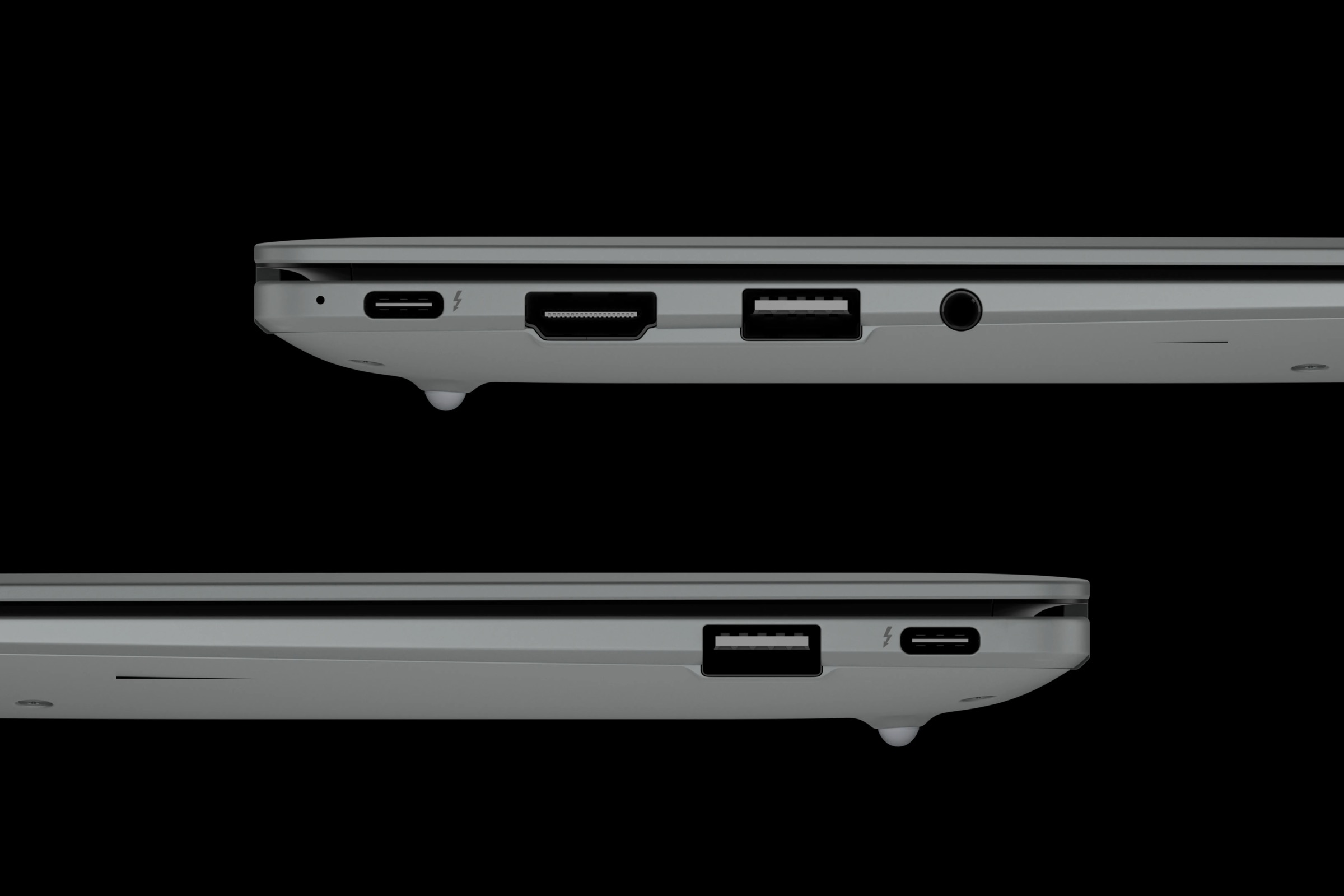
The port selection is unusually accommodating for such a light machine: two Thunderbolt 4 USB-C ports, two USB 3.2 Gen 2 Type-A ports, HDMI, and a 3.5mm headset jack. Both USB-C connections support charging and DisplayPort 1.4, and ASUS specifies support for up to three 4K external displays through the available display connections. You can connect a monitor, a USB-A accessory, and wired headphones without making a dock your first purchase.
Lenovo also offers two Thunderbolt 4 ports, HDMI, and a headset jack, but has one USB-A port rather than two. ASUS specifies HDMI 2.1, while Lenovo specifies HDMI 2.0. Display resolution and refresh-rate support still depend on the particular connection and screen; the version number alone isn’t a promise of every HDMI 2.1 feature.
Wireless connections include tri-band 2×2 Wi-Fi 7 and Bluetooth 6.0, matching Lenovo’s listed wireless generations. A compatible router and network are needed to use Wi-Fi 7. ASUS includes a 65W USB-C power adapter with universal 100 to 240V input.
For calls, there’s a 1080p webcam with a physical privacy shutter and integrated microphones. A fingerprint sensor in the power key handles sign-in, and a Google Titan C security chip provides a hardware security foundation. Lenovo counters with a 5MP webcam, a shutter, and both fingerprint and face unlock. Those are useful differences if video calls or hands-free sign-in are part of your routine.
Battery ratings favor ASUS, but the tests need context
Both laptops have a 70Wh battery. ASUS rates its Googlebook for up to 18 hours in local Full HD video playback at 50 percent brightness with wired headphones. Lenovo’s published figure is about 12.5 hours under its internal laboratory conditions. Subtracting those figures gives roughly five and a half hours, but the different test descriptions prevent treating that as a measured ASUS advantage.
Google’s product listings offer a more consistent comparison: up to 16 hours for ASUS and up to 13 hours for Lenovo, with both described as controlled web-browsing tests. That is a three-hour difference in the advertised ratings. It supports battery life as a reason to look closely at ASUS, while leaving the real gap during calls, multitasking, and Gemini use for testing.

What Googlebook adds to the phone you already use
Googlebook OS combines an Android foundation with desktop technology from ChromeOS. You get desktop Chrome with extensions alongside Android apps, including creative tools such as Photoshop and CapCut. Google’s platform also includes an isolated Linux environment with terminal access for developer tools, plus Antigravity for building and testing apps. It’s worth checking the actual versions of the applications you rely on before switching from a Windows or Mac laptop.
The phone connection is the more immediate attraction. Continue On lets supported tasks move from your Android phone to the laptop. The Files app can view, search, and open phone files and photos, while Cast My Apps brings a phone app into a desktop window. That can save the round trip of emailing yourself a screenshot or reaching for your phone just to use an app. Setup is required, and ASUS specifies a supported phone running Android 17 or later.

Magic Pointer brings Gemini to the cursor when you wiggle it. You can select onscreen material to ask about it, combine images into a poster, or add a date to your calendar. Proactive suggestions can surface relevant actions, while Rambler turns spoken notes into organized text with formatting. Create My Widget lets you describe a desktop widget you want rather than build it yourself. These are shared Googlebook features, so they don’t justify the ASUS price premium on their own.
Magic Pointer requires an internet connection and is available to adults. Other Gemini features have country, language, age, and usage restrictions, with some higher limits tied to a subscription. Generated results still need checking. Googlebook also brings back the exterior Glowbar, which lights at startup and indicates battery charge. Google promises regular feature updates and up to 10 years of updates for the platform.
Which configuration makes the stronger buy?
The Best Buy ASUS model, CX9406CAA-U5_16.512, has 512GB of storage for $1,299. The ASUS Store’s CX9406CAA-DH566T has 256GB at the same current price. Best Buy currently shows Coming Soon with an October 4, 2026 release date; ASUS accepts preorders with an estimated October 12 shipping date. The original launch MSRP was $1,299.99, so check the current seller total rather than assuming the announcement price is the checkout price.
For the same processor and memory, twice the local storage makes the Best Buy version the more appealing configuration on paper. Lenovo’s 16GB/512GB model appears from $1,099 on Google’s shopping page, making the ASUS premium $200 on that comparison. Lenovo also announced 32GB memory options, although their availability and pricing need checking separately. Its AI Mouse adds a Gemini button in bundles that include it; don’t assume that accessory accompanies every retailer’s Lenovo offer.
Eligible purchases of either Googlebook include 12 months of Google AI Pro with 5TB of cloud storage and expanded Gemini access. ASUS’s offer covers eligible purchases and activations from October 1, 2026, with redemption by March 31, 2027. It renews at $19.99 a month or the then-current rate unless canceled. Google also offers app trials and subscriptions, including YouTube Premium and creative tools, with separate terms and durations.
Price: $1,299
Where to buy: Best Buy, 512GB | ASUS Store, 256GB
ASUS makes the stronger portability argument: a smaller footprint, around two-thirds of a pound less to carry, matte display glass, and longer advertised battery life. Lenovo gives you a larger OLED workspace and the same processor for less money. I’d start with ASUS for a laptop that travels daily, and Lenovo for more screen space on a budget, then check the exact storage configuration and delivery date before ordering.