Packing a laptop for Labor Day weekend creates an annoying decision. Bring it, and you may carry a couple of extra pounds around for a computer you barely open. Leave it home, and that urgent email, unfinished project, or batch of vacation photos suddenly becomes much harder to deal with.
An ultra-portable laptop makes the decision easier.
For travel, performance is only part of the equation. Weight matters when the laptop stays on your shoulder through an airport. Battery life matters when the nearest outlet is already occupied. Size matters when you’re trying to work on an airplane tray table, while screen space becomes important once the hotel room turns into your temporary office.
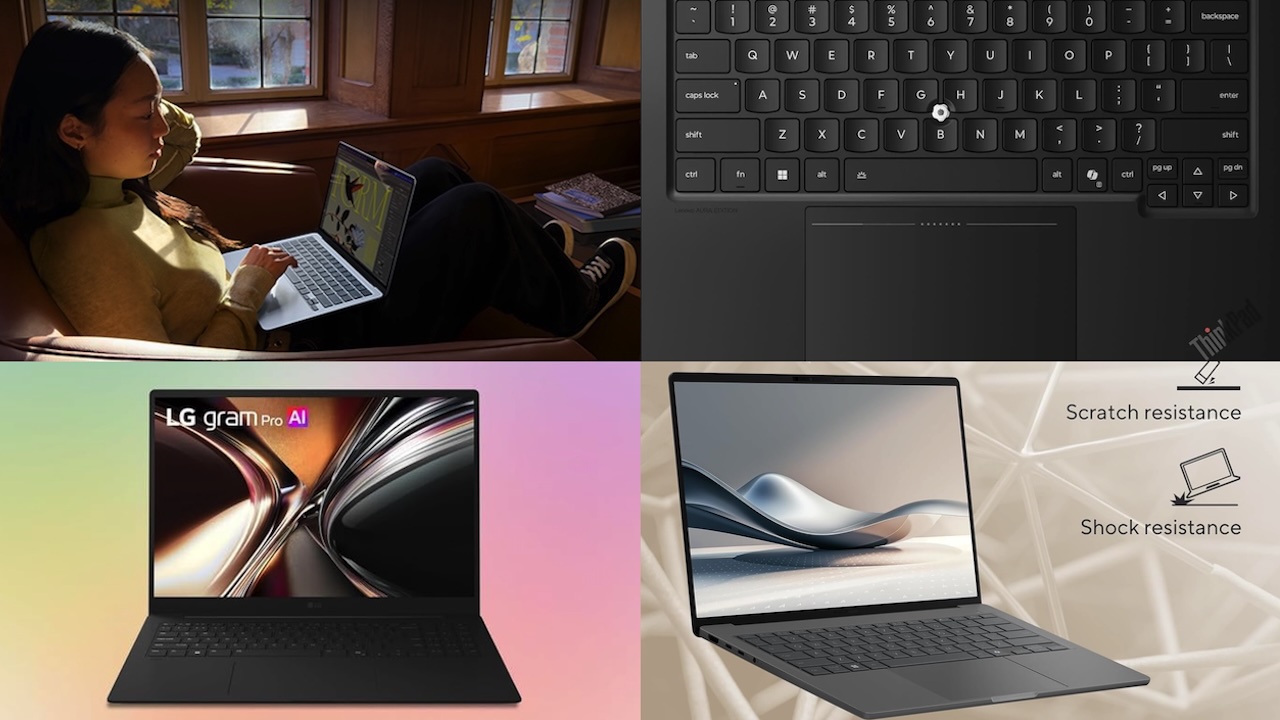
For Labor Day 2026, these four current-generation laptops take different approaches to traveling light. One offers the familiar MacBook Air formula with Apple’s latest chip, another pushes a 14-inch Windows laptop below one kilogram, the ThinkPad prioritizes getting serious work done away from your desk, and LG manages to squeeze a 16-inch workspace into a surprisingly light machine.
1. Apple MacBook Air 13-inch M5: the easy travel choice for Mac users
Apple updated the 13-inch MacBook Air with its M5 chip in March 2026, and the basic travel formula hasn’t changed much: put plenty of everyday computing power into a machine that’s thin, quiet, and easy to carry.
The 13-inch M5 model weighs 2.7 pounds and measures 0.44 inches thick. It has a 13.6-inch Liquid Retina display, 16GB of unified memory as standard, and now starts with a 512GB SSD. Apple also upgraded wireless connectivity with Wi-Fi 7 and Bluetooth 6.
For travelers, battery life may matter more than the M5 badge. Apple rates the MacBook Air for up to 18 hours of video streaming or 15 hours of wireless web use. Those figures come from controlled testing under specific conditions, so they shouldn’t be interpreted as a promise that you’ll get 15 hours while juggling browser tabs, video calls, photo editing, and high screen brightness.
 The practical advantage is having a thin laptop designed around efficiency. MagSafe provides a dedicated charging connection, leaving the two Thunderbolt 4 ports available while charging. The downside is that two USB-C ports still aren’t much connectivity, particularly if you travel with external storage, card readers, or other accessories.
Its fanless design is another small advantage on the road. You can work in a quiet hotel room or airport lounge without a cooling fan suddenly announcing that your workload has become more demanding.
🛒Deal box: Apple MacBook Air 13-inch M5
Price: $1,297
Where to Buy: Amazon
Best for: Mac users who want the easiest lightweight travel laptop.
Why consider it: 2.7-pound fanless design, 13.6-inch display, 16GB memory standard, 512GB starting storage, MagSafe charging, and up to 15 hours of wireless web use under Apple’s testing.
Check before buying: Two Thunderbolt 4 ports may require a hub if you travel with several accessories.
Buyer fit: The M5 MacBook Air is the easiest recommendation for travelers already comfortable with macOS who need a dependable machine for writing, browsing, communication, photo work, and general productivity. Skip it if Windows-only software is essential to your work.
2. ASUS Zenbook A14 UX3407: the laptop that nearly disappears into your bag
The 2026 ASUS Zenbook A14 UX3407 with Snapdragon X2 Elite takes a more aggressive approach to portability. ASUS introduced this version in January with an 18-core Snapdragon X2 Elite processor while keeping its 14-inch chassis at a claimed 990 g (2.18 lb).
That distinction is important because ASUS sells multiple UX3407 configurations with different Snapdragon processors and weights. If you’re shopping specifically for the new 2026 X2 Elite machine, check the configuration rather than assuming every Zenbook A14 listing refers to identical hardware.
Compared with the 2.7-pound MacBook Air, the difference is roughly half a pound. That may seem trivial sitting on a specification sheet, but it becomes easier to appreciate once the same bag also contains a charger, headphones, water bottle, cables, and everything else you’re taking through the airport.
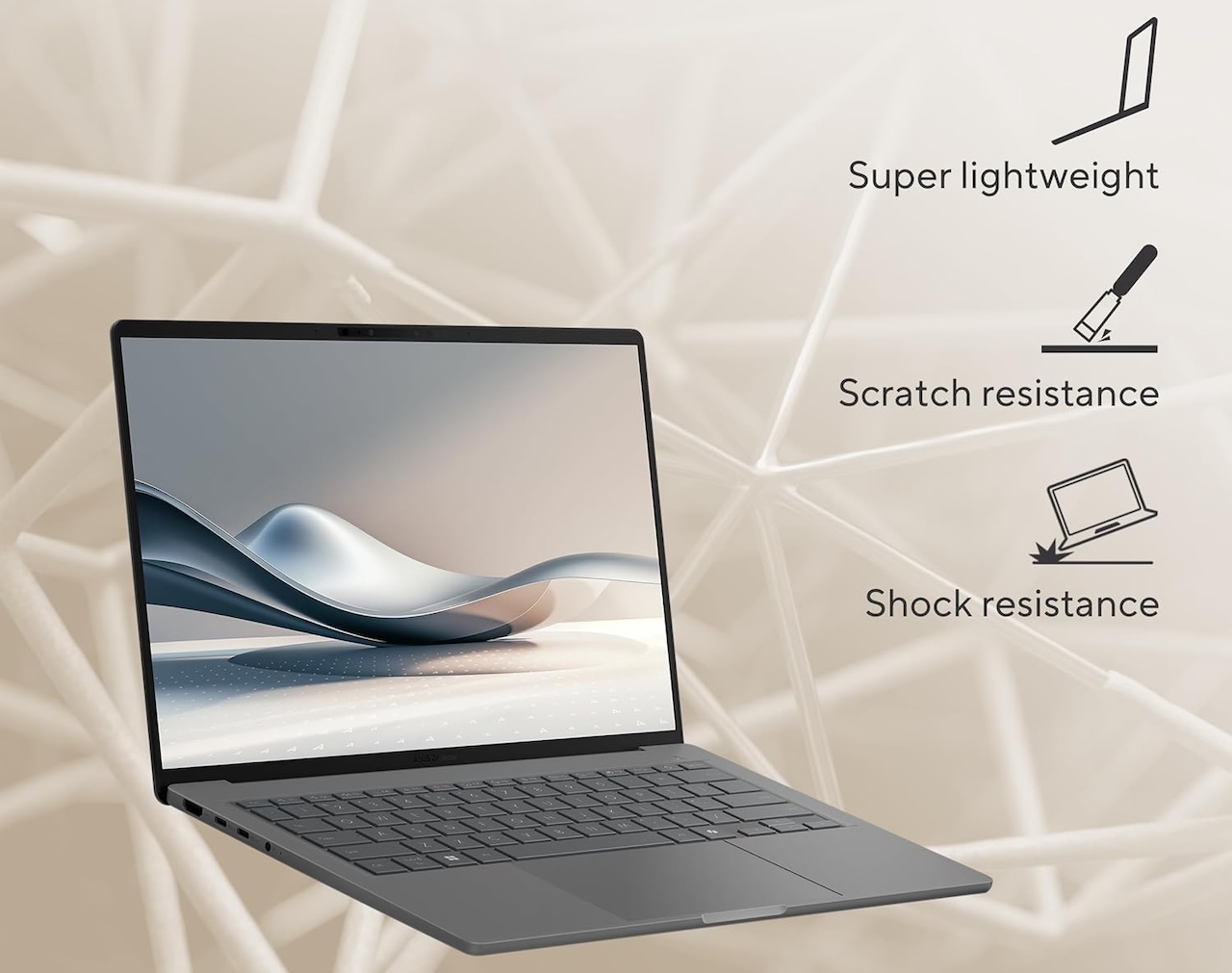 ASUS uses its Ceraluminum material to help keep the chassis light. The company promotes the material as lighter and more resistant to wear than conventional alternatives, but those durability claims do not eliminate the need for normal travel protection. A sleeve remains cheap insurance.
Battery life is another major part of ASUS’s pitch. The company advertises more than 33 hours of continuous video playback and has cited up to 35 hours under its testing conditions. Those are impressive laboratory numbers, but continuous video playback isn’t the same workload as a travel day filled with Wi-Fi, browser tabs, video meetings, documents, and changing screen brightness.
There’s another consideration that matters more than the headline battery figure: the Snapdragon X2 Elite is Arm-based. Windows on Arm compatibility has improved considerably, but anyone dependent on specialized applications, unusual peripherals, older drivers, or company-specific software should confirm compatibility before making the A14 their only computer away from home.
🛒 Deal box: ASUS Zenbook A14 UX3407 with Snapdragon X2 Elite
Price: $879
Where to Buy: Amazon
Best for: Travelers who want the lightest bag possible without dropping to a tiny screen.
Why consider it: Claimed 990 g (2.18 lb) weight, 14-inch chassis, Snapdragon X2 Elite processor, Ceraluminum construction, and very high advertised video-playback battery life.
Check before buying: Confirm you are looking at the 2026 Snapdragon X2 Elite configuration and verify Windows on Arm compatibility for your apps and peripherals.
Buyer fit: The Snapdragon X2 Elite Zenbook A14 is the model to consider if reducing the weight of your bag is a priority and most of your work happens in mainstream productivity apps or the browser. Travelers with specialized Windows requirements should verify their software and peripherals before buying.
3. Lenovo ThinkPad X1 Carbon Gen 14 Aura Edition: for a trip that still includes real work
Sometimes the laptop in your Labor Day bag isn’t there “just in case.” You already know you’re going to use it.
For those travelers, the 2026 Lenovo ThinkPad X1 Carbon Gen 14 Aura Edition makes a stronger case than a machine focused solely on being as thin as possible.
Lenovo lists the 14-inch X1 Carbon Gen 14 with a starting weight below one kilogram, or 2.2 pounds. That’s impressive for a laptop designed around business use rather than simply winning a weight contest, although the exact weight varies with the display, touchpad, and other configuration choices.
The practical attraction is everything Lenovo builds around that low weight. The X1 Carbon has a spill-resistant keyboard with 1.5mm key travel, a TrackPoint, and either a conventional three-button trackpad or haptic touchpad depending on configuration.
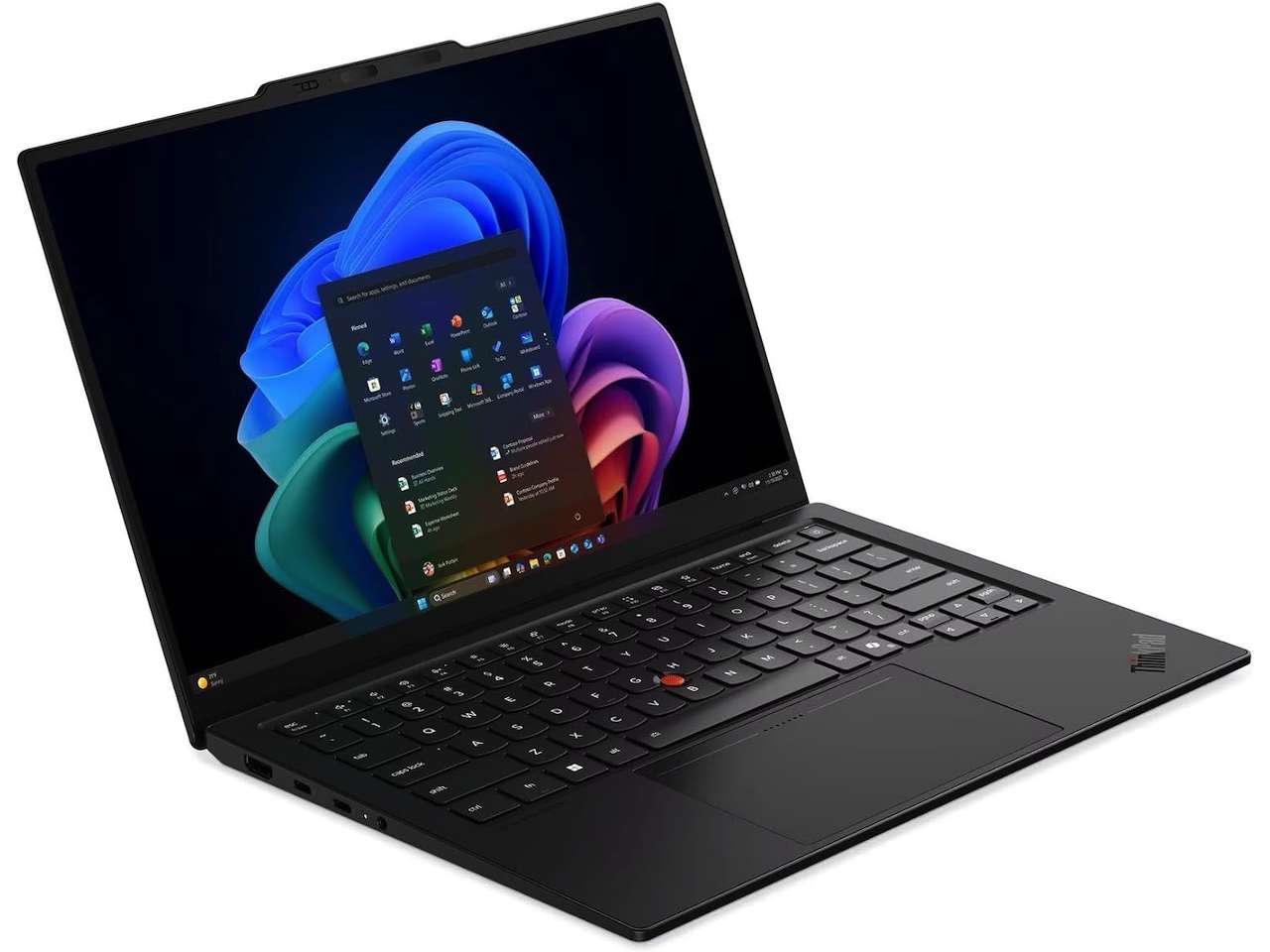 Those details can matter more on a trip than they do while you’re comparing specifications at home. An airport table or hotel desk isn’t going to reproduce your normal workspace, so the laptop’s keyboard and controls have to do more of the work.
Lenovo also offers several display choices, including a 14-inch 2.8K OLED panel and WUXGA IPS options. That flexibility is another reason to pay attention to the exact configuration rather than assuming every X1 Carbon has identical specifications.
The same caution applies to the starting weight. It tells you how light the platform can be, not necessarily what the particular machine in your shopping cart will weigh.
🛒Deal box: Lenovo ThinkPad X1 Carbon Gen 14 Aura Edition
Price: $2,414
Where to Buy: Amazon
Best for: Business travelers and anyone who expects to do serious work during the trip.
Why consider it: Starts below one kilogram, includes ThinkPad keyboard features, offers multiple 14-inch display options, and keeps business-focused controls in a travel-friendly chassis.
Check before buying: Weight, display, touchpad, and other features vary by configuration, so check the exact model before ordering.
Buyer fit: The X1 Carbon Gen 14 is the strongest match here for business travelers, writers, consultants, and anyone who expects to spend significant portions of the trip actually working. If the laptop is mainly coming along for entertainment and occasional email, you’re probably paying for business-oriented features you don’t need.
4. 2026 LG gram Pro 16: 16 inches doesn’t have to mean a heavy laptop
Most manufacturers make travel laptops smaller to make them easier to carry. The 2026 LG gram Pro 16 takes a different route by keeping the large display and attacking the weight instead.
LG’s 2026 gram generation introduced a new chassis material called Aerominum. Current 16-inch gram Pro models using the new design are listed at 1,199 g (2.64 lb), with a profile as thin as 12.4 mm.
Put that number beside the MacBook Air and the unusual part becomes obvious. At roughly 2.64 pounds, a 16-inch gram Pro can weigh slightly less than Apple’s 2.7-pound 13-inch MacBook Air, although you’re still carrying a physically larger computer.
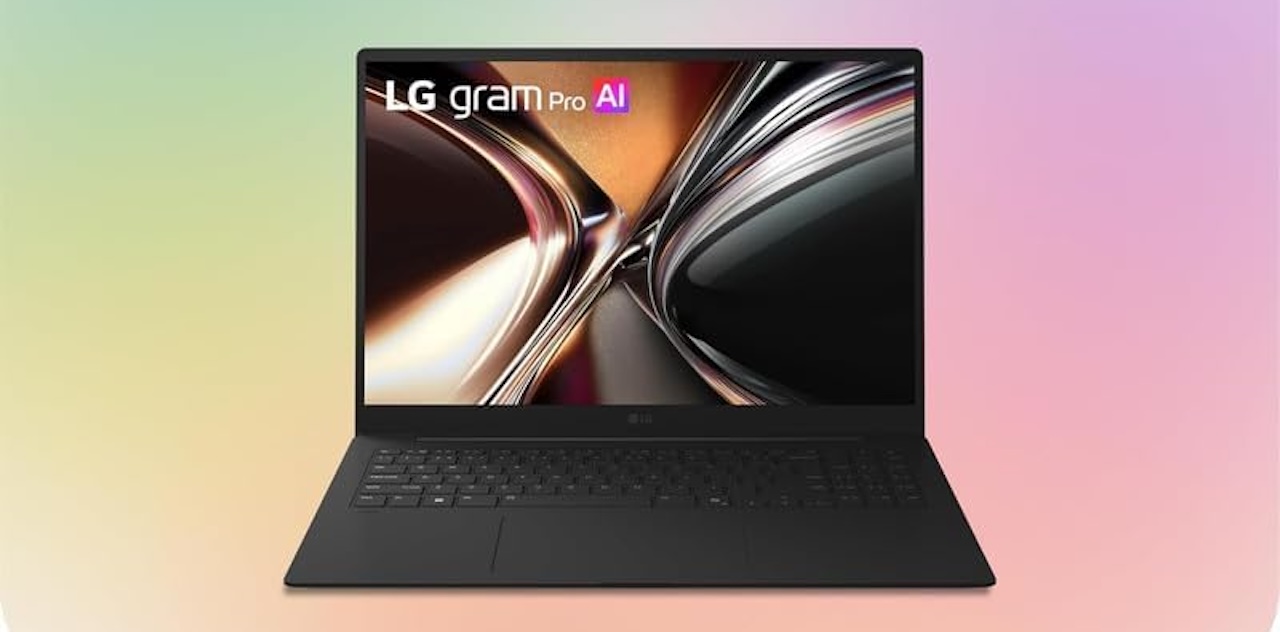 That extra display area can become genuinely useful once you reach your destination. A 16-inch screen gives spreadsheets, research, photo editing, and side-by-side documents more breathing room, particularly when you’ve left your usual external monitor at home.
LG promotes the Aerominum construction as combining low weight with improved strength and durability. Those are manufacturer claims, and an exceptionally light 16-inch laptop still deserves normal protection when you’re traveling.
The more obvious compromise is size. Low weight doesn’t shrink the footprint of a 16-inch display. The gram Pro will occupy more room in your backpack than a 13- or 14-inch notebook, and opening one on a cramped airplane tray table could be awkward.
That’s the tradeoff: the LG isn’t trying to become invisible in your luggage like the ASUS. It’s trying to give you more computer once you arrive without making you pay the usual weight penalty on the way there.
🛒Deal box: 2026 LG gram Pro 16
Price: $1,999
Where to Buy: Amazon
Best for: Travelers who want a bigger workspace without packing a heavy large-screen laptop.
Why consider it: 16-inch display, 1,199 g (2.64 lb) listed weight, slim 12.4 mm profile, and new Aerominum chassis design.
Check before buying: It is light for a 16-inch laptop, but the larger footprint still takes up more room in a backpack and on cramped tray tables.
Buyer fit: The 2026 gram Pro 16 is the standout for travelers who want plenty of working space without carrying a conventionally heavy large-screen laptop. It’s particularly appealing if you work with spreadsheets, multiple documents, research, or creative applications and miss your external monitor whenever you travel.
Which ultra-portable laptop belongs in your Labor Day bag?
The four laptops may occupy the same broad ultra-portable category, but they’re solving noticeably different travel problems.
The 13-inch M5 MacBook Air is the straightforward option for Mac users who want a compact machine without making many compromises in everyday productivity. The Zenbook A14 goes further in pursuit of low weight, getting the Snapdragon X2 Elite configuration down to a claimed 990 g (2.18 lb).
The ThinkPad X1 Carbon Gen 14 makes more sense when the laptop isn’t merely coming along as insurance. If part of your holiday weekend will be spent working, its business-oriented design and keyboard become more valuable than saving another fraction of an inch.
The LG gram Pro 16 is for the traveler who doesn’t want portability to mean staring at a smaller workspace. Its dimensions require more room in the bag, but 2.64 lb is remarkably little weight for a 16-inch laptop.
So before Labor Day packing begins, consider what happens after the laptop leaves your bag. If you’re only checking email, carrying a large screen may be unnecessary. If you’re working for several hours, choosing solely by weight can leave you wishing for a better keyboard or more display space.
The right ultra-portable should make the trip easier in both directions: light enough that you don’t resent packing it, and useful enough that you’re glad you did.