The home NAS market is not collapsing; it is splitting into two distinct roles: dependable file storage and a small private cloud. Each role calls for different hardware, and a different tolerance for maintenance.
Across the NAS market, the tradeoffs are easy to spot: modest memory ceilings, vendor-managed system storage, slower network ports, and compatibility policies that can narrow hardware choices. Those are not automatically flaws; they are design choices that favor a managed appliance over a flexible server. Some systems use soldered memory, while others offer only limited expansion. Even when dual 1GbE is sufficient for routine backups, it cannot match 10GbE throughput for large local transfers.
The ownership split starts with one question
Ask what you want to happen after the box is installed. If the answer is automatic backups, shared folders, photo storage, and a quiet appliance that other people in the house can use, a closed NAS is doing its job. You aren’t buying a computer project. You’re buying a predictable service with hard drives inside.
If the answer includes containers, media transcoding, Home Assistant, camera analysis, virtual machines, or a growing set of services, the storage enclosure is only one part of the system. You need memory, CPU headroom, network speed, and an operating system you can change without fighting the vendor.
What sealed hardware changes
Read the current spec sheets in this category and the pattern shows up fast: fixed memory capacity, preinstalled system storage, 1GbE network ports, and narrow drive compatibility lists. Those aren’t universal defects. They’re ownership limits. A sealed memory chip turns a future upgrade into a board replacement, while a single 1GbE connection can bottleneck a fast local network long before the disks run out of speed.
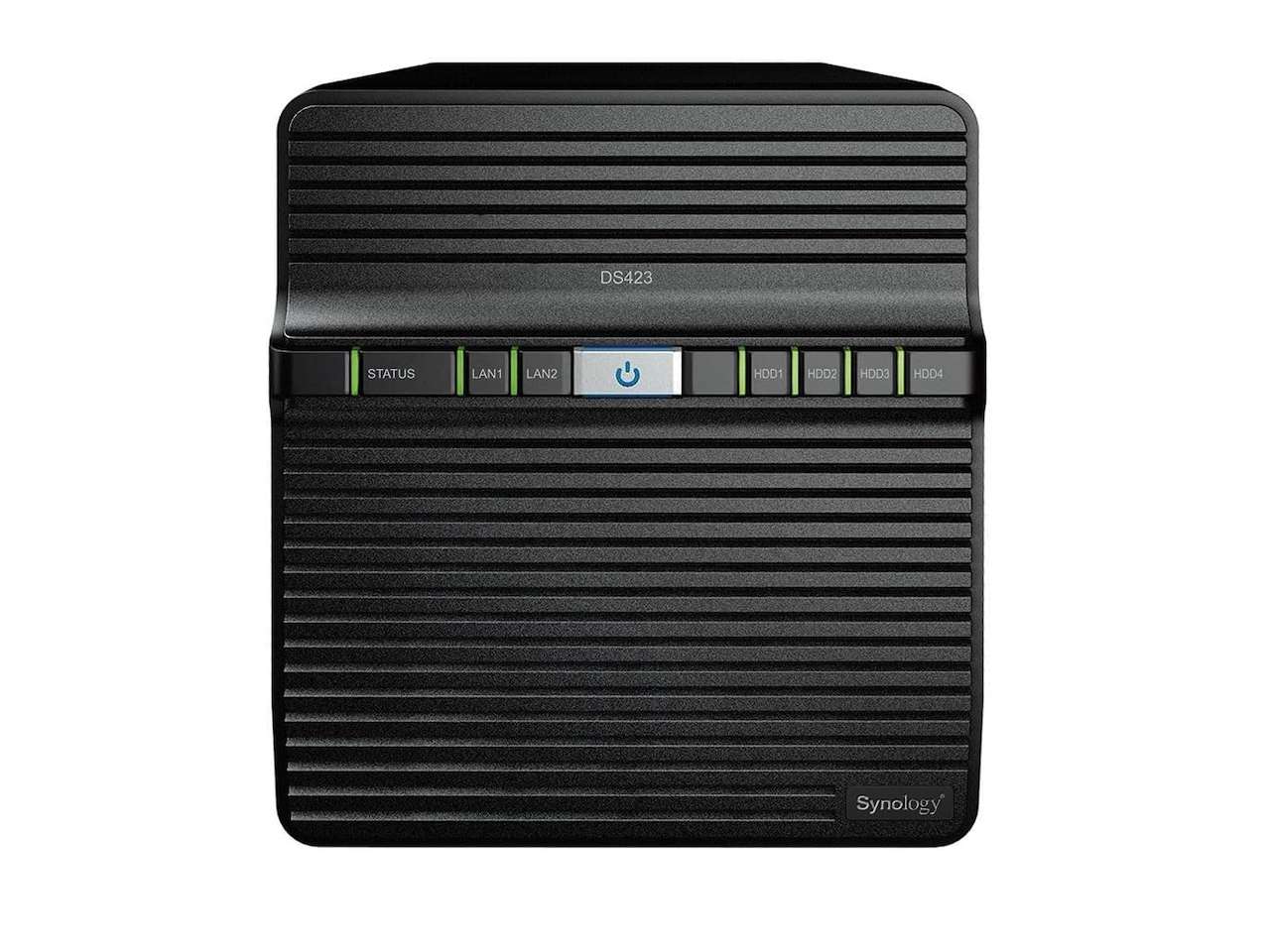
Synology’s DS423 shows the appeal of the simpler path. Its official specification lists four drive bays, 2GB of DDR4 non-ECC memory, two 1GbE ports, and USB 3.2 Gen 1 connectivity. That hardware isn’t aimed at being a general-purpose server. It’s aimed at file management, backup, sharing, and the software experience Synology has built around DiskStation Manager.
That ceiling is also the point. You know what you’re getting, and you aren’t paying for expansion you won’t use. The tradeoff is that the DS423 makes less sense once your storage box becomes the machine that runs the rest of the house.
❗Synology DS423
Price: $399.99
Where to Buy: Amazon
When a home server earns its keep
The DIY route makes sense when you can name the services you want to run. A mini PC with user-replaceable memory, multiple NVMe slots, and a separate drive enclosure gives you a longer upgrade path, and the compact desktops we’ve covered for home offices show how affordable that starting point has become. You can change the operating system, split services into containers, and replace one component without throwing away the whole platform.
The price is paid in decisions. You have to choose a file system, set up permissions, plan backups, monitor updates, and decide what happens when a drive fails at 11:30 p.m. A home server isn’t automatically more private or more reliable. It simply gives you more control, and control comes with chores.
The high-end appliance is the mixed setup
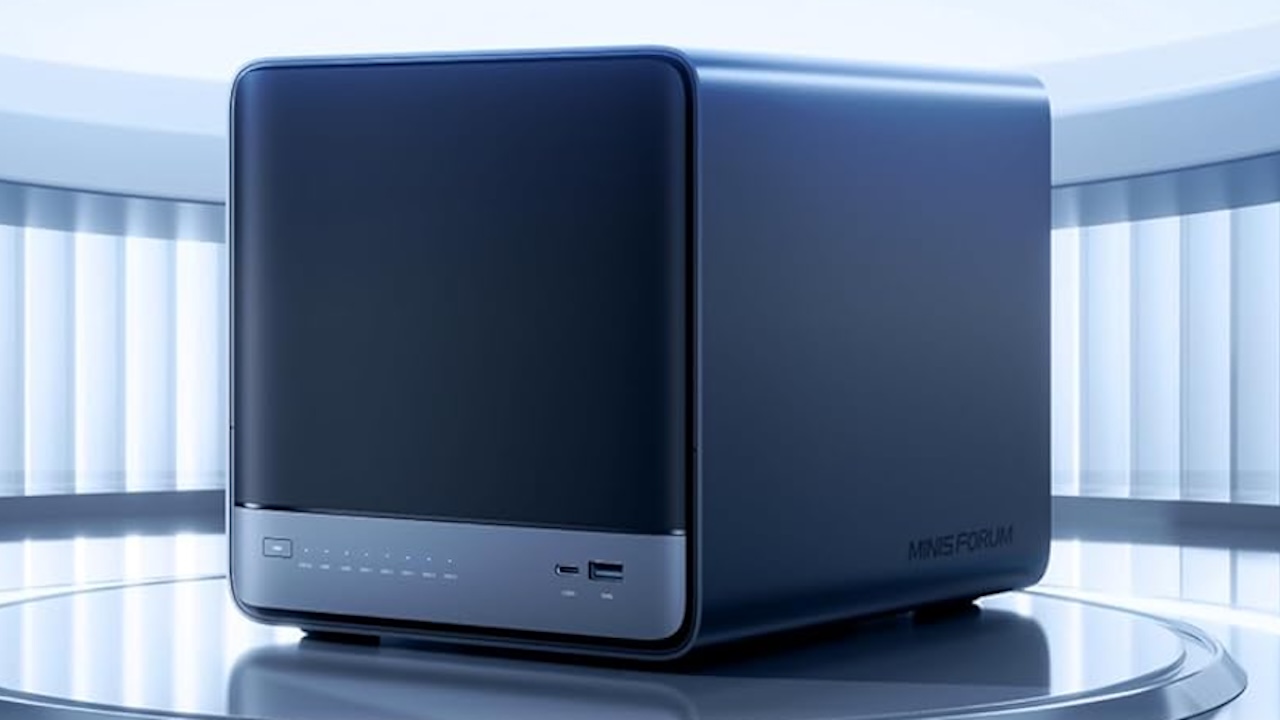
A product like the Minisforum N5 Air sits between a conventional NAS and a DIY server. Minisforum’s official page describes a five-bay design in a compact 199 by 202 by 252 millimeter chassis, a slide-out motherboard for RAM and SSD access, 10GbE networking, and expansion through a PCIe x16 slot. The live Amazon listing shows a Ryzen 7 255 configuration with 16GB of DDR5 memory, a 64GB system SSD, and a current price of $719.00.
That hardware gives you a stronger base for media work and self-hosted services than a basic two-bay appliance. It also creates a more complicated decision. The operating system and application layer still need care, and the product’s flexibility only pays off if you’ll use it.
A mixed setup can be the cleanest answer: let a simple NAS handle family backups, then run experimental services on a separate mini PC. If the server breaks, your photo library doesn’t vanish with it. If the storage unit needs maintenance, the rest of the network can keep running. You spend more on hardware, but you also separate failure domains.
Choose by tolerance, not by benchmark charts
Choose the sealed appliance if your priority is a low-drama backup target, your household needs a friendly interface, and you don’t want to maintain a Linux host. A DS423 gives you four bays and a clear job. It won’t turn into a gaming server, but it doesn’t need to.
Choose the upgradeable server if you already know which containers or virtual machines you want. The N5 Air gives you more headroom, faster networking, and a platform you can extend. It also asks you to own the software decisions instead of outsourcing them to a NAS vendor.
Choose the mixed setup if your files are too important to share a failure domain with your experiments. Put backups and family storage on the appliance. Put media indexing, automation, and test services on the server. That split is more resilient than expecting one box to be both a silent appliance and a flexible lab.
The checklist before you buy
Count the total system cost, not just the enclosure. Add drives, memory upgrades, a UPS, network hardware, and a second backup target. Check whether the memory is replaceable, whether the system supports the drives you already own, and whether the network ports match your switch. A 10GbE port is wasted if the rest of the path runs at 1GbE.
Then write down your recovery plan. A RAID array can keep a dead drive from becoming an outage, but it isn’t a backup. You still need another copy, a test restore, and a way to reach the data when the main box is offline. If you want a feel for how an appliance handles that day to day, our UnifyDrive UT2 NAS review walks through setup, the app, and the backup workflow.
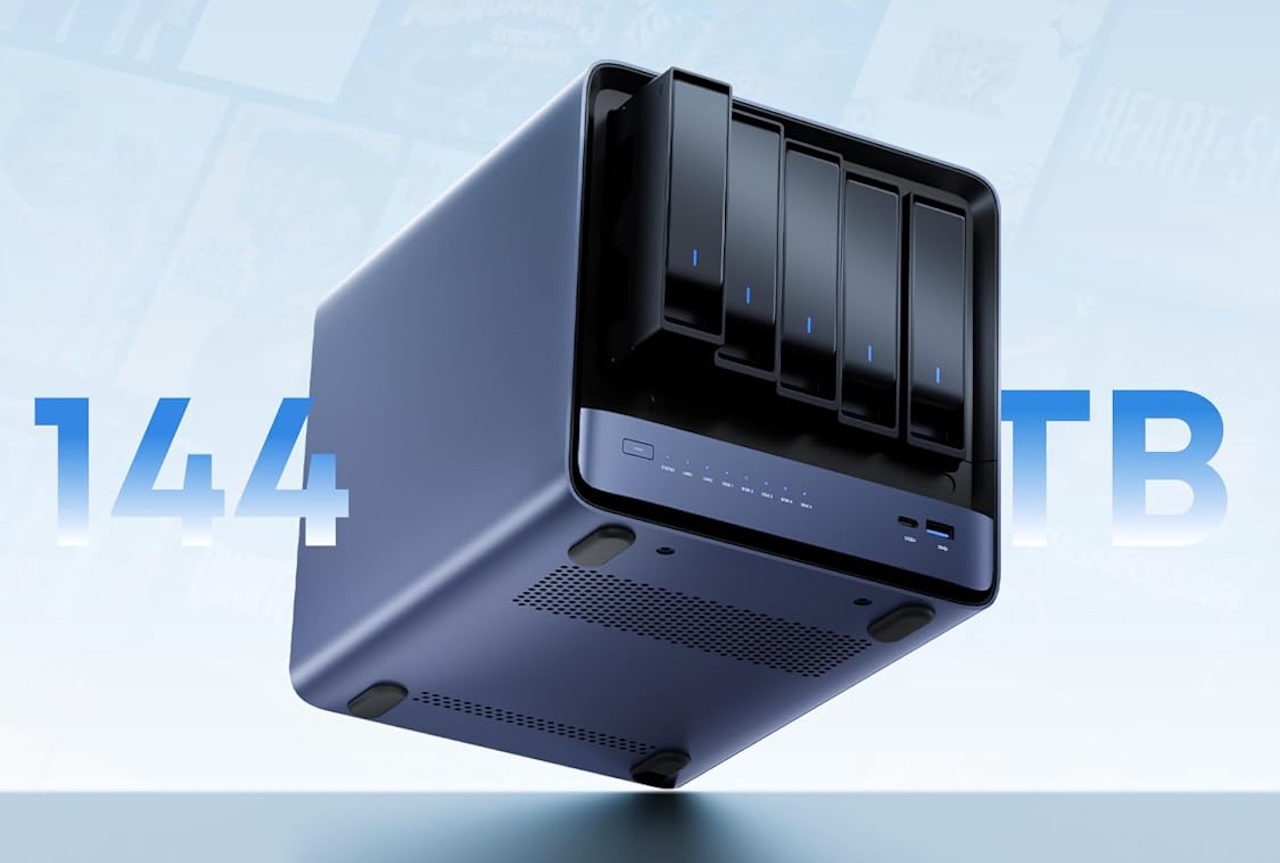
❗MINISFORUM N5 Air
Price: $719.00
Where to Buy: Amazon
Which setup makes sense?
For a household that wants shared storage and automatic backups, the appliance is the better fit. The value is in removing work from your week. The DS423’s limits are visible, and visible limits are easier to live with than a server project you never finish.
For a technical household that wants a private cloud, media services, and room to experiment, an upgradeable platform or two-machine setup makes more sense. The N5 Air is the more interesting base because it leaves room to grow, but it only earns that extra cost if you’ll use the hardware.
The home NAS isn’t becoming one thing. It’s splitting into a quiet storage appliance for people who want a service, and a home server for people who want a system. Buy the box that matches your tolerance for maintenance, not the one with the longest feature list.