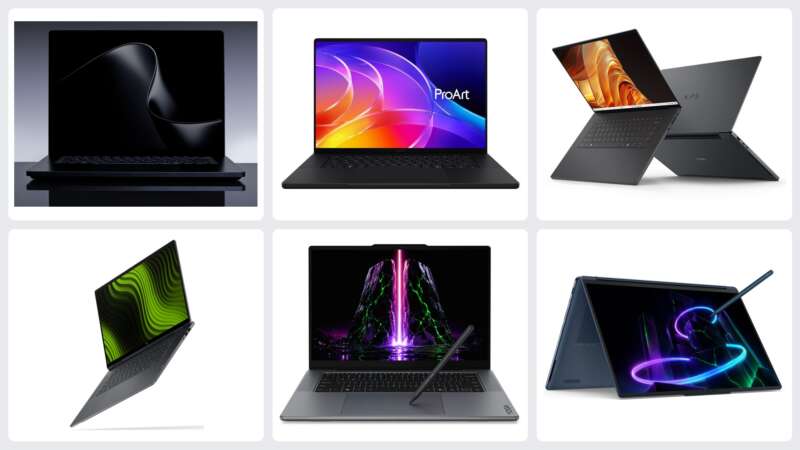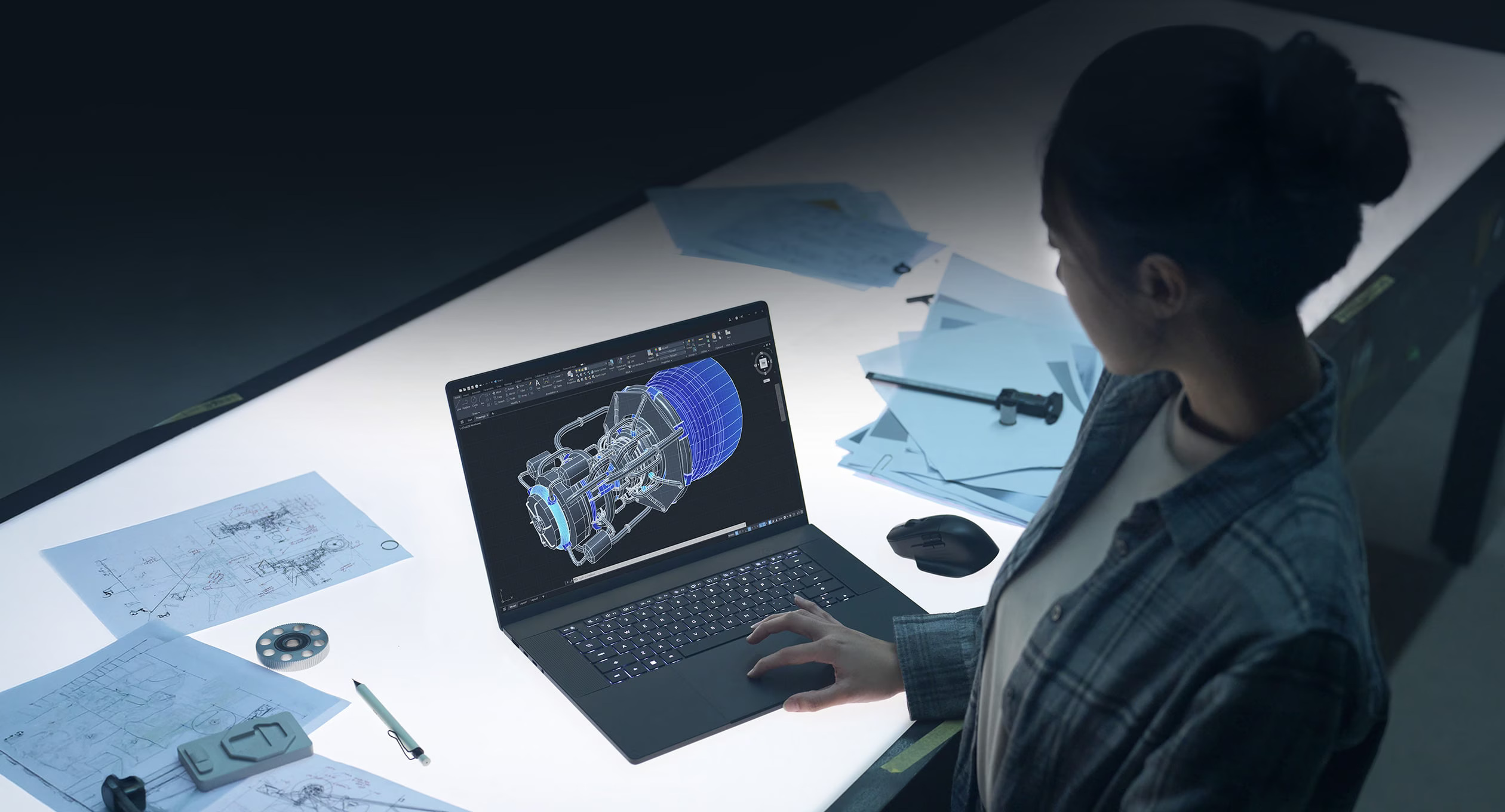
ASUS has given the ProArt P16 a slimmer silhouette, a machined aluminum keyboard deck and a haptic touchpad while keeping the full-size SD slot, HDMI and USB-A that make a creator laptop useful away from a dock. Add a larger battery and a smaller USB-C power adapter, and the new P16 delivers a luxury mobile workstation with less weight to carry.
NVIDIA’s RTX Spark platform brings a substantial change inside, including up to 128GB of shared memory. We covered the configurations in our ProArt launch story. The P16 H7607BA and smaller P14 H7407BA also change what goes into the bag and how the laptop works at a temporary desk.
Price: $6,999.99 US MSRP (128GB/2TB H7607BA-XP99T)
Where to buy: ASUS US Store
A cleaner body and a lighter travel kit


All three details show the new P16 H7607BA. Top left: Nano Black hinge. Top right: Neo White polished edge. Bottom: Neo White lid. Reading order is hinge, edge, then lid. Images: ASUS.
The P16’s Nano Black finish, centered ProArt wordmark and polished edges give the design a restrained look. A CNC-machined aluminum keyboard deck and integrated hinge carry that treatment through the body. ASUS also applies a smudge-resistant coating to the black finish.
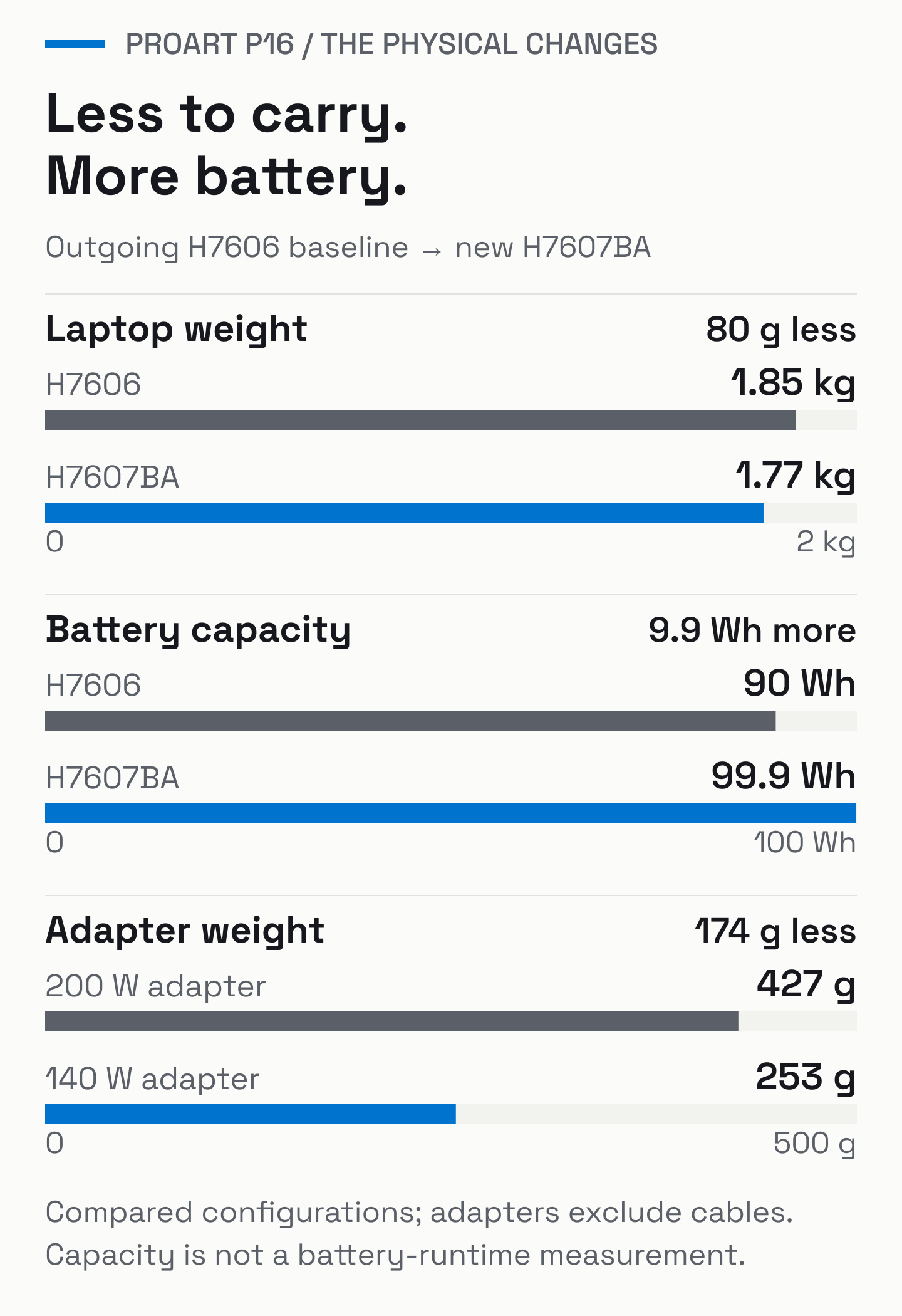
The smaller USB-C adapter contributes more to the bag-weight saving than the laptop itself. Combined with a larger battery, that reduction makes the whole travel kit easier to carry. Battery capacity measures the energy reserve; runtime still depends on the workload.
The chassis is thinner, too: 12.9mm at the front to 15.9mm at the rear, compared with about 14.9–17.3mm for the older 1.85kg design. Its footprint is slightly shallower. Outgoing H7606 configurations vary, including heavier models and different power adapters.
The connections and controls earn their space
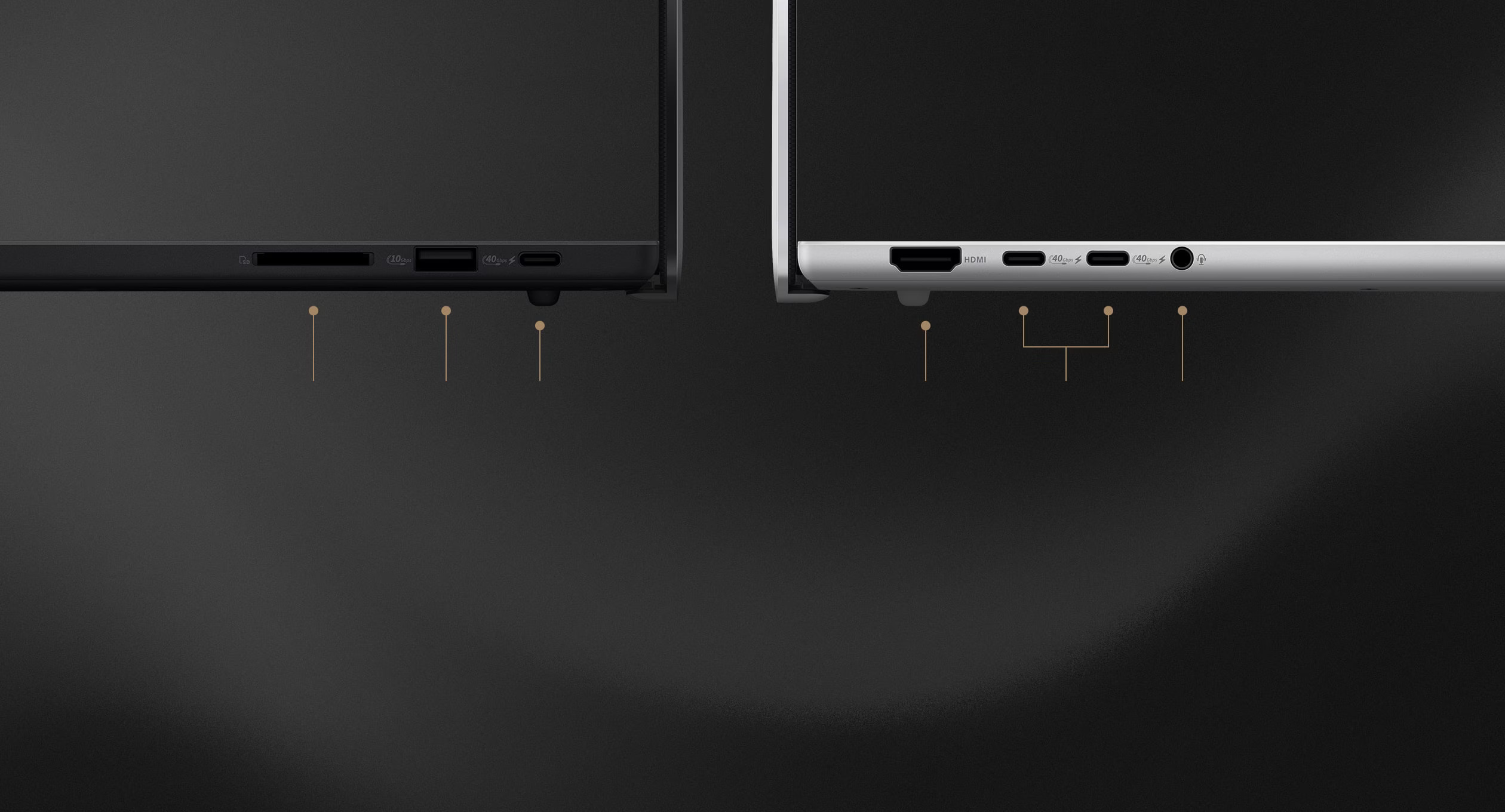
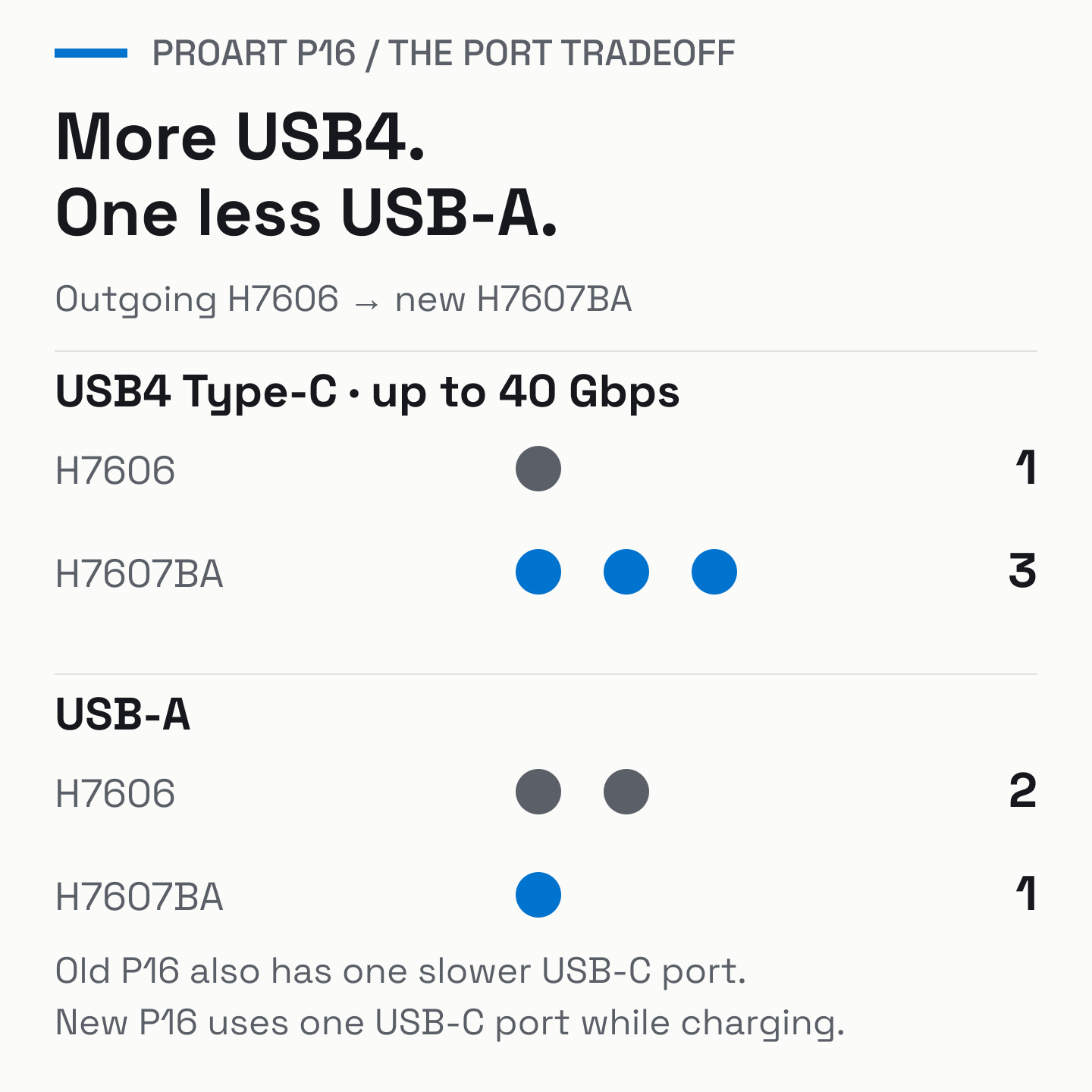
The connection mix favors fast USB-C peripherals while keeping familiar wired accessories useful. Each of the three USB4 Type-C ports supports up to 40Gbps, displays and power delivery. Connecting the charger leaves two USB-C ports free.
HDMI 2.1, the headphone jack and SD Express 7.0 remain. For photographers who routinely offload full-size SD cards, keeping that reader inside the chassis saves a small but easily forgotten piece of kit.
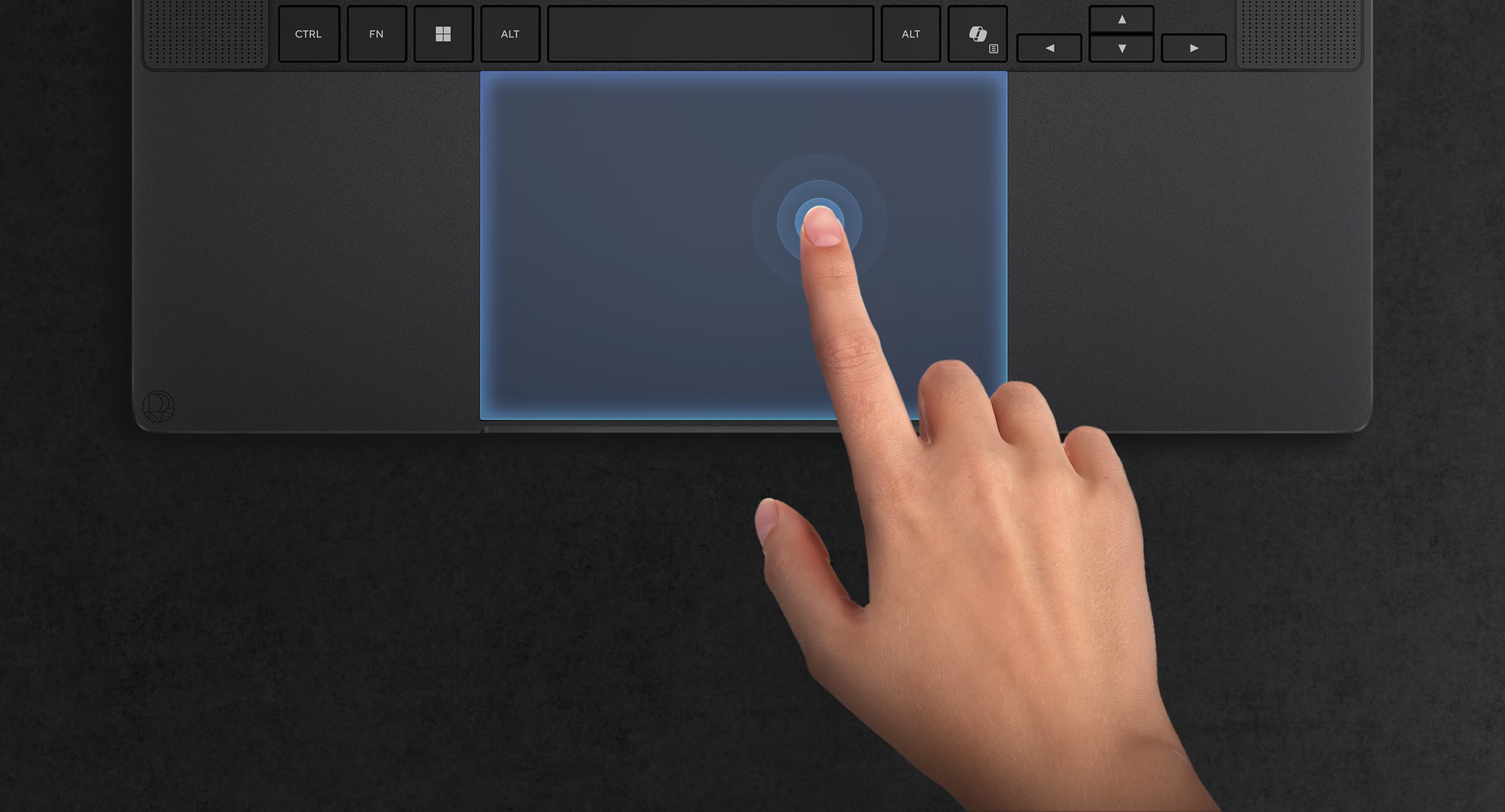
The new haptic touchpad replaces the previous touchpad and DialPad arrangement, changing the control surface used to navigate timelines, select images and move around editing interfaces. The keyboard retains 1.7mm of key travel.
Cooling gets its own redesign, with a rear exhaust that directs hot air away from the display.


New P16 H7607BA cooling, in reading order: inward airflow through the cooling assembly; rear hinge exhaust; keyboard air intake; fan dust filter. Colored airflow trails are ASUS illustrations.
The display upgrade depends on your current P16
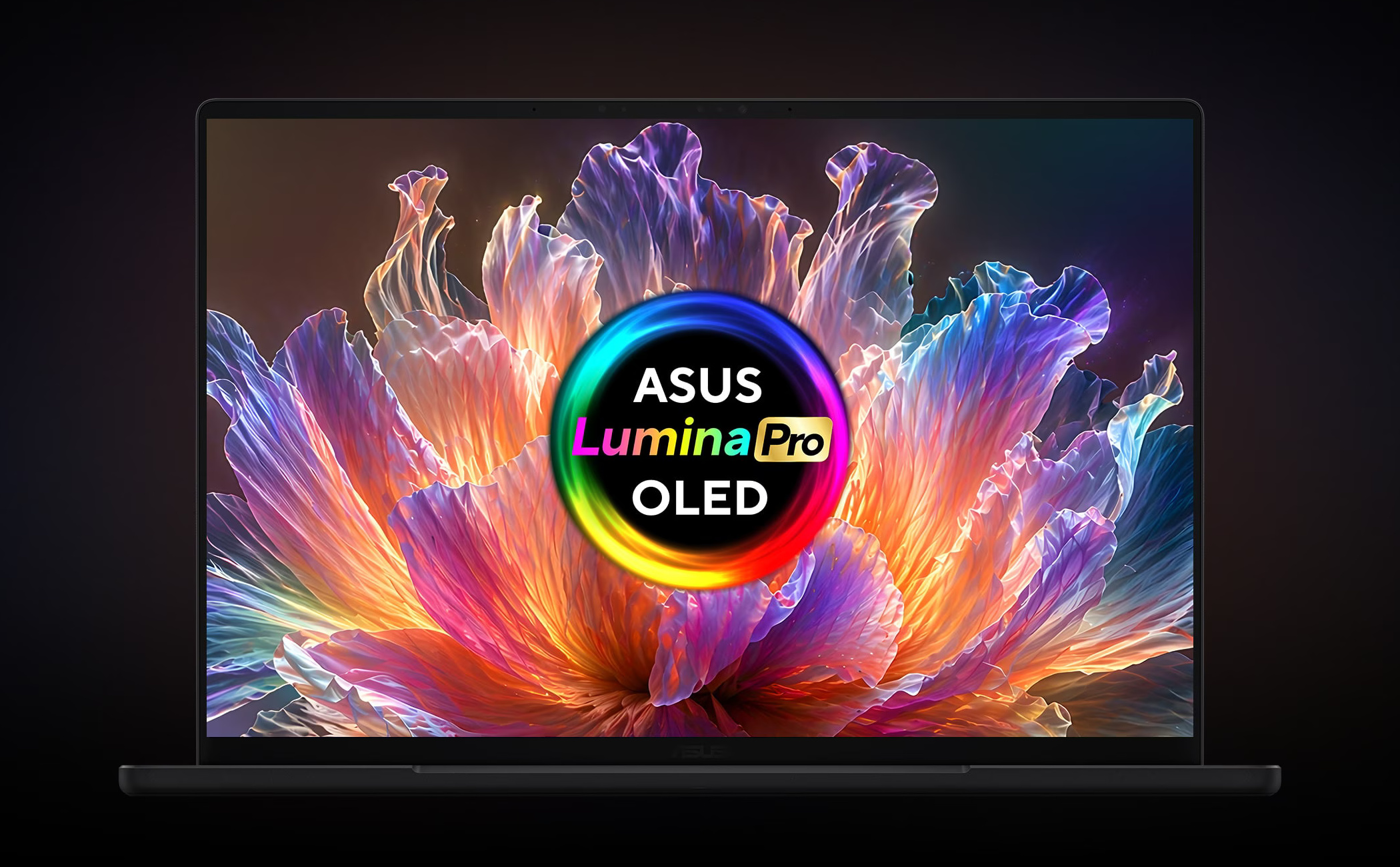
The top P16 configuration has a 16-inch, 3840×2400 OLED touchscreen with a 120Hz refresh rate and anti-reflection treatment. ASUS lists 100% DCI-P3 coverage and up to 1,600 nits of HDR peak brightness. Its 16:10 shape provides useful vertical space for editing interfaces, photographs and documents.
For an owner of an earlier H7606WI with a 4K/60Hz screen, the new panel doubles the refresh rate. Coming from a 3K/120Hz version, the gain is resolution: 3840×2400 supplies roughly 78% more pixels than 2880×1800, making it possible to show finer detail or more workspace at suitable scaling settings.
The higher-end H7606WX, H7606WW and H7606WR models already offer 4K, 120Hz and 1,600-nit HDR peak brightness. For those owners, the main changes are the chassis, haptic touchpad and computing platform. Those three headline display specifications are unchanged.
RTX Spark gives the hardware a different foundation
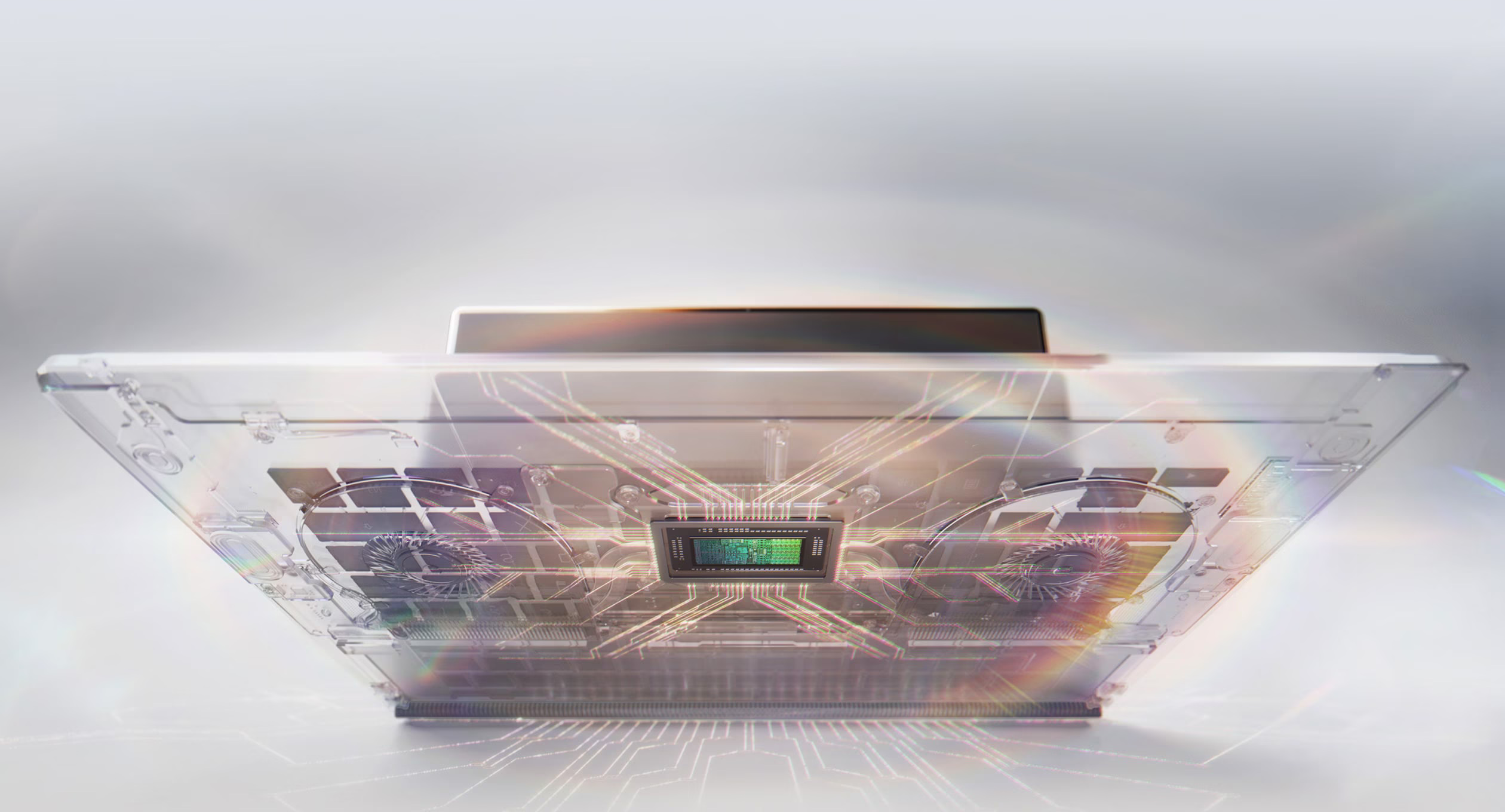
The 128GB P16 configuration listed by ASUS, H7607BA-XP99T, pairs NVIDIA RTX Spark N1X with a 20-core Grace CPU, a 6,144-core Blackwell RTX GPU and a 2TB SSD. Its 128GB of LPDDR5X memory is shared by the system and graphics workloads.
Outgoing AMD-based P16 models use separate system memory and a GeForce laptop GPU with its own graphics memory. The larger shared pool in the new machine can accommodate local AI models alongside creative applications, with the operating system and other software drawing from that same 128GB capacity. How much is available to a particular workload depends on everything else running.
That capacity gives the lighter chassis a practical local-AI role. ASUS says CUDA runs natively on RTX Spark and highlights ComfyUI workflows and local agents alongside native Windows creative and AI applications. With compatible software and models downloaded, on-device work can travel with the laptop: organizing media, working with saved research and developing visual ideas.
Each workflow still depends on its application’s platform support and usage terms. Running a local model does not automatically connect it to an existing cloud assistant, and cloud coordination still needs an internet connection. The hardware supplies the local computing platform; the software and integrations define the jobs it can carry out.
Storage remains expandable. The supplied 2TB drive is PCIe 4.0, and ASUS lists two M.2 2280 PCIe 5.0 x4 slots in total, including the occupied slot. The second slot provides expansion space for a growing media library. The global specifications require single-sided drives, so an upgrade drive needs to meet that requirement.
Application, plug-in, codec and peripheral compatibility are buying requirements for a production machine. Check support for the exact software and equipment in your workflow before moving to the new platform.
P14 offers a larger canvas than the PX13
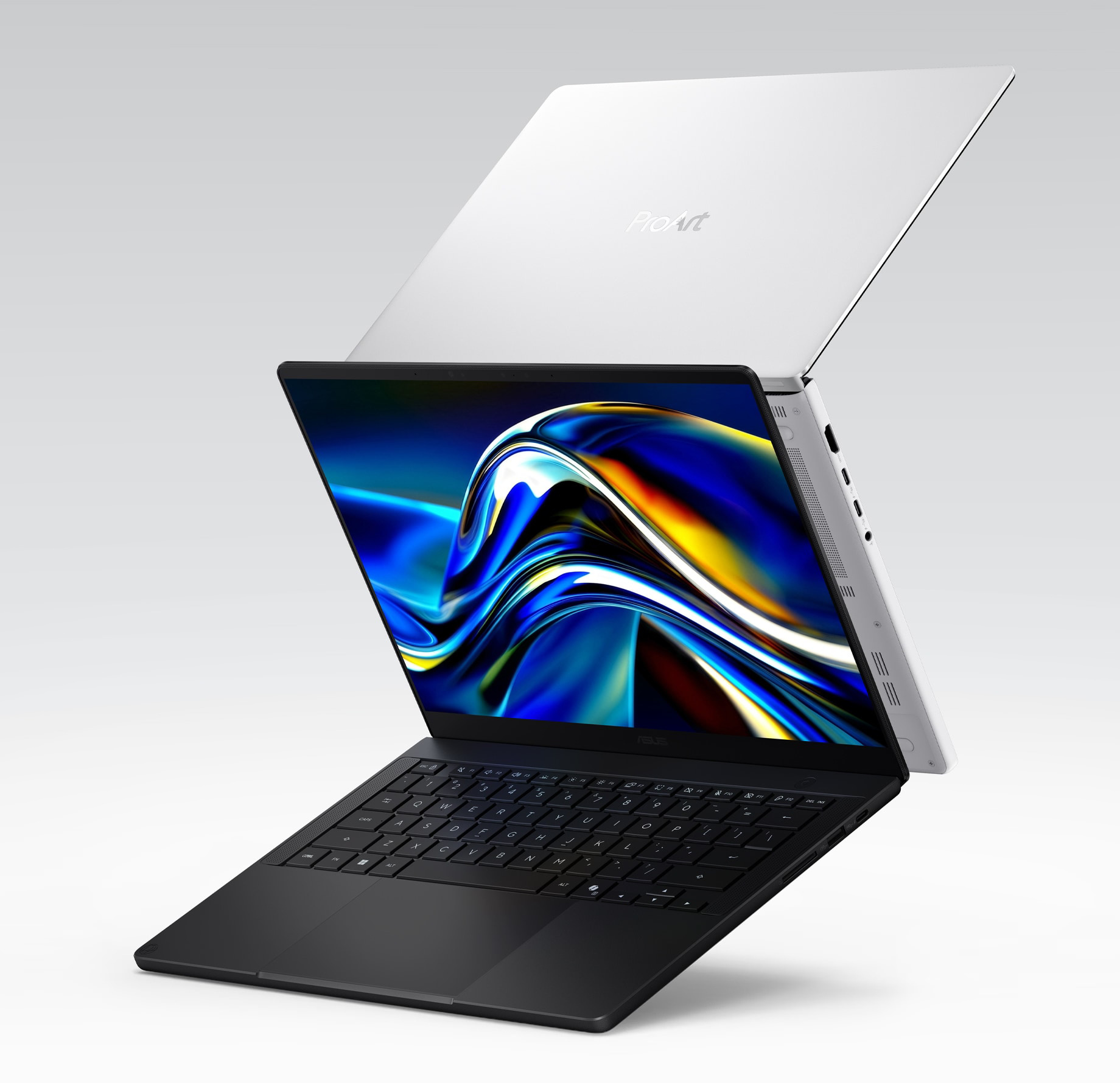
The P14 brings the same design direction to a 1.48kg, 14-inch laptop. The natural comparison is with ASUS’s PX13 convertible, whose 13.3-inch display and folding design suit a different kind of portable workspace.
Compared with the PX13’s 3K/60Hz screen, the P14 provides a larger 3K OLED panel running at 120Hz. Battery capacity rises from 73Wh to 90Wh, and the card reader changes from microSD to full-size SD. It also gains a third USB4 Type-C port and a haptic touchpad.


Both tiles show the new P14 H7407BA. Left tile: Nano Black SD/USB-A/USB-C side on the left, Neo White HDMI/USB-C/audio side on the right. Right tile: haptic touchpad illustration. If stacked, the port view comes first. Images: ASUS.
That extra room comes with a larger footprint. The P14 is thinner at the front, but wider, deeper and about 100g heavier than the 1.38kg PX13 configurations. Its conventional clamshell design also gives up the PX13’s tablet mode.
There are differences within the new pair, too. The P14’s full-size SD reader uses UHS-II, while the P16 gets SD Express 7.0. The smaller machine has one M.2 storage slot rather than two.
The two PX13 generations also offer different computing platforms. The 2024 model combined a Ryzen AI 9 HX 370 processor with a GeForce GPU. The 2026 Ryzen AI Max+ 395 version already reaches 128GB of unified memory in selected configurations. The P14 combines a larger, faster screen and redesigned body with the move to NVIDIA’s platform.
A more complete mobile workstation
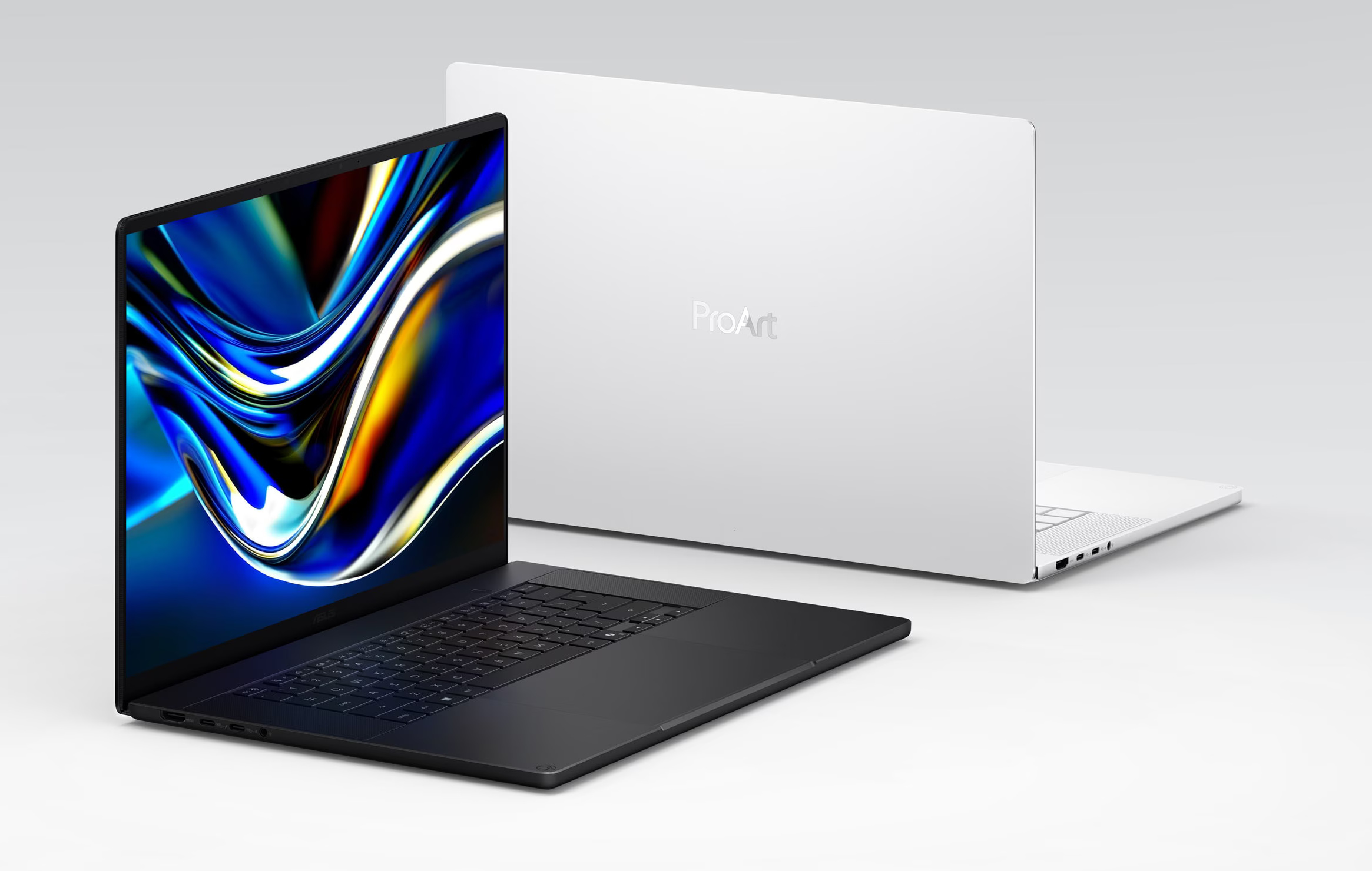
The P16 combines less laptop and adapter weight, a bigger battery, more fast USB-C connections and a redesigned touchpad with a 16-inch screen and built-in connections for cameras, monitors and wired accessories. These changes address the daily demands of moving a creative workstation between desks, shoots and editing sessions.
Price: $6,999.99 US MSRP (128GB/2TB H7607BA-XP99T)
Where to buy: ASUS US Store
ASUS lists a $6,999.99 US MSRP for the 128GB/2TB ProArt P16 H7607BA-XP99T, placing this configuration firmly in premium-workstation territory. The design delivers a lighter, better-equipped workstation for mobile creative work.
Does the ProArt P16 check the boxes for how you work? Which features make it your ideal mobile workstation, and what’s missing?