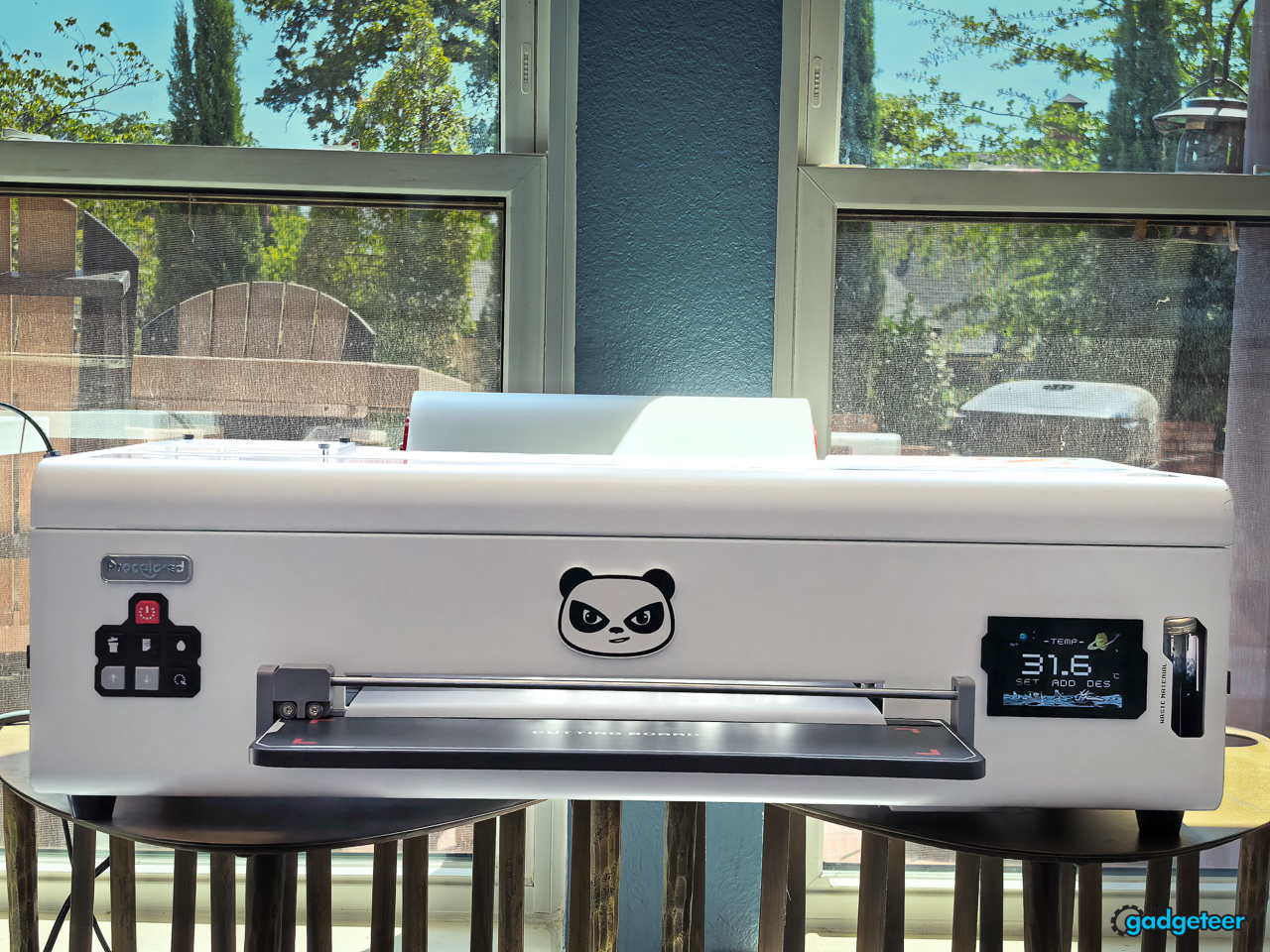
The Procolored K13 Lite looks like a fast route into custom apparel. It’s a 13-inch DTF printer built for people who want to make shirts, totes, and small runs without turning an entire room into a production floor.
That promise is appealing. A home creator or small shop can see the finished transfer, the bright colors, and the chance to turn a design into something sellable. The harder part sits behind the finished shirt. DTF printing is a chain of jobs: artwork, software, ink, film, powder, curing, heat pressing, cleanup, and ongoing maintenance.
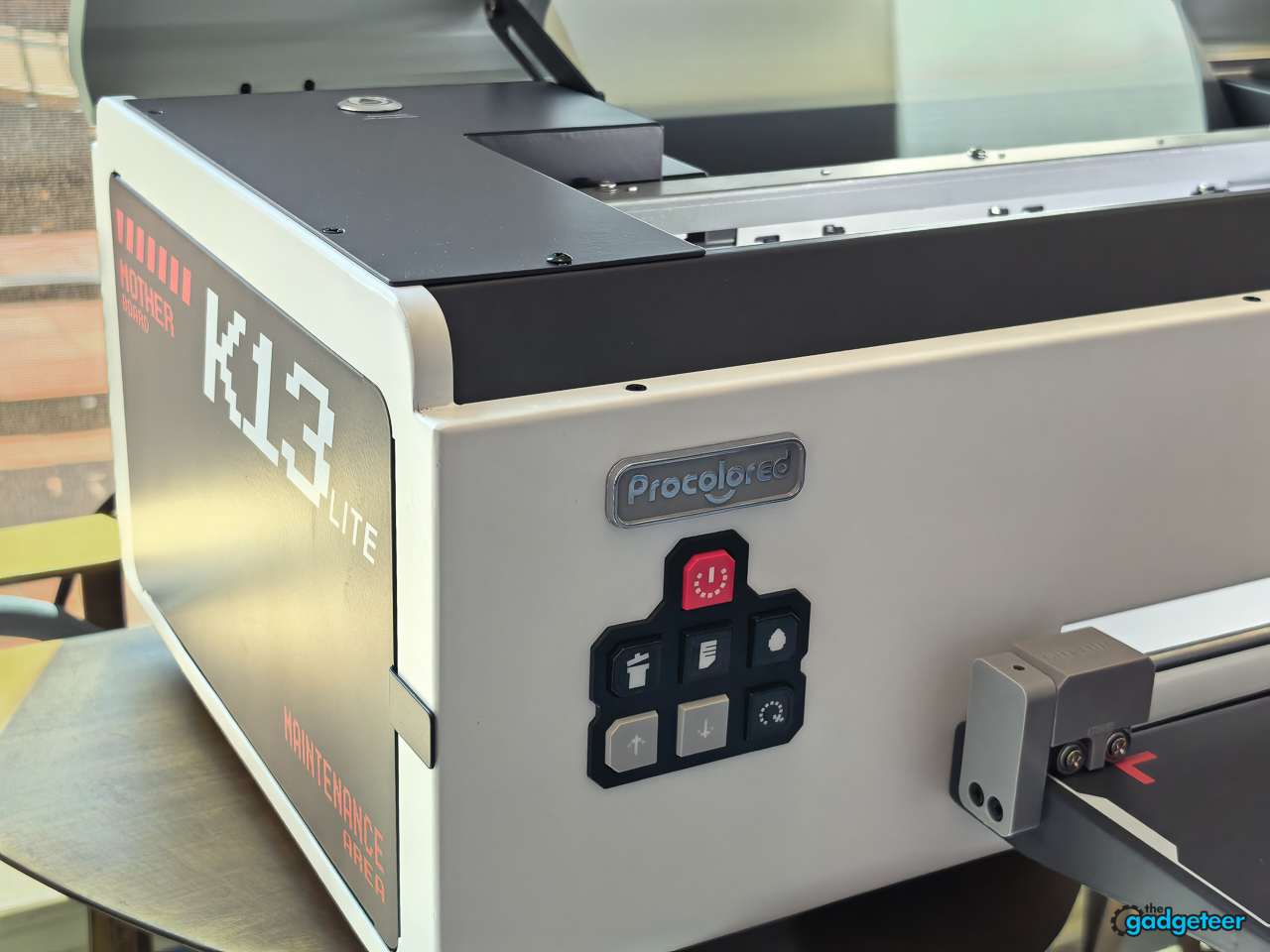
The K13 Lite makes the most sense for a first-time DTF owner who wants a repeatable apparel workflow and is ready to own the maintenance that comes with it. It’s not a shortcut around the work. It’s the equipment that makes that work possible in a smaller studio.
Back to School price: K13 Lite from $1,799
Bundle option: $2,899 with smokeless oven and heat press
Promotion: Up to $1,599 off eligible DTF and UV DTF gear
Where to buy: Procolored
Back to School is a real stress test
Procolored is running a Back to School promotion around the K13 Lite, but this isn’t a dorm-room purchase. It’s a seasonal opportunity for the person making teacher totes, club shirts, team gear, family gifts, and small apparel runs before the fall calendar gets busy.
The campaign lists the K13 Lite printer at $1,799 and advertises up to $1,599 in savings across eligible bundles. Its complete K13 Lite bundle with the smokeless oven and heat press is listed at $2,899, with a claimed $503 consumables package that includes ink, protection fluid, powder, and film. Prices and bundles change, so check the live offer before ordering.
That makes Back to School a useful stress test. It brings real deadlines, repeat designs, and a reason to make more than one shirt. The K13 Lite fits that kind of work because it’s built around repeatable transfers, but the prep and maintenance are still part of every job.
Beyond the school calendar
The reader value goes beyond August. A K13 Lite makes the most sense for someone with recurring custom work: a maker selling small runs online, a parent or teacher creating school and team gear, a local business that needs branded apparel, or a creator who wants to turn original designs into products.
The wrong buyer is just as important. It’s a poor fit for someone who only wants a few shirts each year, doesn’t have a Windows computer, or can’t give the printer a stable, ventilated work area. Those buyers will usually get a better outcome by ordering transfers or finished apparel from a service.
Back to School is the deadline. Repeatable work after the rush is the reason to own the printer.
What the K13 Lite is built to do
The K13 Lite is a 13-inch A3 direct-to-film printer. Procolored equips it with an LH-500 printhead, CMYK plus white ink, and a claimed maximum resolution of 1440 by 1440 DPI. It is made for transfers that can then be cured, pressed onto a garment, and peeled.
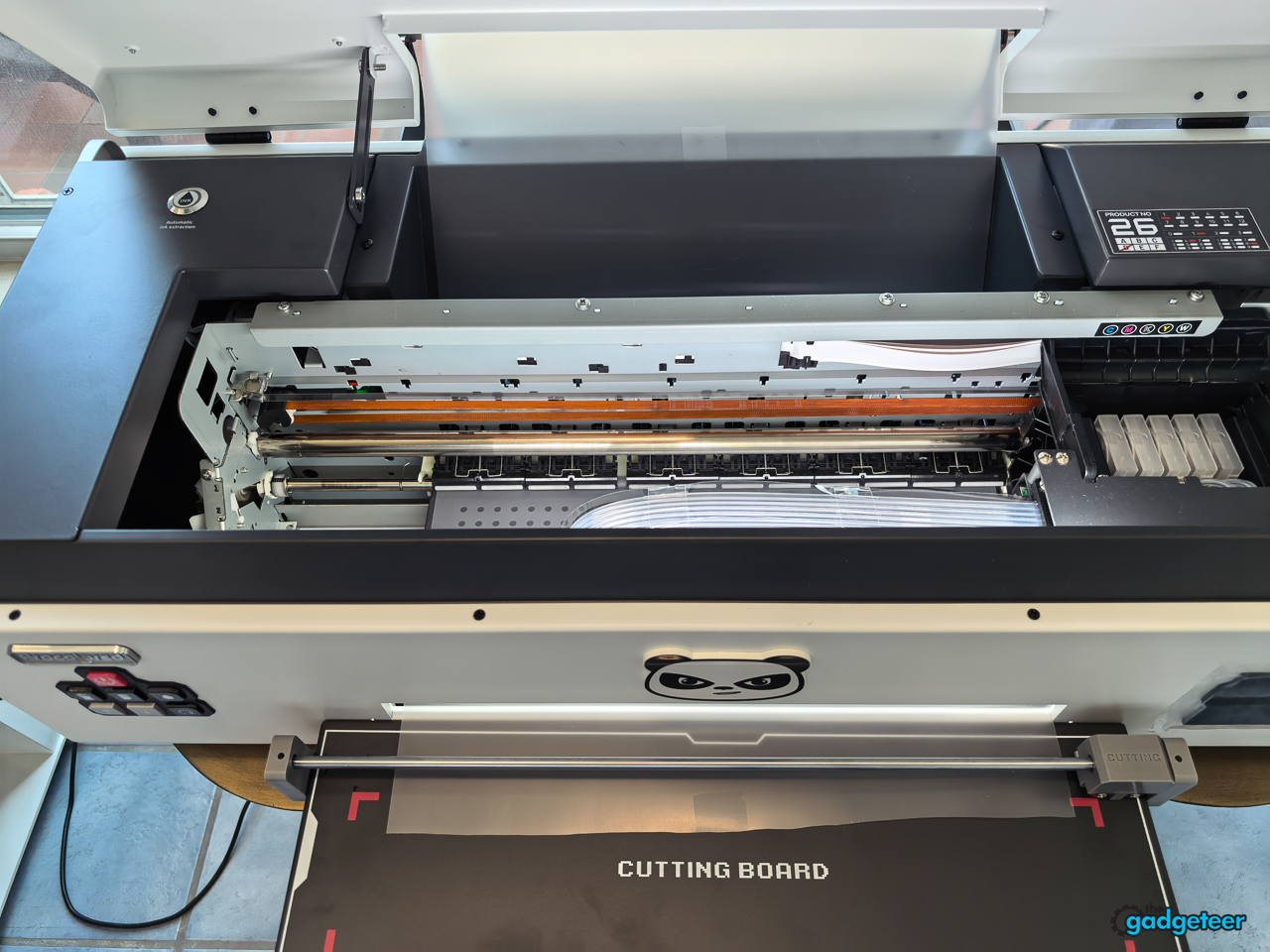
The printer is smaller than a production-floor system, but “compact” oversells it. The K13 Lite can sit on a sturdy desk, yet it’s a substantial machine that takes up real space once the film roll, finished film, curing equipment, heat press, and room to work are included. At roughly 40 pounds, it needs a stable surface and sensible ventilation around the curing part of the process.
That distinction should help buyers set realistic expectations. A K13 Lite can be a useful tool for a side business, a maker selling custom pieces, or a creative household that prints regularly. It’s not a one-click replacement for sending a shirt design to an online service.
Setup is the first test
Procolored calls the K13 Lite a beginner-friendly DTF printer. The system includes white-ink circulation, scheduled cleaning while powered on, one-tap ink extraction, and an infrared safeguard designed to catch warped film or debris before it reaches the printhead.
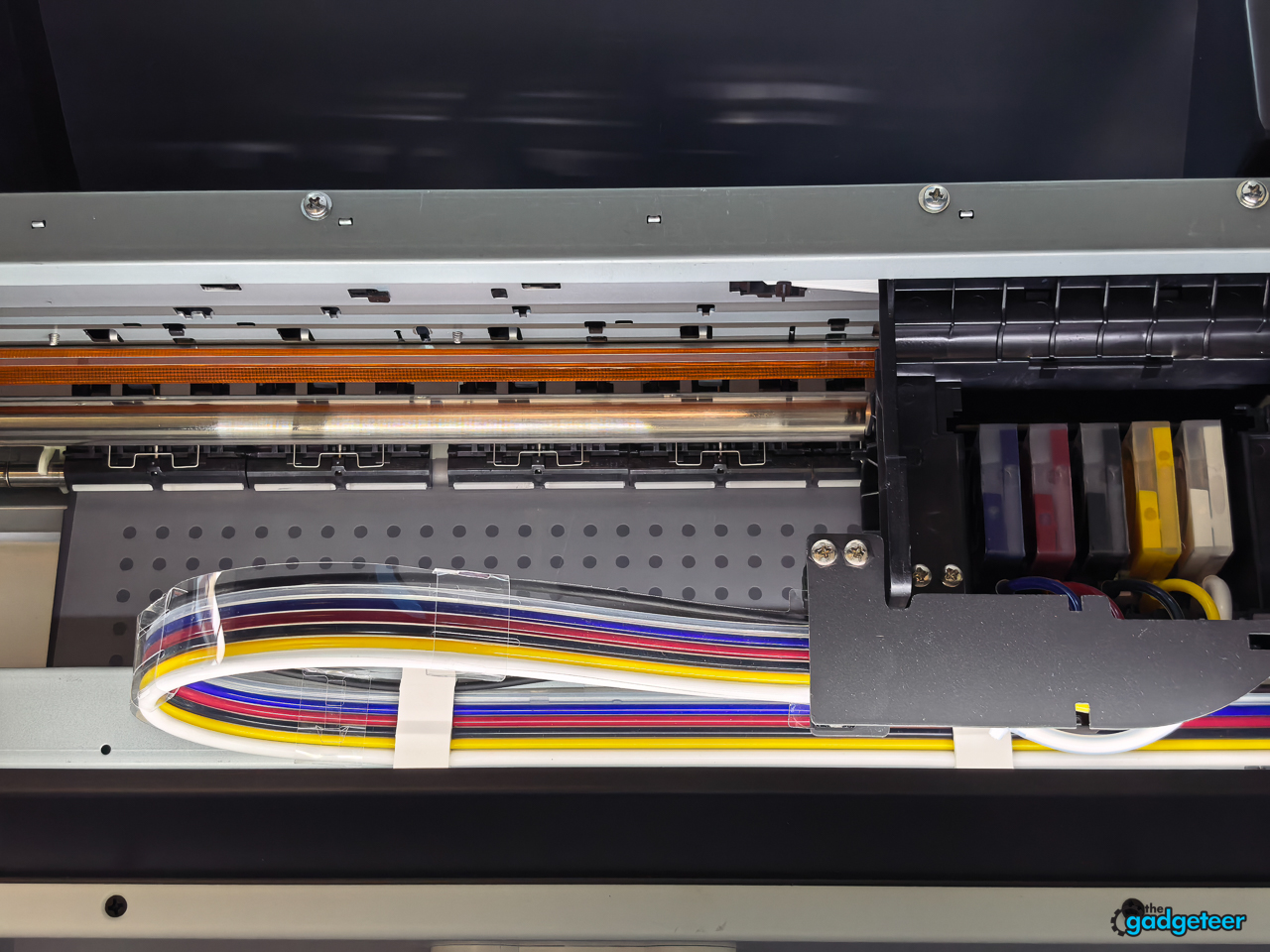
I expected the first workflow to be intimidating. It wasn’t. Setup was easy and uneventful: a couple of screws, the DTF film roll and tray, filled ink cartridges, and a few test prints. Those tests turned out well, with no issues so far.
Once I got into it, the process felt straightforward rather than like a troubleshooting marathon. That’s exactly what a first-time DTF owner wants. The useful measure isn’t unboxing time. It’s how quickly a new owner reaches a clean transfer without wasting a stack of film or losing confidence halfway through the first job. The K13 Lite cleared that bar in my setup.


It’s also been relatively maintenance-free during my testing. The normal long-term routine still comes with DTF ownership, but it didn’t get in the way of the early experience.
Studio Lite is part of the printer experience
The K13 Lite uses Procolored Studio Lite software on Windows. That makes the computer side of the workflow part of the purchase decision, not an afterthought.
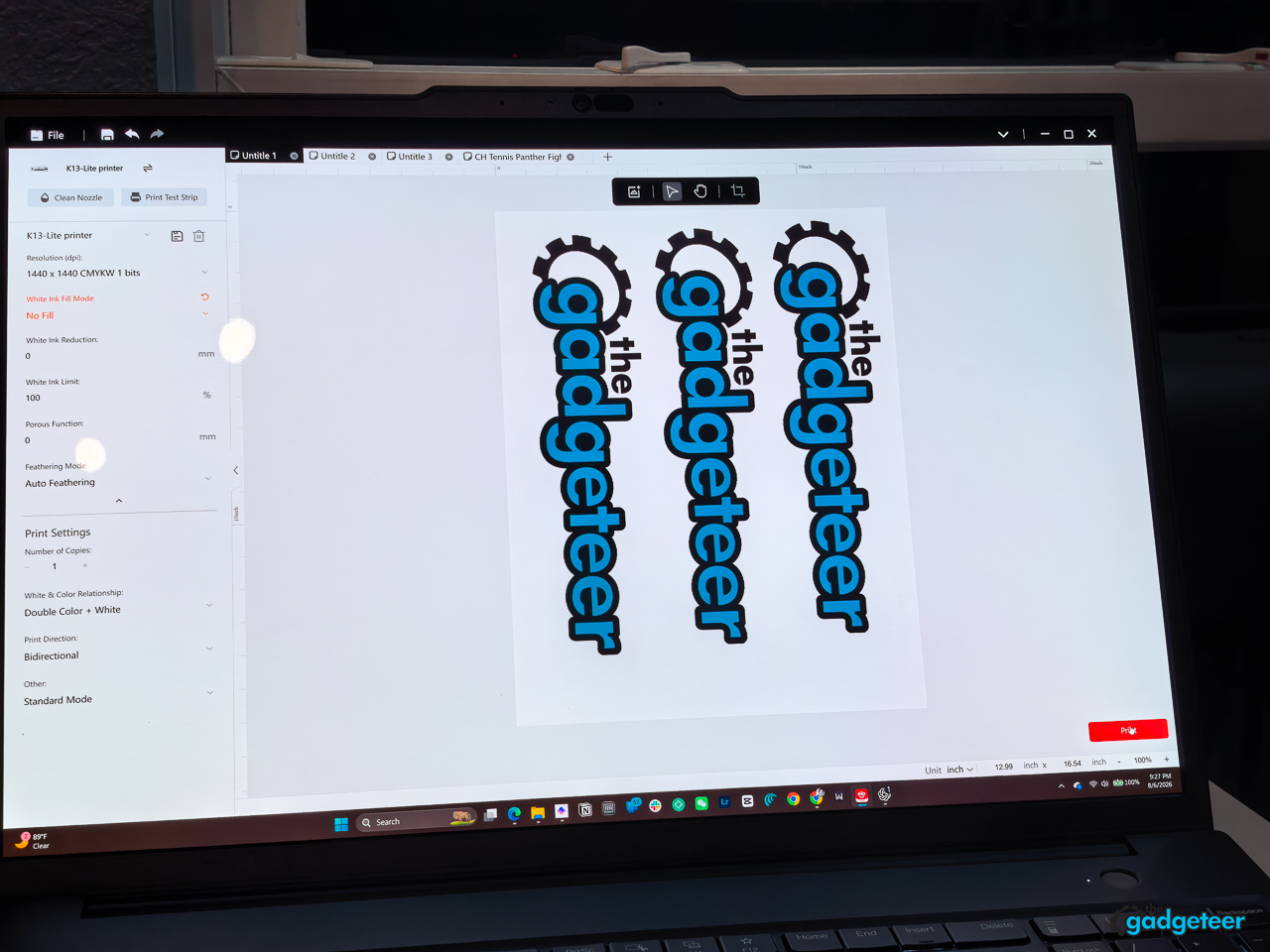
Studio Lite is basic. The interface is functional rather than polished, with the expected job controls and artwork workspace in view. It gets the work done, but it doesn’t try to turn production into a slick design app. That’s fine once you know your way around a print workflow. New owners should expect to spend some time learning how their artwork, transparency, white layer, and job settings translate to film.
A DTF printer is only as pleasant to own as its RIP software is to use. The software needs to bring in artwork, prepare the white underbase, and send a job to the printer without asking a new owner to become a print-production technician overnight.
The important point is that Studio Lite is part of the printer experience. It keeps the workflow moving, but the K13 Lite rewards creators who take the time to understand the file before they hit print.
Print quality has to survive the whole transfer
A DTF printer doesn’t get judged when ink hits film. It gets judged after powdering, curing, pressing, peeling, and wearing the finished item. In my testing, the K13 Lite handled the printed-film side of the job, then the transfer went to an xTool WonderPress to become a finished shirt. That division of labor is worth understanding before buying. The printer is one part of a complete apparel setup, not the whole setup on its own.
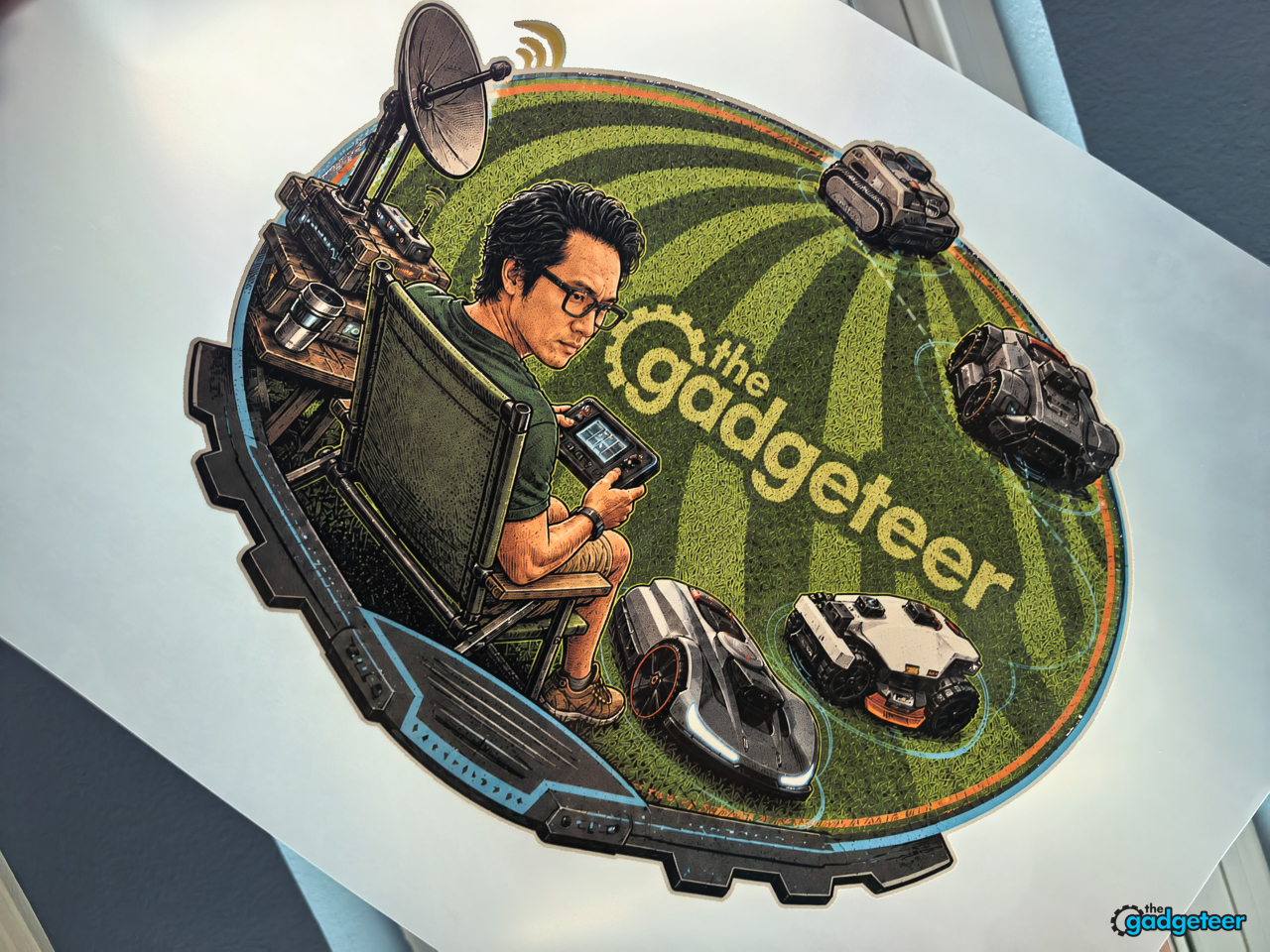
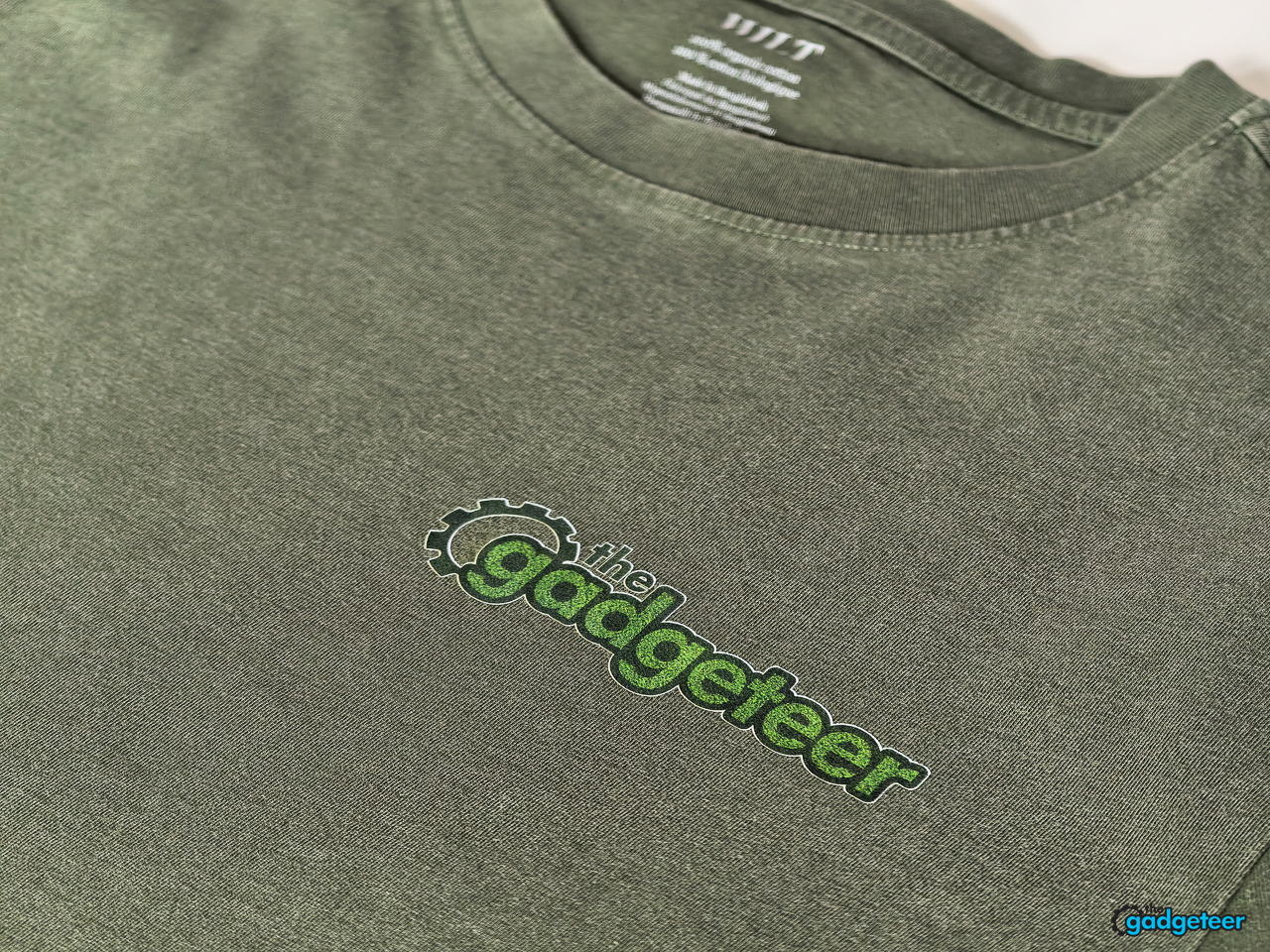
The K13 Lite earns its place with smooth gradients, solid black, readable small text, clean edges, and dense color on a dark olive shirt. My detailed Gadgeteer design kept the fine robot illustrations sharp, held its gradient work together, and gave the raised “The Gadgeteer” lettering a dimensional look instead of a flat patch.
The artwork stage revealed one workflow surprise. Transparency must be genuinely transparent. A colored background in the source file prints as color behind the design, which can turn a clean transfer into an unwanted rectangle. That’s a file-preparation issue, not a printer failure, but it’s exactly the kind of workflow detail a first-time DTF owner needs to learn early.


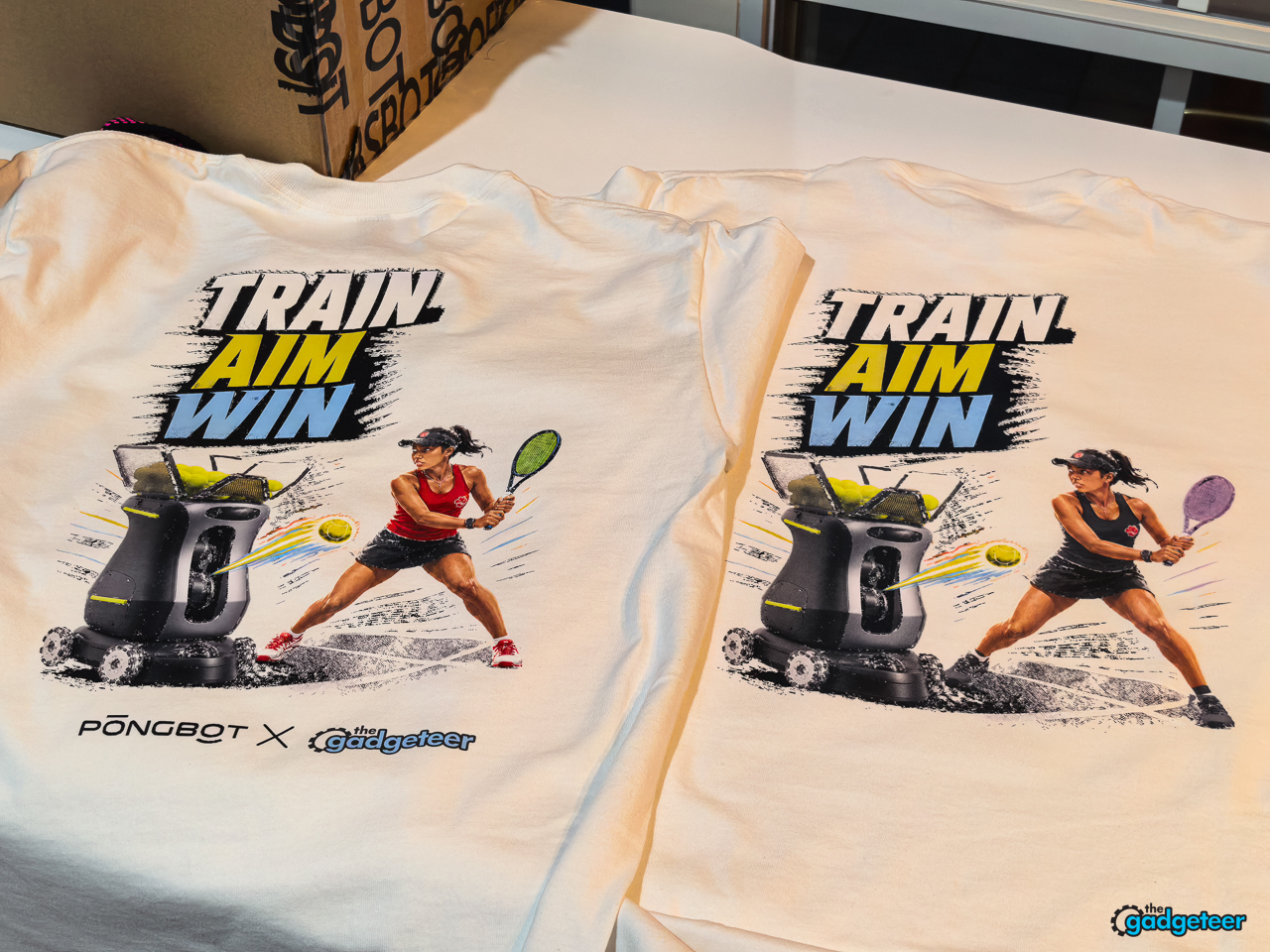
The print set goes beyond one carefully chosen shirt. It includes dense Train Aim Win artwork on both light and dark garments, detailed Gadgeteer art with small illustrated devices, and a cleaner logo-and-icon design that puts fine line work front and center.
The original Train Aim Win file is exactly the sort of artwork that exposes weak output. It combines a dark composition, bright color transitions, fine textures, small sponsor marks, illustrated faces, and a transparent background. The finished transfer held onto that mix rather than reducing it to a muddy block of dark ink or an oversimplified patch of color.


I printed two versions of that design on white shirts, then changed the artwork for the second run. The comparison makes the printer’s strength easy to see. The more restrained version keeps its darker, heroic look, while the revision carries a brighter racket and richer player color without losing the small details that give the design personality. The K13 Lite didn’t flatten those intentional changes into the same generic transfer.
The results show that the K13 Lite can handle bold color, darker low-saturation art, and cleaner minimal graphics without forcing every design into the same visual style.
The finished transfers are the part that sold me. They look like apparel, not a paper graphic laid on top of fabric. A close look at the Train Aim Win design keeps the fine hatching, racket strings, hair, seams, small color accents, and tiny illustrated objects readable after the heat press. The edges still look clean, and the artwork has depth instead of flattening into a blurry block of color.


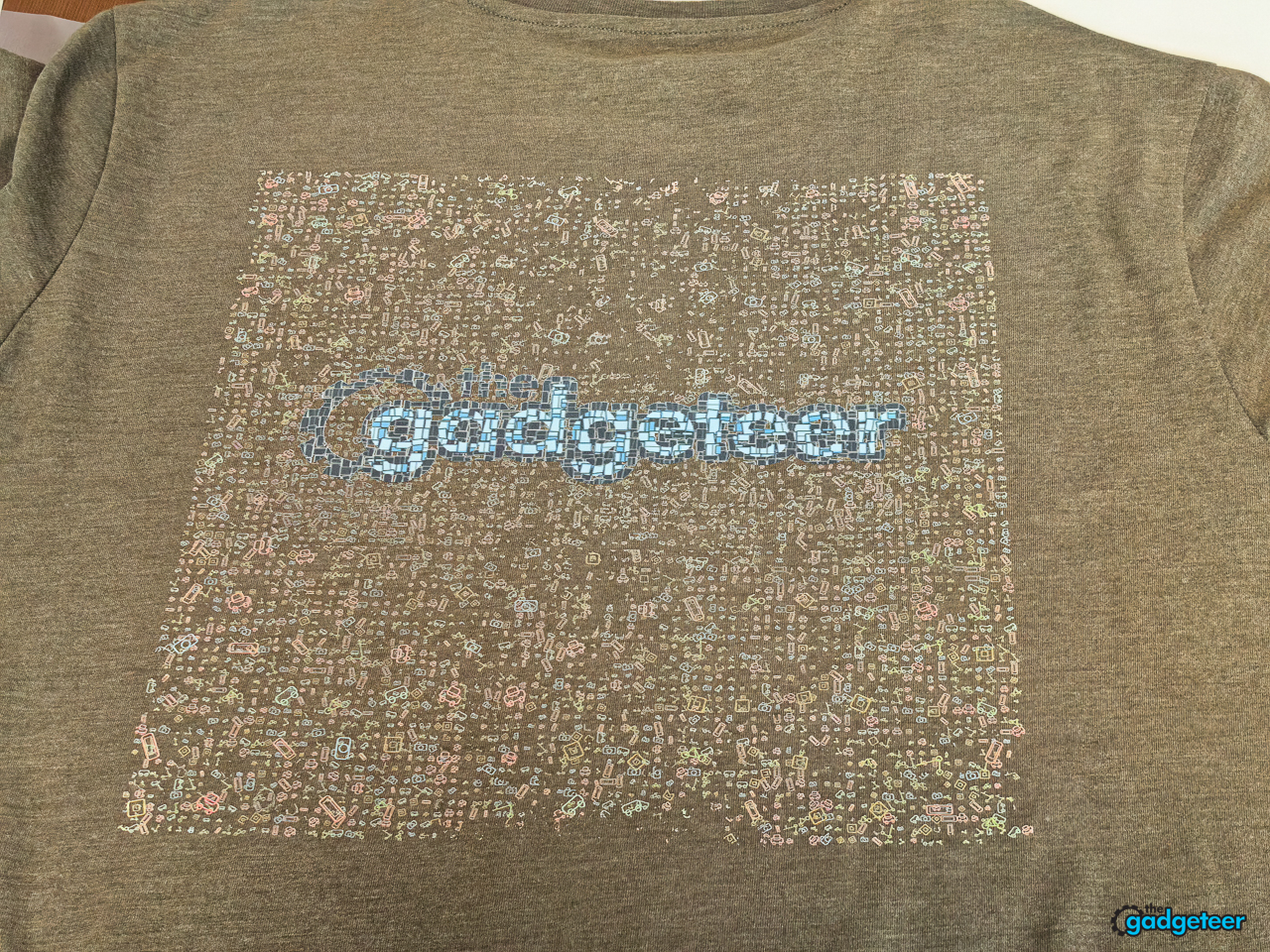
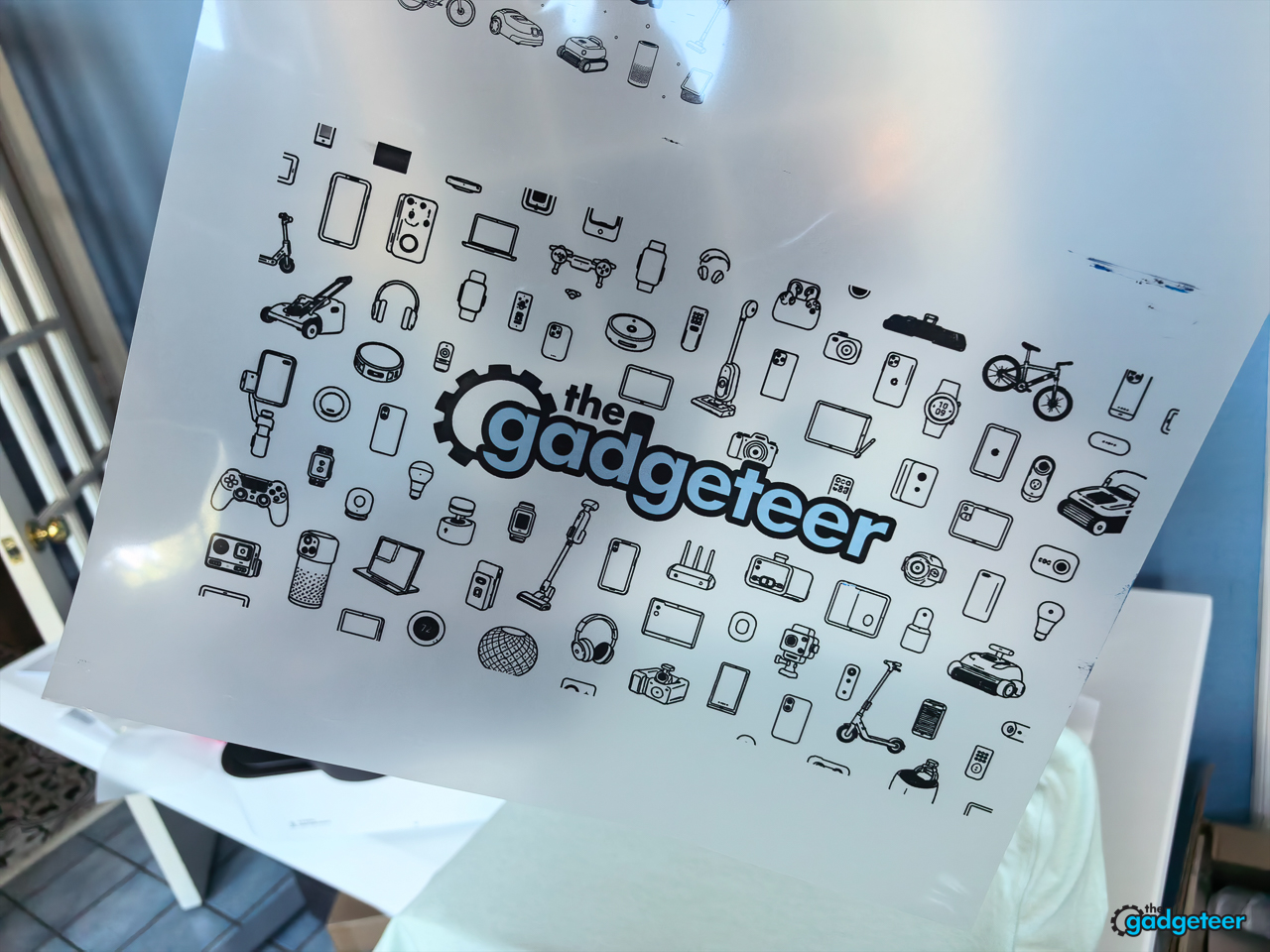
I also made a dedicated detail-and-transfer test so I can keep an eye on how those edges hold up over time, rather than calling a fresh press the whole story. The toughest print in the set uses a Where’s Waldo style field of tiny Gadgeteer icons around the logo. On an olive shirt, it holds the miniature shapes, muted colors, and logo detail closely enough that you can stop and explore the artwork instead of seeing a fuzzy patterned block. That’s a difficult ask of any apparel printer.
Maintenance decides whether this stays fun
The K13 Lite’s LiteHead design, ink circulation, cleaning features, and printhead safeguards are built around an obvious problem: DTF printers need care. Procolored includes a six-month printhead coverage promise with one replacement on its current product page, but owners should read the current terms before treating that as a simple safety net.
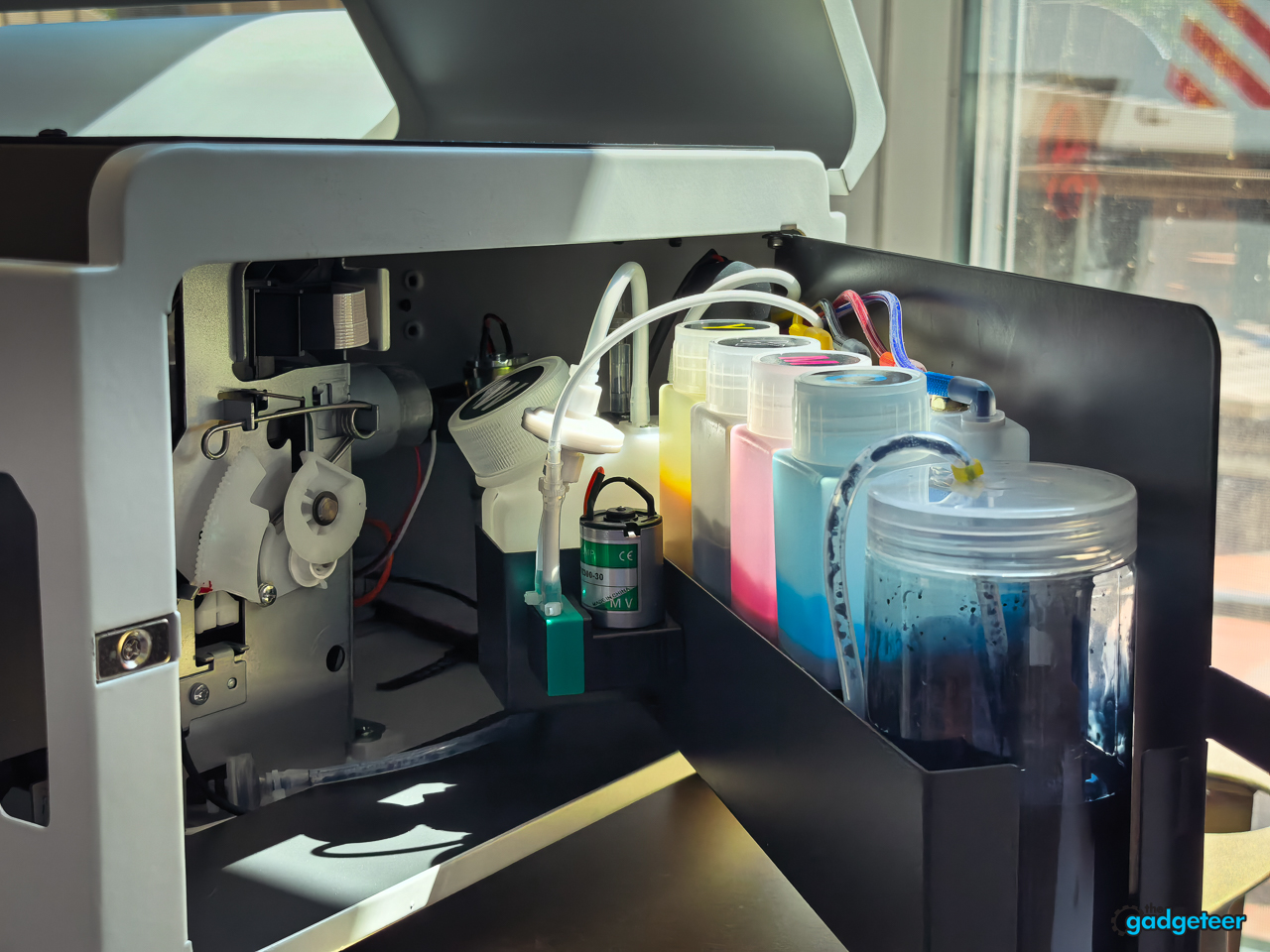
I didn’t run into clogs, cleaning-cycle trouble, or ink-waste surprises during this test. That doesn’t settle the long-term maintenance question. White ink can settle. Nozzles need checks. Film and powder create their own mess. A curing oven and heat press create heat, and the work area needs to support that safely.
None of that makes the K13 Lite a bad choice. It does mean that buyers should want the work, not only the result. If you enjoy making apparel, testing designs, and building a small production rhythm, the maintenance can become part of the process. If you only need occasional shirts, outsourcing may be the easier answer.
Verdict
The Procolored K13 Lite is a serious entry point for creators and small businesses that want to make custom apparel regularly. Its 13-inch format, automation, and Studio Lite workflow give a small operation a workable foundation without demanding a full production-floor footprint.
Back to School price: K13 Lite from $1,799
Bundle option: $2,899 with smokeless oven and heat press
Promotion: Up to $1,599 off eligible DTF and UV DTF gear
Where to buy: Procolored
Buy it when custom transfers are a recurring part of your business, your workspace can safely handle the printer, curing, and pressing routine, and you’re prepared to maintain white ink. Skip it when you only need occasional shirts or want a hands-off apparel solution. In that case, buying transfers or finished goods is the better use of your money and time.