A dead laptop port usually turns into a replacement problem, not a repair problem. Framework Laptop 12 tries to turn it into a parts problem instead. I keep coming back to that distinction because the 12.2 inch convertible is less interesting as a new computer than it is as a test of whether repairability can survive in a small, flexible machine.
Price: TBD
Where to Buy: Framework
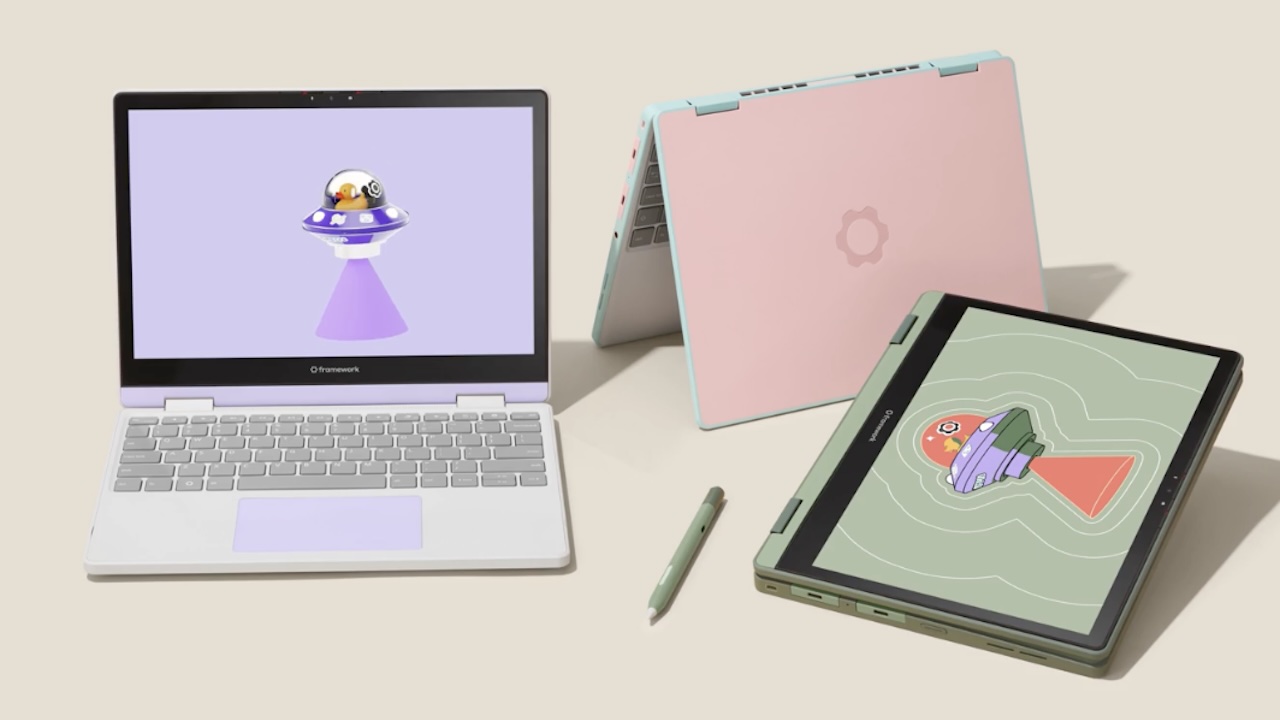
The answer looks promising, with one big catch: you have to value access more than peak performance. Framework gives the Laptop 12 a touchscreen, 360 degree hinge, stylus support, swappable ports, replaceable memory, and replaceable storage. It also uses 13th generation Intel Core i3 and i5 processors, so this isn’t built to win a benchmark chart. It’s a laptop built around a longer ownership argument.
The Useful Idea Is Ownership, Not Novelty
Most convertibles sell flexibility as a screen trick. Fold the panel around, tap it with a pen, and move on. Framework adds a second kind of flexibility. The laptop lets you change the ports, open the chassis, replace the memory, swap the storage, and follow repair instructions without treating the owner like an intruder.
That changes the buying question. Instead of asking whether the Laptop 12 has the fastest processor in its class, ask whether a machine that can accept a new SSD, new memory, or a replacement part earns a longer place in your life. For a student, family computer, workshop machine, or travel laptop, that can be more useful than another small performance bump.
A convertible that still behaves like a computer
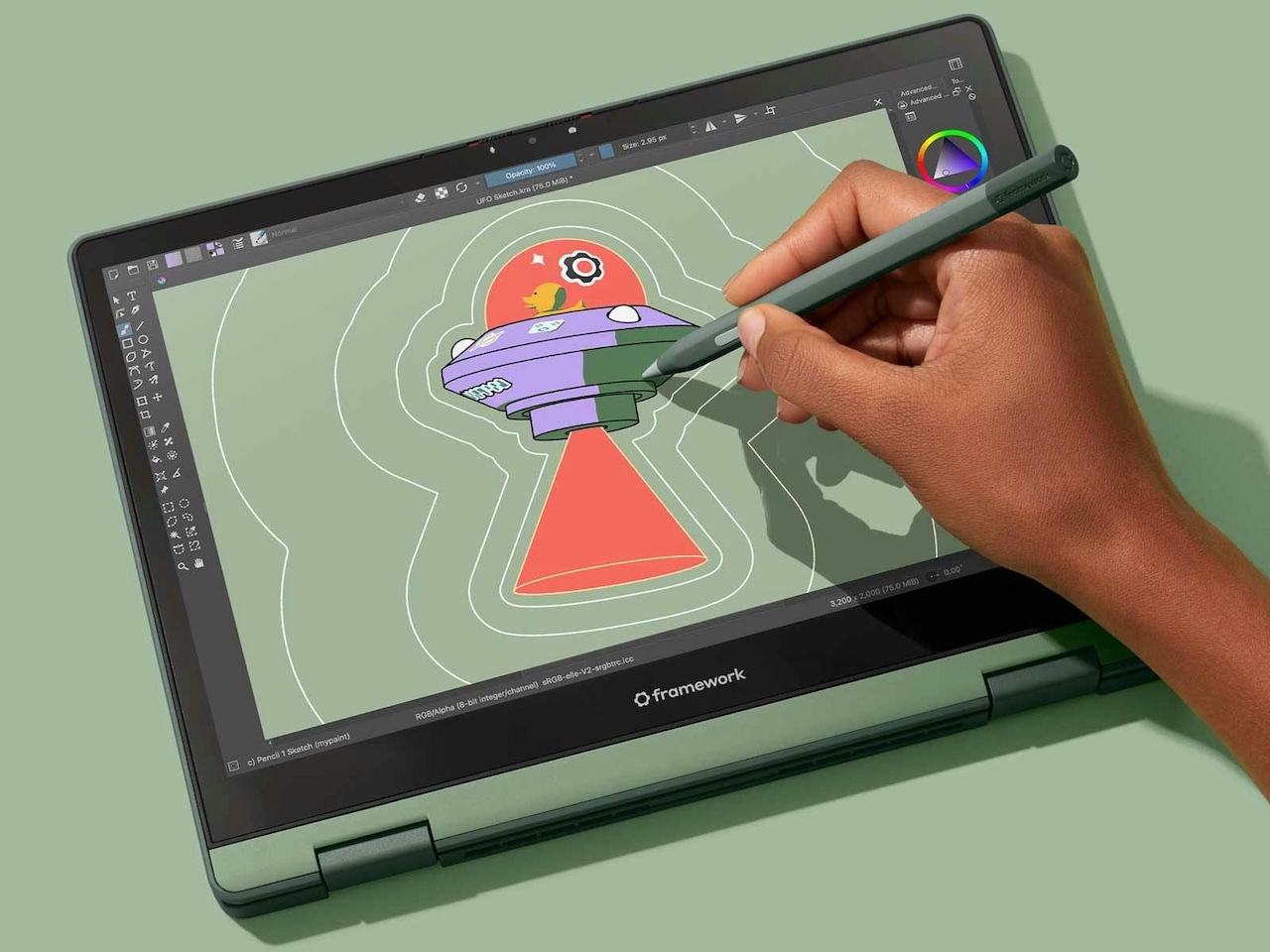
The 12.2 inch touchscreen uses a 1920 by 1200 resolution and Framework lists brightness above 400 nits. The 360 degree hinge turns the display into a tablet, while USI 2.0 stylus support adds drawing and handwritten input. Framework also keeps a full size keyboard, which gives the machine a clear split personality: tablet when the screen helps, laptop when typing wins.
The processor choices keep the promise grounded. Framework lists 13th generation Intel Core i3 and i5 options with speeds up to 4.6 GHz. The company also lists up to 48GB of upgradeable DDR5 memory and up to 2TB of M.2 2230 NVMe storage. Those parts won’t turn the Laptop 12 into a workstation, but they give the owner room to change the machine’s useful life.
This is where the small convertible earns its place. It isn’t asking buyers to accept a stripped down tablet with a keyboard cover. It keeps the shape of a normal PC, then adds tablet behavior without sealing the hardware shut.
The repair story starts before the first screwdriver
Framework’s design choices reduce the number of fragile steps inside the machine. iFixit’s teardown describes pogo pins and copper pads in place of ribbon cables between the keyboard and mainboard, plus a similar contact system for the battery. The fan and heatsink come out through accessible fasteners, and the storage drive uses a tool free retention clip.
The small details carry the argument. Screws stay captive instead of disappearing across a desk. Spare screws live inside the laptop. Components carry labels and QR codes that point to repair guides. These choices don’t make repair automatic, but they remove the usual excuse that the owner can’t tell what to open or what to replace.
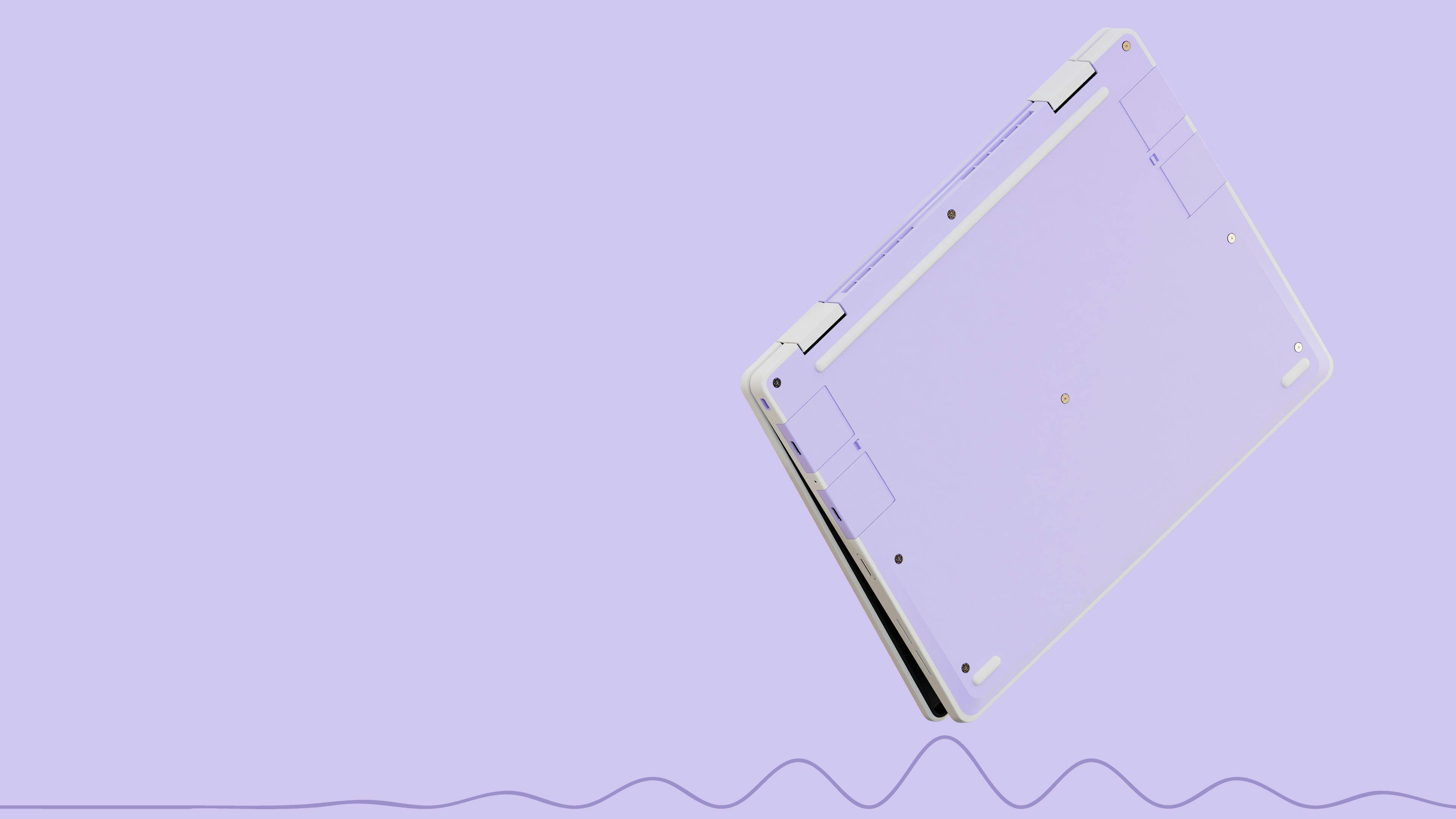
Framework Laptop 12 underside showing the shock absorbing chassis and repair focused construction.
Rugged claims need a careful reading
Framework says the Laptop 12 uses a shock absorbing TPU shell over plastic and an inner metal structure. The company also says it tested the design against MIL STD 810 durability standards, including a 48 inch drop onto plywood, 20,000 power button presses, and 1,000,000 touchscreen taps. Those are company test claims, not independent ownership results.
iFixit adds useful physical context. Its teardown describes a 12.2 inch convertible with the grippy TPU shell, swappable expansion cards, captive screws, and accessible internal parts. That evidence supports the repair design. It doesn’t prove years of hinge life, battery longevity, or how the machine handles a specific household’s abuse. Those questions belong to long term ownership, not a launch page.
The trade off is easy to name
The Laptop 12 asks buyers to accept older processor silicon in exchange for access and longevity. A newer thin and light laptop can deliver more performance per watt. A sealed convertible can also feel simpler because every component arrives fixed and the owner never has to think about future parts.
Framework takes the opposite route. The buyer gets a computer that invites future decisions. Memory can grow. Storage can change. Ports can move around through Expansion Cards. A broken component can become a repair project instead of a reason to replace the whole machine. That exchange suits owners who plan to keep hardware for years, but it won’t satisfy buyers who want the newest chip and zero maintenance.
Who Should Keep This Laptop in the Running
- Choose it if you want a small convertible that can grow with school, work, or family use.
- Choose it if replaceable memory, storage, Wi Fi, and ports rank above benchmark chasing.
- Choose it if repair guides and accessible parts sound like useful insurance rather than extra homework.
- Skip it if you need a heavy creative workload, serious gaming performance, or the longest possible battery life from a modern processor platform.
The category question is bigger than Framework. The Gadgeteer has followed the company’s repairable laptop idea before, and the Framework 13 Pro shows how the same argument can scale into a more conventional notebook. Laptop 12 pushes that idea into a tougher convertible body, where hinge complexity and tablet use create more places for ownership to go wrong.
Bottom Line: Keep it for the parts you can replace
Framework Laptop 12 isn’t the laptop to buy for a speed contest. It’s the laptop to keep because it gives the owner a path after the first failure, the next storage upgrade, or the day a port stops working. The 12.2 inch convertible shape makes that argument more useful than a standard repairable notebook, even if the processor choice keeps it out of the performance tier.
Price: TBD
Where to Buy: Framework
Buy this kind of laptop when access is part of the product. Skip it when the newest silicon is the product. A machine that stays open to its owner has a better chance of staying useful after the launch cycle ends.