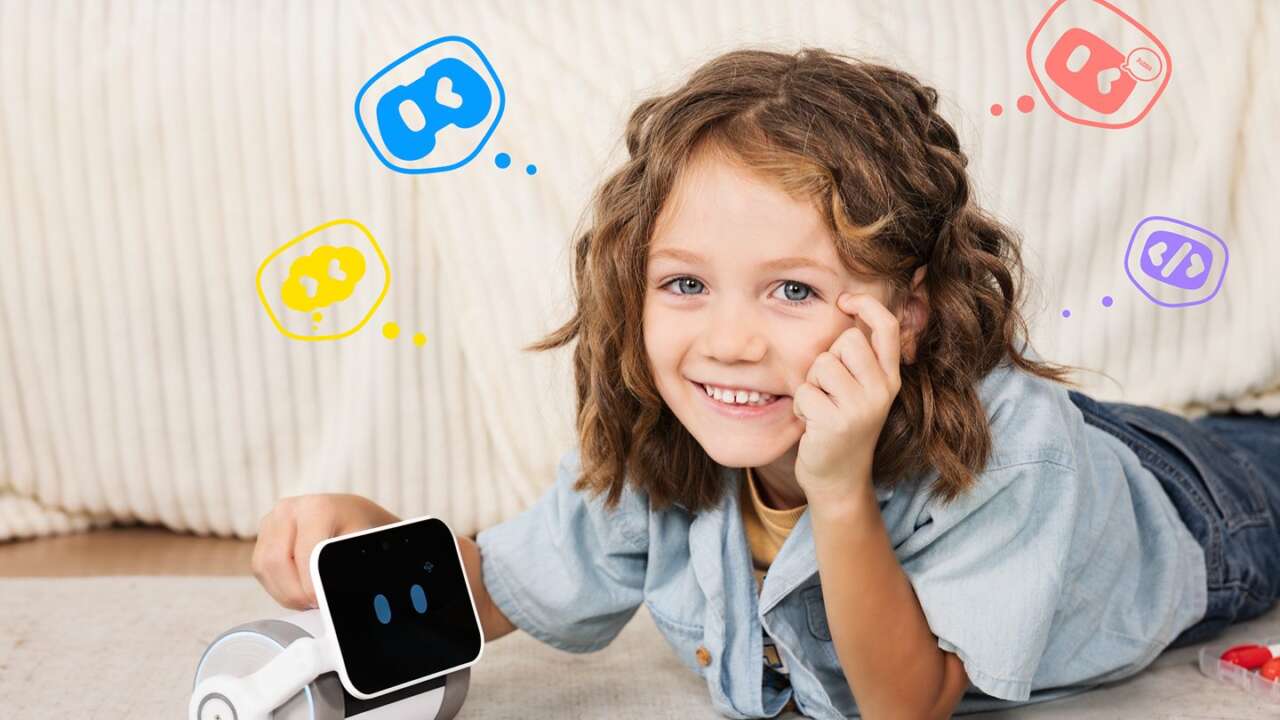
A kid describes a dinosaur out loud, and Pubbo draws one on its little screen seconds later. It talks back. WhalesBot built it for kids ages 3 to 11, and it just went on sale in the US.
WhalesBot Pubbo AI Companion Robot for Kids
3.5-inch touch screen face · 5MP camera · AI image creation and visual recognition · Coding games and storybook reading
Price: $299.99 $209.99 with the 30% coupon on the listing applied (save $90, 30% off)
Where to buy: Buy on Amazon
The whole thing runs at living room floor level, down where the crayons already live. Point it at a drawing, ask it a question, or tap the screen and watch the face change.
The pitch is simple enough for a preschooler to get in one try, with no keyboard, no code editor and no setup wizard.
It lives down on the floor with the crayons. Questions happen down there too.
It sees, hears and answers back
Pubbo’s face is a 3.5-inch touch screen, and the expressions shift while it talks, sings or reacts to a tap. Dual microphones hear questions. A 5MP camera sits up top, so kids can hold up a toy, a crayon dinosaur or a favorite stuffed animal and get an answer about it.
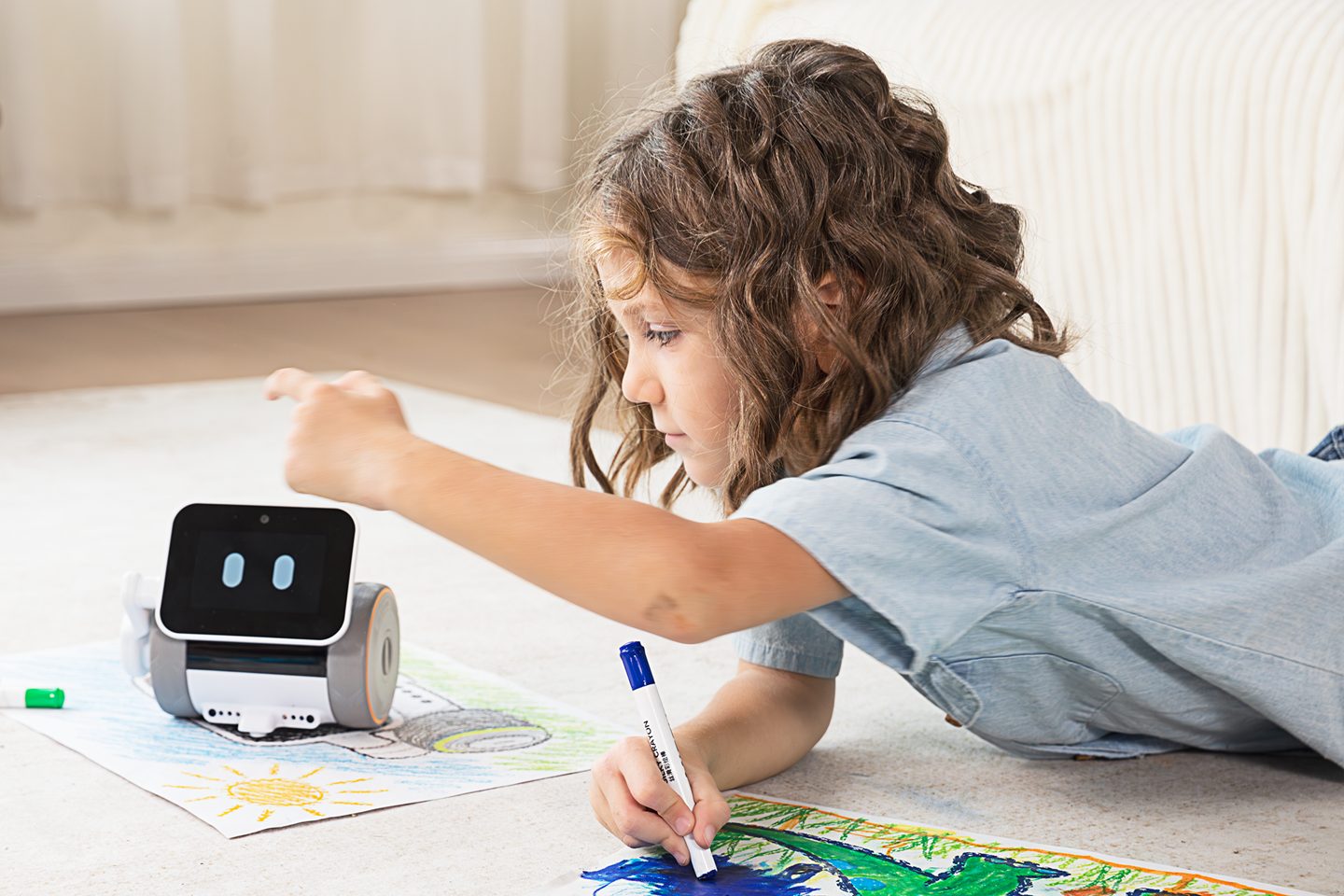
The sensor list runs long for something this small, with touch, light, sound and infrared sensors packed in pairs around the body. An OID sensor reads printed books, which turns story time into a back-and-forth instead of a solo read.
Dual speakers carry the stories, songs and sound effects, so the voice doesn’t come out of a tinny little slot. Kids read the face first. Two LED light rings glow along with its moods and reactions during play.
Doodles go in, new pictures come out
The creation tricks are the headline act here. A child can describe a picture out loud and watch Pubbo turn those words into an image on screen.
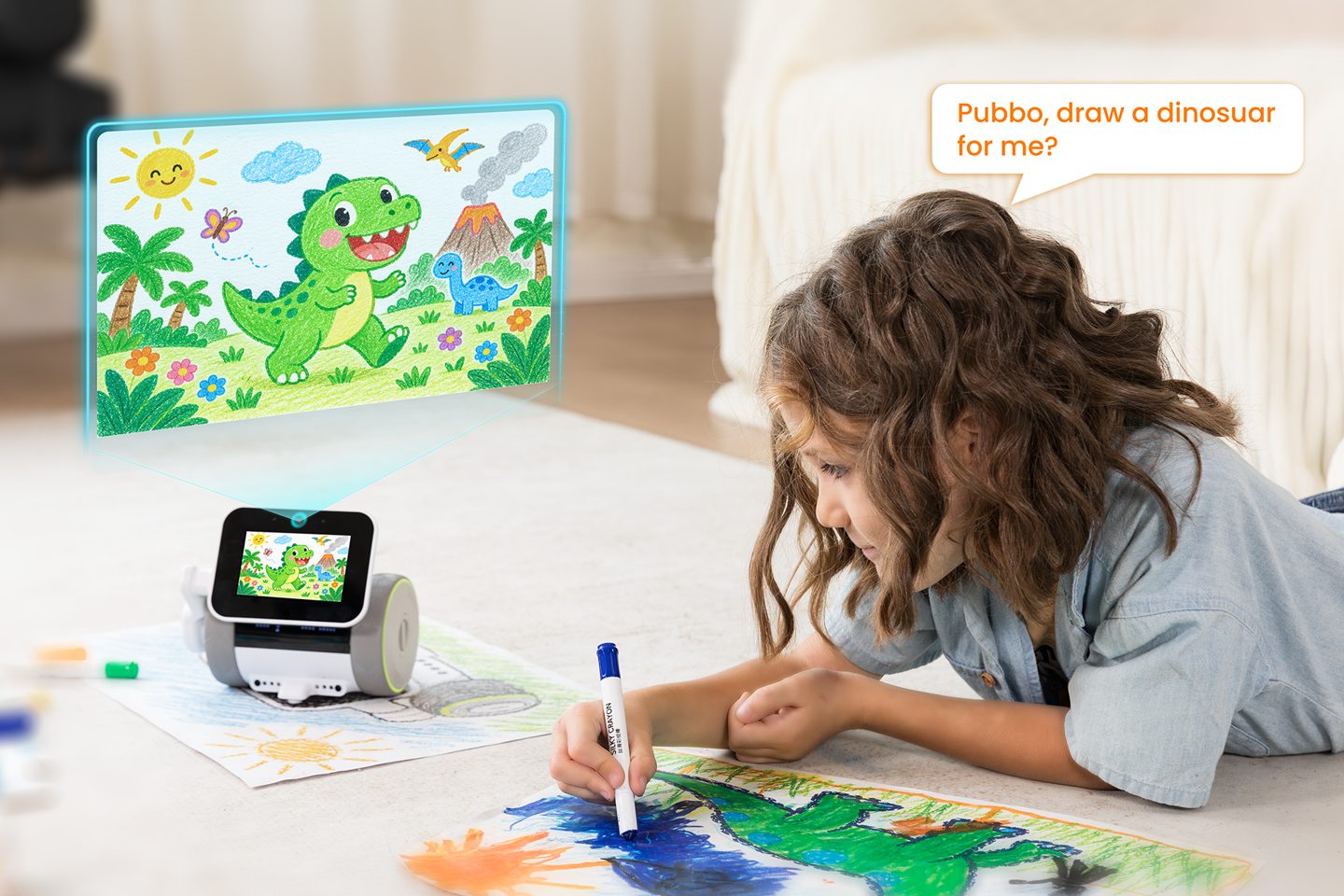
Showing it a paper sketch works too, and the robot rebuilds that sketch into a finished, brighter version of the same idea. A kid asks for wings, and the dinosaur grows a pair. The result pops up on screen right away, no printer required. No keyboard needed.
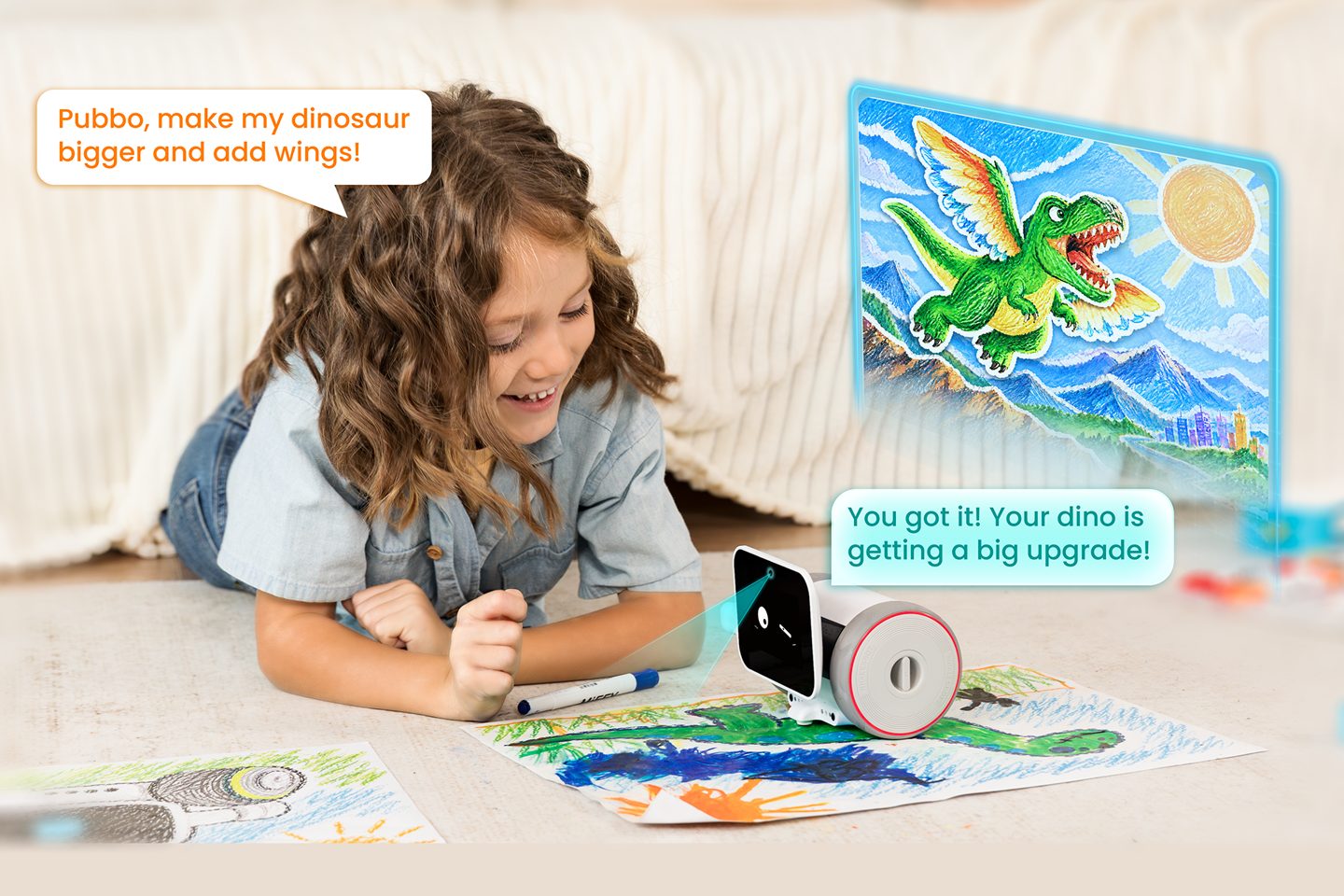
WhalesBot frames the play around four little journeys called Imagine, Express, Explore and Design, so sessions drift from questions into making things.
Challenge mode turns that into quests with levels, so a finished drawing can unlock the next building task or movement trick. Invention mode lets kids design their own interactions instead of picking from a menu.
It rewards tinkering.
Storybooks, quests and coding on the floor
Set Pubbo on its storybook and it recognizes the page, then reads along with voice and sound while your kid turns the pages. The free Pubbo app adds Remote Control, Challenge and Invention modes for phones and tablets. Free Coding mode lets kids line up visual blocks to steer the robot. An 800 by 800 millimeter coding map comes in the box for floor sessions.
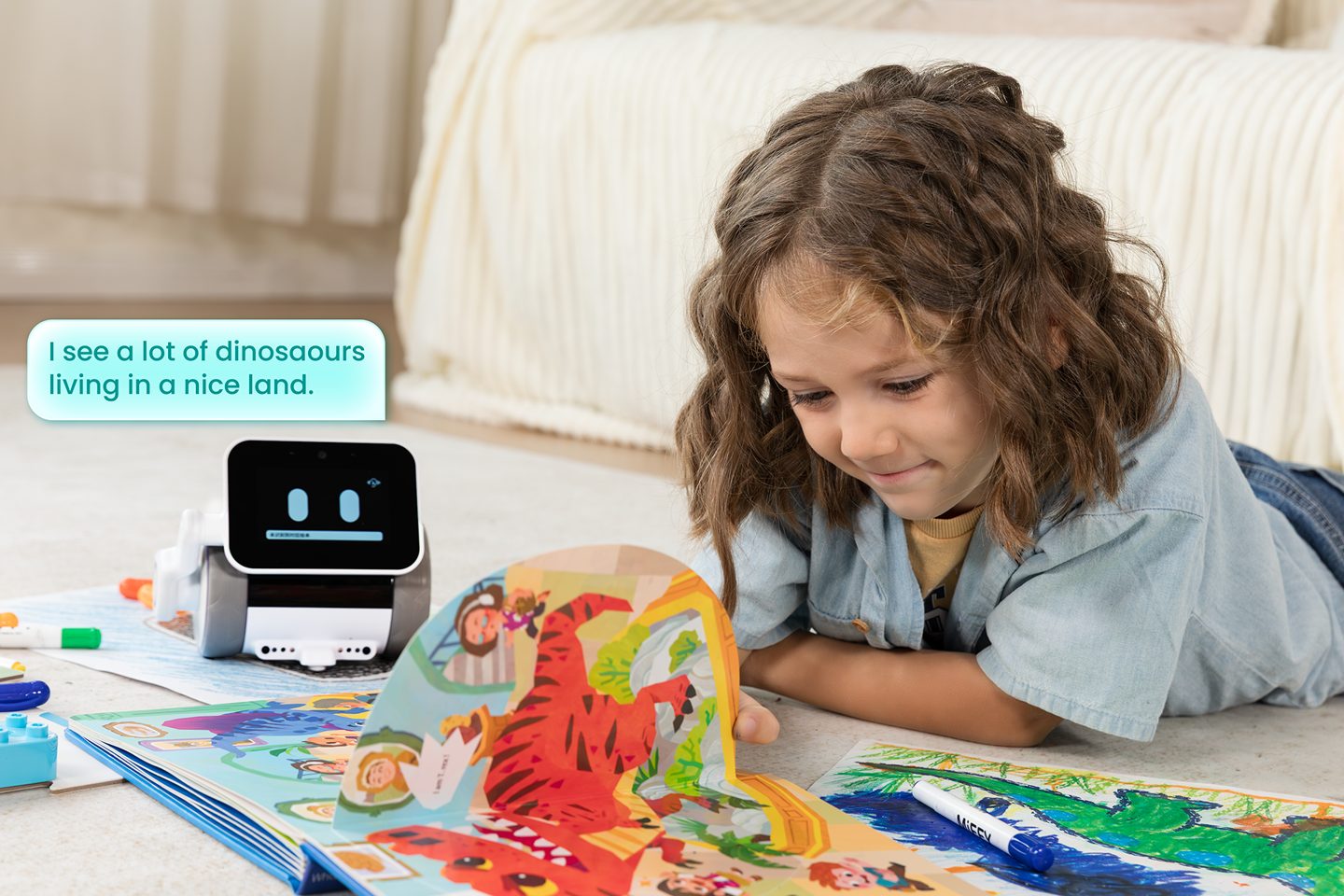
No typing required. Older kids get the deeper challenges, while the youngest ones mostly drive it into the couch and laugh.
The whole kit runs on the floor or a table, which keeps the robot at kid height instead of up on a shelf. The map squares give the coding a home base, so blocks turn into routes across the carpet instead of random spins. Cleanup afterward is just rolling the map and parking the robot by the couch.
The parent stuff, handled in the open
A chatty robot in a kid’s room raises an obvious question, and WhalesBot answers it with monitoring that runs while conversations happen. Parents see the alerts. Chats get checked in real time, personal details like names and addresses get flagged for protection. Risky topics can stop a conversation cold, and the system redirects kids toward safer ground.

First run asks for Wi-Fi, Bluetooth pairing with a phone, a name and age profile, and voiceprint enrollment so Pubbo knows who’s talking.
Updates arrive over the air, so new games and missions land without a cable or a store trip. Parents approve the setup once. WhalesBot says seasonal games and fresh STEM missions ride those updates, which keeps the toy changing after the birthday wrapping is gone.
Pubbo stands 135 millimeters tall and weighs 1,700 grams. Its body mixes ABS and PC, with an acrylic face panel and silicone wheels built for floor duty. Two hours goes fast. The app runs on iOS 15 or Android 7 and up over 2.4GHz Wi-Fi, and WhalesBot rates the 5,200 mAh battery at 2+ hours per charge with USB-C refills.
WhalesBot Pubbo AI Companion Robot for Kids
3.5-inch touch screen face · 5MP camera · Visual recognition and coding games
Price: $299.99 $209.99 with the 30% coupon on the listing applied (save $90, 30% off)
Where to buy: Buy on Amazon
Buy it if your kid asks a hundred questions a day and you’d rather aim that energy at a robot than a tablet. Skip it if two hours of battery will end in tears at your house, because the fun stops when the charge does.