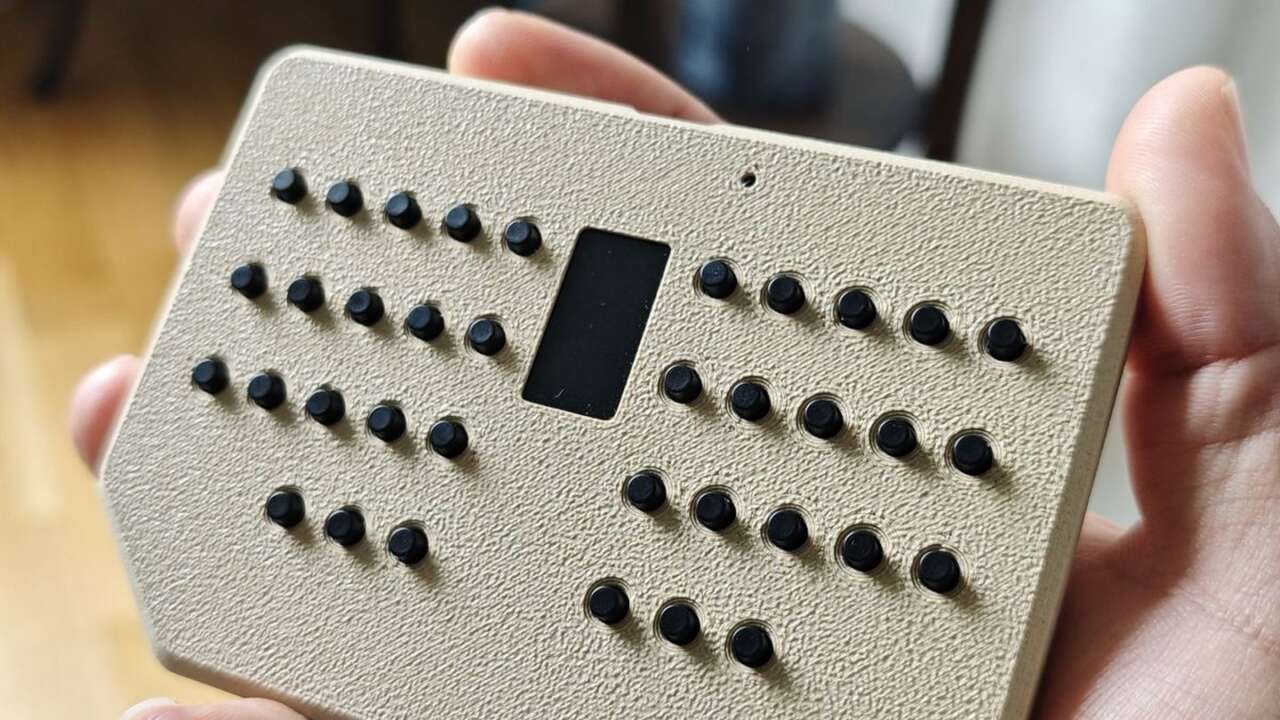
Datakonsulten Sweden builds the Pocketboard in Göteborg, and the keyboard measures just 110 by 75 by 15 millimeters. Thirty six tactile buttons sit in two banks around a 0.96 inch color screen, letters molded into the case beside each button. It fits a coat pocket.
MOSHOU 12-Key Programmable Macro Pad with Knob, Black
12 programmable keys and 2 knobs · Tri-mode wired, 2.4G and Bluetooth · USB-C
Price: $33.99
Where to buy: Buy on Amazon
The board runs on a Raspberry Pi RP2040 and arrives fully assembled, tested and pre flashed with QMK firmware. Datakonsulten sells it for $49.00 through its Tindie store, cable sold separately since no USB C cable sits in the box with the board.
The concept only works if the layout carries real typing, and 36 keys means letters share layers in the Miryoku arrangement. Numbers, symbols and function keys sit one layer away rather than on their own switches. That trade keeps the board tiny, and every key still sits under a finger. Datakonsulten made and tested each unit in Sweden before it ships out.
Built for server rooms and headless machines
Datakonsulten describes the Pocketboard as a pocket keyboard and RP2040 development kit built for IT technicians, sysadmins and hardware tinkerers. Plugged into a headless machine, it gives that machine a keyboard and a mouse emulator without a full size board taking space on the cart beside the rack. Small size solves that.
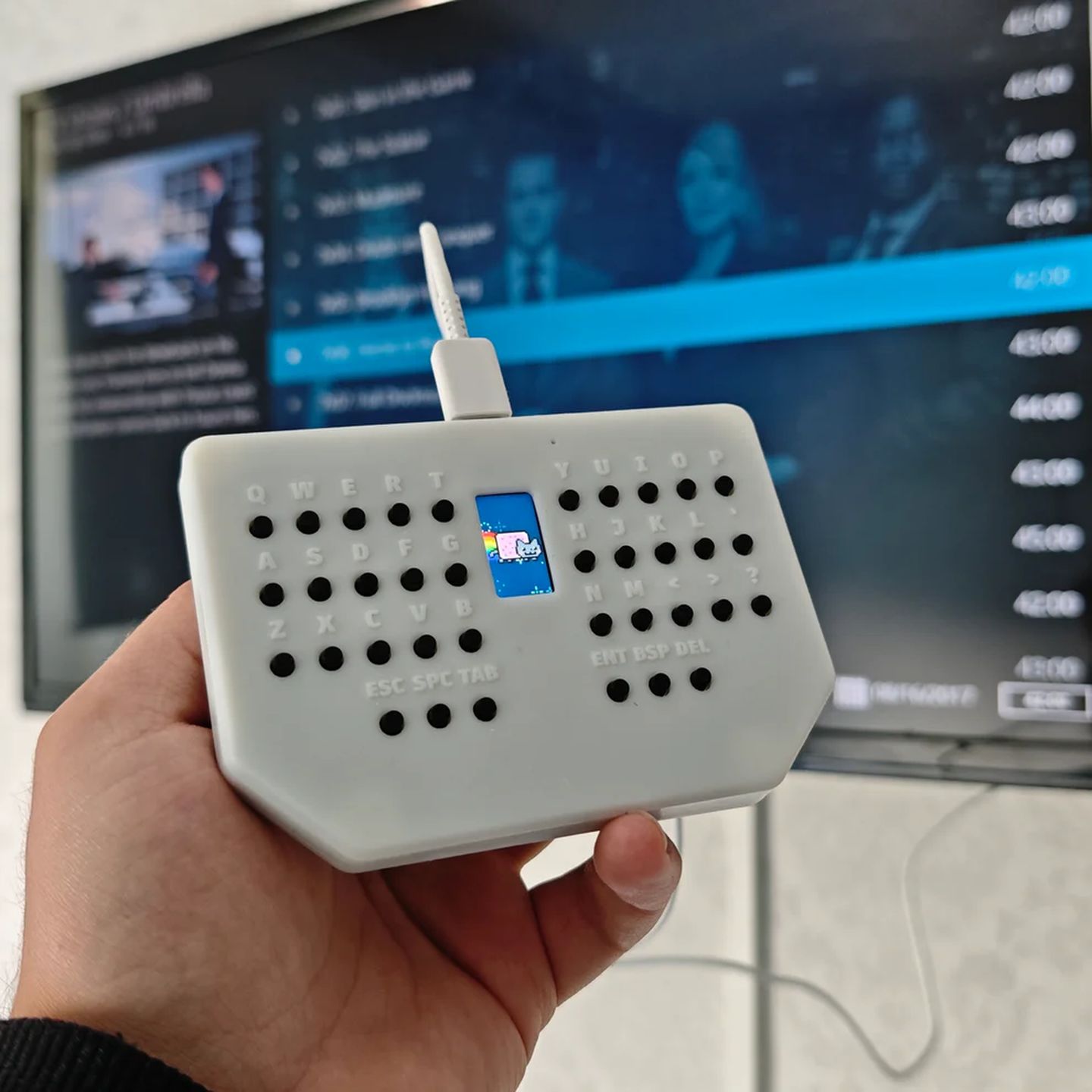
For a sysadmin walking into a client site, a personal keyboard also dodges the mystery board already plugged into the rack. Your layout, your layers and your shortcuts travel with you to every site.
The plug and play HID design needs no drivers on Windows, macOS, Linux or Android, and iOS works through an adapter. Mouse emulation sits inside the keyboard layers, so cursor movement and clicks come from the same 36 buttons you type on. The USB Type C port handles everything through one cable and sits beside a JTAG and SWD debug header for low level work.
In a server room the alternative is often a crash cart or a borrowed board, and both waste the first ten minutes of a repair. The Pocketboard skips that errand and the borrowed keyboard lottery.
The hardware under the resin case
Each of the 36 buttons is a through hole tactile switch measuring 6 by 6 by 7 millimeters, with a 1.8 newton actuation force. Through hole parts desolder cleanly, so a worn switch swaps out with basic tools at home instead of a board replacement. Repairs stay cheap here.
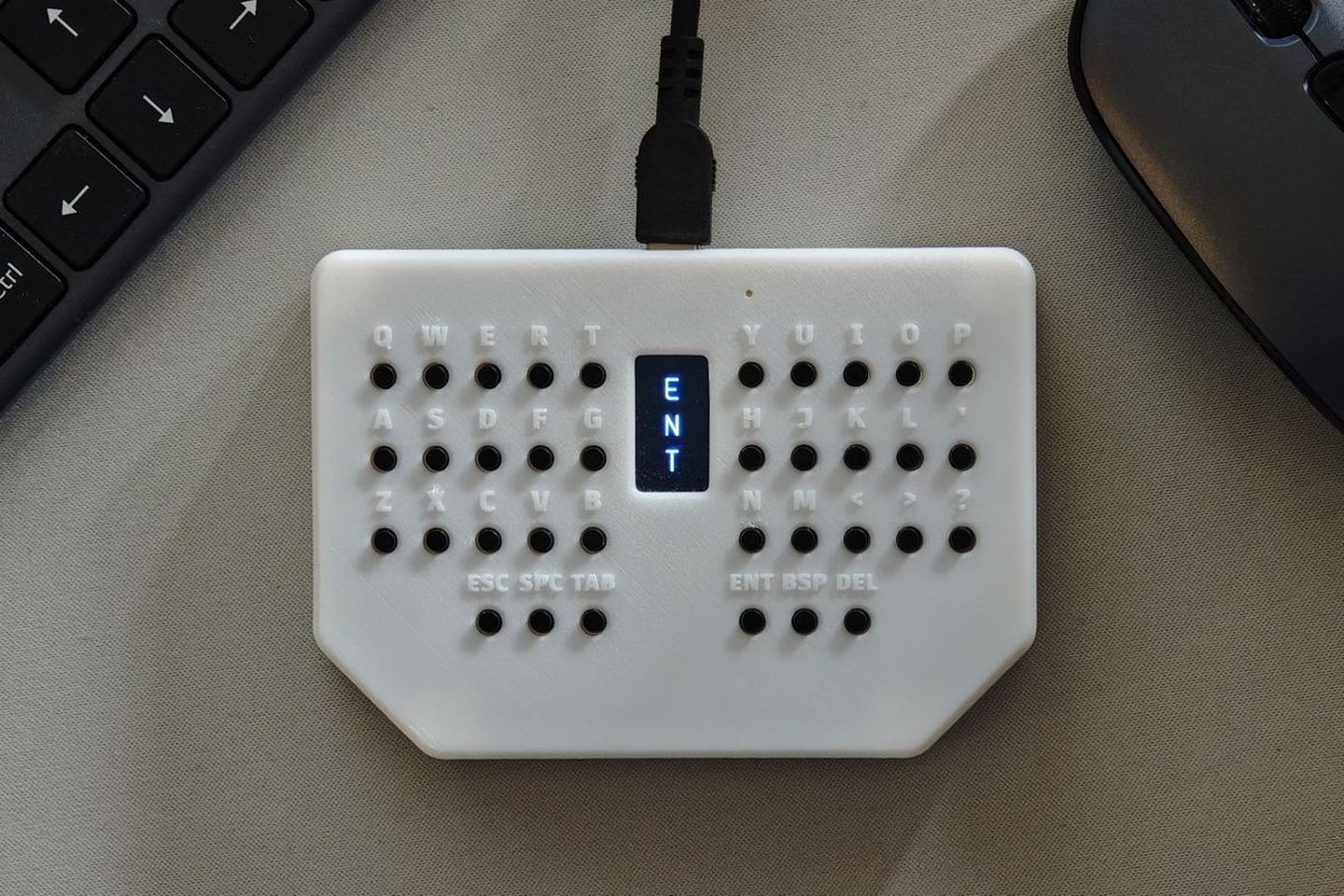
The screen sits between the two key banks in the desk photos. ST7735S is the driver chip behind that panel. Small screen, real job. Color helps layers read fast at a glance, and the panel runs over SPI. The molded letters stay readable under a desk lamp.
The RP2040 pairs dual Arm Cortex M0+ cores running up to 133 megahertz with 16 megabytes of Winbond flash. The finished board weighs 100 grams and disappears into a jacket pocket.
The enclosure is resin and 3D printed, and the maker’s own photos show it in a light finish and a tan finish, both with the same angled front edge. No official color names exist in the listing, so the photos carry that detail alone. The surface texture looks grippy in hand.
| Chip | Raspberry Pi RP2040, dual core Arm Cortex M0+ up to 133 MHz |
| Flash | 16 MB Winbond W25Q128JVSIQ |
| Keys | 36 through hole tactile buttons, 6 x 6 x 7 mm, 1.8 N |
| Display | 0.96 inch 80 x 160 RGB TFT LCD, ST7735S over SPI |
| Ports | USB Type C, JTAG and SWD debug header |
| Firmware | QMK pre installed with Miryoku layout, ZMK and KMK compatible |
| Size | 110 x 75 x 15 mm |
| Weight | 100 g |
| In the box | Assembled Pocketboard with resin enclosure installed, no USB C cable |
| Price | $49.00 at Tindie |
QMK on board, with ZMK and KMK behind it
QMK arrives pre installed with the Miryoku layout, and the firmware also works with ZMK and KMK for anyone who prefers those toolchains. The 0.96 inch TFT LCD runs 80 by 160 pixels on an ST7735S driver over SPI, and it shows real time keypresses as you type. Idle time brings standby animations, and the screen accepts custom stats and readouts for anyone who codes them. The screen shows your layer.
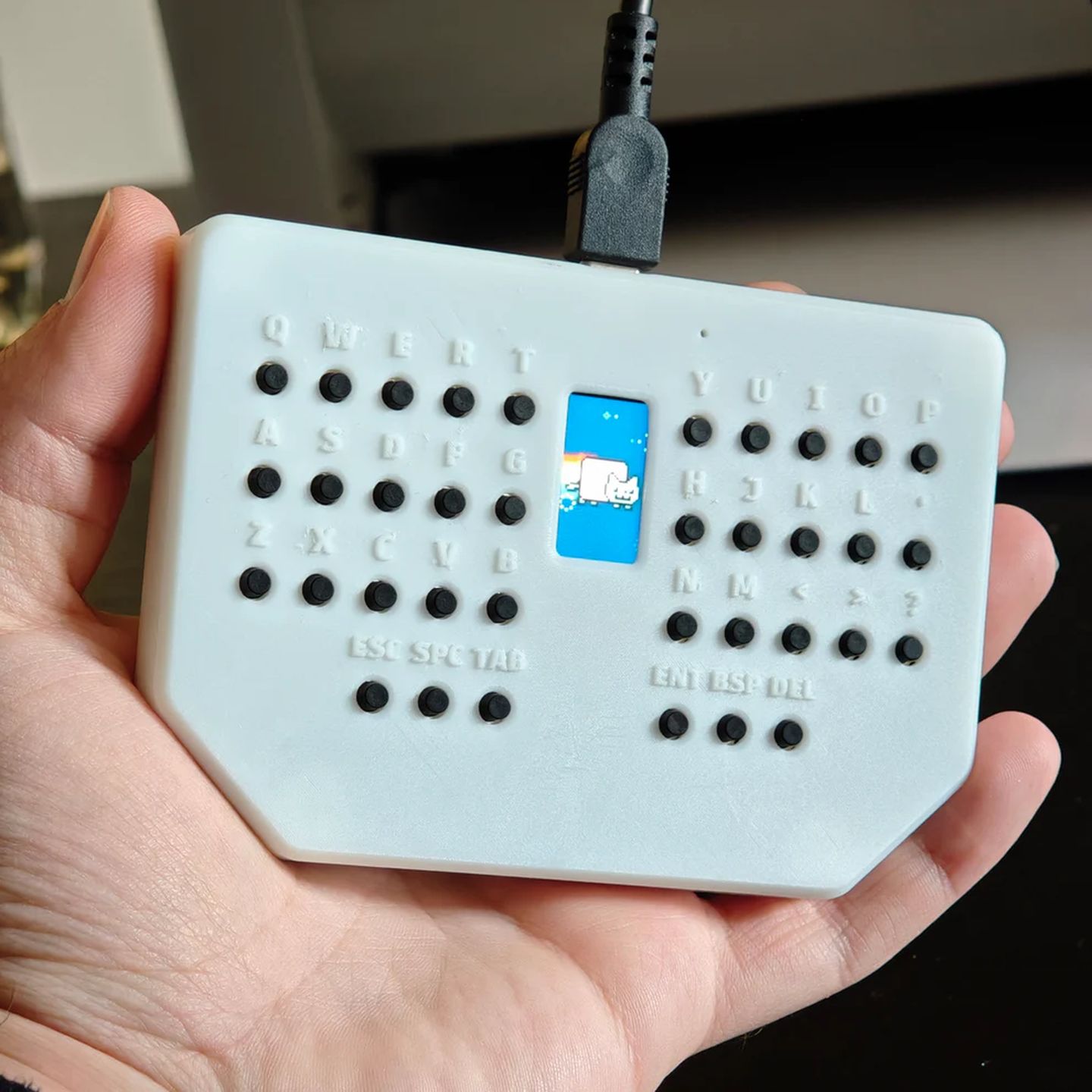
Layers carry the number row, the symbols and the mouse keys, and the screen confirms which layer is live before a key lands. That quick glance prevents most layer mistakes during fast work.
Schematics, firmware source and the 3D enclosure files are freely available, so the design can be inspected, modified or rebuilt from scratch. That openness suits the repair bench better than a sealed board with glued switches does in daily practice. I’d buy it for the toolbox and the go bag beside it.
The box holds the assembled board with its enclosure already installed, and nothing else rides along in the package. A USB Type C cable stays on your own shopping list. Assembly time is zero. Testing already happened in Sweden.
Who should carry one, and who should skip it
Makers get a second win, since the same board serves as an RP2040 development kit with its debug header exposed. A repair tech and a firmware tinkerer can share one purchase and one parts order without fighting over it.
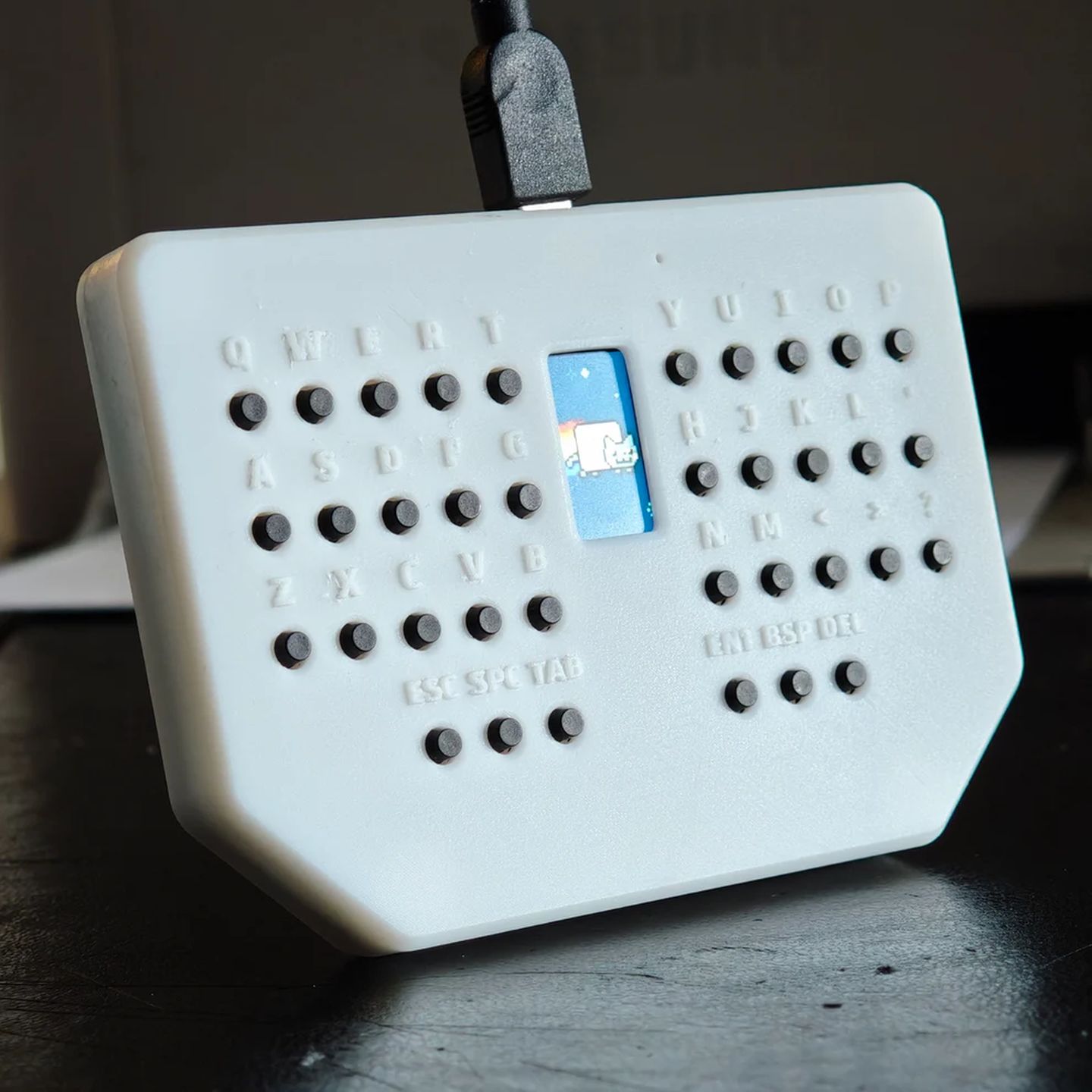
The learning curve is the real cost, because a 36 key layered layout asks for practice before it feels natural. Anyone who hates layers will hate this board by day two. Full size typists should stay with full size boards and skip the layer training. The board never pretends otherwise.
Pocketboard Portable Mini Keyboard by Datakonsulten Sweden
36 tactile keys · 0.96 inch color TFT · RP2040 with QMK pre installed
Price: $49.00
Where to buy: Buy at Tindie
Buy the Pocketboard if a headless rack or a stubborn installer regularly eats your afternoon, since $49.00 buys a full keyboard and mouse in a 100 gram slab. Skip it if you type long documents daily, because 36 buttons working through layers will slow that work down noticeably every single day.