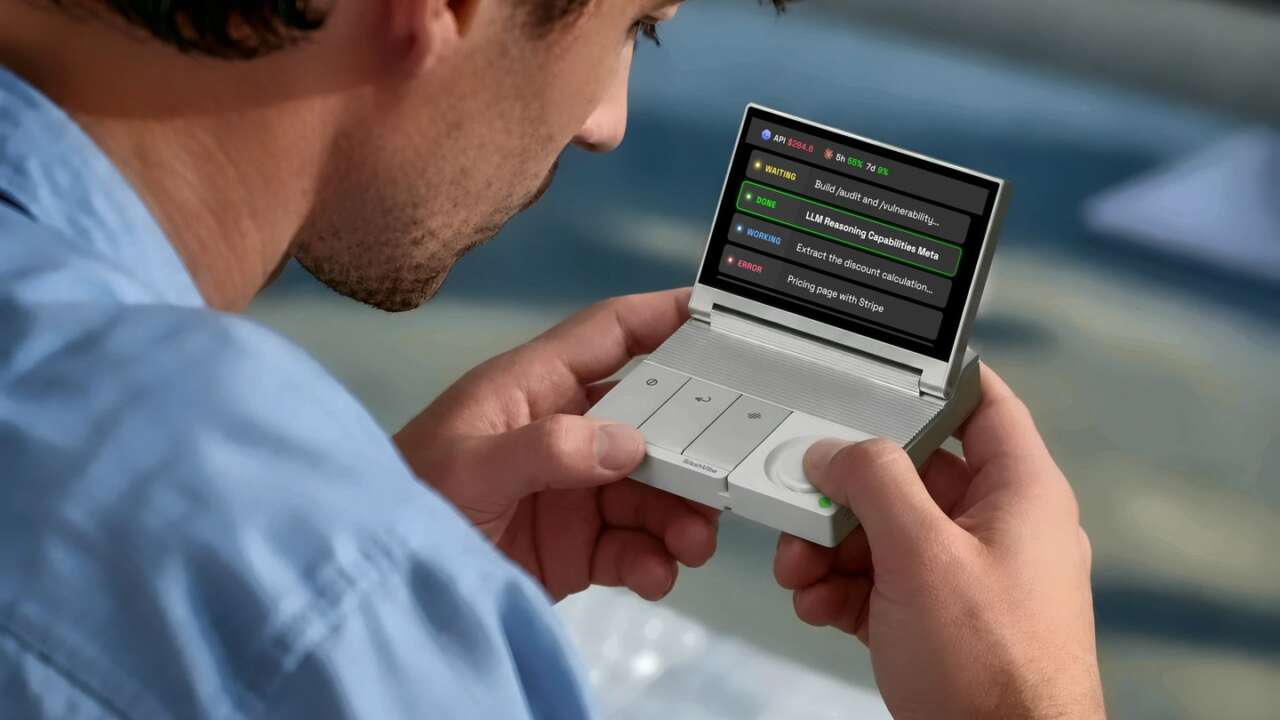
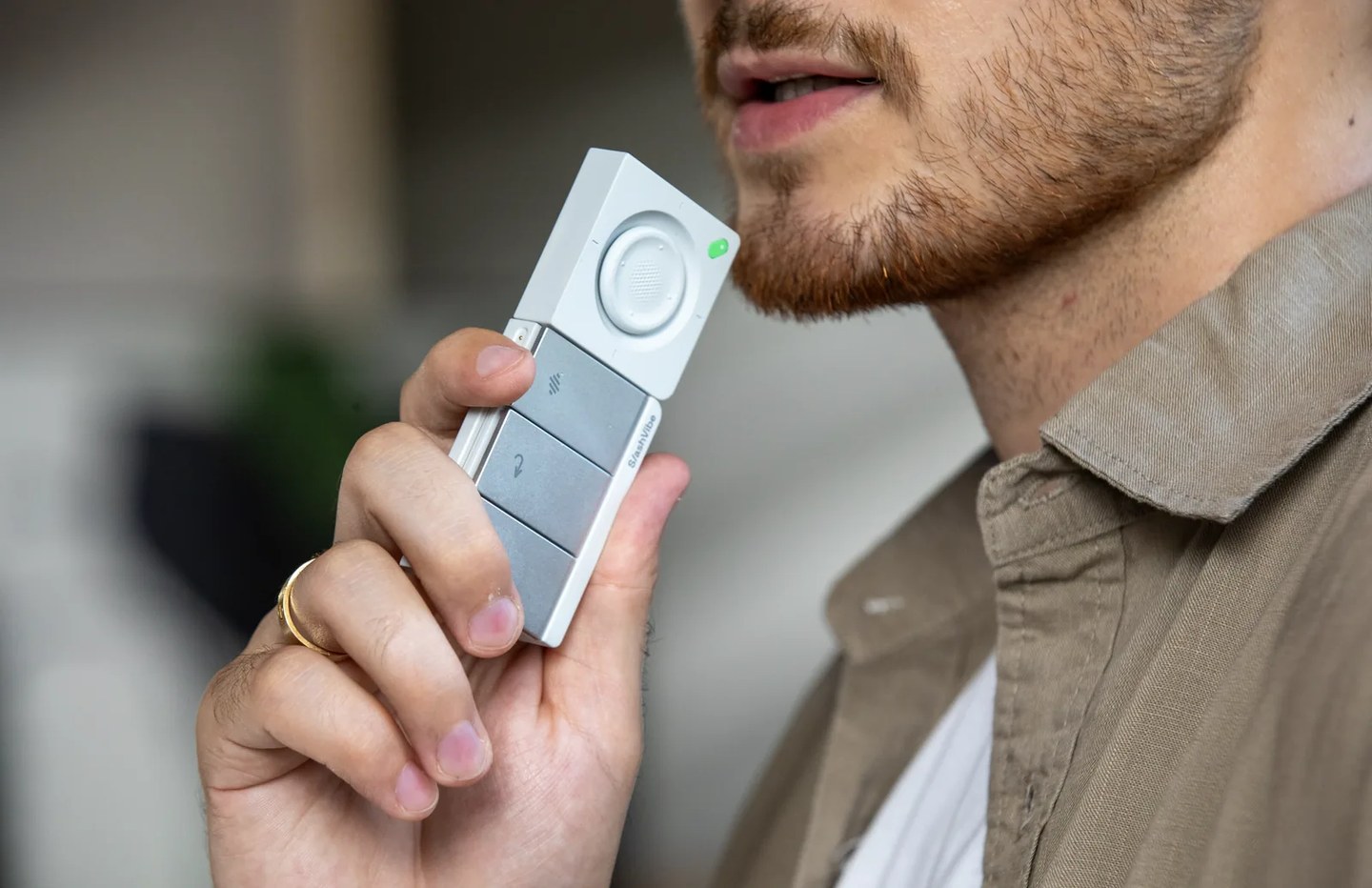
SlashVibe is a small desk display with a detachable controller for your AI agents, and its makers are open-sourcing the desktop app, firmware, communication protocol and SDK behind it. That makes it hardware you can reprogram.
Loda, SlashVibe’s co-founder, runs the SlashVibe Kickstarter campaign, which had raised $93,699 against a $10,000 goal from 417 backers as of 8:47 PM CT on November 12, 2026, and it closes on December 10. Early Bird pledges sit at $189, $60 under the $249 retail price, and the first batch is expected to start shipping in March 2027.
SlashVibe V1 AI Agent Controller
3.96-inch display · Detachable 2.4GHz controller · Open-source desktop app, firmware, protocol and SDK
Price: $189 $249 (save $60, 24% off) Early Bird on Kickstarter; two units for $368
Where to buy: Back it on Kickstarter
What SlashVibe’s open-source release covers
SlashVibe’s team says it’s opening four layers to the public: the desktop app, the device firmware, the communication protocol that links them, and the SDK that developers build on. The campaign’s pitch is short: see how the app handles your data, then build and share your own tools.
That’s the part of the pitch that changes what you’re buying, because it turns a closed accessory into a device whose software you can read as well as run. The privacy terms say agent sessions and context are processed and stored only on your device, and that your data isn’t used to train models.
Audio gets processed only for recordings you start, and those recordings aren’t kept in the cloud, while cloud sync stays off unless you choose to turn it on. The team’s press overview adds that the code will be published before shipping, but nobody has named a license or a repository yet. I’d want to see both. Until they’re named, the license stays the open question for anyone planning to fork the code.
What you can build with the open-source SlashVibe
Node.js or Python is all the SlashVibe SDK needs, with no circuits to design and no device firmware to flash before your own tool reaches the screen. Your code runs on your computer and streams its interface to SlashVibe, so a build gets your computer’s processing power instead of a small chip’s. And because SlashVibe+, the desktop app, firmware, and communication protocol are open source too, you can go as deep as you like.

Three hooks ship in the first release: custom screen layouts, button and joystick events, and the text transcribed from your voice. That’s the full kit a small dashboard needs, a screen to draw on, a few physical inputs and a way to talk to it, and nothing on that list requires hardware experience.
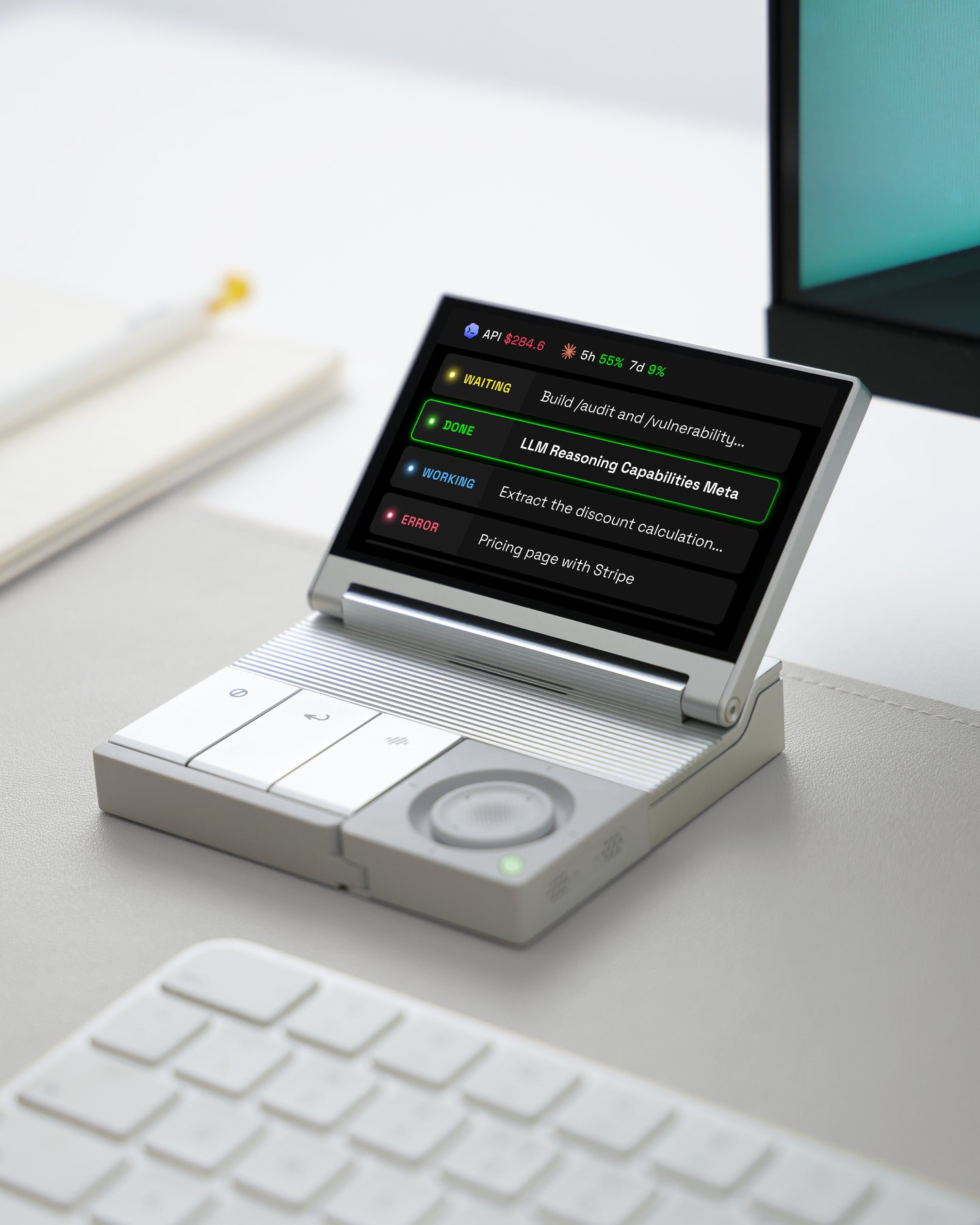
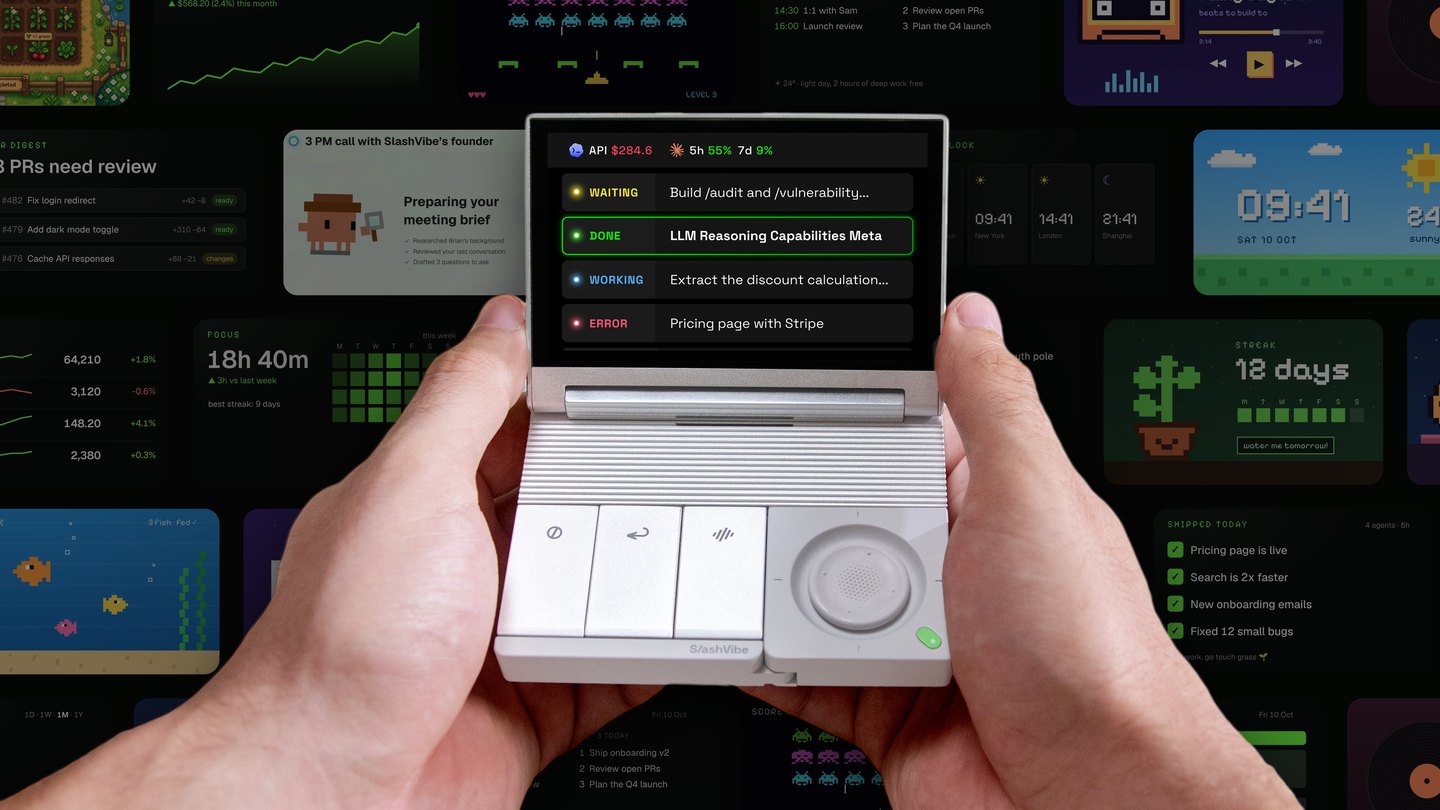
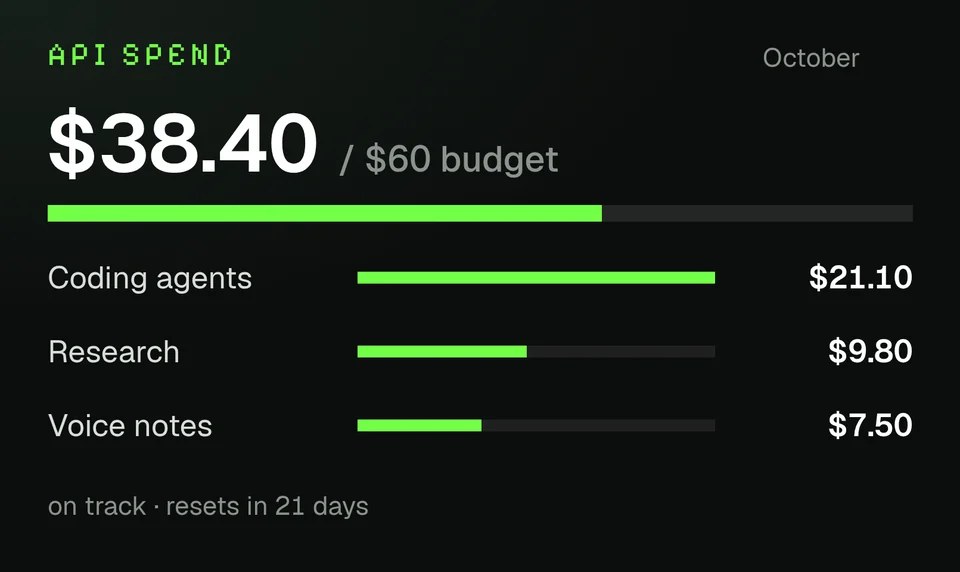
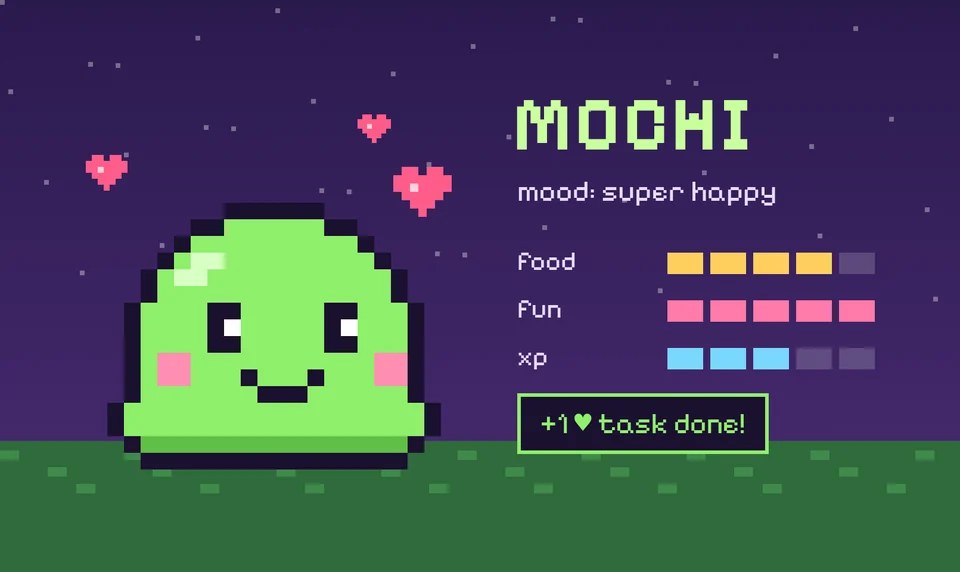
SlashVibe’s own examples run from practical to silly. One screen tracks API spend against a monthly budget, and another counts down to a deadline or guards a do-not-disturb block. A pixel pet perks up as your agents finish tasks, and one engineer put Pokémon on it.

In plainer terms, the FAQ pitches the same idea: a control panel for a task you repeat often, or a live view of your own workflow’s progress. In practice that could be a Python script that paints your build status on the screen and maps one key to a rerun, or a Node.js tool that takes your dictated text and files it as a ticket. If I were writing one tool first, it’d be the spend tracker. A budget beside the keyboard is harder to ignore than a billing page.

Vibe coding gets a nod in the FAQ: describe what you want to an AI coding agent, then manage that same agent from SlashVibe while it builds them. Integrations with other apps still depend on the interfaces and permissions those apps expose, so the SDK won’t hand you control of every feature in every program.
SlashVibe hardware, next to a Stream Deck or macro pad
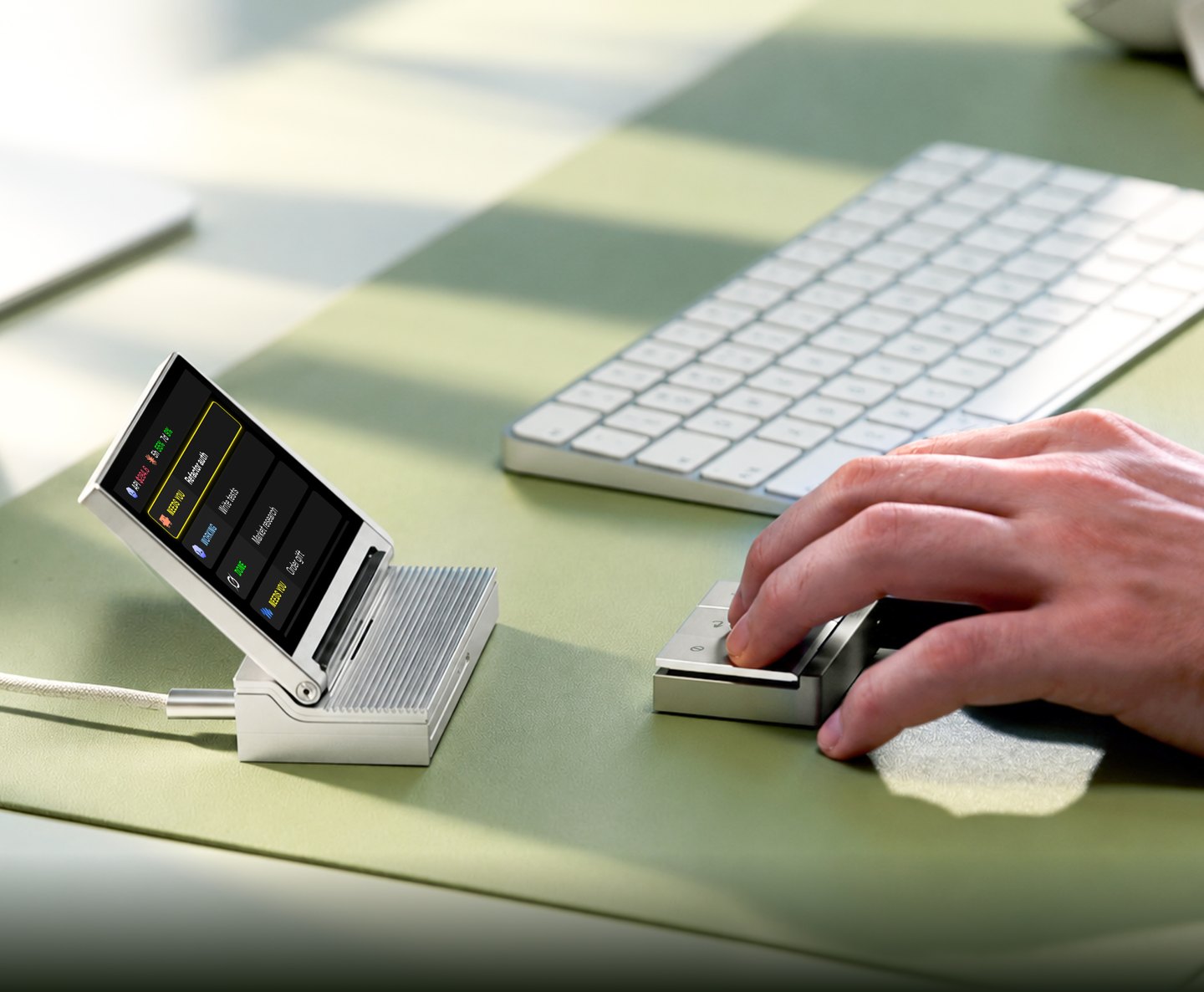
Your code gets a 3.96-inch LCD, action keys on Kailh ultra-low-profile mechanical switches, a two-axis joystick, dual MEMS microphones and a built-in 2W speaker to work with. The switches travel 1.8mm with 52 gf of tactile force, and the joystick moves 2mm to each side.
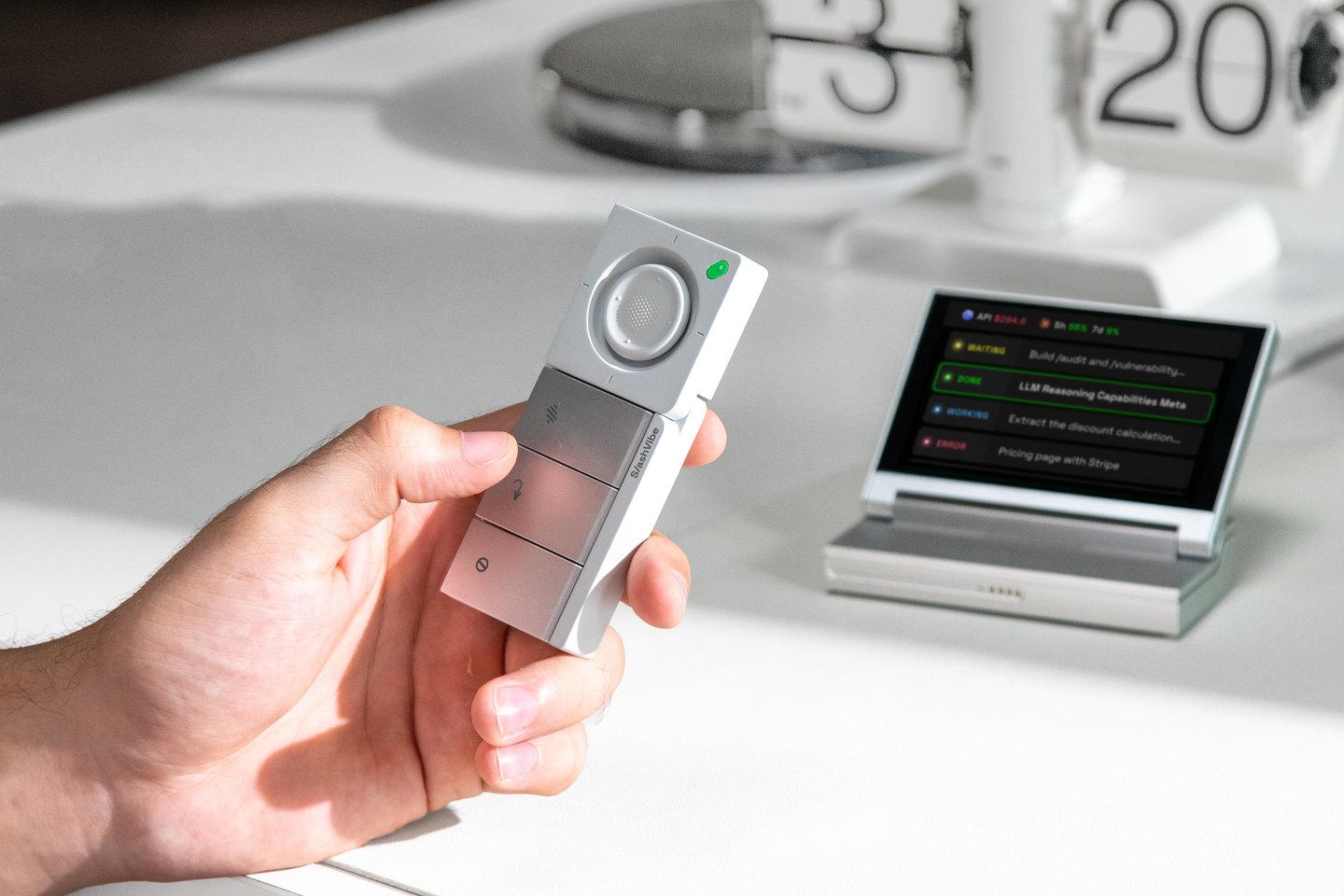
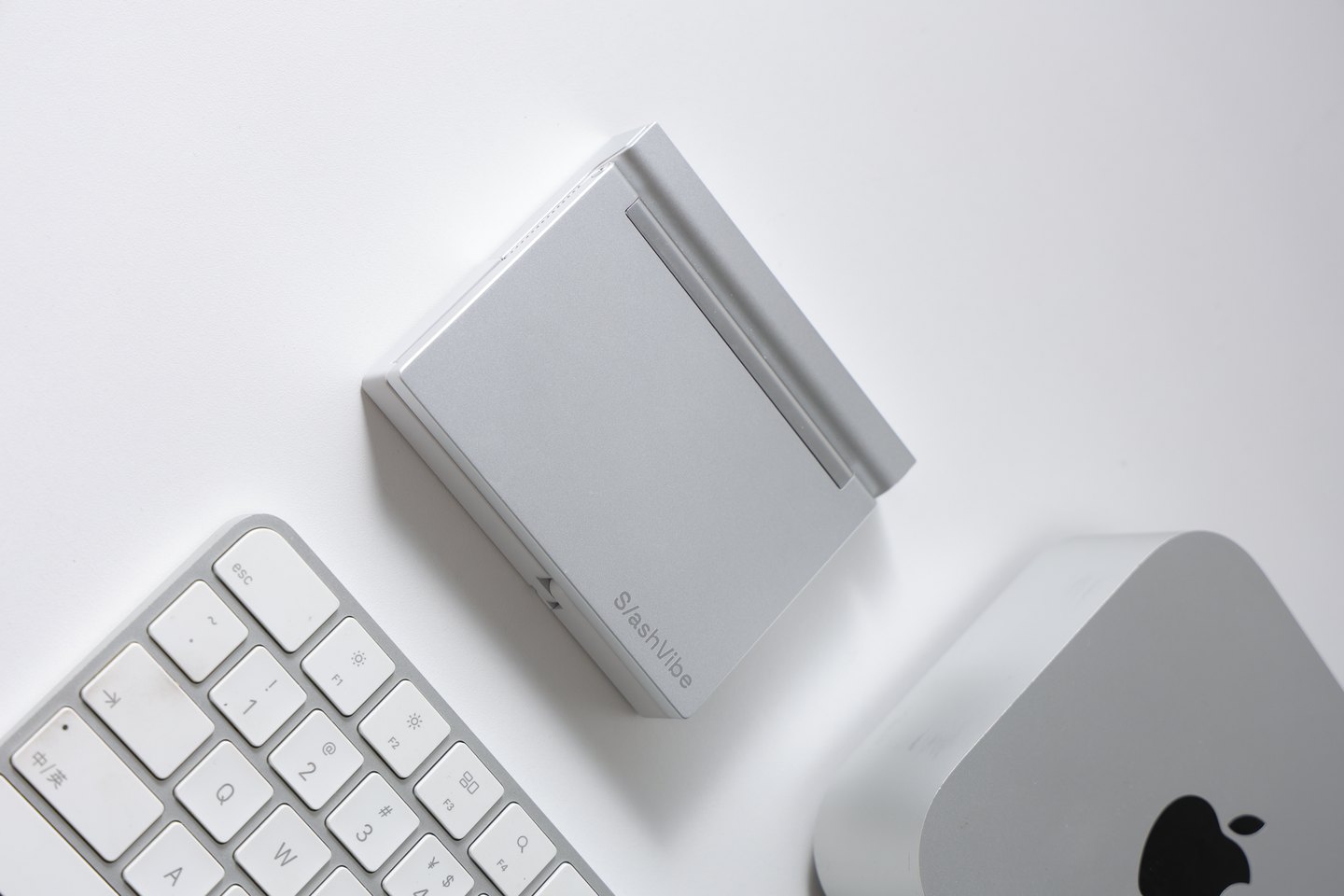
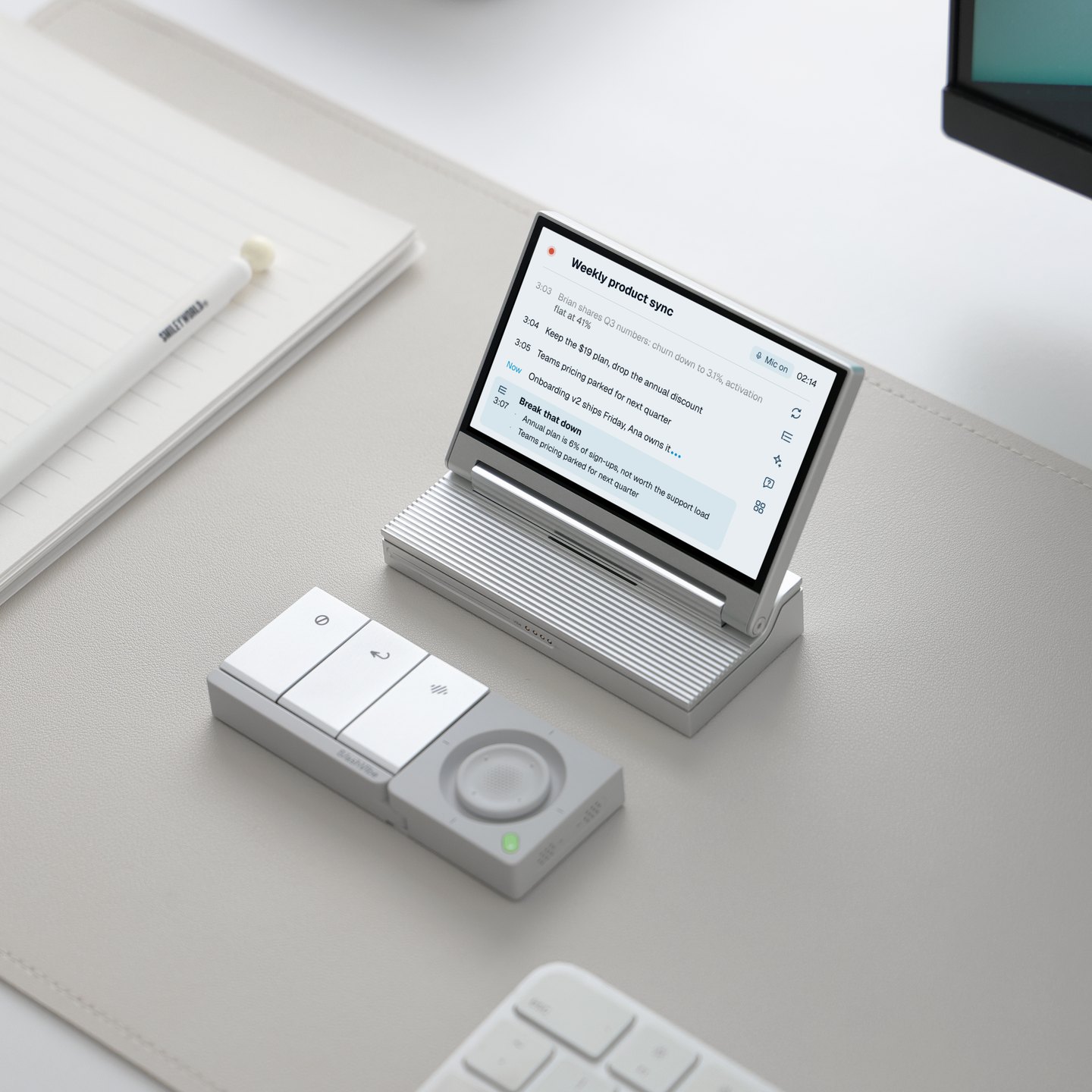
On the desk, the display stays on a USB-C cable for power and data, while the lower controller detaches and talks to it over 2.4GHz on a 500mAh battery rated for 20 hours. Only the half you hold goes wireless. Assembled, the unit measures 4.13 by 3.52 by 0.82 inches and weighs 9.70 ounces, small enough to sit beside a compact mechanical keyboard without crowding it.

A Stream Deck or a macro pad maps its keys to shortcuts inside someone else’s software. SlashVibe hands its screen, keys, joystick and your transcribed voice to code you write, which is closer to owning the device than configuring it. It also adds microphones and a controller that leaves the desk.
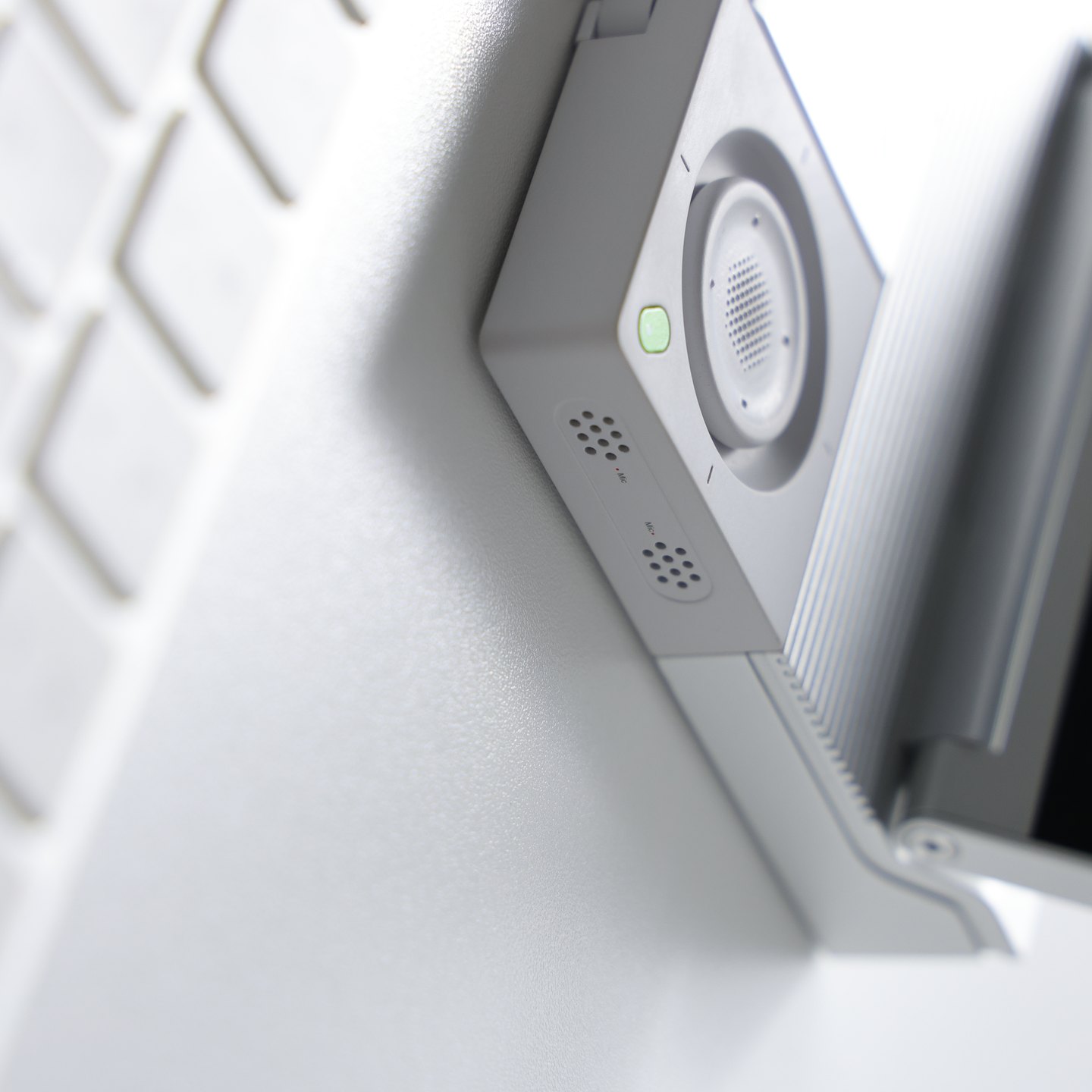
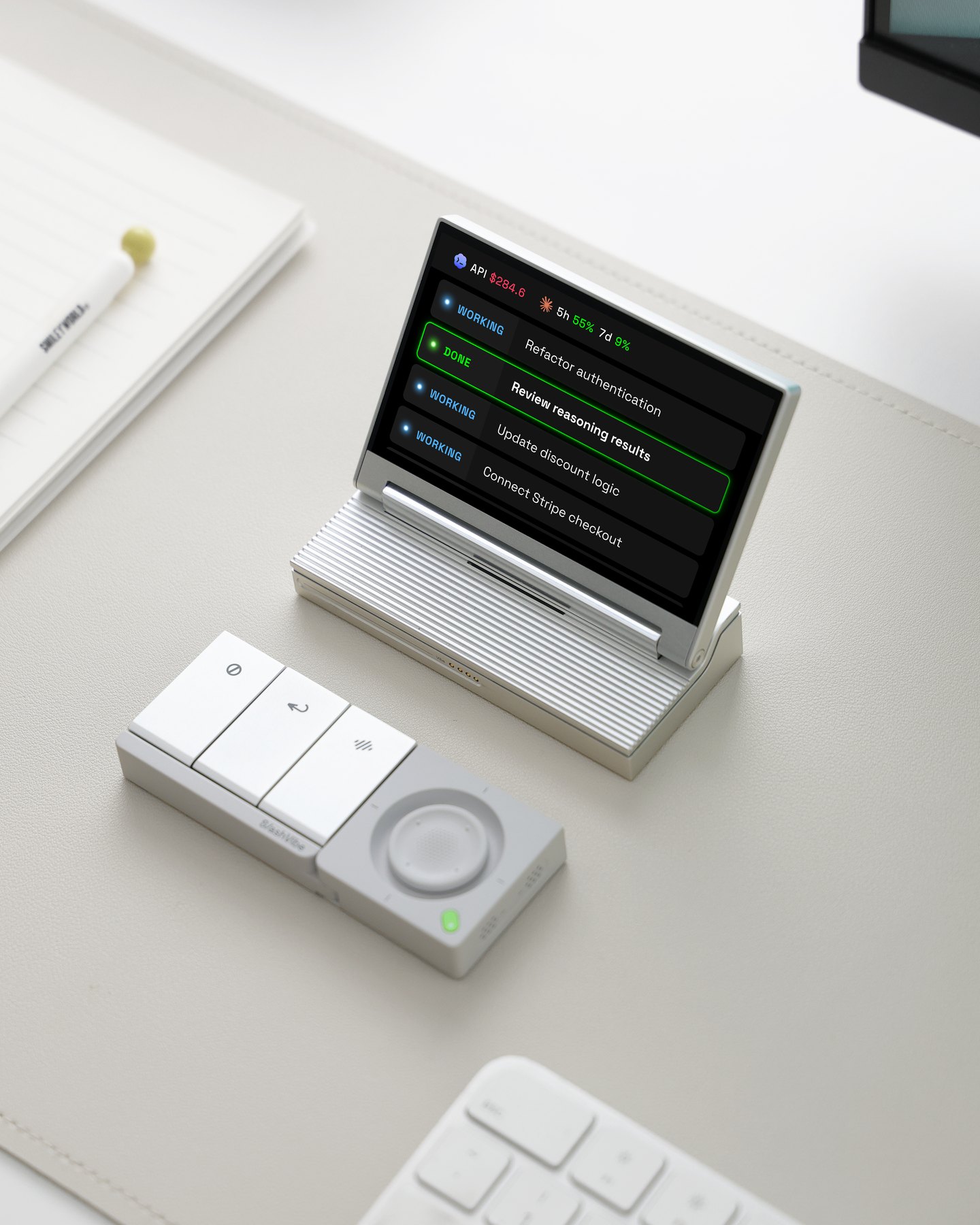
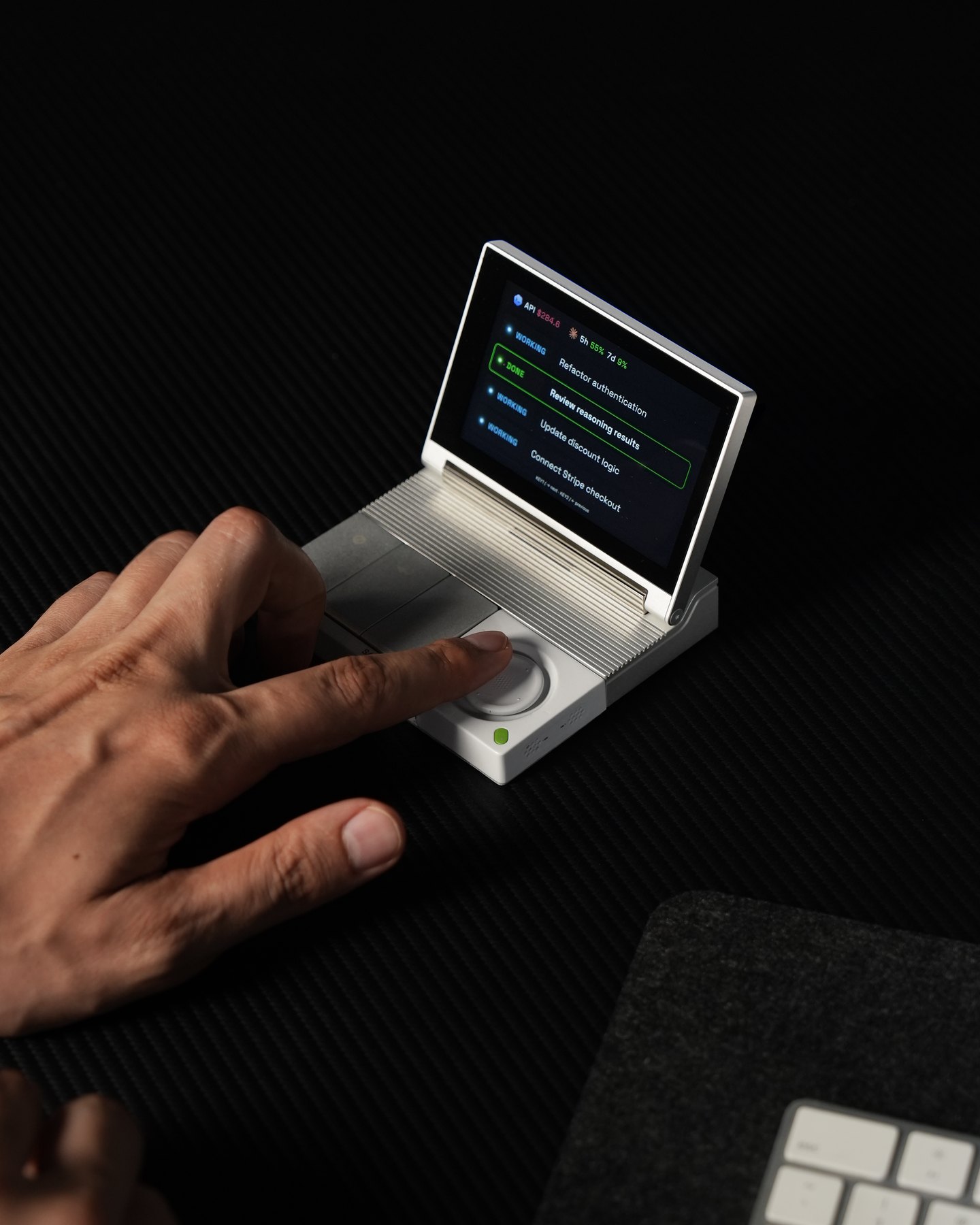
Sandblasted, anodized aluminum covers the display housing, base and action keycaps, the controller wears soft-touch ABS+PC, and backers choose Black or Silver through the post-campaign survey. The finish says desk tool, not novelty.
| Product | SlashVibe V1 AI Agent Controller, by Loda and the SlashVibe team |
|---|---|
| Open-source scope | Desktop app, device firmware, communication protocol and SDK (code due before shipping; license not yet named) |
| SDK languages | Node.js and Python |
| Display | 3.96-inch LCD |
| Controls | Kailh ultra-low-profile mechanical switches (1.8mm travel, 52 gf), two-axis joystick (2mm per side) |
| Audio | Dual MEMS microphones, 2W speaker |
| Connection | USB-C power and data for the display; 2.4GHz wireless for the controller |
| Battery | 500mAh, rated 20 hours |
| Size and weight | 4.13 x 3.52 x 0.82 in, 9.70 oz assembled |
| Works with | macOS and Windows; 20+ agents and tools including Claude Code, Codex and Cursor |
| Kickstarter price | $189 Early Bird ($249 retail); $368 for two |
| Campaign ends | December 10, 2026, 9:54 AM CST |
| Estimated delivery | March 2027 |
What the AI agent controller does out of the box
Out of the box, SlashVibe works with more than 20 agents and tools on macOS and Windows, including Claude Code, Codex, Cursor, Copilot CLI and Gemini CLI. Every session shows on the display as running, done or waiting for you, and approvals happen on the device.

When an agent stops for permission, you approve it or pick an option with the physical keys, or bring its window to the front on your computer for a closer read. Voice input starts recording in under 100 milliseconds and strips filler words before the text lands, whether it’s a prompt, an email or a quick message. Voice is the core idea. Loda’s campaign letter asks, “Instead of making typing more comfortable, what if we could help people type less altogether?”

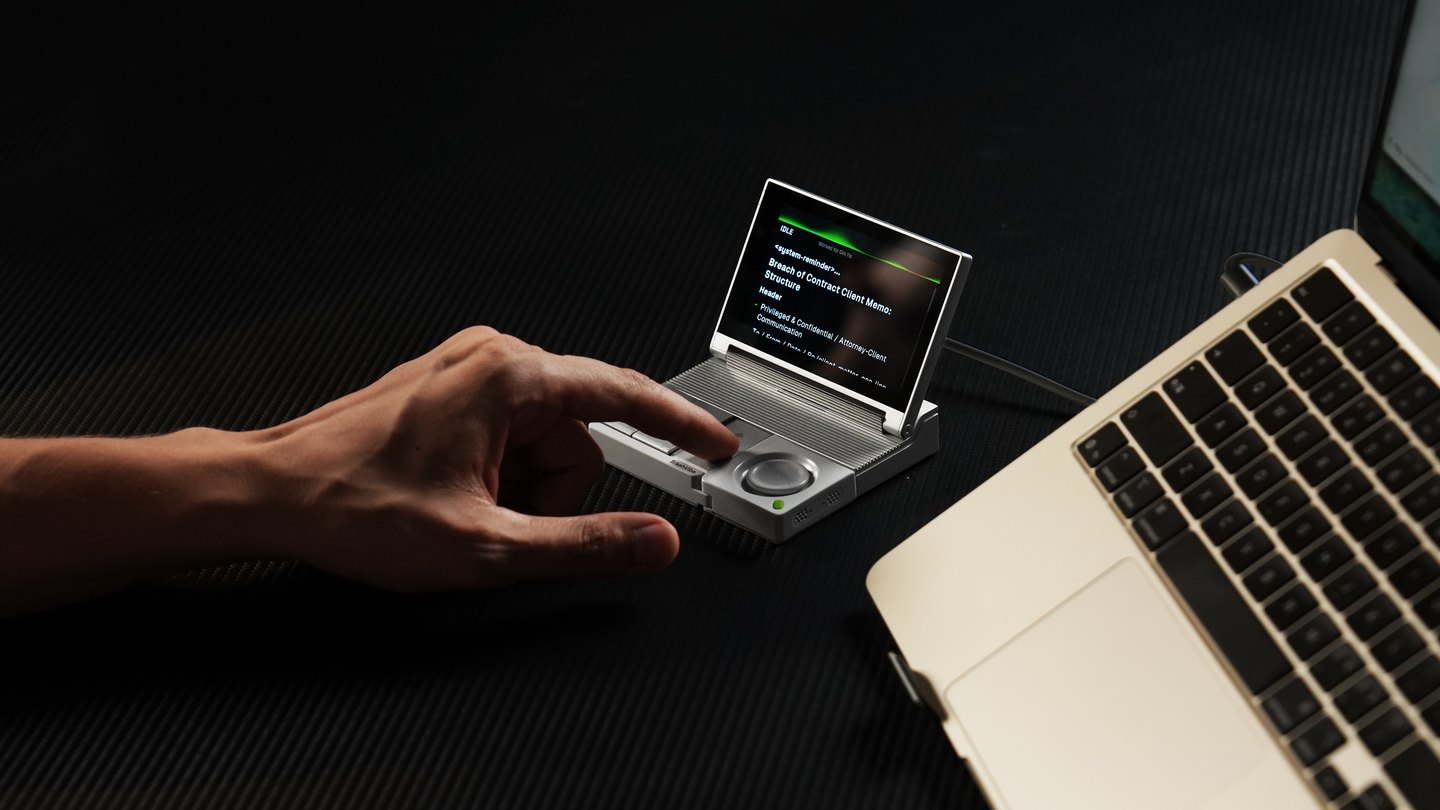
To-do capture and live meeting notes come along too, with Zoom, Google Meet and Microsoft Teams support. You bring your own accounts. No third-party AI subscriptions or API credits come in the box, and a free plan covers the device, with pricing for SlashVibe’s own paid voice service due before shipping. If your desk problem is screen space rather than agent sessions, TobenONE’s snap-together triple display is the other Kickstarter desk build on our radar this month.
SlashVibe Kickstarter tiers, deadline and risks
Day 1 Special pledges at $169 are gone, so the live entry is the $189 Early Bird, which had 5 of its 60 spots left as of 8:47 PM CT on November 12, 2026. A two-unit Early Bird runs $368, with 8 of 10 left, and the add-ons include a $24 carrying case and a $19 magnetic coil cable. Color gets picked later, by survey.
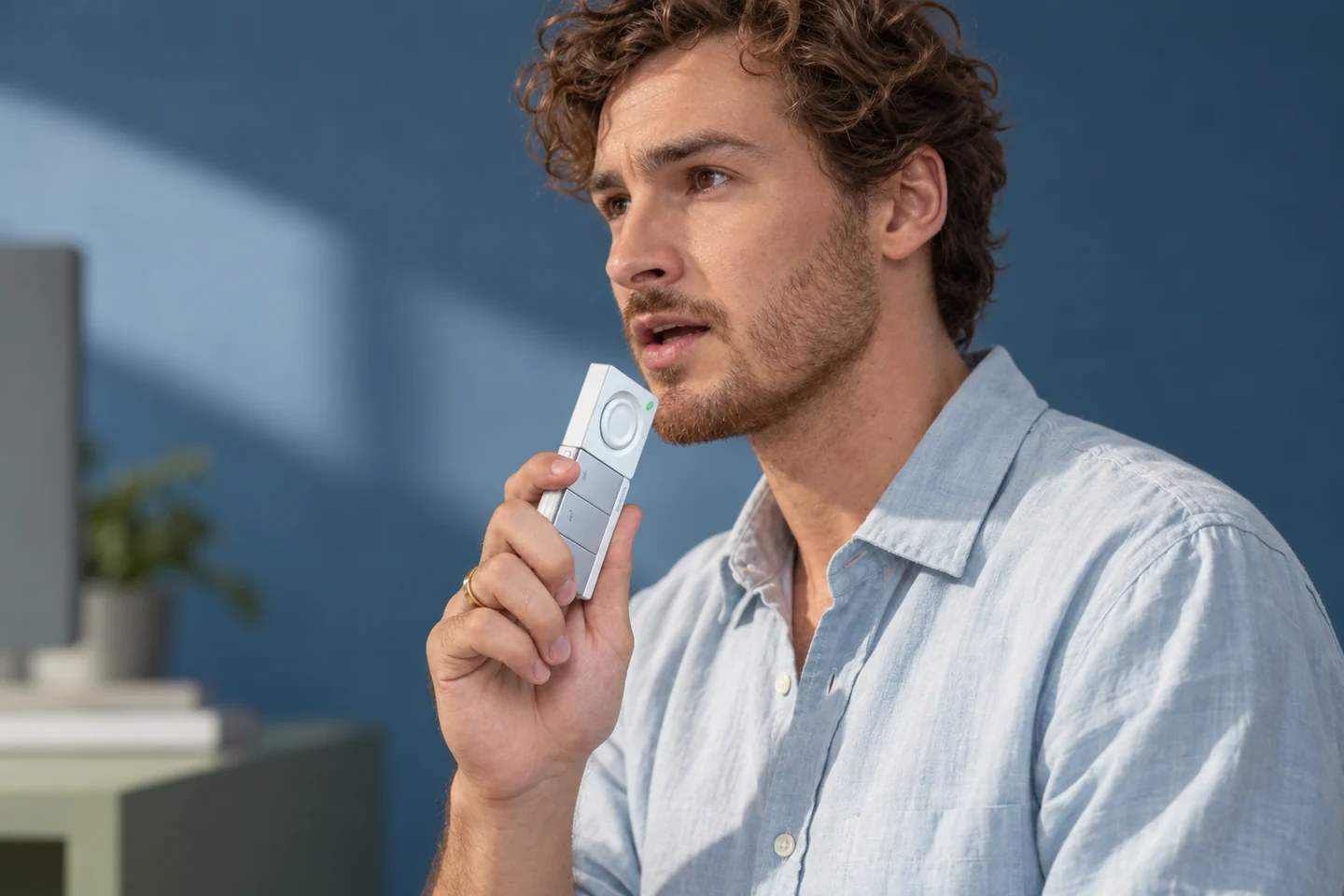
SlashVibe is made in Dongguan, China, and the campaign’s risks section lists FCC certification, part shortages, fast-changing AI tools and country-by-country shipping as threats to its March 2027 date. Kickstarter only charges backers if a campaign reaches its goal, and this one has already cleared its $10,000 goal, though rewards still aren’t guaranteed.

SlashVibe V1 AI Agent Controller
3.96-inch display · Detachable 2.4GHz controller · Open-source desktop app, firmware, protocol and SDK
Price: $189 $249 (save $60, 24% off) Early Bird on Kickstarter; two units for $368
Where to buy: Back it on Kickstarter
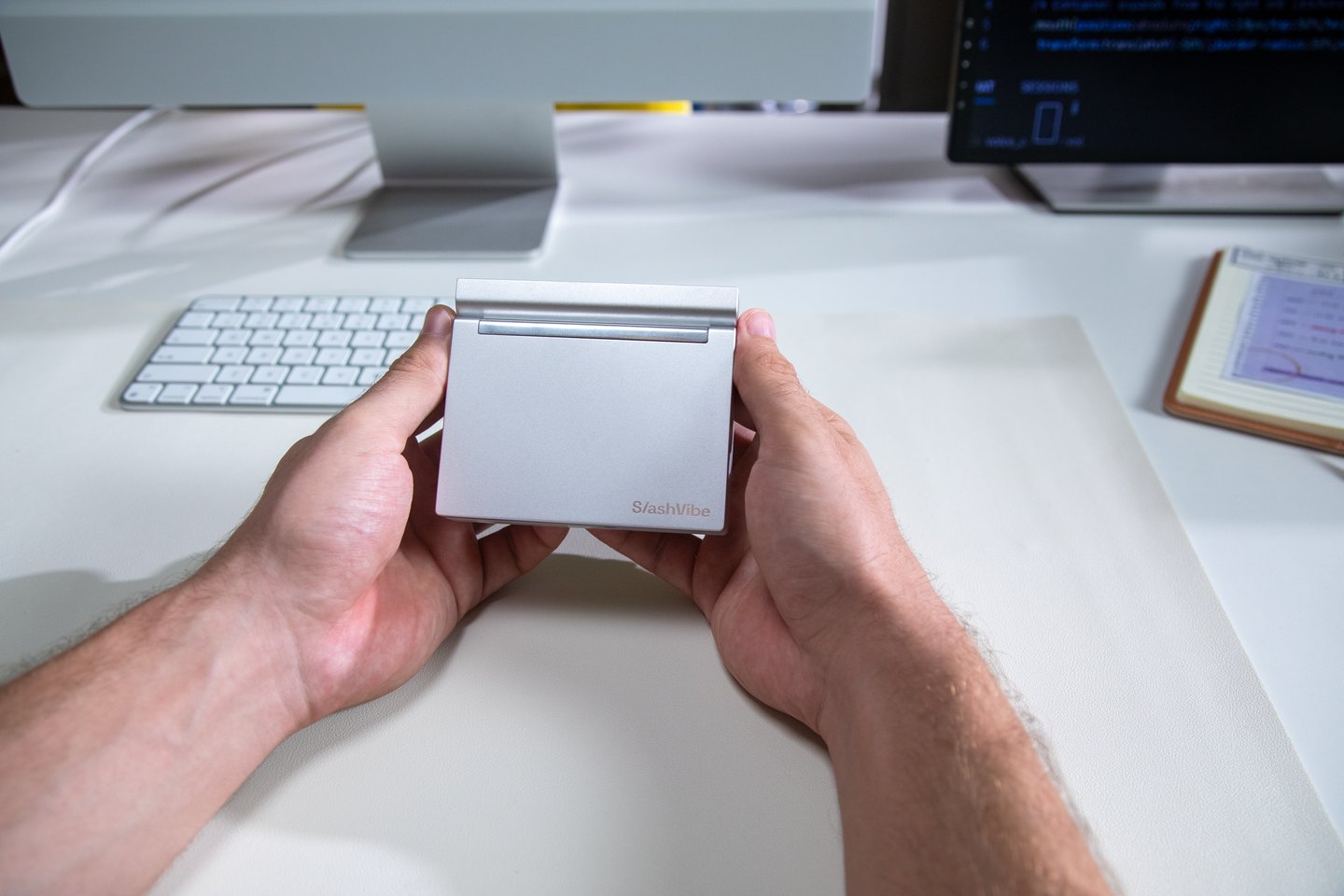
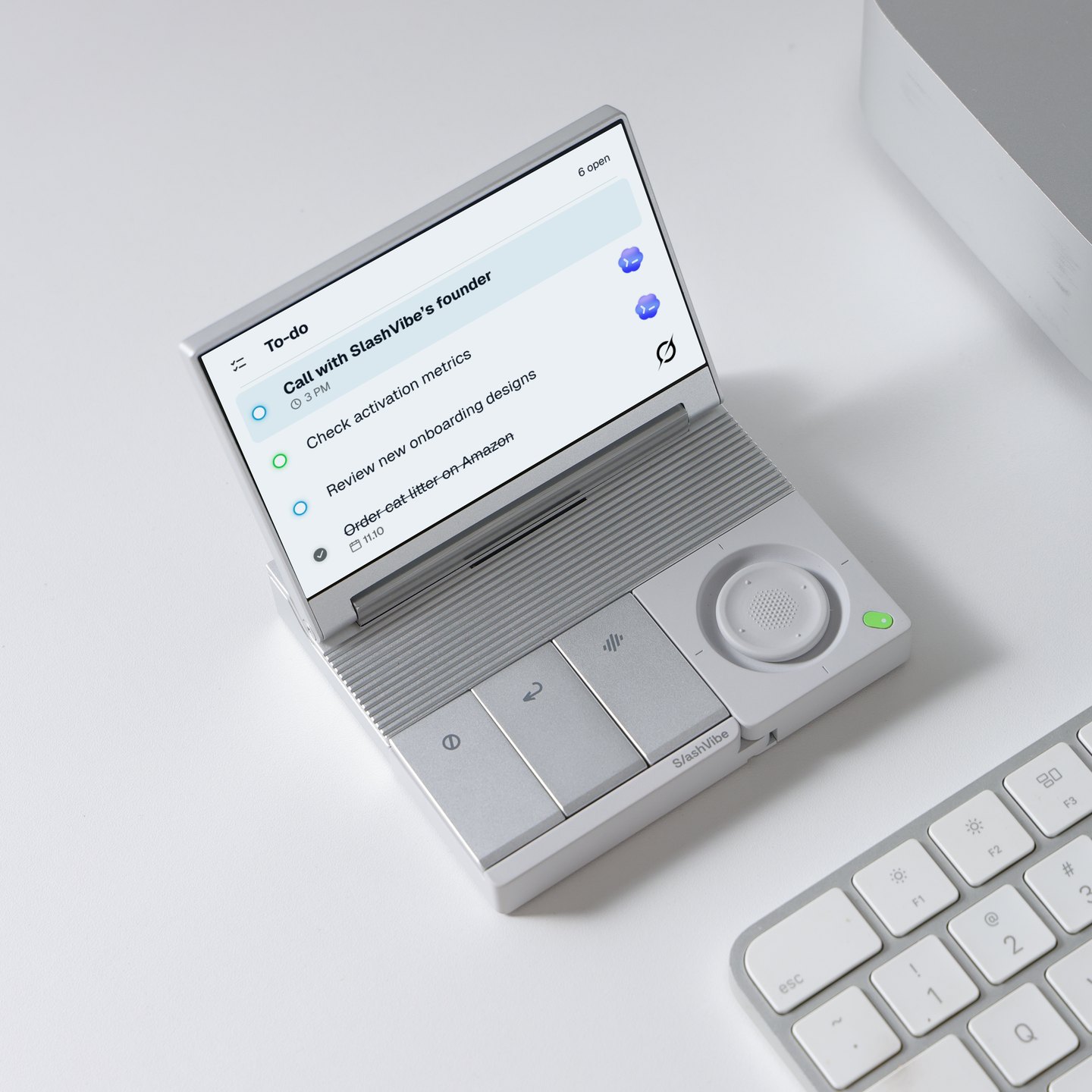
Backing now gets you open code and a $60 discount early, though it means paying four months ahead for hardware that still has to clear FCC testing. At $189, it suits the developer who writes Node.js or Python and wants agents on a screen they control. Everyone else can wait for March.
SlashVibe FAQ
Every answer below comes from the campaign page, its FAQ and the SlashVibe site, checked as of the same November 12 time stamp used above.

Is SlashVibe open-source?
Yes. The campaign says the team is open-sourcing the desktop app, device firmware, communication protocol and SDK, so you can see how the app handles your data and build your own tools.
What license will the code use?
None has been named. The campaign and its FAQ link no public repository as of November 12, 2026, and the team’s press overview says only that the code will be published before shipping.
Which AI agents does SlashVibe work with?
More than 20, including Claude Code CLI and Desktop, Codex CLI and Desktop, Copilot CLI, Cursor, Gemini CLI, OpenCode v2, Grok Build CLI, Qwen, Kimi and Kimi Code. You use your own accounts and subscriptions.
How much does SlashVibe cost on Kickstarter?
Early Bird pledges are $189 against a $249 retail price, and two Early Bird units cost $368. The $169 Day 1 Special is sold out.
When does SlashVibe ship?
Pledging closes December 10, 2026, at 9:54 AM CST, and the team expects the first batch to begin shipping in March 2027.
What are the risks of backing it?
SlashVibe’s team names FCC certification, part shortages, software changes and shipping times as possible causes of delay. Kickstarter rewards aren’t guaranteed, though backers are charged only if the campaign reaches its goal.