
Product Requirements:
Device:
Windows 98/2000/Me/XP with a free serial port
A Swiss master watchmaker by the name of Patek Philippe invented the first
wristwatch in 1868. Now 136 years later, I wonder what he’d think of timepieces
such as the SPOT
and Fossil
PDA watches. Would he appreciate the added features, or think that anything
above and beyond pure time keeping is simply a waste? Things really haven’t
changed that much since the 19th century; as always the main function of all
watches is to tell time. It’s the way that watches convey the time that has
really changed the most. First it was analog to digital and now it is from mono
to color!
The Smart Watch from Field Technology
CxMP Ltd. is the first regular watch that I have seen that has a full color LCD.
I know there are watches with built-in digital cameras that have a color
display, but usually these watches do not display content other than pictures in
color. The Smart Watch (which doesn’t have a camera) displays everything on
its 256 color, 72×64 pixel LCD display.
Available in an assortment of colors (Orange/Grey, Orange/Black, Pink/White,
Blue/White, Grey/Dark and Grey), this watch is made of plastic with a flexible
rubber wrist strap. Although the watch feels solid enough to withstand normal
wear and tear, in my opinion it has a somewhat toy-like appearance that maybe
better suited for teenagers as opposed to adults. If you visit the
manufacturer’s website, it gives a clear impression that this watch is marketed
towards the younger set.
Size-wise, it is only slightly larger than your typical digital watch. I
found that it fit comfortably on my wrist and only drew the attention of others
due to the bright orange face and strap.
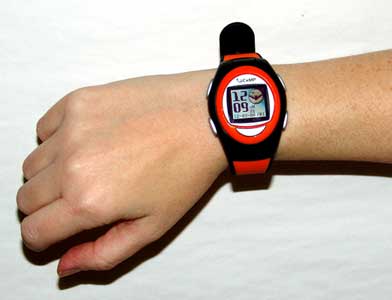
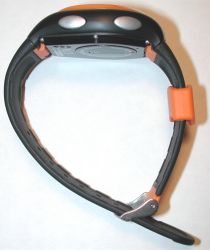
There are two buttons on either side of the watch. These buttons allow
navigation through the various modes and menus. An additional button on the face
of the watch functions as the backlight and business card beam initiator.
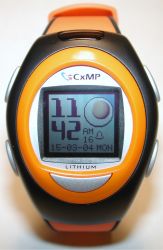
The color display is sharp and crisp, but it is hard to read when the
backlight is not on, or you are not in a well lit area. I believe the display is
the reflective type that requires additional light in order to comfortably read
it. This type of display is similar to the
Color Gameboy or
older color PDAs. All of the images shown in the review are either taken with
flash or while the backlight was on. The face looks almost black when the
backlight is off and you’re not in direct light.
In addition to telling the time, the Smart Watch also has the following
features:
- Phonebook
- Scheduler (with alarm)
- 100 year calendar
- Alarm
- Timer
- Stopwatch
- Picture viewer
- Melody player
- Data exchange (to and from) with mobile phones, PDA and PC via IrDA
- SIM card back up from mobile phones
Moving through the modes is pretty simple. Two of the buttons on the side of
the watch let you scroll through the menu items, while other buttons allow you
to select the specific mode.
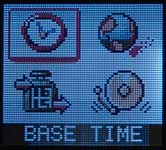
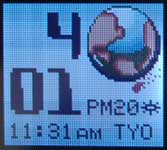
The default mode is the Base Time mode. In this mode, the watch will display
a different background depending on the time of day.
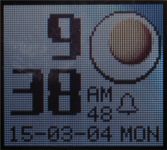 Rise
Rise
and shine, it’s a fried egg for 6am – 12pm
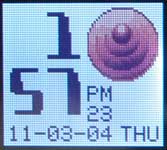 From
From
12pm – 5pm there’s an umm, ahhh, thing that looks vaguely like something that
might show up when you have a wardrobe malfunction…
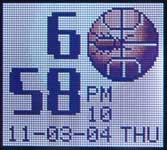 5pm –
5pm –
8pm displays what looks like a bug crawling on a basketball.
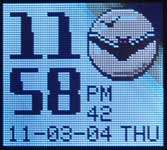 8pm –
8pm –
12am shows bats flying by moonlight.
By default, the color time display will time out after 5 minutes and change
into a plain white digital numbers on a black background. Pressing any button on
the watch will toggle back to the color display. You can set the auto off time
from 0-9mins. Setting it to 0 will cause the screen shown below to never
display. Of course, it will also consume more battery power. By the way, the
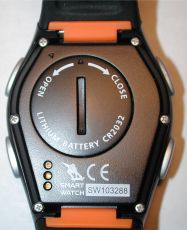
watch is powered by 1 CR2032 battery.
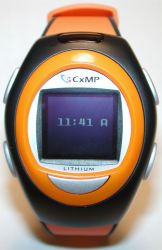
In addition to the Base Time mode, there is also a City Time mode. This is
great for travelers requiring dual time functionality.
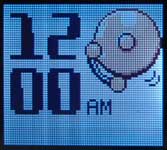
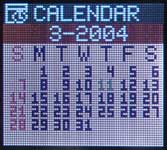
Of course there is a daily alarm that you can set and a 100 year calendar.
Where the Smart Watch shines is in its ability to download data from a PC. By
installing a simple manager program on your computer, and plugging in a serial
cable (yes, I said serial…), you can upload addresses, appointments, pictures
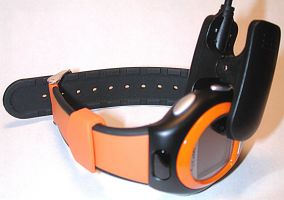
and even melodies to the watch. The serial cable has a clip that has pins that
fit into a special connector on the back of the watch. This clip is very similar
to the Suunto SPOT watch.
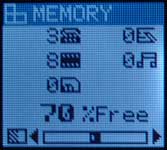
There is 128k of available user memory that can hold:
2048 phonebook records with 41 characters
1024 melody records with 64 notes
27 pictures
1 full SIM card memory
A Memory mode screen displays the current status of the user memory.
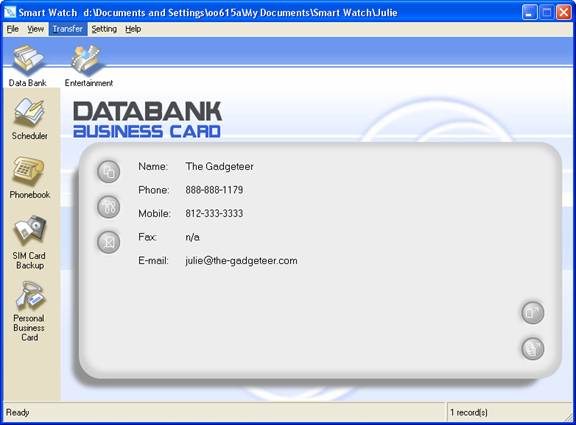
There really isn’t much to the manager program. Since you can’t sync with
Outlook or other PIMs, you have to basically input all the data by hand, which
can be tedious. Like most Palm OS devices, you can create a business card that
you can beam to PDAs (Palm and Pocket PC), and mobile phones.
A simple Phonebook is also included. With it, you can store name, phone
number, mobile phone, fax, and email.
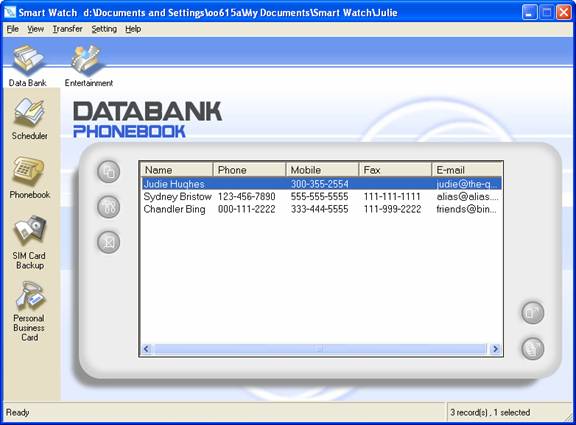
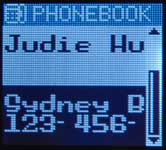
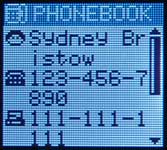
In Phonebook mode, the names get cut off due to the small screen size.
Selecting an entry will display the rest of the information. Why wasn’t this a
feature on the SPOT watches?
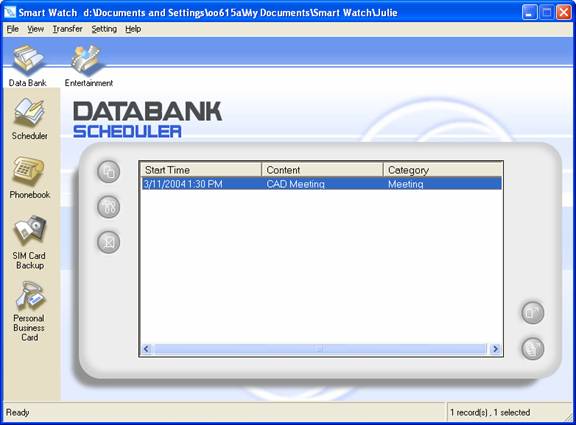
The scheduler that is included is pretty weak. The appointments are one time
only. No reoccurrences.
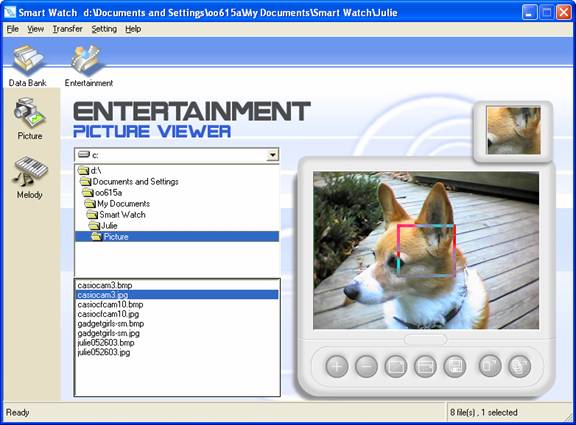
The picture viewing capability is the probably the most interesting feature
of this watch. With it, you can load in up to 27 of your favorite pictures. The
software allows you to either cut out a suitable sized square or resize the
entire picture to fit the 72×64 pixel display.
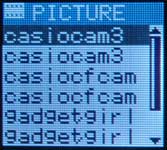
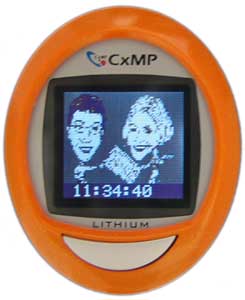
A list of pictures installed on the watch is displayed in the Picture mode.
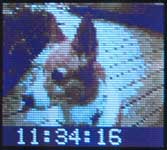
Below you can see what the pictures look like on the watch. I know they aren’t
spectacular, but they are kind of fun. An added bonus is the fact that any
picture can become your new watch face. By staying in the Picture Mode, the time
will display at the bottom of the picture and will remain there until you switch
modes. This is a feature that SPOT watches should have included out of the box!
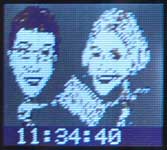
How would you like to have the Gadgeteers on your wrist? ;o)
Just displaying art on your Smart Watch, would seem empty without also being
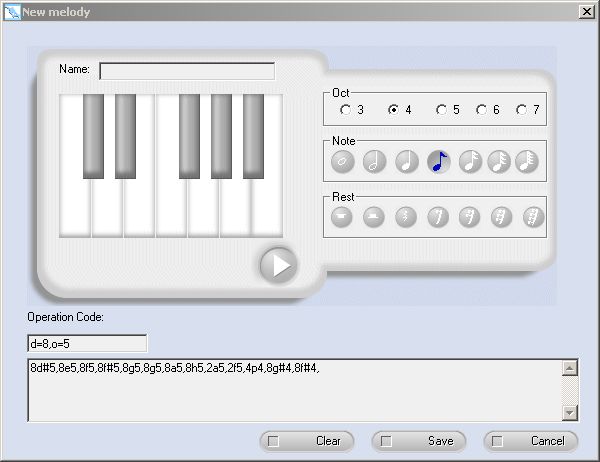
able to listen to music on your watch. Ok, calling it music might
be taking things a bit far… But you can record (and download from the
manufacturers website) melodies that can be used for the alarm and schedule
alerts. The tunes are strictly beep and boop variety, but hey, at least you can
customize them.
There isn’t much of a learning curve with this watch. The functions are easy
to understand and are fun to use. Beaming info to and from a PDA or mobile phone
can be a bit involved, but it is doable. While it might seem like this device is
more of a novelty than a serious timepiece, the Smart Watch definitely gives us
a taste of things to come. I can’t help but think how much better the SPOT watch
might be if it incorporated some of these same features.
How long will it be before we are all wearing high resolution, 65,000 color
display watches on our wrists? Not long I say, not long at all…
Price: $160 from
Brando
Pros:
Color display
Address book
Pictures
Schedule
Cons:
Display hard to see when backlight is off
Overall design looks toy-like
![[MINI SIZE. ULTRA PORTABLE CHARGER]: Roughly the size of an AirPods Pro case, this smallest power bank packs 10,000mAh of long lasting power into a tiny, nano footprint. Easily slide this ultra slim, credit card size charger into your skinny jeans, a...](https://m.media-amazon.com/images/I/41rATpm6dyL._SL160_.jpg)
INIU Portable Charger, Ultra Mini 10000mAh 45W Fast Charging with Detachable Cable, Flight-Safe Travel USB C Power Bank External Phone Battery Pack for Xiaomi iPhone 17 16 Samsung S26 Google iPad etc
(as of June 8, 2026 21:45 GMT -05:00 - More infoProduct prices and availability are accurate as of the date/time indicated and are subject to change. Any price and availability information displayed on [relevant Amazon Site(s), as applicable] at the time of purchase will apply to the purchase of this product.)
tomtoc 7L Sling Backpack Crossbody Bag for Men Women, EDC Daypack Chest Shoulder bag for 14-inch MacBook Pro M5 Pro/Max, 13" MacBook Air/Neo, 13" iPad Air M4/Pro M5, Organized, Daily Use, Work, Travel
(as of June 8, 2026 18:48 GMT -05:00 - More infoProduct prices and availability are accurate as of the date/time indicated and are subject to change. Any price and availability information displayed on [relevant Amazon Site(s), as applicable] at the time of purchase will apply to the purchase of this product.)Product Information
| Price: | 160.0 |
| Manufacturer: | Brando |
| Pros: |
|
| Cons: |
|

Gadgeteer Comment Policy - Please read before commenting
Post your comments here on the Smart Watch ICW001 Review.
http://www.the-gadgeteer.com/color-smartwatch-review.html
Just click the POST REPLY button on this page.
Hi – sounds like a cool gadget – but have you actually tried transferring data from – for example – a Pocket PC to the watch and if so, how does this work? Thanks in advance!
I’ve beamed addresses to it from a Palm device. It works fine. You just have to go into a special receive screen in order to ‘get’ the beam.