
I recently bought a
Nordic Track treadmill, which I absolutely love; not only does it have all
of the expected features, it can also accept
iFit workout cards. These SD shaped cards offer different workout programs
with progressive levels of difficulty along with the positive feedback of a
trainer verbally telling me what’s coming up, as the console displays what I
have done. Largely because of this type instant feedback, I have always
preferred walking on a treadmill to walking outdoors. But today I am going to
introduce a product that provides verbal feedback for many outdoor activities,
eliminating one of my main excuses for preferring to exercise indoors.
If you walk, run, rollerblade, Bicycle, ski, snowboard, or do any other
outdoor activity that moves you from point A to point B, then you’ll want to
take a look at the MotionLingo
ADEO Fitness Trainer. This
GPS enabled device attaches to any digital music player and actually provides
feedback similar to that of a treadmill, both verbally and on the user’s
computer.
Specifications:
| GPS Update Rate | 10hz |
| Size | 3" x 2" x 9/16" |
| Weight | 2.1 oz. |
| Battery Type | Rechargeable Lithium Ion |
| Battery Life | 6 hours |
| Battery Charging Time | 4-6 hours |
| Audio Frequency Response | 20Hz – 20kHz +/- 1db |
| Connection Type | USB |
| Internal Memory | Up to 10 hours of workout data |
| Windows System Requirements | Pentium III 800MHZ + Windows 2000 (Service Pack 3) or Windows XP |
| Macintosh System Requirements | Mac OS X 10.2 + 256MB RAM 40MB available space |
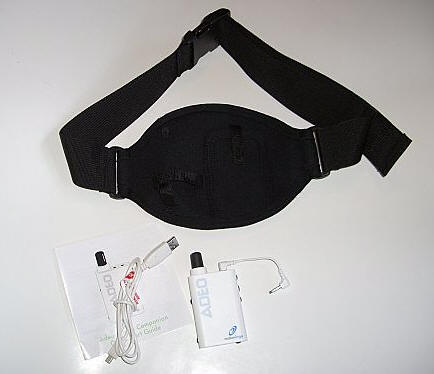
Included in the package are the ADEO, a black neoprene workout belt, an audio
cable, a USB cable, instructions and a setup CD.
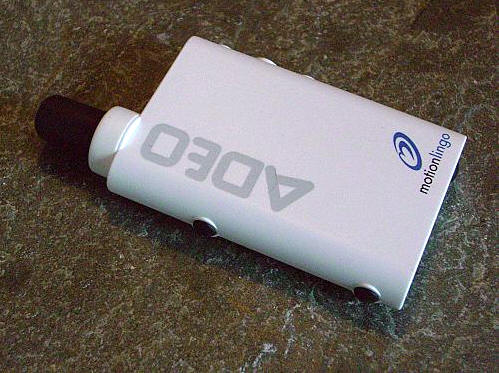
The ADEO is a creamy white plastic device that measures approximately 4" tall
(including antenna) x 2" wide x 0.5" thick. The left side of the device from
left to right has the Lap button (for pressing as laps are completed on a
circular course) and the Start/Stop Workout button.
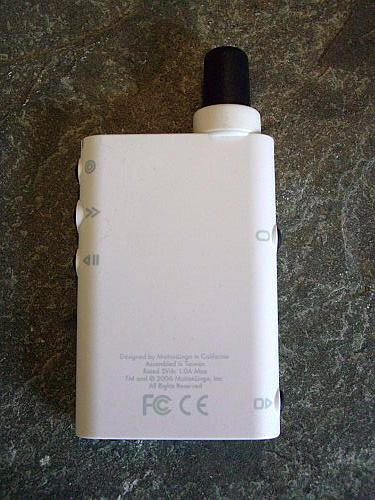
The back of the ADEO has small icons that indicate the various buttons’
functions. These icons are great – but you’ll most likely never see them when
actually using the device.
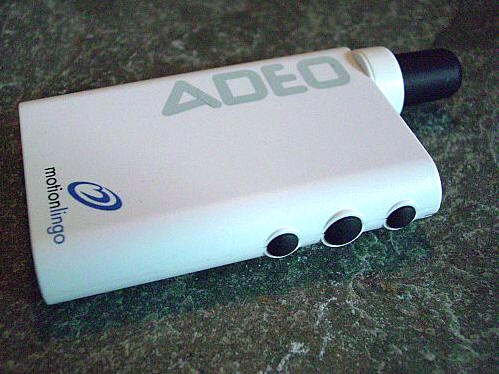
The buttons on the right side of the ADEO (from left to right) are Forced
Update – to hear immediate updates while in the middle of a workout, Scroll – to
advance through the various Update Routines, and Current Time – which tells the
current time of day during a workout.
The top of the ADEO has the LED status light, the Audio In from MP3 (using
the included audio cable), and the headphone jack.
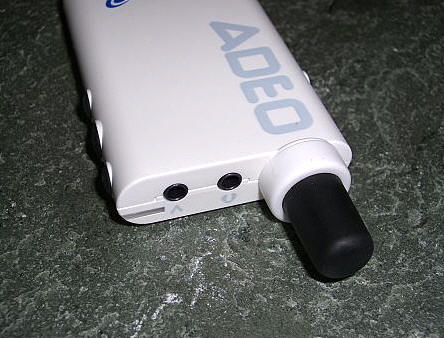
The device’s bottom has a mini-USB jack and the Power button.
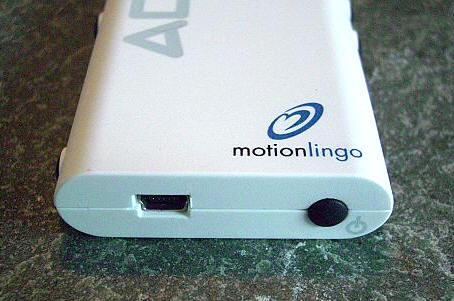
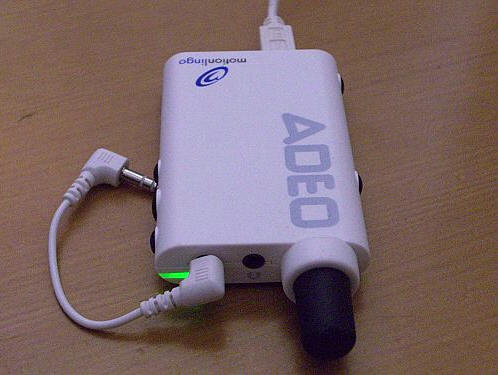
Before the ADEO can be set up and used for the first time, it must be plugged
into a USB 2.0 port and charged. As it is charging, a green LED will glow; once
done the light will no longer glow. I was surprised that it took about five
hours for the ADEO to charge the first time, but evidently anywhere from four to
six hours is typical. I wonder if using the optional AC charger might help to
speed things up a bit? Battery life is approximately six hours.
Once the green light goes out, the ADEO is charged and the software can be
loaded on the user’s computer. During the setup process, the user will be
prompted to setup a free
MotionTrak online
account.
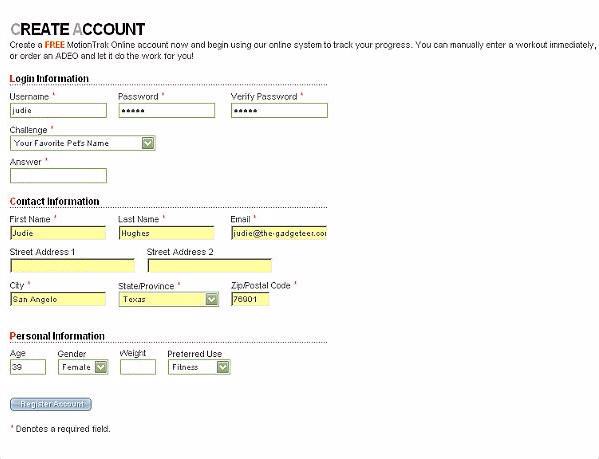
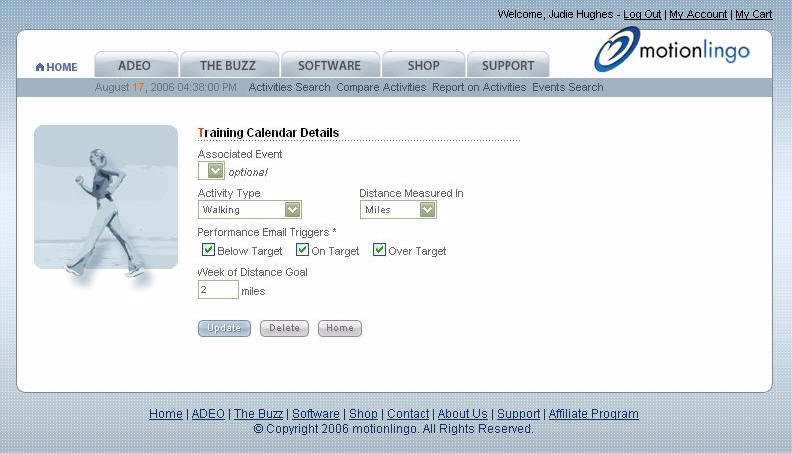
From the online account, it is possible to set goals and even email triggers
to let you know when you are or aren’t on target.
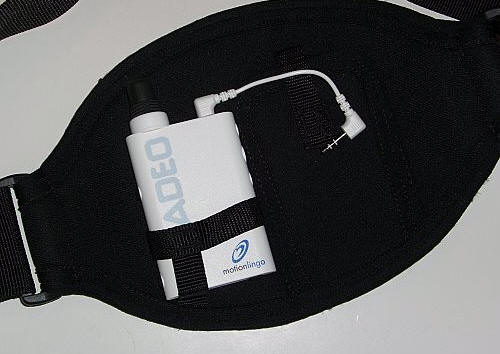
Now it’s time for an actual workout! The ADEO goes into the left device
holder on the neoprene belt…
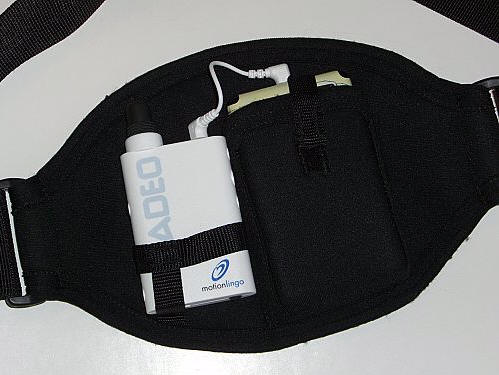
… and whatever MP3 player the user happens to own – as long as it is no
larger than a 4th generation iPod ( approx. 4" x 2.25" x 0.6") – goes in the
right pocket. The audio cable goes from the jack on the ADEO to the headphone
jack on the digital music player. I should point out that my 4th generation iPod
was an extremely tight fit, and the strap used to secure the player in the
pocket would barely close over it.
Add to this a set of headphones, and the newly loaded bat belt is ready to
go…which I will admit is why I wasn’t really enthusiastic about breaking in
the system.
You see, the belt looks like a large neoprene cummerbund when you step
outside. The idea is that you’ll place the devices in front of you – get a lock
on the GPS satellites, start the workout, then turn the pod around to the back
and get started, which I did; although I couldn’t help but feel like a
tool…but that would pass.
From the moment I heard the female trainer’s voice over the Gorillaz song
that was currently playing, I was hooked. I had conned Sarah into going for a
walk with me, so I knew in advance that the workout would be a little less
intense and a bit shorter than I am used to on my treadmill, but what I didn’t
expect was how much fun it was going to be.
We walked for almost thirty minutes, and every now and then the trainer would
interject the total distance traveled, our average pace, our current pace, the
time of day, elevation when it changed (only once in my mostly flat
neighborhood), and calories burned. The experience was really cool…well,
relatively speaking as I was wearing a thick black neoprene cummerbund around my
waist in 100ºF heat. :0P
The combination of good music coupled with near instant workout feedback was
awesome. I would soon find out that I was in for a treat once I got on my
computer…
After attaching the ADEO to the USB cable, I clicked the Get Workouts
button onscreen, prompting an upload of the information on my device. I was able
to enter information about the workout, and the software filled in all of the
blanks – even adding the number of miles added to the shoes i had previously
entered.
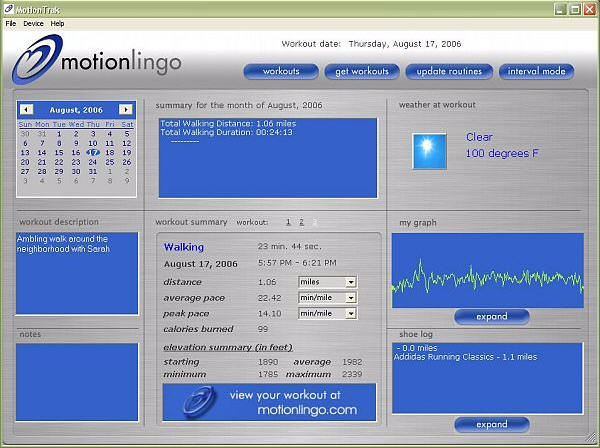
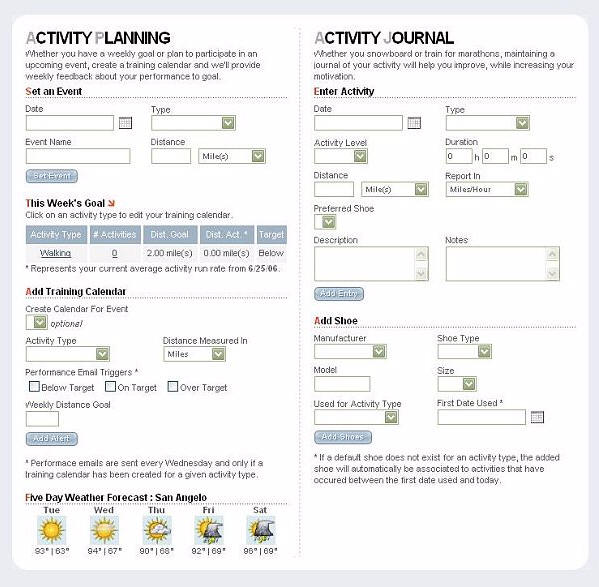
Online, I was able to access planning tools, weather information, and an
activity journal for my workout.
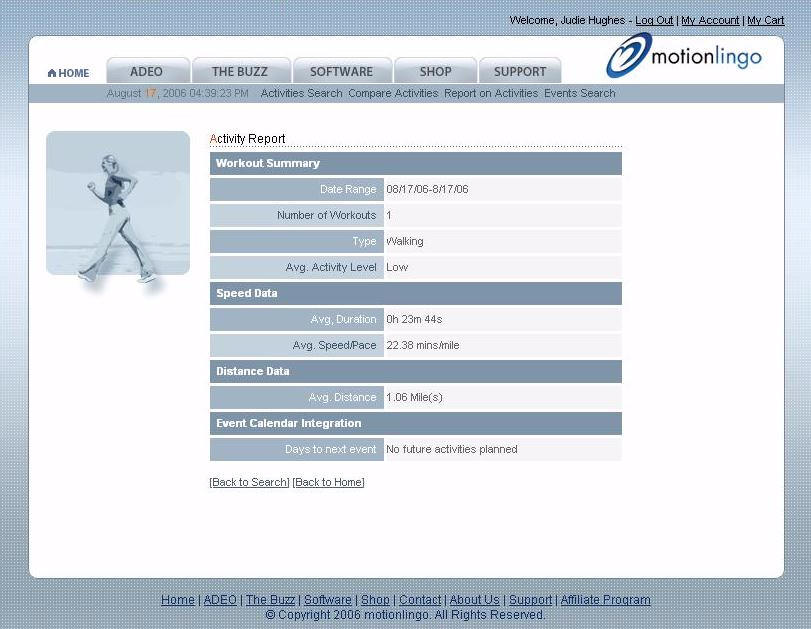
An Activity Report gives instant information on completed workouts…
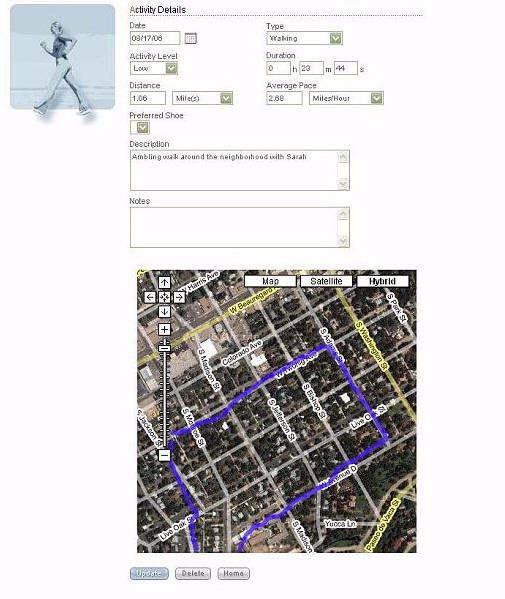
…but once of the coolest features was this one – the Activity Details page
which showed an actual map of Sarah’s and my walk, superimposed over a Google
satellite map of our neighborhood.
The ADEO was extremely easy to set up and use, and the addition of verbal
feedback made outdoor walking in the 100ºF
heat almost enjoyable. I say almost, because by the time we had completed
our 1.1 mile walk, we were drenched in sweat and ready to come home! Listening
to the ADEO’s verbal feedback is almost like having a trainer along for the walk
– someone constantly monitoring progress and spouting immediate stats that I
would have otherwise only guessed at – and most likely erroneously so. The
ADEO is truly a fabulous tool for those that prefer to get their exercise
outdoors; once cooler weather arrives, because of the ADEO – I might just be one
of them!

2-Pack LED Video Light Kit, NiceVeedi Studio Light, 2800-6500K Dimmable Photography Lighting Kit with Tripod Stand&Phone Holder, 73" Stream Light for Video Recording, Game Streaming, YouTube
(as of June 9, 2026 04:52 GMT -05:00 - More infoProduct prices and availability are accurate as of the date/time indicated and are subject to change. Any price and availability information displayed on [relevant Amazon Site(s), as applicable] at the time of purchase will apply to the purchase of this product.)
ALTSON 60 LED Portable Selfie Light Video Conference Lighting with Clip & Camera Tripod Adapter Rechargeable 2200mAh CRI 97+, 3 Light Modes for Phone iPhone Webcam Laptop Photo Makeup
(as of June 9, 2026 08:49 GMT -05:00 - More infoProduct prices and availability are accurate as of the date/time indicated and are subject to change. Any price and availability information displayed on [relevant Amazon Site(s), as applicable] at the time of purchase will apply to the purchase of this product.)Product Information
| Price: | 149.95 |
| Manufacturer: | MotionLingo |
| Retailer: | MotionLingo |
| Requirements: |
|
| Pros: |
|
| Cons: |
|
