
Over the years I have reviewed quite a few FM transmitters that
were compatible with just about any portable music player. But
today I am going to take a look at my first FM transmitter made to
complement all versions of the Apple iPod specifically.
Conveniently enough, this transmitter will also work with any audio
device with a line-out jack.
The Digital Lifestyle
Outfitters
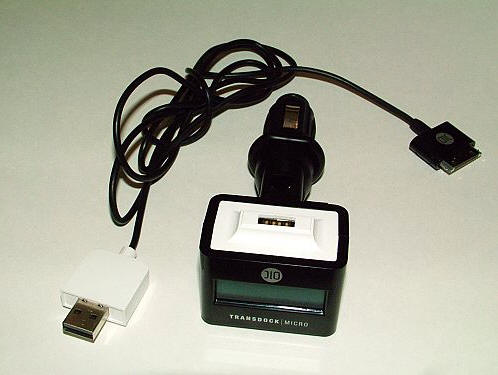
TransDock micro charges and broadcasts music from every iPod,
but it has a few other surprises in its bag of tricks. Included in
its package is the TransDock micro and a removable 51″ USB charging
cable. The TransDock micro measures approximately 4.75″ long x 2″
wide at its display end; it is composed primarily of black plastic
with white and gray plastic accents. The device feels well built,
not flimsy or cheap at all.
The top of the dock has a USB port which can accept either the
included USB cable or the end of an iPod Shuffle. It
will also accept USB based charging cables, such as the
Lil’ Sync Pro or the BoxWave
miniSync, to provide power through the cigar lighter for
non-audio devices.
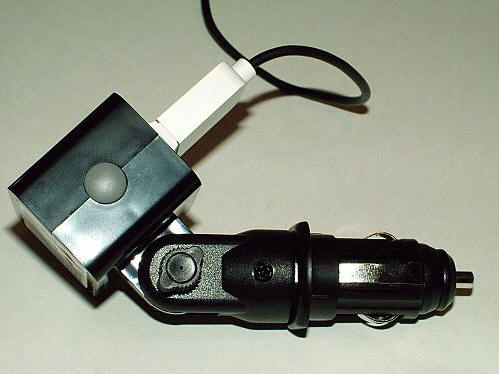
Behind the dock’s 2″ wide x 1.25″ tall x 1.25″ deep display end,
there is an adjustable ratcheting neck. This neck can be positioned
and locked in any of 13 positions, allowing up to a full
180º angle for the best fit and
display angle when the dock is plugged in a vehicle’s cigar
lighter.
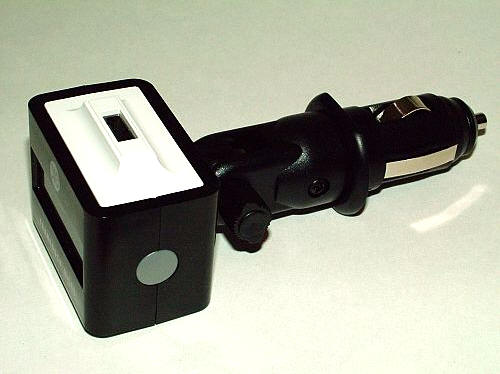
On either side of the display head are grey plastic buttons
which are used to either advance to or retreat from FM radio dial
settings from 87.9 to 107.9. Short presses of the buttons will
cause selections to advance by single digits, and holding either
button will cause the selections to rapidly pass.
Here’s the right side of the device…
…and there is the left.
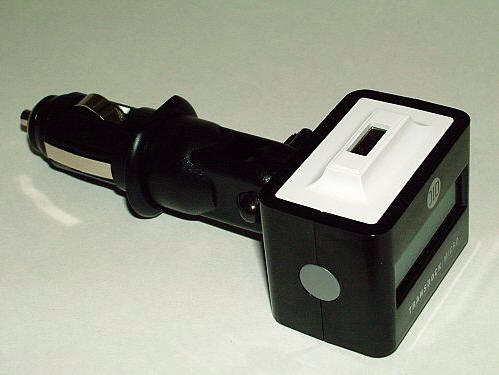
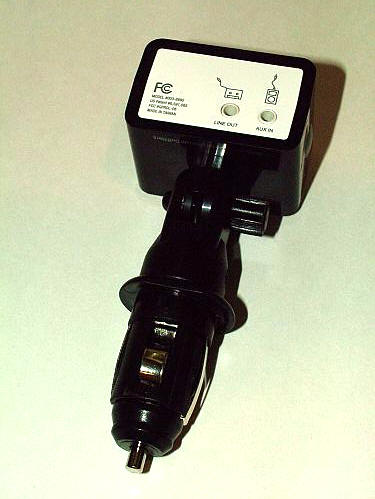
The bottom of the dock’s head has jacks for line-out and
line-in. What this means is if the user has a cassette adapter they
would prefer using, a mini-plug cable, or a set of speakers other
than the car’s, then they can plug that cable into the line-out
jack. The line-in jack is for directly wiring to any other audio
device, including but not limited to MiniDisc players, CD players,
portable game players, portable DVD players and laptop
computers.
When using an iPod, the included USB to iPod cable is all that’s
necessary to both charge and transmit the player’s contents.
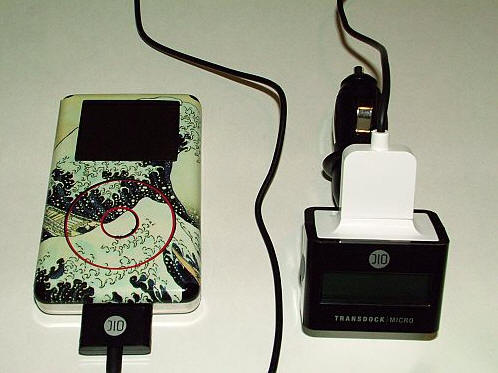
I really like the fact that the TransDock micro charges the iPod
while it is in use, because not only will I have my tunes while in
transit, the iPod will be ready for use once I’m at my
destination.
The DLO site touts that the removable dock cable is handy for
home or travel use, and that it is a $20 value on its own. I
assumed then that it would power my iPod from any USB port,
but I did not find that to be the case. When the cable was plugged
into my desktop’s USB port the iPod’s screen’s backlight came on
without a charging notification, I got a popup on my computer
screen showing that an unrecognized device was in the USB port, and
no charging power was provided.
When the TransDock micro is plugged into a powered cigar
lighter, its 1.5″ screen will glow with a strong blue backlight.
This glow might seem a bit distracting to some drivers, but
depending on where the vehicle’s power port is located it may be
possible to turn the dock to a less distracting position.
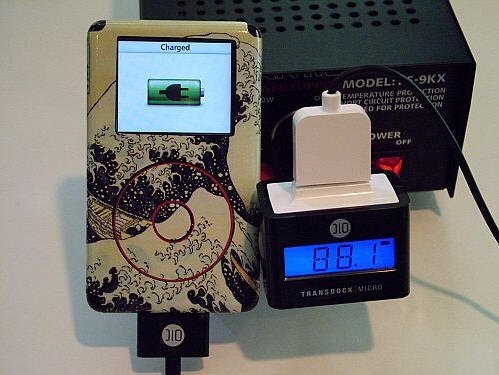
When the iPod (or other rechargeable device) is charging via the
USB connection a lightning bolt symbol will flash on the right side
of the screen.
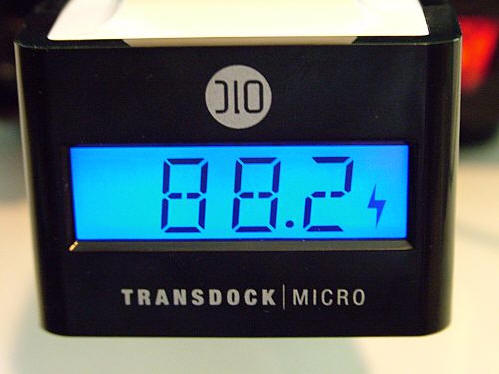
Once the iPod (or other rechargeable device) has charged, a full
battery symbol will display on the screen.
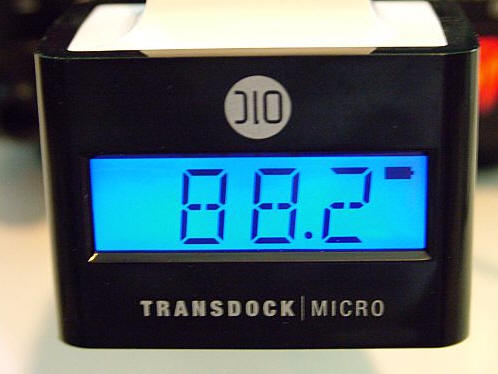
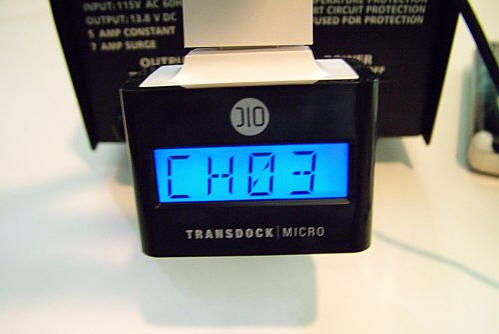
Pressing and holding both buttons on either side of the dock at
the same time will cause the chosen radio dial to be set as a
channel; up to four channels may be preset. Activating a preset
channel is done by quickly pressing both buttons together.
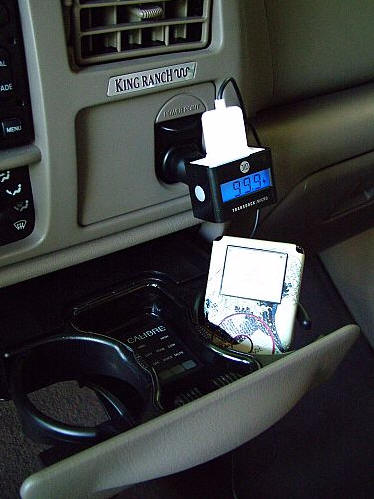
Using the DLO TransDock micro in a vehicle is simply a matter of
figuring out at what angle dock will best fit, choosing an empty FM
station on the radio’s dial, and then turning to the same station
on the dock. Placement of the iPod itself will just depend on the
vehicle’s interior.
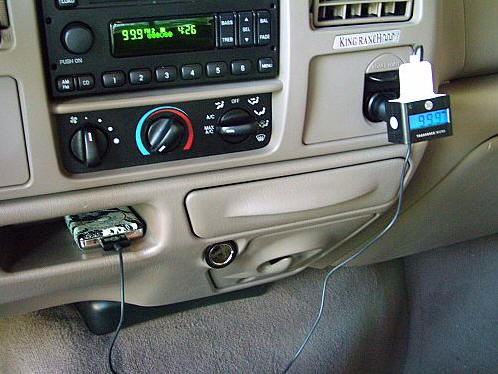
iPod Shuffle users will find that they get their the best sound
when the Shuffle’s volume is set to max; they can then control the
overall speaker volume through the vehicle’s radio controls. The
long cable makes it convenient for the driver or passenger to
change songs while driving…not that I am recommending that the
driver ever take their eyes from the road.
As would happen when using any FM transmitter, there was a small
loss of volume and sound quality when audio was transmitted via the
dock. Simple adjustments on the iPod’s built-in equalizer and the
volume of both the iPod and the vehicle’s stereo easily compensated
for the loss, and I felt that the resulting audio was quite
good.
Overall, I am pleased with the multiple uses that the DLO
TransDock micro provides, but I feel let down by the cable not
working as expected. Others may or may not feel the same.
Gerber Gear Suspension 12-in-1 EDC Multi-Plier Multitool with Pocket Knife, Needle Nose Pliers, Wire Cutters and More, Gifts for Men, Camping and Survival, Grey
(as of June 8, 2026 18:45 GMT -05:00 - More infoProduct prices and availability are accurate as of the date/time indicated and are subject to change. Any price and availability information displayed on [relevant Amazon Site(s), as applicable] at the time of purchase will apply to the purchase of this product.)
Gerber Gear Diesel Multitool Needle Nose Pliers Set, 12-in-1 EDC Multi-Tool Knife, Survival Gear and Equipment, Black
(as of June 8, 2026 18:45 GMT -05:00 - More infoProduct prices and availability are accurate as of the date/time indicated and are subject to change. Any price and availability information displayed on [relevant Amazon Site(s), as applicable] at the time of purchase will apply to the purchase of this product.)Product Information
| Price: | 69.99 |
| Manufacturer: | DLO |
| Requirements: |
|
| Pros: |
|
| Cons: |
|

Gadgeteer Comment Policy - Please read before commenting
Hi! i have a transdock micro.. and the cable got cut!!!! from the thing that goes in the ipod….
can someone tell me how’s is the right order of the cables?? the colors??
i havent found the cable here in chile… they sell all the thing together!!!
please.. if someone can help!!!!
thanks.
I need to replace the cable as well. I there a substitute available?
I also need to replace the cable. Can I order that separately?